
Clickteam Fusion 2.5+ Addon
Clickteam · Apr 1, 2019
Delayed observation
Observed
0
Last tracked
0
All-time peak
n/a
Δ 24h
Player count last observed
Live player data is temporarily unavailable; historical values remain visible for context.
Clickteam Fusion 2.5+ Addon - Steam Charts & Historical Stats
Clickteam Fusion 2. Explore historical player activity and pricing for Clickteam Fusion 2.5+ Addon. Player-count data was last observed May 26, 2026.
Price
$20.99
Genre
Animation & Modeling
Developer
Clickteam
Clickteam Fusion 2.5+ Addon player count and price summary
- Current players
- Unavailable
- All-time peak
- Unavailable
- 24-hour player change
- Unavailable
- Current US price
- $20.99
Player count last observed . Values marked unavailable are not estimated.
Media gallery 5 screenshots · 0 videos
Screenshots
Game Insights
Buy Verdict
Watch — $20.99.
Decent deal at 65% off, but might drop further. Watch for better opportunities.
▲
~4 days until next sale
Value Score
Great Value — 100th percentile.
Price-to-player ratio ranks in the 100th percentile.
▲
Market pricing tier
Genre Benchmarks
Value Ratio
Top 0%
Player count
Price History
Lowest Price
$20.99
Jul 2026 across all regions
Current Price
$20.99
US region
No Recent Price History
Price history data will appear here once more pricing information becomes available.
System Requirements
Platform Support
Windows
Windows Requirements
Minimum:
Minimum:
- OS *: Minimum Windows XP SP3 Operating System. Supports Vista, 7 , 8 and Windows 10
- Processor: 200 Mhz Pentium processor or higher
- Memory: 256 MB RAM
- Graphics: Must support minimum of Direct3D 9
- Additional Notes: Broadband Internet connection
Pricing
Paid Game
CDN$ 68.99 (CAD)
Additional Information
Categories
Single-player
Multi-player
MMO
Co-op
Shared/Split Screen
Cross-Platform Multiplayer
Downloadable Content
Steam Achievements
Steam Leaderboards
Supported Languages
English, French, Japanese
Official Website
http://www.Clickteam.com
Current Pricing
💰
CDN$ 68.99
Regular Price
Historical low: $20.99
(Jul 2026)
Additional Information
🆘
Support
🎁
Purchase Options
1
package options
Developer Analytics
Loading competitors...
About This Game
Clickteam Fusion 2.5+ enhances your existing copy of Clickteam Fusion 2.5 Standard or Developer by providing some very powerful additional features and improving functions in several places.
Detailed Description
Clickteam Fusion 2.5+ enhances your existing copy of Clickteam Fusion 2.5 Standard or Developer by providing some very powerful additional features and improving functions in several places.
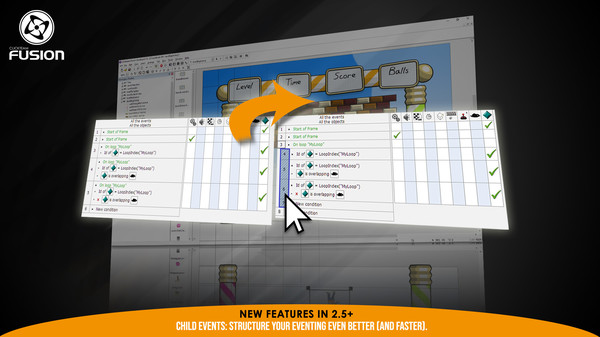
Access the power of event editor with even more ease using child events in your projects, qualifiers in global events, customizable qualifiers and a global event list editor.
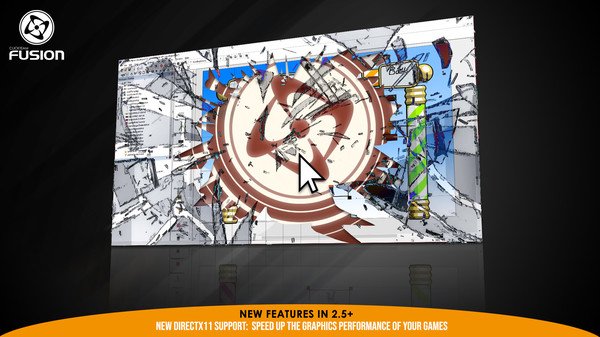
Improve the performances of your applications with new engine optimizations and a new Windows runtime using DirectX 11.
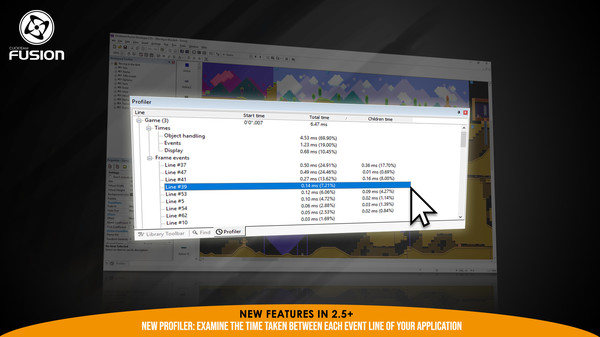
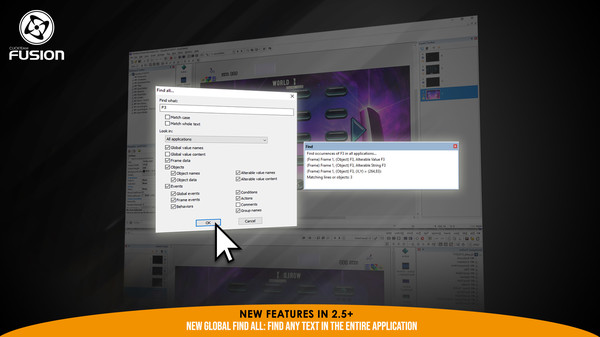
Debugging your application has never been easier with the addition of new features like the built in profiler that allows you to examine the time taken by each event line of your application. The resulting output allows you to detect any bottleneck in your events and optimize your application's frame rate. Or the new Find All function that searches your entire application for your search criteria and provides a new output window with the results. Find what you are looking for in the list, click it to jump directly there!
A ton of other features include
Access the power of event editor with even more ease using child events in your projects, qualifiers in global events, customizable qualifiers and a global event list editor.
Improve the performances of your applications with new engine optimizations and a new Windows runtime using DirectX 11.
Debugging your application has never been easier with the addition of new features like the built in profiler that allows you to examine the time taken by each event line of your application. The resulting output allows you to detect any bottleneck in your events and optimize your application's frame rate. Or the new Find All function that searches your entire application for your search criteria and provides a new output window with the results. Find what you are looking for in the list, click it to jump directly there!
A ton of other features include
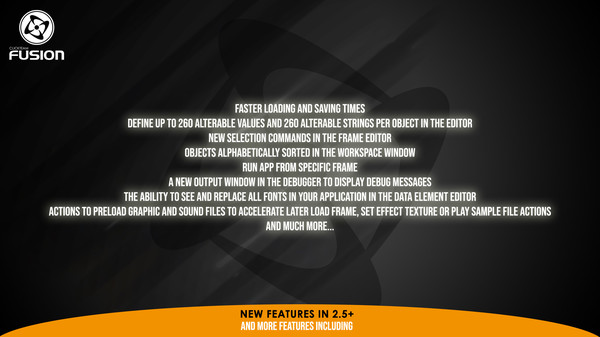
- Faster loading and saving times
- Define up to 260 alterable values and 260 alterable strings per object in the editor
- New selection commands in the frame editor
- Objects alphabetically sorted in the Workspace window
- Run app from specific frame
- A new Output window in the debugger to display debug messages
- The ability to see and replace all fonts in your application in the Data Element editor
- Actions to preload graphic and sound files to accelerate later Load Frame, Set Effect Texture or Play Sample File actions
- And more!
Frequently Asked Questions
Is Clickteam Fusion 2.5+ Addon worth buying right now?
Watch — $20.99. Decent deal at 65% off, but might drop further. Watch for better opportunities.
When does Clickteam Fusion 2.5+ Addon go on sale?
Decent deal at 65% off, but might drop further. Watch for better opportunities.
Is Clickteam Fusion 2.5+ Addon free to play?
Clickteam Fusion 2.5+ Addon costs $20.99 on Steam.
What genre is Clickteam Fusion 2.5+ Addon?
Clickteam Fusion 2.5+ Addon is a Animation & Modeling, Education, Utilities, Web Publishing game.
Who developed Clickteam Fusion 2.5+ Addon?
Clickteam Fusion 2.5+ Addon was developed by Clickteam.
What platforms does Clickteam Fusion 2.5+ Addon support?
Available on Steam for Windows.