Game overview
PlayClaw 7 - Custom Crosshair Overlay
Custom Crosshair overlay DLC provides robust custom crosshair rendering directly in a game screen. Forget about input lags in windowed modes!
- Last tracked players
- 0
- All-time peak
- Unavailable
- 24-hour change
- Unavailable
Delayed observation · last tracked . Values marked unavailable are not estimated.
About this game Read the full description
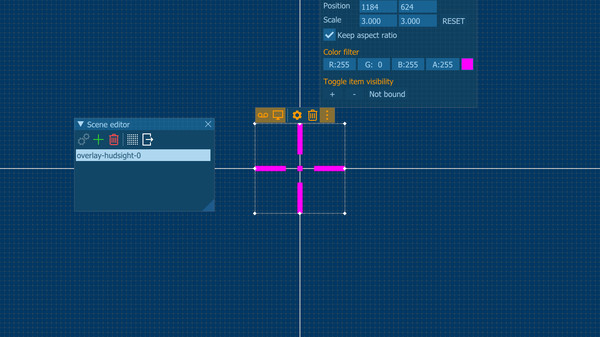
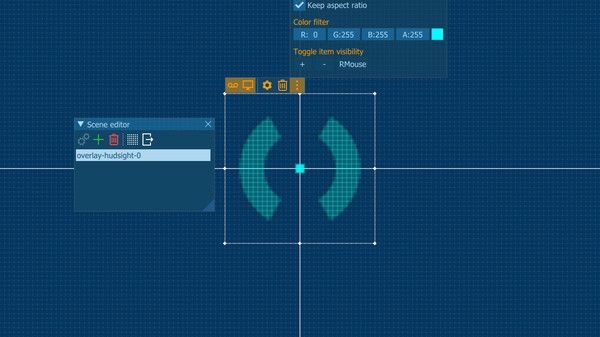
Custom Crosshair overlay DLC provides robust custom centered overlay rendering directly in a game screen. Forget about input lags in windowed modes with other "on-top" custom crosshair programs.
PlayClaw draws the overlay right over a game frame and it doesn't matter what video mode is used in a game. That is why you can switch your game to fullscreen and get minimal input lag. Finally!
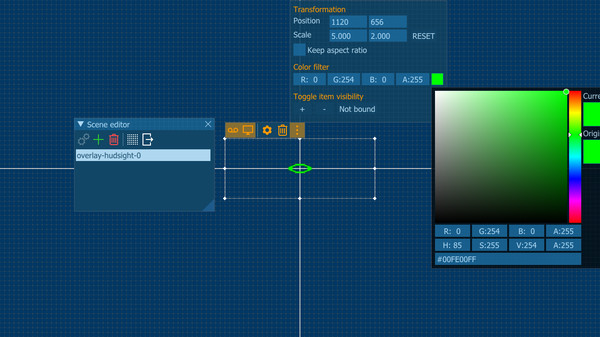
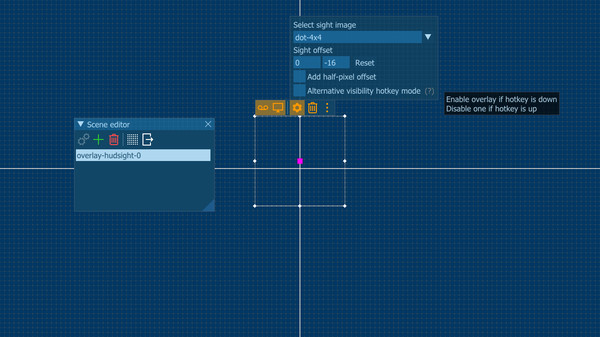
You can select crosshair from pre-installed image or use your own. Overlay can be turned on and off by a hotkey, it can be scaled. You can add an offset from screen center and even add half-pixel offset to align it to the real screen center.
PlayClaw draws the overlay right over a game frame and it doesn't matter what video mode is used in a game. That is why you can switch your game to fullscreen and get minimal input lag. Finally!
You can select crosshair from pre-installed image or use your own. Overlay can be turned on and off by a hotkey, it can be scaled. You can add an offset from screen center and even add half-pixel offset to align it to the real screen center.
Will I get banned for this?
Custom Crosshair overlay is not a cheat, it doesn't change games files or game play, it just draws an overlay (like Steam or other gaming services or some other tools). But please make sure that the Terms of Service of the game you play allow such enhancement.Media gallery 5 screenshots · 0 videos

Screenshots

Player activity
Concurrent players over the last 48 hours.
Loading player history?
System requirements Windows
Windows
Minimum
Minimum:- OS *: Windows 7
- Processor: 2-cores CPU with SSE support
- Memory: 1 GB RAM
- Graphics: Intel/AMD/NVidia graphics card
- DirectX: Version 11
- Storage: 1 MB available space
Recommended
Recommended:- OS: Windows 10
- Processor: Intel i5 or AMD Ryzen or better
- Memory: 1 GB RAM
- Graphics: Intel/AMD/NVidia graphics card
- DirectX: Version 11
- Storage: 1 MB available space
Game details Languages, features & support
- Publisher
- Eduard Kozadaev
- Brazilian rating
- l
- Features
- Downloadable Content
- Languages
- English
- Website
- Official website ↗
- Support
- Support site ↗
More analysis Activity patterns, updates & developer tools
Game Insights
Buy Verdict
Watch — $7.99.
Decent deal at 0% off, but might drop further. Watch for better opportunities.
▲
~43 days until next sale
Value Score
Great Value — 100th percentile.
Price-to-player ratio ranks in the 100th percentile.
▲
Market pricing tier
Genre Benchmarks
Value Ratio
Top 0%
Developer Analytics
Loading competitors...
Frequently Asked Questions
Is PlayClaw 7 - Custom Crosshair Overlay worth buying right now?
Watch — $7.99. Decent deal at 0% off, but might drop further. Watch for better opportunities.
When does PlayClaw 7 - Custom Crosshair Overlay go on sale?
Decent deal at 0% off, but might drop further. Watch for better opportunities.
Is PlayClaw 7 - Custom Crosshair Overlay free to play?
PlayClaw 7 - Custom Crosshair Overlay costs $7.99 on Steam.
What genre is PlayClaw 7 - Custom Crosshair Overlay?
PlayClaw 7 - Custom Crosshair Overlay is a Audio Production, Software Training, Utilities, Video Production, Web Publishing game.
Who developed PlayClaw 7 - Custom Crosshair Overlay?
PlayClaw 7 - Custom Crosshair Overlay was developed by Eduard Kozadaev and published by Eduard Kozadaev.
What platforms does PlayClaw 7 - Custom Crosshair Overlay support?
Available on Steam for Windows.