FMVMachine (AppID: 1431280)

FMVMachine - Steam Analytics & Details
FMVMachine has 0 current players. Currently priced at $0.50, it represents green value compared to similar Casual games.
Media Gallery

Screenshots
Videos
FMVMACHINE
Game Insights
Buy Verdict
Decent deal at 0% off, but might drop further. Watch for better opportunities.
Community Sentiment
Top praised area: gameplay (0 positive mentions).
Value Score
Price-to-player ratio ranks in the 100th percentile.
Frequently Asked Questions
Is FMVMachine worth buying right now?
When does FMVMachine go on sale?
What do players think of FMVMachine?
Genre Benchmarks
Price History
No Recent Price History
Price history data will appear here once more pricing information becomes available.
System Requirements
- OS: Windows 10/11
- Processor: Intel Core i3-3220 or AMD FX-4300
- Memory: 4 GB RAM
- Graphics: Intel HD Graphics 4000 or NVIDIA GeForce GT 730 or AMD Radeon R5 240
- DirectX: Version 11
- Storage: 2 GB available space
- DirectX: Version 11
- OS: macOS 11 or later
- Processor: Intel Core i3-3220 or Apple M1
- Memory: 4 GB RAM
- Graphics: Intel HD Graphics 4000
- Storage: 2 GB available space
Additional Information
Current Pricing
Additional Information
Developer Analytics
Loading competitors...
About This Game
Create interactive video experiences without coding.
Detailed Description
FMVMachine makes it easy to build branching narratives, pitches, and marketing videos with interactive hotspots, quizzes, and seamless video transitions. This no-code tool makes it easy to create and self-host your own interactive video and educational experiences.
All the projects you create are fully responsive across most resolution sizes and devices.
You own and control everything you create. Build locally and privately on your computer or laptop. No cloud servers or subscriptions.
Use for any use case including commercial use.
The following are the key features of FMVMachine:
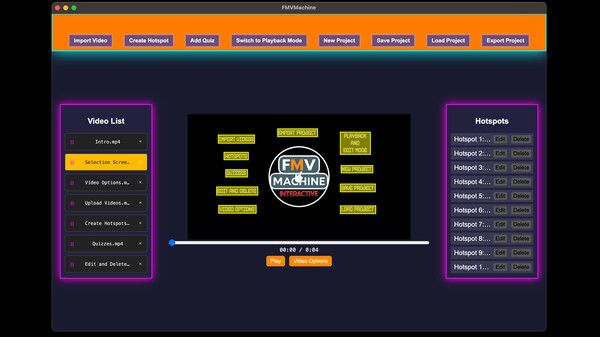
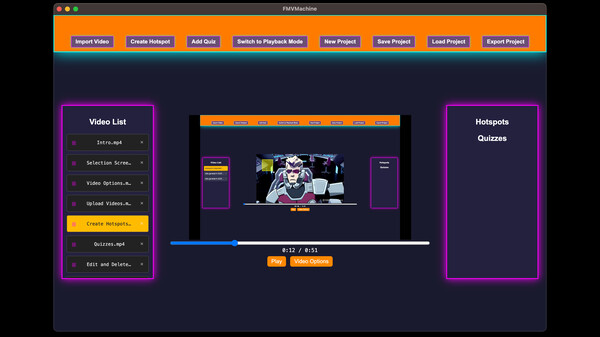
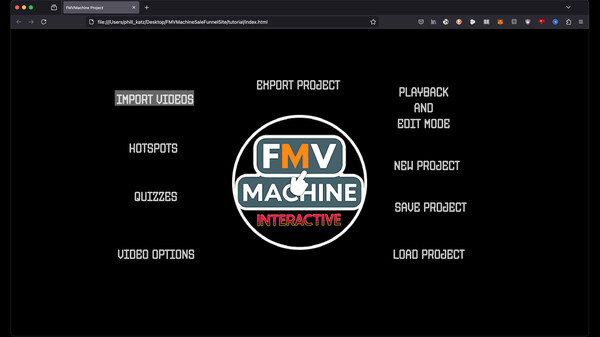
Import and work with multiple videos within the same project
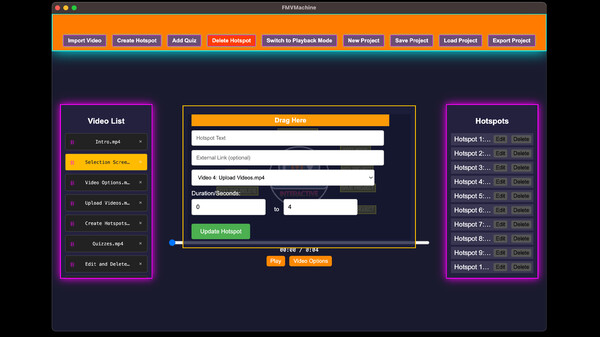
Create, edit, and delete multiple responsive and interactive hotspots across multiple videos within the same project. When clicked, you can choose to display text, open a link, or link to and play another video from the imported videos. You can also choose the time interval of when the hotspot will be visible during the video playback.
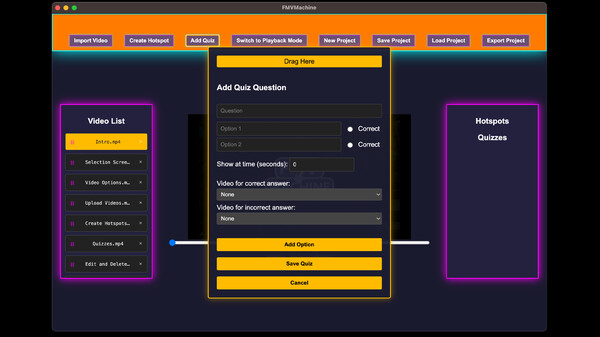
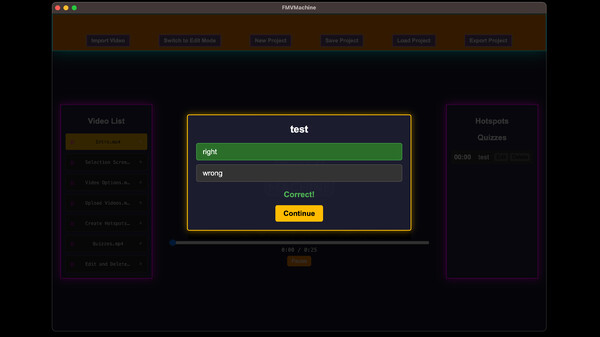
Create, edit, or delete multiple responsive and interactive quizzes across multiple videos in your project. You can create a question along with multiple choice questions. You can also link to and play a video based on a right or wrong choice. You can even choose when during your video playback the quiz will appear.
You have an edit and playback mode that you can switch between. The edit mode is where you will edit, add, or delete from your existing project. The playback mode allows you to test everything that you've created.
The video options allow you to either loop the current video at the end of playback or play another video.
You can save your project, including all videos and options, into a simple .proj file that you can open across any device using FMVMachine. Keep in mind that your saved project file will be as large as the video files you use.
The new project button allows you to erase everything and start with a blank slate.
You can load ANY FMVMachine .proj save file into FMVMachine using the load project button.
The export button exports your project. When exported, everything required for your project to be distributed online will be pre-created and pre-packaged into a zip file. Simply unzip the file and inside the folder you will find everything already structured and ready to go. You can send the zip file to share with friends, family, or clients. You can also upload the entire folder to your own web host or wherever you choose to share online that hosts HTML.