
Game overview
HudSight - crosshair overlay
Create unique crosshairs for any game! Choose from many built-in crosshairs or download from the Steam Workshop, and create your own. User-friendly interface, anti-cheat compatible. Customize your gaming experience!
- Last tracked players
- 999
- Recorded peak
- 4,549
- 24-hour change
- Unavailable
- Steam reviews
- 88.5% positive 4,677 reviews · via SteamSpy
Delayed observation · last tracked . Values marked unavailable are not estimated. Recorded peak is the highest player count observed by SteamIQHQ; earlier records may be outside our coverage.
Thinking of returning to HudSight - crosshair overlay?
See recorded Steam news, player activity and price changes since your last visit.
See what changed in HudSight - crosshair overlayAbout this game Read the full description
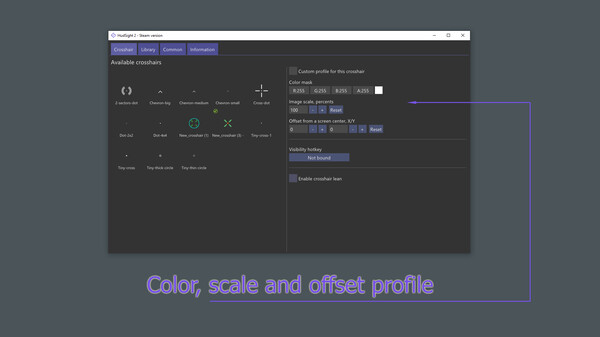
Add your crosshair to any game! You can use a crosshair from the set of pre-built images, create your own in our image editor or crosshair generator, or choose one of the crosshairs created by our community.
Features
Rendering | HudSight can use the traditional technique using Hooks, as well as secure ways via Microsoft Game Bar extension or our Real Overlay technique.
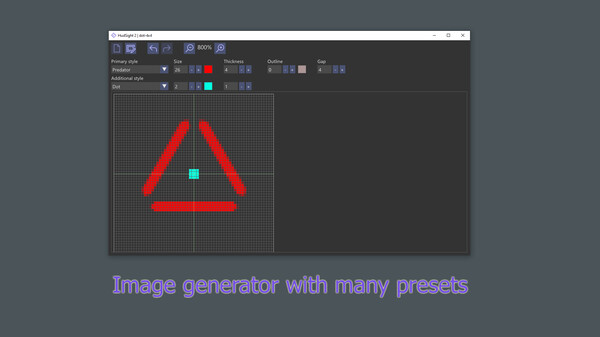
Generator | By adjusting various parameters in the crosshair generator you can quickly create your unique crosshair.
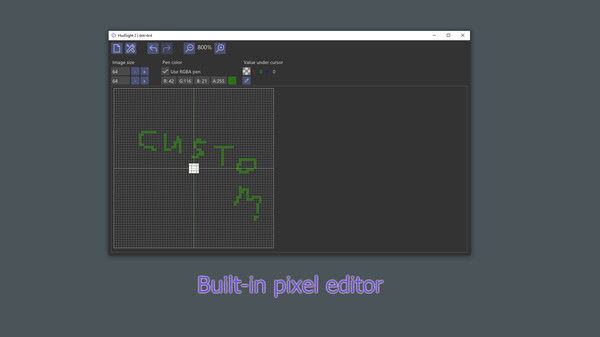
Image Editor | The raster (pixel) editor allows you to draw any unusual crosshair.
Images | Import any image from your disk to use as a crosshair.
Workshop | Use crosshairs created by the Steam community, or share your own.
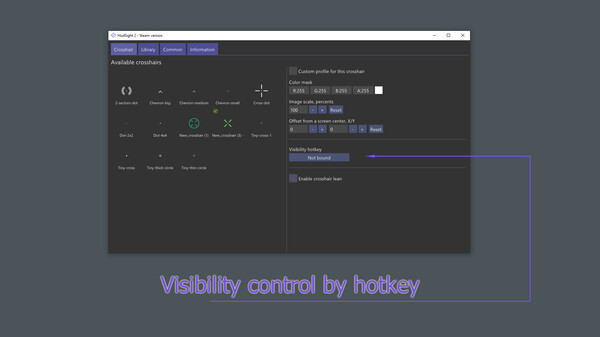
Multi-crosshair | Use key bindings for quick switching between crosshairs or toggling crosshair visibility.
Offset, scale, lean | Set the offset relative to the center of the screen, as well as the scale or tilt for each crosshair.
Core feature of our software is a unique overlay rendering technique which is applicable both for full screen exclusive and windowed modes. Every gamer knows that playing in full screen mode offers maximum performance and minimal input lag. However, there is a problem with common "on top" overlay tools - they cannot work in the exclusive full screen mode. HudSight solves this problem by allowing you to add overlays even in full screen games!
Moreover HudSight has special overlay rendering ability using its own Microsoft Game Bar extension. This is more safe technique in the case of games (anti-cheats) that are too afraid of hooks. Don't you like Game Bar? Use our Real Overlay mode to draw overlays "as Game Bar" but without Game Bar.
HudSight supports games based on DirectX 9, 10, 11, 12, OpenGL and Vulkan graphics. 32 and 64-bits games are welcome on Windows 10/11.
Media gallery 5 screenshots · 0 videos

Screenshots

Player activity
Concurrent players over the last 48 hours.
Latest news
All news on Steam ↗System requirements Windows
Windows
Minimum
Minimum:- OS: Windows 10
- Memory: 1 GB RAM
- Graphics: Intel/AMD/NVidia graphics card
- DirectX: Version 11
- Storage: 12 MB available space
Game details Languages, features & support
- Publisher
- Eduard Kozadaev
- Achievements
- 8
- Features
- Steam Achievements, Steam Workshop
- Languages
- English*, Russian*, Simplified Chinese*, French*, Italian*, German*, Bulgarian*, Japanese*, Korean*, Portuguese - Brazil*, Swedish*, Thai*, Turkish*
*languages with full audio support - Website
- Official website ↗
- Support
- [email protected] Support site ↗
More analysis Activity patterns, updates & developer tools
Game Insights
Update Momentum
2 patches and 2 news items in last 180 days. Latest patch effect size: 0.00.
Genre Benchmarks
Developer Analytics
Loading competitors...