Game overview
GravitreX Arcade
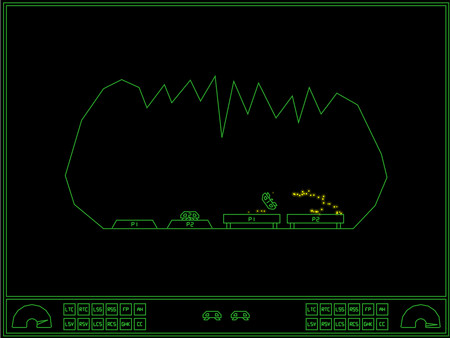
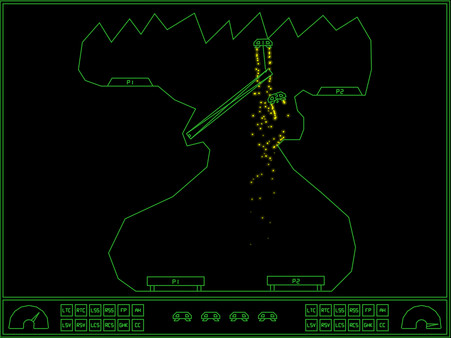
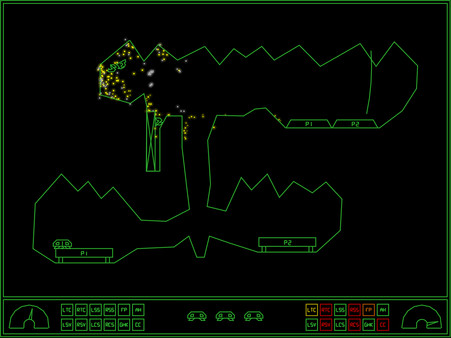
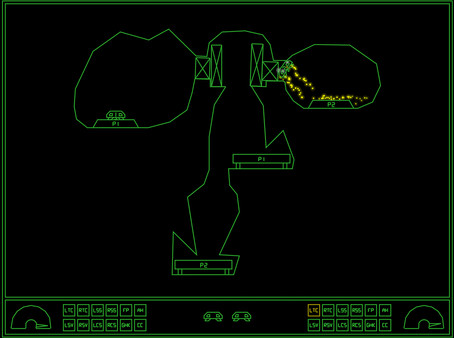
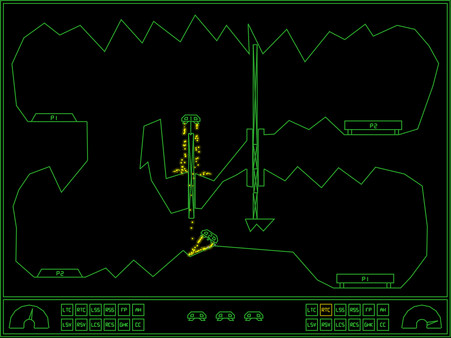
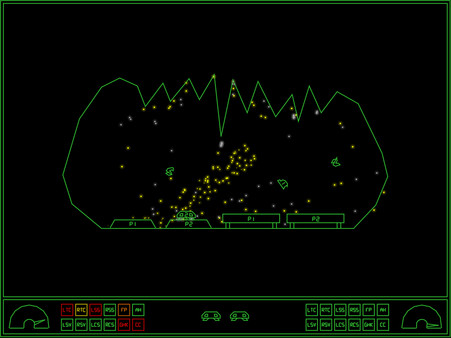
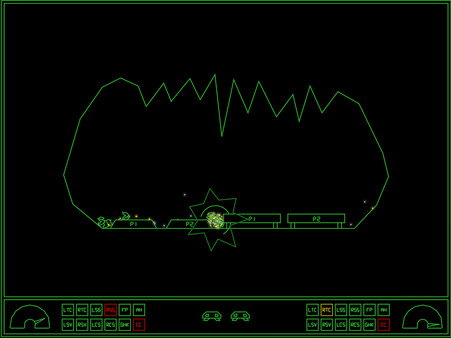
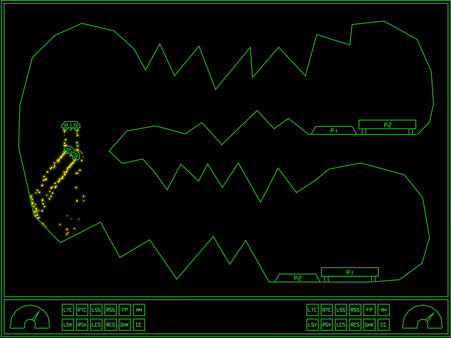
This 2D physics simulation has you trying to land two ships on their respective platform. Like the old classic Lunar Lander, but much more difficult and more heavily physics based.
- Last tracked players
- 0
- All-time peak
- Unavailable
- 24-hour change
- Unavailable
- Steam reviews
- 66.7% positive 12 reviews · via SteamSpy
Delayed observation · last tracked . Values marked unavailable are not estimated.
About this game Read the full description
GravitreX started as a contender in the Swedish Game Awards Warm-up competition "80's Warm-up", which had 80's as its theme. GravitreX won that competition, and was later ported to Android. After a few years on Android, it was then turned into an arcade cabinet. Two or three cabinets still exist today, in different barcades in the Phoenix Arizona region. It has now come time to complete the circle and port it back to PC and Steam.
This 2D physics simulation has you trying to land two ships on their respective platform. Like the old classic Lunar Lander, but much more difficult and more heavily physics based.
Bumpers = Thrusters
(A) = Grabber
(B) = Switch Ships / AutoHover (hold)
(X) = Acknowledge warnings (until something else breaks!)
(Y) = Self Destruct
Keyboard:
Left/Right Control = Thrusters
Left Shift = Grabber
Right Shift = Switch Ships / AutoHover (hold)
TAB = Acknowledge warnings (until something else breaks!)
X = Self Destruct
P2 keyboard controls:
F/H = Thrusters
R = Grabber
U = Switch Ships / AutoHover (hold)
E = Acknowledge warnings
I = Self Destruct
Note: Playing two players on one keyboard will likely be crowded, these are more meant to be mapped to from an I-PAC or similar arcade button to keyboard key converter.
Whoever first starts the game will become Player 1. Whoever next pushes a control will become Player 2. If Player 1 has switched ships Player 2 will control Ship 1 only until the end of the level. Starting next level, Player 1 controls Ship 1.
Coin Handling:
In all coin modes except 'None', pressing 1P start ('1' on the keyboard, or Start on Controller 1) will start a 1P game and P1 then controls the game either from keyboard or controller 1. Pressing 2P Start will start a 2P game, with P2 controlling Ship 2 from P2 keyboard controls or controller 2. In the 'None' mode, pressing any input on any controller will start a game with P1 controlling the game from that controller, and the second controller to receive a button press will join as P2.
If you have a cabinet with default Mame key assignments, replace the "KeyMap.cfg" file with the "KeyMap_MAME.cfg" file. If you have different keys assigned, edit the file and adjust accordingly. Because many cabinets only have three buttons, in this config the stick is used for three of the buttons. Left=Mute, Down=Self Destruct and Right=Switch ships/Autohover. Feel free to change these if you have more buttons and want to use them.
Most arcade frontends can be tricked into launching PC games, usually by creating a dummy "Emulator" called PC, and maybe a dummy file as the "rom". This way GravitreX can coexist with all your other arcade games! If your cabinet does not have internet access, set Highscores to local in the options, and it will save highscores locally to a file instead (local highscores can also be selected from the options menu).
If you have a cabinet (or plan to build one), and want to put it somewhere public and actually charge real money from people, get in touch with us about getting a commercial license and a customized non-steam version of the game.
This 2D physics simulation has you trying to land two ships on their respective platform. Like the old classic Lunar Lander, but much more difficult and more heavily physics based.
Features:
- Two ships to land, even in singleplayer
- Ships are equipped with a grabber which can be used to lift boxes or other ships
- Ships are also equipped with an AutoHover System which can be activated by holding down the Switch Ships button (B)
- Ships have lots of systems that can be damaged
- When damaged, a classic synthetic voice will say what systems are damaged
- The voice warnings can be acknowledged (muted) by pressing a button
- As this is the Arcade version, every play you will start on level one
- Extra ships are awarded every 30k points
- 35 levels of increasing difficulty. We are not kidding on this one.
- Perfect for Arcade Cabinets, can even be set up to accept coins (See 'If you happen to have an arcade cabinet' section below)
- Steam achievements
- Classic arcade style highscore with initials, with online entries from your Steam friends (All-time), and Global (Today).
- The first five players to beat the game will make it onto the "Prime Five" list on the web page
Controls:
XBox 360 Controller:Bumpers = Thrusters
(A) = Grabber
(B) = Switch Ships / AutoHover (hold)
(X) = Acknowledge warnings (until something else breaks!)
(Y) = Self Destruct
Keyboard:
Left/Right Control = Thrusters
Left Shift = Grabber
Right Shift = Switch Ships / AutoHover (hold)
TAB = Acknowledge warnings (until something else breaks!)
X = Self Destruct
P2 keyboard controls:
F/H = Thrusters
R = Grabber
U = Switch Ships / AutoHover (hold)
E = Acknowledge warnings
I = Self Destruct
Note: Playing two players on one keyboard will likely be crowded, these are more meant to be mapped to from an I-PAC or similar arcade button to keyboard key converter.
Whoever first starts the game will become Player 1. Whoever next pushes a control will become Player 2. If Player 1 has switched ships Player 2 will control Ship 1 only until the end of the level. Starting next level, Player 1 controls Ship 1.
Tips and tricks:
- A Ship that's been turned upside-down can usually be rescued using the grabber and the other ship. Don't immediately Self Destruct!
- Firing both thrusters simultaneously will stop the ship's rotation. If the ship is rotating to the right and you press both thrusters, only the right thruster will fire first, until the rotation has stopped. Unless, of course, the stabilizing system on that side is damaged.
- If both ships are destroyed at the same time, the level will be reset. Sometimes you will need to reset a level by self destructing both ships. If one ship is destroyed and you realize the level will need to be reset, Self Destruct the other ship quickly before it respawns, otherwise it will cost an additional life!
If you happen to have an arcade cabinet
This only applies to cabinets with a PC inside of them of course. In the Options screen you will find an option that may interest you:Coin Handling:
- None: This is the normal PC setting. There is no concept of coins, and players can jump in from any controller
- Freeplay: No coins needed to play, just press 1P or 2P start.
- Internal: This is the normal Cabinet setting. Inserting coins increases the credits ('5' on the keyboard or Select on the controller).
- External: This is if you have an external coin mechanism with its own credit counter. It should send keypresses to tell the game the credits situation: '0' for No credits ('INSERT COIN' will be displayed), '8' for 1 credit ('Press 1P Start' will be displayed), or '9' for Multiple credits ('Press 1P or 2P Start' will be displayed). Also, Multiple Credits can be pressed again and again to play the coin inserted sound effect.
In all coin modes except 'None', pressing 1P start ('1' on the keyboard, or Start on Controller 1) will start a 1P game and P1 then controls the game either from keyboard or controller 1. Pressing 2P Start will start a 2P game, with P2 controlling Ship 2 from P2 keyboard controls or controller 2. In the 'None' mode, pressing any input on any controller will start a game with P1 controlling the game from that controller, and the second controller to receive a button press will join as P2.
If you have a cabinet with default Mame key assignments, replace the "KeyMap.cfg" file with the "KeyMap_MAME.cfg" file. If you have different keys assigned, edit the file and adjust accordingly. Because many cabinets only have three buttons, in this config the stick is used for three of the buttons. Left=Mute, Down=Self Destruct and Right=Switch ships/Autohover. Feel free to change these if you have more buttons and want to use them.
Most arcade frontends can be tricked into launching PC games, usually by creating a dummy "Emulator" called PC, and maybe a dummy file as the "rom". This way GravitreX can coexist with all your other arcade games! If your cabinet does not have internet access, set Highscores to local in the options, and it will save highscores locally to a file instead (local highscores can also be selected from the options menu).
If you have a cabinet (or plan to build one), and want to put it somewhere public and actually charge real money from people, get in touch with us about getting a commercial license and a customized non-steam version of the game.
Media gallery 8 screenshots · 0 videos
Screenshots
Player activity
Concurrent players over the last 48 hours.
Loading player history?
System requirements Windows · macOS · Linux
Windows
Minimum
Minimum:- OS *: Windows 7 or later
- Processor: SSE2 instruction set support.
- Memory: 2000 MB RAM
- Graphics: Graphics card with DX10 (shader model 4.0) capabilities.
- DirectX: Version 10
- Storage: 100 MB available space
- Additional Notes: Might run on lower specs, not tested
macOS
Minimum
Minimum:- OS: Sierra 10.12+
- Processor: x64 architecture with SSE2
- Memory: 2000 MB RAM
- Graphics: Metal capable Intel and AMD GPUs
- Storage: 100 MB available space
- Additional Notes: Might run on lower specs, not tested
Linux
Minimum
Minimum:- OS: Ubuntu 16.04 and Ubuntu 18.04
- Processor: x64 architecture with SSE2 instruction set support.
- Memory: 2000 MB RAM
- Graphics: OpenGL 3.2+, Vulkan capable
- Storage: 100 MB available space
- Additional Notes: Might run on lower specs, not tested
Game details Languages, features & support
- Publisher
- Dynamic Entertainment
- Brazilian rating
- l
- Steam Germany rating
- 12
- Achievements
- 69
- Controller support
- full
- Features
- Single-player, Multi-player, Co-op, Shared/Split Screen Co-op, Shared/Split Screen, Steam Achievements, Full controller support, Stats, Remote Play on Phone, Remote Play on Tablet, Remote Play on TV, Remote Play Together, Family Sharing
- Languages
- English*
*languages with full audio support - Website
- Official website ↗
- Support
- [email protected]
More analysis Activity patterns, updates & developer tools
Game Insights
Buy Verdict
Watch — $7.99.
Decent deal at 0% off, but might drop further. Watch for better opportunities.
▲
~30 days until next sale
Value Score
Fair Value — 100th percentile.
Price-to-player ratio ranks in the 100th percentile. Priced as Premium at $7.99.
▲
Premium pricing tier
Genre Benchmarks
Value Ratio
Top 0%
Activity Heatmap
UTC+0 (Your Timezone)
0
Peak Activity
0
Avg Activity
0
Active Hours
4%
Sample coverage
Less Active
More Active
0
1
2
3
4
5
6
7
8
9
10
11
12
13
14
15
16
17
18
19
20
21
22
23
Sun
📍
Sunday 0:00
No samples
No samples
Sunday 1:00
No samples
No samples
Sunday 2:00
No samples
No samples
Sunday 3:00
No samples
No samples
Sunday 4:00
No samples
No samples
Sunday 5:00
No samples
No samples
Sunday 6:00
No samples
No samples
Sunday 7:00
No samples
No samples
Sunday 8:00
No samples
No samples
Sunday 9:00
No samples
No samples
Sunday 10:00
No samples
No samples
Sunday 11:00
No samples
No samples
Sunday 12:00
No samples
No samples
Sunday 13:00
No samples
No samples
Sunday 14:00
No samples
No samples
Sunday 15:00
No samples
No samples
Sunday 16:00
No samples
No samples
Sunday 17:00
No samples
No samples
Sunday 18:00
No samples
No samples
Sunday 19:00
No samples
No samples
Sunday 20:00
No samples
No samples
Sunday 21:00
No samples
No samples
Sunday 22:00
No samples
No samples
Sunday 23:00
No samples
No samples
Mon
Monday 0:00
No samples
No samples
Monday 1:00
No samples
No samples
Monday 2:00
No samples
No samples
Monday 3:00
No samples
No samples
Monday 4:00
No samples
No samples
Monday 5:00
No samples
No samples
Monday 6:00
No samples
No samples
Monday 7:00
No samples
No samples
Monday 8:00
No samples
No samples
Monday 9:00
No samples
No samples
Monday 10:00
No samples
No samples
Monday 11:00
No samples
No samples
Monday 12:00
No samples
No samples
Monday 13:00
No samples
No samples
Monday 14:00
No samples
No samples
Monday 15:00
No samples
No samples
Monday 16:00
No samples
No samples
Monday 17:00
No samples
No samples
Monday 18:00
No samples
No samples
Monday 19:00
No samples
No samples
Monday 20:00
No samples
No samples
Monday 21:00
No samples
No samples
Monday 22:00
No samples
No samples
Monday 23:00
No samples
No samples
Tue
Tuesday 0:00
No samples
No samples
Tuesday 1:00
0 players · 1 samples
0 players · 1 samples
Tuesday 2:00
No samples
No samples
Tuesday 3:00
No samples
No samples
Tuesday 4:00
No samples
No samples
Tuesday 5:00
0 players · 1 samples
0 players · 1 samples
Tuesday 6:00
No samples
No samples
Tuesday 7:00
No samples
No samples
Tuesday 8:00
No samples
No samples
Tuesday 9:00
No samples
No samples
Tuesday 10:00
No samples
No samples
Tuesday 11:00
No samples
No samples
Tuesday 12:00
No samples
No samples
Tuesday 13:00
No samples
No samples
Tuesday 14:00
No samples
No samples
Tuesday 15:00
No samples
No samples
Tuesday 16:00
No samples
No samples
Tuesday 17:00
No samples
No samples
Tuesday 18:00
No samples
No samples
Tuesday 19:00
No samples
No samples
Tuesday 20:00
No samples
No samples
Tuesday 21:00
No samples
No samples
Tuesday 22:00
No samples
No samples
Tuesday 23:00
No samples
No samples
Wed
Wednesday 0:00
No samples
No samples
Wednesday 1:00
No samples
No samples
Wednesday 2:00
No samples
No samples
Wednesday 3:00
No samples
No samples
Wednesday 4:00
No samples
No samples
Wednesday 5:00
No samples
No samples
Wednesday 6:00
No samples
No samples
Wednesday 7:00
No samples
No samples
Wednesday 8:00
No samples
No samples
Wednesday 9:00
No samples
No samples
Wednesday 10:00
No samples
No samples
Wednesday 11:00
No samples
No samples
Wednesday 12:00
No samples
No samples
Wednesday 13:00
No samples
No samples
Wednesday 14:00
No samples
No samples
Wednesday 15:00
No samples
No samples
Wednesday 16:00
0 players · 1 samples
0 players · 1 samples
Wednesday 17:00
No samples
No samples
Wednesday 18:00
No samples
No samples
Wednesday 19:00
No samples
No samples
Wednesday 20:00
No samples
No samples
Wednesday 21:00
No samples
No samples
Wednesday 22:00
No samples
No samples
Wednesday 23:00
No samples
No samples
Thu
Thursday 0:00
0 players · 1 samples
0 players · 1 samples
Thursday 1:00
No samples
No samples
Thursday 2:00
No samples
No samples
Thursday 3:00
No samples
No samples
Thursday 4:00
No samples
No samples
Thursday 5:00
No samples
No samples
Thursday 6:00
No samples
No samples
Thursday 7:00
No samples
No samples
Thursday 8:00
No samples
No samples
Thursday 9:00
No samples
No samples
Thursday 10:00
No samples
No samples
Thursday 11:00
No samples
No samples
Thursday 12:00
No samples
No samples
Thursday 13:00
No samples
No samples
Thursday 14:00
No samples
No samples
Thursday 15:00
No samples
No samples
Thursday 16:00
No samples
No samples
Thursday 17:00
No samples
No samples
Thursday 18:00
No samples
No samples
Thursday 19:00
No samples
No samples
Thursday 20:00
No samples
No samples
Thursday 21:00
No samples
No samples
Thursday 22:00
No samples
No samples
Thursday 23:00
No samples
No samples
Fri
Friday 0:00
No samples
No samples
Friday 1:00
No samples
No samples
Friday 2:00
No samples
No samples
Friday 3:00
No samples
No samples
Friday 4:00
No samples
No samples
Friday 5:00
No samples
No samples
Friday 6:00
No samples
No samples
Friday 7:00
No samples
No samples
Friday 8:00
No samples
No samples
Friday 9:00
0 players · 1 samples
0 players · 1 samples
Friday 10:00
No samples
No samples
Friday 11:00
No samples
No samples
Friday 12:00
No samples
No samples
Friday 13:00
No samples
No samples
Friday 14:00
No samples
No samples
Friday 15:00
No samples
No samples
Friday 16:00
No samples
No samples
Friday 17:00
No samples
No samples
Friday 18:00
No samples
No samples
Friday 19:00
No samples
No samples
Friday 20:00
No samples
No samples
Friday 21:00
No samples
No samples
Friday 22:00
No samples
No samples
Friday 23:00
No samples
No samples
Sat
Saturday 0:00
No samples
No samples
Saturday 1:00
No samples
No samples
Saturday 2:00
No samples
No samples
Saturday 3:00
No samples
No samples
Saturday 4:00
No samples
No samples
Saturday 5:00
No samples
No samples
Saturday 6:00
No samples
No samples
Saturday 7:00
No samples
No samples
Saturday 8:00
No samples
No samples
Saturday 9:00
No samples
No samples
Saturday 10:00
No samples
No samples
Saturday 11:00
No samples
No samples
Saturday 12:00
0 players · 1 samples
0 players · 1 samples
Saturday 13:00
No samples
No samples
Saturday 14:00
No samples
No samples
Saturday 15:00
No samples
No samples
Saturday 16:00
No samples
No samples
Saturday 17:00
No samples
No samples
Saturday 18:00
0 players · 1 samples
0 players · 1 samples
Saturday 19:00
No samples
No samples
Saturday 20:00
No samples
No samples
Saturday 21:00
No samples
No samples
Saturday 22:00
No samples
No samples
Saturday 23:00
No samples
No samples
Developer Analytics
Loading competitors...
Frequently Asked Questions
Is GravitreX Arcade worth buying right now?
Watch — $7.99. Decent deal at 0% off, but might drop further. Watch for better opportunities.
When does GravitreX Arcade go on sale?
Decent deal at 0% off, but might drop further. Watch for better opportunities.
Is GravitreX Arcade free to play?
GravitreX Arcade costs $7.99 on Steam.
What genre is GravitreX Arcade?
GravitreX Arcade is a Casual, Indie game.
Who developed GravitreX Arcade?
GravitreX Arcade was developed by Martin Hjerne and published by Dynamic Entertainment.
What platforms does GravitreX Arcade support?
Available on Steam for Windows, macOS, Linux.
Related Games
11 tags in common
4K Bricks Breaker Plus
0 last tracked
10 tags in common
3 Hit Blunders Bundle
0 last tracked
9 tags in common
1982
2 last tracked
8 tags in common
2nd Shot
0 last tracked
8 tags in common
3dSen VR
0 last tracked
8 tags in common
80's Mania
0 last tracked
7 tags in common
198X
0 last tracked
7 tags in common
360 No Scope!
0 last tracked