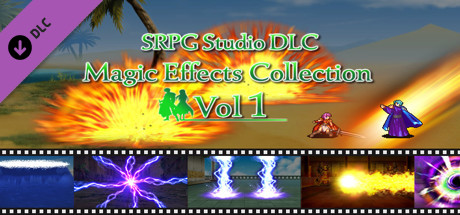
Game overview
SRPG Studio Magic Effects Collection
A large magic effect that can be used in real battles.
- Last tracked players
- 0
- All-time peak
- Unavailable
- 24-hour change
- Unavailable
Delayed observation · last tracked . Values marked unavailable are not estimated.
About this game Read the full description
This DLC contains the following files (640x480 and 320x240).
1. Brave Power
2. Burst Hurricane
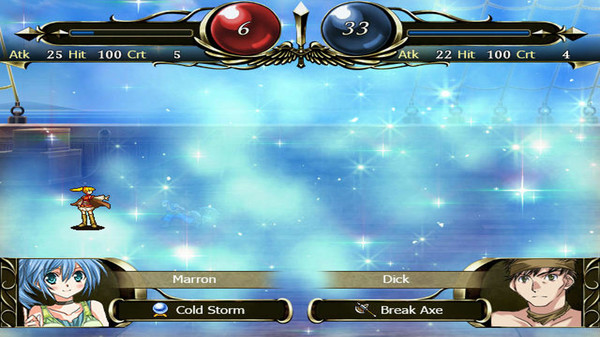
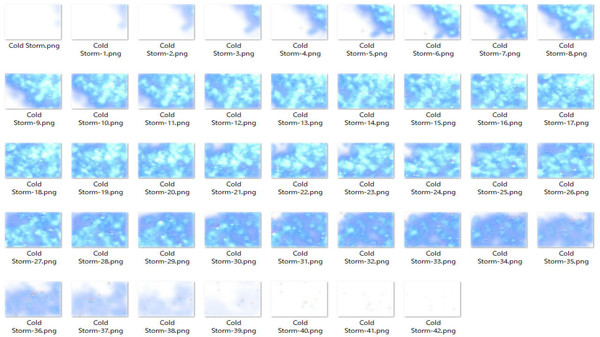
3. Cold Storm
4. Dark Circle
5. Double Thunder
6. Electric Shock
7. Evil Pressure
8. Heat Cannon
9. Meteor Fall
10. Tidal Wave
*How to Use*
1. Launch SRPG Studio. In the upper left corner of the application, there is a File menu. Open the DLC in the menu, and select "SRPG Studio Magic Effects Collection".
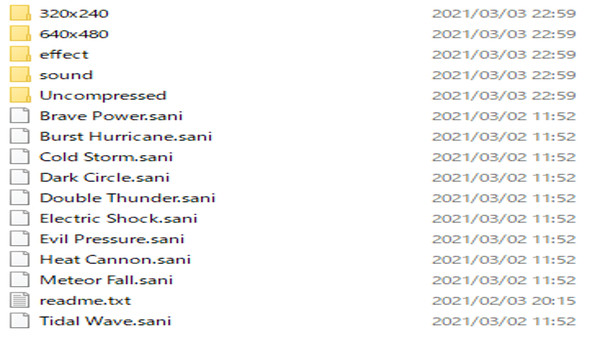
2. Go to the "SRPG Studio Magic Effects Collection" folder created on your desktop. Drag "Brave Power.sani" to "Tidal Wave.sani" in Windows Explorer and drop them into SRPG Studio.
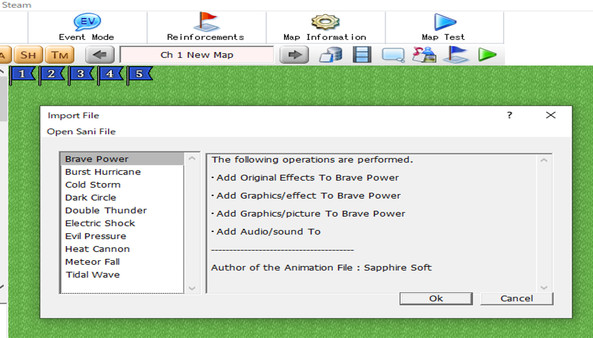
3. If the drop is successful, a dialog box will appear asking if you want to import the sani file. Select OK here.
After this, go to the "Animations" dialog and open "Original Effects". You will see the imported sani file.
4. Go to "Database" in the root screen and open the "Weapos" tab. Then click on the icon. If you select "Mage" under "Type", "Select Animation" will appear, select "Brave Power" or something similar.
1. Brave Power
2. Burst Hurricane
3. Cold Storm
4. Dark Circle
5. Double Thunder
6. Electric Shock
7. Evil Pressure
8. Heat Cannon
9. Meteor Fall
10. Tidal Wave
*How to Use*
1. Launch SRPG Studio. In the upper left corner of the application, there is a File menu. Open the DLC in the menu, and select "SRPG Studio Magic Effects Collection".
2. Go to the "SRPG Studio Magic Effects Collection" folder created on your desktop. Drag "Brave Power.sani" to "Tidal Wave.sani" in Windows Explorer and drop them into SRPG Studio.
3. If the drop is successful, a dialog box will appear asking if you want to import the sani file. Select OK here.
After this, go to the "Animations" dialog and open "Original Effects". You will see the imported sani file.
4. Go to "Database" in the root screen and open the "Weapos" tab. Then click on the icon. If you select "Mage" under "Type", "Select Animation" will appear, select "Brave Power" or something similar.
Media gallery 5 screenshots · 1 videos

Screenshots

Videos
SRPG Studio Magic Effects Collection PV
Player activity
Concurrent players over the last 48 hours.
Loading player history?
System requirements Windows
Windows
Minimum
Minimum:- OS *: Microsoft® Windows® Vista(sp2) / 7 / 8 / 10 (32bit/64bit)
- Processor: Intel® Pentium® 4 2.0 GHz equivalent or faster processor
- Memory: 512 MB RAM
- Storage: 250 MB available space
Game details Languages, features & support
- Publisher
- SapphireSoft
- Brazilian rating
- l
- Features
- Downloadable Content
- Languages
- English
- Website
- Official website ↗
- Support
- Support site ↗
More analysis Activity patterns, updates & developer tools
Game Insights
Buy Verdict
Watch — $34.99.
Decent deal at 0% off, but might drop further. Watch for better opportunities.
▲
~41 days until next sale
Value Score
Great Value — 100th percentile.
Price-to-player ratio ranks in the 100th percentile.
▲
Market pricing tier
Genre Benchmarks
Value Ratio
Top 0%
Developer Analytics
Loading competitors...
Frequently Asked Questions
Is SRPG Studio Magic Effects Collection worth buying right now?
Watch — $34.99. Decent deal at 0% off, but might drop further. Watch for better opportunities.
When does SRPG Studio Magic Effects Collection go on sale?
Decent deal at 0% off, but might drop further. Watch for better opportunities.
Is SRPG Studio Magic Effects Collection free to play?
SRPG Studio Magic Effects Collection costs $34.99 on Steam.
What genre is SRPG Studio Magic Effects Collection?
SRPG Studio Magic Effects Collection is a Animation & Modeling, Design & Illustration, Education, Utilities, Game Development game.
Who developed SRPG Studio Magic Effects Collection?
SRPG Studio Magic Effects Collection was developed by SapphireSoft and published by SapphireSoft.
What platforms does SRPG Studio Magic Effects Collection support?
Available on Steam for Windows.