
Grave Prosperity - The Vestigial Princess
Dark Room Games · Dark Room Games · Jan 8, 2021
Delayed observation
Observed
0
Last tracked
0
All-time peak
n/a
Δ 24h
Player count last observed
Live player data is temporarily unavailable; historical values remain visible for context.
Grave Prosperity - The Vestigial Princess - Steam Charts & Historical Stats
Solve deadly puzzles and fend off disturbing creatures with a combination of hack n slash combat, OTS gunplay, and supernatural powers, all while piecing together the clues of your identity that are... Explore historical player activity and pricing for Grave Prosperity - The Vestigial Princess. Player-count data was last observed May 1, 2026.
Genre
Action
Developer
Dark Room Games
Grave Prosperity - The Vestigial Princess player count and price summary
- Current players
- Unavailable
- All-time peak
- Unavailable
- 24-hour player change
- Unavailable
- Current US price
- Price unavailable
Player count last observed . Values marked unavailable are not estimated.
Media gallery 4 screenshots · 0 videos
Screenshots
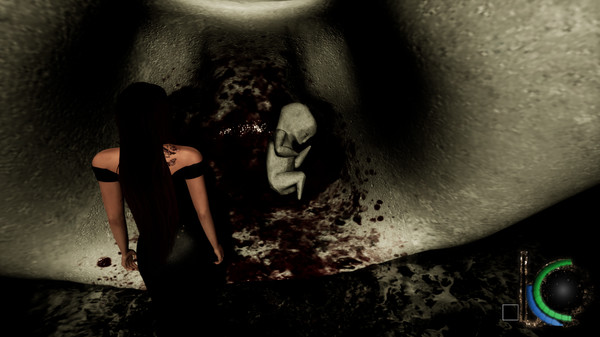
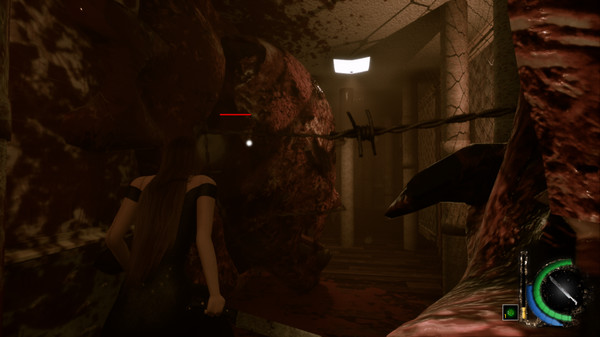
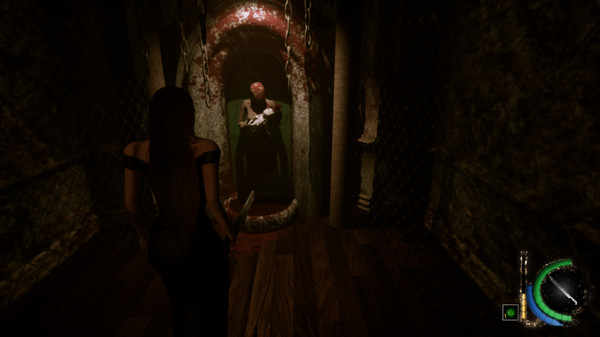
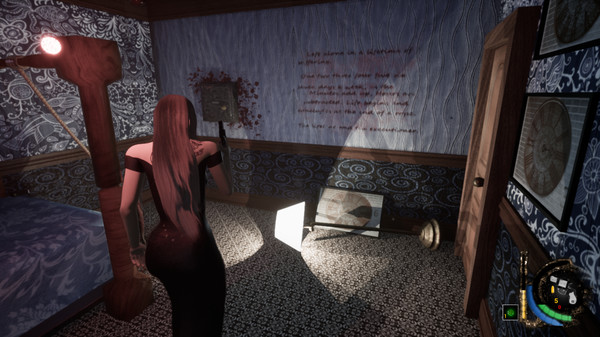
Player count
System Requirements
Platform Support
Windows
Windows Requirements
Minimum:
Minimum:
- Requires a 64-bit processor and operating system
- OS: Windows 10
- Processor: Intel(R) Core(TM) i7-7700HQ CPU @ 2.80GHz 2.80GHz
- Memory: 8 GB RAM
- Graphics: GeForce® GTX 1050 Ti
- DirectX: Version 12
- Storage: 4 GB available space
Recommended:
Recommended:
- Requires a 64-bit processor and operating system
- OS: Windows 10
- Processor: Intel(R) Core(TM) i7-7700HQ CPU @ 2.80GHz 2.80GHz
- Memory: 16 GB RAM
- Graphics: GeForce® GTX 1050 Ti
- DirectX: Version 12
- Storage: 4 GB available space
Controller Support
full
Pricing
Free to Play
Additional Information
Categories
Single-player
Downloadable Content
Full controller support
Family Sharing
Supported Languages
English*
*languages with full audio support
*languages with full audio support
Additional Information
🇧🇷
DEJUS Rating
18
Brazilian rating
🆘
Support
⚠️
Content Warning
This game depicts scenes of extreme violence and gore, nudity, and makes open references to sexual abuse and self-harm.
Developer Analytics
Loading competitors...
About This Game
Solve deadly puzzles and fend off disturbing creatures with a combination of hack n slash combat, OTS gunplay, and supernatural powers, all while piecing together the clues of your identity that are scattered about the area.
Detailed Description
The Vestigial Princess is a DLC that offers a new piece to the overarching story that ties House of Velez and Grave Prosperity together. It is also a look at how a 3D Grave Prosperity Remake could potentially play on UE4. This DLC is primarily meant to test the waters for the latter.
Take on the role of the "Vestigial Princess" and endure the twisted machination of a familiar antagonist.
Solve deadly puzzles and fend off disturbing creatures with a combination of hack n slash combat, OTS gunplay, and supernatural powers, all while piecing together the clues of your identity that are scattered about the area.
NOTE
For users who wish to use a PS4 controller: you will need to have a 3rd party software in order for the game to recognize its inputs. I have included an option in-game to replace the on-screen tutorials with PS4 button mapping in case you don't want to play with keyboard/mouse or can't use an XBox controller.
The DS4Windows software works perfectly with UE4, is free, and requires no set up at all. Just open the program and then open the game and you're good to go!
Take on the role of the "Vestigial Princess" and endure the twisted machination of a familiar antagonist.
Solve deadly puzzles and fend off disturbing creatures with a combination of hack n slash combat, OTS gunplay, and supernatural powers, all while piecing together the clues of your identity that are scattered about the area.
NOTE
For users who wish to use a PS4 controller: you will need to have a 3rd party software in order for the game to recognize its inputs. I have included an option in-game to replace the on-screen tutorials with PS4 button mapping in case you don't want to play with keyboard/mouse or can't use an XBox controller.
The DS4Windows software works perfectly with UE4, is free, and requires no set up at all. Just open the program and then open the game and you're good to go!
Frequently Asked Questions
Is Grave Prosperity - The Vestigial Princess free to play?
Yes, Grave Prosperity - The Vestigial Princess is free to play on Steam.
What genre is Grave Prosperity - The Vestigial Princess?
Grave Prosperity - The Vestigial Princess is a Action, Adventure, Free To Play, Indie game.
Who developed Grave Prosperity - The Vestigial Princess?
Grave Prosperity - The Vestigial Princess was developed by Dark Room Games and published by Dark Room Games.
What platforms does Grave Prosperity - The Vestigial Princess support?
Available on Steam for Windows.