
RTK14: KT's ROMANCE OF THE THREE KINGDOMS Series App Officer CG Set
RTK14: KT's ROMANCE OF THE THREE KINGDOMS Series App Officer CG Set - Steam Charts & Historical Stats
30 portraits from the KT's ROMANCE OF THE THREE KINGDOMS Series App that can be used through the Editor in the "ROMANCE OF THE THREE KINGDOMS XIV" and the "ROMANCE OF THE THREE... Explore historical player activity and pricing for RTK14: KT's ROMANCE OF THE THREE KINGDOMS Series App Officer CG Set. Player-count data was last observed May 1, 2026.
RTK14: KT's ROMANCE OF THE THREE KINGDOMS Series App Officer CG Set player count and price summary
- Current players
- Unavailable
- All-time peak
- Unavailable
- 24-hour player change
- Unavailable
- Current US price
- Price unavailable
Player count last observed . Values marked unavailable are not estimated.
Media gallery 3 screenshots · 0 videos
Screenshots
System Requirements
- OS *: Windows® 10, Windows® 8.1, 64bit
- Processor: Intel Core i3-3220 (3.0GHz or over)
- Memory: 4 GB RAM
- Graphics: NVIDIA GeForce GTX660
- DirectX: Version 11
- Network: Broadband Internet connection
- Storage: 20 GB available space
- Sound Card: 16 bit stereo, 48KHz WAVE file can be played
- Additional Notes: 1280 x 720 Display required
- OS *: Windows® 10, Windows® 8.1, 64bit
- Processor: Intel Core i7-3770 (3.0GHz or over)
- Memory: 8 GB RAM
- Graphics: NVIDIA GeForce GTX 1060 6GB
- DirectX: Version 11
- Network: Broadband Internet connection
- Storage: 20 GB available space
- Sound Card: 16bit 5.1ch Surround, 48KHz WAVE file can be played
- Additional Notes: 1920 x 1080 Display recommended
Additional Information
*languages with full audio support
Additional Information
Developer Analytics
Loading competitors...
About This Game
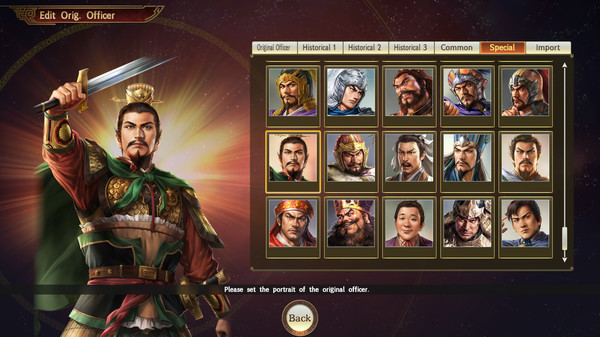
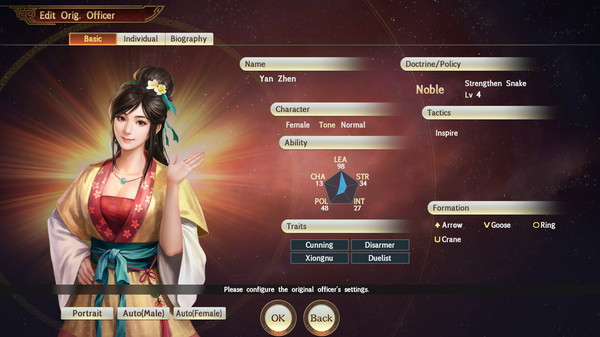
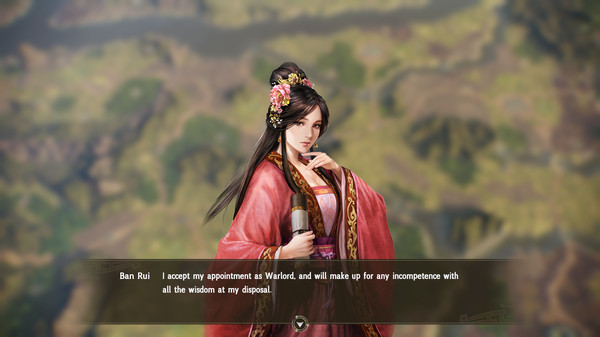
30 portraits from the KT's ROMANCE OF THE THREE KINGDOMS Series App that can be used through the Editor in the "ROMANCE OF THE THREE KINGDOMS XIV" and the "ROMANCE OF THE THREE KINGDOMS XIV: Diplomacy and Strategy Expansion Pack Bundle".
Detailed Description
▼How to use
Select Editor and then "Register Orig. Officer" or "Edit Historical Officers" from the Start Menu. On the edit screen, select Portrait. A list of the portraits will be displayed, and you can set the officer CG from the Special tab.