
Game overview
ChineseZodiac
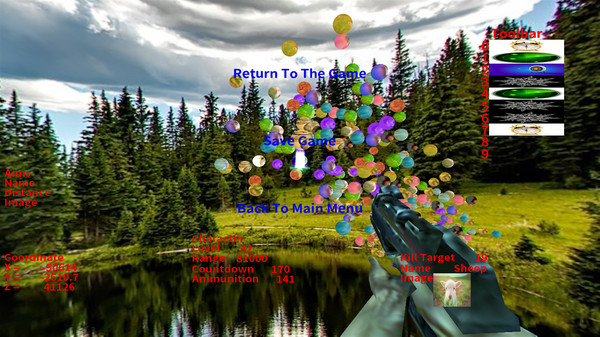
The game is a first-person single-player shooting game. The lower right corner will randomly list the targets that need to be killed.The quantity of ammunition is limited and the target needs to be killed within a specified period of time.
- Last tracked players
- 0
- All-time peak
- Unavailable
- 24-hour change
- Unavailable
- Steam reviews
- 100% positive 4 reviews · via SteamSpy
Delayed observation · last tracked . Values marked unavailable are not estimated.
About this game Read the full description
1: Introduction to the game
This is a casual shooting game, rhythm slightly tense. The game is the first person single shooter. The lower right corner will randomly list the targets to kill, use the mouse to aim at the target, and click the left mouse button to kill. There is a limit on the quantity of ammunition, which needs to kill the target within a specified time. The game fails when the ammunition is used up or the time is over. There are many kinds of props to use in the game. The toolbar can store up to 10 props. Press the corresponding number key to use props. In the main menu, you can switch different 3D scenes and appreciate different styles; You can switch different languages. The game interface supports more than 20 different languages. Complete the task can improve the level, with the improvement of the level, the target will be more and more, the moving speed will be faster and faster.
2: Main menu
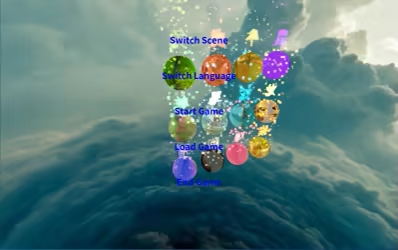
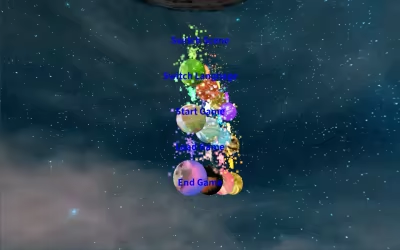
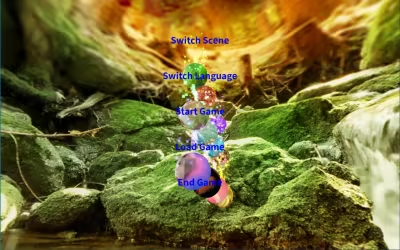
The main menu includes switching scene, switching language, starting game, loading game and ending game
3: Switch scenes
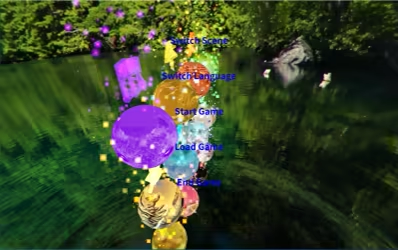
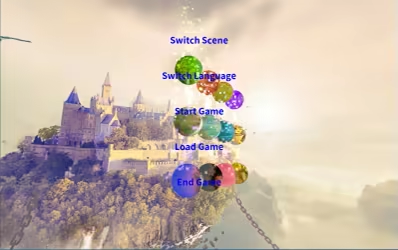
Click the switch scene button to select different game scenes.
Scene one
Scene 2
Scene 3
Scene 4
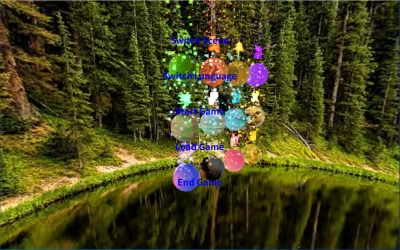
Scene 5
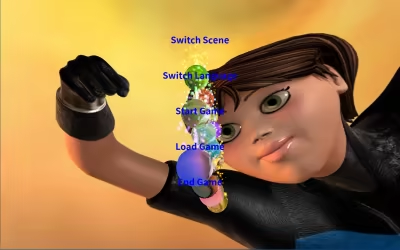
Scene 6
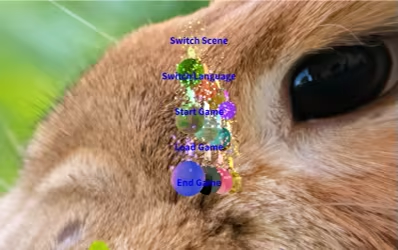
Scene 7

Scene 8
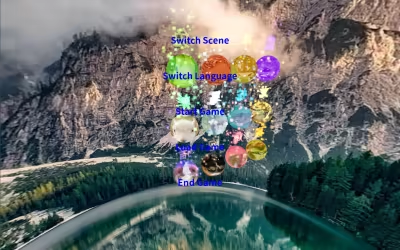
Scene 9
Scene 10
4: Switch languages
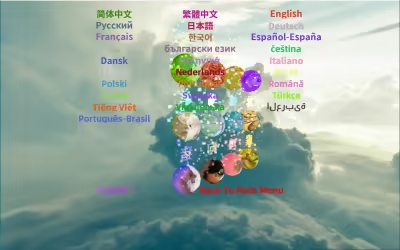
Click to enter the select language interface, you can choose 28 different languages to play the game. Including simplified Chinese (简体中文), traditional Chinese (繁体中文), English (English), Russian(Русский)、 Japanese (日本語), German (Deutsch), French (Français) , Korean (한국어), Spanish (Español-España) , Thai (ไทย), Bulgarian( български език)、 Czech(čeština), Danish(Dansk),Greek(Ελληνικά)、 Italian(Italiano), Magyar(Magyar), Dutch(Nederlands),Norwegian(Norsk), Polish(Polski), Portuguese(Português),Romanian (Română)、 Finnish(Suomi), Swedish(Svenska)、Turkish(Türkçe)、Vietnamese(Tiếng Việt)、Ukrainian(Українська)、Arabic(العربية)、Portuguese-Brazil(Português-Brasil).
Select finish to return to the main interface, and the language of the interface will display the corresponding language.
5: Start the game
Click start game to enter the game interface.
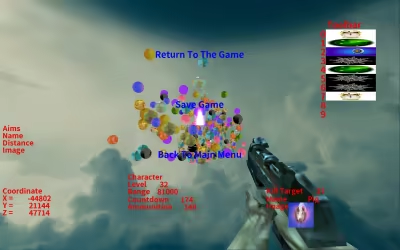
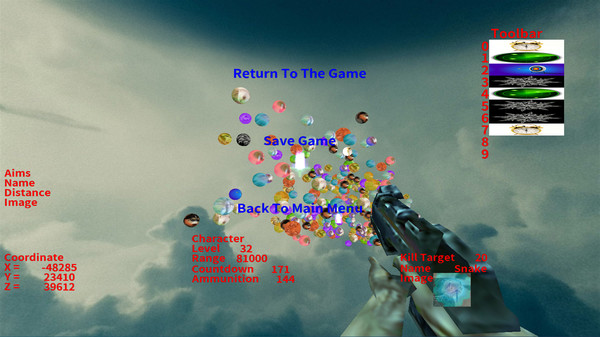
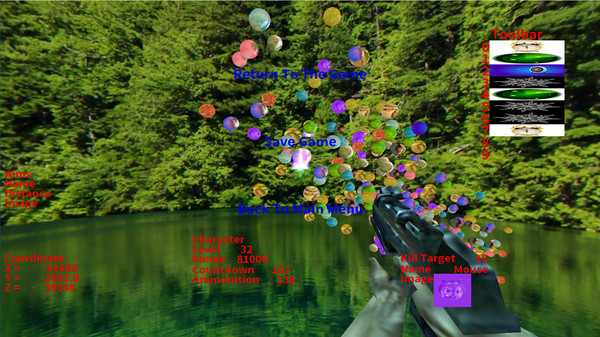
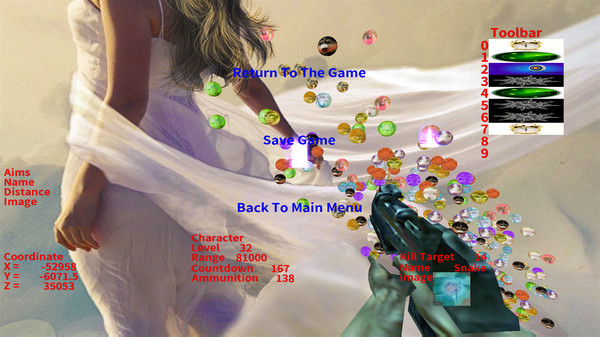
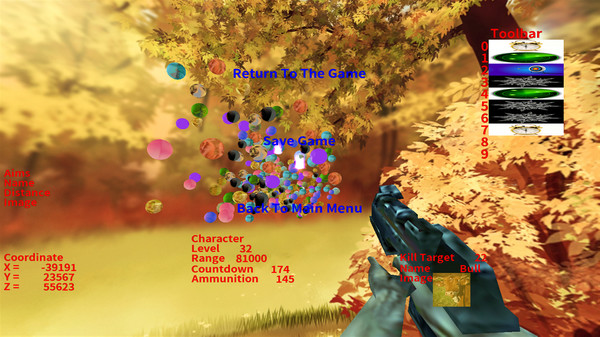
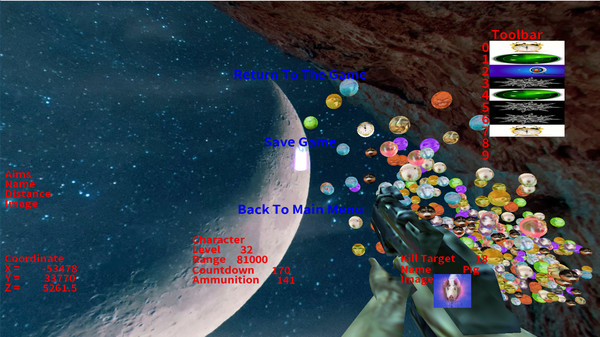
The middle on the left is the target information, which will show the target information you are aiming at with the mouse. Target information includes name, distance and picture. At the bottom of the left is the coordinate information, which shows the coordinates of the current mouse aiming position.
The middle shows the current player's information, including level, range, countdown and ammunition. Use it to kill the target within the specified time. There are also limits on the amount of ammunition. The game ends when time runs out or ammunition runs out. As the player's level increases, the range, time and ammunition amount will increase.
The information of the targets to be killed by the player is displayed on the lower right side, including the number, name and picture of the targets to be killed. With the improvement of the player's level, the number of targets to be killed will also increase, and the movement speed of each target will also accelerate.
On the far right is the toolbar, which is used to save the available tools. There will be 4 tools in each level. Players can save the tool as long as they hit it. When using the tool, just press the corresponding number key.
Press the ESC key to display the pause screen. Click return to game to return to game, click save game to display save game interface, click return to main interface to return to main interface.
In the figure above, the corresponding pictures of the four tools are shown
The tool corresponding to the number key 0 is the automatic aiming tool. After pressing the shortcut key 0, it will automatically aim at the target to be killed, only once.

The tool corresponding to number key 1 is the add time tool. After pressing shortcut key 1, the countdown will increase by 10 seconds.

The tool corresponding to number key 2 is freezing tool. After pressing shortcut key 2, all spheres will be stationary for 3 seconds.

The tool corresponding to the number key 3 is to increase the range. After pressing the shortcut key 3, the range will temporarily increase by 10 times. After launching once, the effect will disappear.

6: Load game
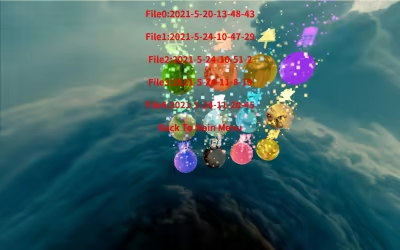
Click load game to enter the load game interface. Click the red file to select whether to load it or not. The white file has not been stored yet and cannot be loaded.
7: End the game
Click end game to enter the end game interface.
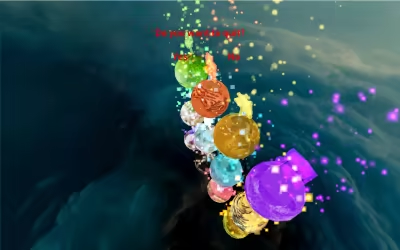
This is a casual shooting game, rhythm slightly tense. The game is the first person single shooter. The lower right corner will randomly list the targets to kill, use the mouse to aim at the target, and click the left mouse button to kill. There is a limit on the quantity of ammunition, which needs to kill the target within a specified time. The game fails when the ammunition is used up or the time is over. There are many kinds of props to use in the game. The toolbar can store up to 10 props. Press the corresponding number key to use props. In the main menu, you can switch different 3D scenes and appreciate different styles; You can switch different languages. The game interface supports more than 20 different languages. Complete the task can improve the level, with the improvement of the level, the target will be more and more, the moving speed will be faster and faster.
2: Main menu
The main menu includes switching scene, switching language, starting game, loading game and ending game
3: Switch scenes
Click the switch scene button to select different game scenes.
Scene one
Scene 2
Scene 3
Scene 4
Scene 5
Scene 6
Scene 7
Scene 8
Scene 9
Scene 10
4: Switch languages
Click to enter the select language interface, you can choose 28 different languages to play the game. Including simplified Chinese (简体中文), traditional Chinese (繁体中文), English (English), Russian(Русский)、 Japanese (日本語), German (Deutsch), French (Français) , Korean (한국어), Spanish (Español-España) , Thai (ไทย), Bulgarian( български език)、 Czech(čeština), Danish(Dansk),Greek(Ελληνικά)、 Italian(Italiano), Magyar(Magyar), Dutch(Nederlands),Norwegian(Norsk), Polish(Polski), Portuguese(Português),Romanian (Română)、 Finnish(Suomi), Swedish(Svenska)、Turkish(Türkçe)、Vietnamese(Tiếng Việt)、Ukrainian(Українська)、Arabic(العربية)、Portuguese-Brazil(Português-Brasil).
Select finish to return to the main interface, and the language of the interface will display the corresponding language.
5: Start the game
Click start game to enter the game interface.
The middle on the left is the target information, which will show the target information you are aiming at with the mouse. Target information includes name, distance and picture. At the bottom of the left is the coordinate information, which shows the coordinates of the current mouse aiming position.
The middle shows the current player's information, including level, range, countdown and ammunition. Use it to kill the target within the specified time. There are also limits on the amount of ammunition. The game ends when time runs out or ammunition runs out. As the player's level increases, the range, time and ammunition amount will increase.
The information of the targets to be killed by the player is displayed on the lower right side, including the number, name and picture of the targets to be killed. With the improvement of the player's level, the number of targets to be killed will also increase, and the movement speed of each target will also accelerate.
On the far right is the toolbar, which is used to save the available tools. There will be 4 tools in each level. Players can save the tool as long as they hit it. When using the tool, just press the corresponding number key.
Press the ESC key to display the pause screen. Click return to game to return to game, click save game to display save game interface, click return to main interface to return to main interface.
In the figure above, the corresponding pictures of the four tools are shown
The tool corresponding to the number key 0 is the automatic aiming tool. After pressing the shortcut key 0, it will automatically aim at the target to be killed, only once.
The tool corresponding to number key 1 is the add time tool. After pressing shortcut key 1, the countdown will increase by 10 seconds.
The tool corresponding to number key 2 is freezing tool. After pressing shortcut key 2, all spheres will be stationary for 3 seconds.
The tool corresponding to the number key 3 is to increase the range. After pressing the shortcut key 3, the range will temporarily increase by 10 times. After launching once, the effect will disappear.
6: Load game
Click load game to enter the load game interface. Click the red file to select whether to load it or not. The white file has not been stored yet and cannot be loaded.
7: End the game
Click end game to enter the end game interface.
Media gallery 6 screenshots · 0 videos

Screenshots
Player activity
Concurrent players over the last 48 hours.
Loading player history?
System requirements Windows
Windows
Minimum
Minimum:- OS: win10
- Processor: Intel(R) Core(TM) i3-8100 CPU
- Memory: 4 GB RAM
- Graphics: AMD Radeon R9 270 1024SP
- Storage: 300 MB available space
Recommended
Recommended:- OS: win10
- Processor: Intel(R) Core(TM) i5-6500 CPU
- Memory: 8 GB RAM
- Graphics: AMD Radeon R9 270 1024SP
- Storage: 1000 MB available space
Game details Languages, features & support
- Publisher
- XUZHOU GETAI TRADING CO. LTD
- Brazilian rating
- l
- Steam Germany rating
- 0
- Features
- Single-player, Steam Leaderboards, Family Sharing
- Languages
- English, French, Italian, German, Spanish - Spain, Danish, Ukrainian, Russian, Bulgarian, Hungarian, Turkish, Greek, Norwegian, Czech, Japanese, Polish, Thai, Swedish, Simplified Chinese, Traditional Chinese, Romanian, Finnish, Dutch, Portuguese - Portugal, Portuguese - Brazil, Vietnamese, Arabic, Korean
- Support
- [email protected]
More analysis Activity patterns, updates & developer tools
Game Insights
Buy Verdict
Watch — $1.99.
Decent deal at 0% off, but might drop further. Watch for better opportunities.
▲
~13 days until next sale
Value Score
Great Value — 100th percentile.
Price-to-player ratio ranks in the 100th percentile. Priced as Market at $1.99.
▲
Market pricing tier
Genre Benchmarks
Value Ratio
Top 0%
Activity Heatmap
UTC+0 (Your Timezone)
0
Peak Activity
0
Avg Activity
0
Active Hours
5%
Sample coverage
Less Active
More Active
0
1
2
3
4
5
6
7
8
9
10
11
12
13
14
15
16
17
18
19
20
21
22
23
Sun
Sunday 0:00
No samples
No samples
Sunday 1:00
No samples
No samples
Sunday 2:00
No samples
No samples
Sunday 3:00
No samples
No samples
Sunday 4:00
No samples
No samples
Sunday 5:00
No samples
No samples
Sunday 6:00
No samples
No samples
Sunday 7:00
No samples
No samples
Sunday 8:00
No samples
No samples
Sunday 9:00
No samples
No samples
Sunday 10:00
No samples
No samples
Sunday 11:00
No samples
No samples
Sunday 12:00
No samples
No samples
Sunday 13:00
No samples
No samples
Sunday 14:00
No samples
No samples
Sunday 15:00
No samples
No samples
Sunday 16:00
No samples
No samples
Sunday 17:00
No samples
No samples
Sunday 18:00
No samples
No samples
Sunday 19:00
No samples
No samples
Sunday 20:00
No samples
No samples
Sunday 21:00
No samples
No samples
Sunday 22:00
No samples
No samples
Sunday 23:00
No samples
No samples
Mon
Monday 0:00
No samples
No samples
Monday 1:00
No samples
No samples
Monday 2:00
0 players · 1 samples
0 players · 1 samples
Monday 3:00
No samples
No samples
Monday 4:00
No samples
No samples
Monday 5:00
0 players · 1 samples
0 players · 1 samples
Monday 6:00
No samples
No samples
Monday 7:00
No samples
No samples
Monday 8:00
No samples
No samples
Monday 9:00
No samples
No samples
Monday 10:00
No samples
No samples
Monday 11:00
No samples
No samples
Monday 12:00
No samples
No samples
Monday 13:00
No samples
No samples
Monday 14:00
No samples
No samples
Monday 15:00
No samples
No samples
Monday 16:00
No samples
No samples
Monday 17:00
No samples
No samples
Monday 18:00
No samples
No samples
Monday 19:00
No samples
No samples
Monday 20:00
No samples
No samples
Monday 21:00
No samples
No samples
Monday 22:00
No samples
No samples
Monday 23:00
No samples
No samples
Tue
Tuesday 0:00
No samples
No samples
Tuesday 1:00
No samples
No samples
Tuesday 2:00
No samples
No samples
Tuesday 3:00
No samples
No samples
Tuesday 4:00
No samples
No samples
Tuesday 5:00
No samples
No samples
Tuesday 6:00
No samples
No samples
Tuesday 7:00
No samples
No samples
Tuesday 8:00
0 players · 1 samples
0 players · 1 samples
Tuesday 9:00
No samples
No samples
Tuesday 10:00
No samples
No samples
Tuesday 11:00
No samples
No samples
Tuesday 12:00
No samples
No samples
Tuesday 13:00
No samples
No samples
Tuesday 14:00
No samples
No samples
Tuesday 15:00
No samples
No samples
Tuesday 16:00
No samples
No samples
Tuesday 17:00
No samples
No samples
Tuesday 18:00
No samples
No samples
Tuesday 19:00
No samples
No samples
Tuesday 20:00
No samples
No samples
Tuesday 21:00
No samples
No samples
Tuesday 22:00
0 players · 1 samples
0 players · 1 samples
Tuesday 23:00
No samples
No samples
Wed
📍
Wednesday 0:00
No samples
No samples
Wednesday 1:00
No samples
No samples
Wednesday 2:00
No samples
No samples
Wednesday 3:00
No samples
No samples
Wednesday 4:00
No samples
No samples
Wednesday 5:00
No samples
No samples
Wednesday 6:00
No samples
No samples
Wednesday 7:00
No samples
No samples
Wednesday 8:00
No samples
No samples
Wednesday 9:00
No samples
No samples
Wednesday 10:00
No samples
No samples
Wednesday 11:00
No samples
No samples
Wednesday 12:00
No samples
No samples
Wednesday 13:00
No samples
No samples
Wednesday 14:00
No samples
No samples
Wednesday 15:00
No samples
No samples
Wednesday 16:00
No samples
No samples
Wednesday 17:00
No samples
No samples
Wednesday 18:00
No samples
No samples
Wednesday 19:00
0 players · 2 samples
0 players · 2 samples
Wednesday 20:00
No samples
No samples
Wednesday 21:00
No samples
No samples
Wednesday 22:00
No samples
No samples
Wednesday 23:00
No samples
No samples
Thu
Thursday 0:00
No samples
No samples
Thursday 1:00
No samples
No samples
Thursday 2:00
No samples
No samples
Thursday 3:00
No samples
No samples
Thursday 4:00
No samples
No samples
Thursday 5:00
No samples
No samples
Thursday 6:00
No samples
No samples
Thursday 7:00
No samples
No samples
Thursday 8:00
No samples
No samples
Thursday 9:00
No samples
No samples
Thursday 10:00
No samples
No samples
Thursday 11:00
No samples
No samples
Thursday 12:00
No samples
No samples
Thursday 13:00
No samples
No samples
Thursday 14:00
No samples
No samples
Thursday 15:00
No samples
No samples
Thursday 16:00
No samples
No samples
Thursday 17:00
No samples
No samples
Thursday 18:00
No samples
No samples
Thursday 19:00
No samples
No samples
Thursday 20:00
No samples
No samples
Thursday 21:00
0 players · 1 samples
0 players · 1 samples
Thursday 22:00
No samples
No samples
Thursday 23:00
No samples
No samples
Fri
Friday 0:00
No samples
No samples
Friday 1:00
No samples
No samples
Friday 2:00
No samples
No samples
Friday 3:00
No samples
No samples
Friday 4:00
No samples
No samples
Friday 5:00
No samples
No samples
Friday 6:00
No samples
No samples
Friday 7:00
0 players · 1 samples
0 players · 1 samples
Friday 8:00
No samples
No samples
Friday 9:00
No samples
No samples
Friday 10:00
No samples
No samples
Friday 11:00
No samples
No samples
Friday 12:00
0 players · 1 samples
0 players · 1 samples
Friday 13:00
No samples
No samples
Friday 14:00
No samples
No samples
Friday 15:00
No samples
No samples
Friday 16:00
No samples
No samples
Friday 17:00
No samples
No samples
Friday 18:00
No samples
No samples
Friday 19:00
No samples
No samples
Friday 20:00
No samples
No samples
Friday 21:00
No samples
No samples
Friday 22:00
No samples
No samples
Friday 23:00
No samples
No samples
Sat
Saturday 0:00
No samples
No samples
Saturday 1:00
No samples
No samples
Saturday 2:00
No samples
No samples
Saturday 3:00
No samples
No samples
Saturday 4:00
No samples
No samples
Saturday 5:00
No samples
No samples
Saturday 6:00
No samples
No samples
Saturday 7:00
No samples
No samples
Saturday 8:00
No samples
No samples
Saturday 9:00
No samples
No samples
Saturday 10:00
No samples
No samples
Saturday 11:00
No samples
No samples
Saturday 12:00
No samples
No samples
Saturday 13:00
No samples
No samples
Saturday 14:00
No samples
No samples
Saturday 15:00
No samples
No samples
Saturday 16:00
No samples
No samples
Saturday 17:00
No samples
No samples
Saturday 18:00
No samples
No samples
Saturday 19:00
No samples
No samples
Saturday 20:00
No samples
No samples
Saturday 21:00
0 players · 1 samples
0 players · 1 samples
Saturday 22:00
No samples
No samples
Saturday 23:00
No samples
No samples
Developer Analytics
Loading competitors...
Frequently Asked Questions
Is ChineseZodiac worth buying right now?
Watch — $1.99. Decent deal at 0% off, but might drop further. Watch for better opportunities.
When does ChineseZodiac go on sale?
Decent deal at 0% off, but might drop further. Watch for better opportunities.
Is ChineseZodiac free to play?
ChineseZodiac costs $1.99 on Steam.
What genre is ChineseZodiac?
ChineseZodiac is a Casual game.
Who developed ChineseZodiac?
ChineseZodiac was developed by XUZHOU GETAI TRADING CO. LTD and published by XUZHOU GETAI TRADING CO. LTD.
What platforms does ChineseZodiac support?
Available on Steam for Windows.
Related Games
5 tags in common
*NEW* EPIC SCUFFED BHOP SIMULATOR 2023 (POG CHAMP)
0 last tracked
5 tags in common
100 Dogs
0 last tracked
4 tags in common
"Space"
0 last tracked
4 tags in common
//signal.
0 last tracked
4 tags in common
0°N 0°W
0 last tracked
4 tags in common
1 Hop
0 last tracked
3 tags in common
Arcade Sundown
0 last tracked
3 tags in common
Boulder Smash Demo