
Aspiring Light: Gold Edition
DeveloperJy · DeveloperJy · Aug 6, 2021
Delayed observation
Observed
0
Last tracked
0
All-time peak
n/a
Δ 24h
Player count last observed
Live player data is temporarily unavailable; historical values remain visible for context.
Aspiring Light: Gold Edition - Steam Charts & Historical Stats
Augments your game with the latest hue-shift technology: - A golden menu screen - A golden icon - Literally nothing else Explore historical player activity and pricing for Aspiring Light: Gold Edition. Player-count data was last observed May 1, 2026.
Genre
Casual
Developer
DeveloperJy
Aspiring Light: Gold Edition player count and price summary
- Current players
- Unavailable
- All-time peak
- Unavailable
- 24-hour player change
- Unavailable
- Current US price
- Price unavailable
Player count last observed . Values marked unavailable are not estimated.
Media gallery 2 screenshots · 0 videos
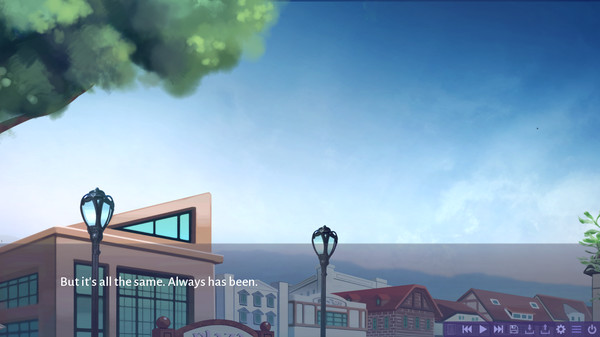
Screenshots

Game Insights
Value Score
Fair Value — 50th percentile.
Price-to-player ratio ranks in the 50th percentile.
▬
Market pricing tier
Player count
System Requirements
Platform Support
Windows
macOS
Linux
Windows Requirements
Minimum:
Minimum:
- OS *: Windows 7 or Higher
- Processor: Intel(R) Core(TM) i7-8550U, 1.8Ghz
- Memory: 100 MB RAM
- Graphics: Nvidia GeForce MX150
- DirectX: Version 9.0
- Storage: 2 MB available space
- Additional Notes: Tested with given system specifications, will still likely run given lower processors and graphics cards.
macOS Requirements
Minimum:
Minimum:
- OS: MacOS High Sierra 10.13
- Processor: Intel(R) Core(TM) i7-8550U, 1.8Ghz
- Memory: 100 MB RAM
- Graphics: Nvidia GeForce MX150
- Storage: 2 MB available space
- Additional Notes: Mac version tested on virtual machine.
Linux Requirements
Minimum:
Minimum:
- OS: Ubuntu 20.04.2.0
- Processor: Intel(R) Core(TM) i7-8550U, 1.8Ghz
- Memory: 100 MB RAM
- Graphics: Nvidia GeForce MX150
- Storage: 2 MB available space
- Additional Notes: Linux version tested on Ubuntu virtual machine.
Pricing
Paid Game
CDN$ 11.49 (CAD)
Additional Information
Categories
Single-player
Downloadable Content
Supported Languages
English
Current Pricing
💰
CDN$ 11.49
Regular Price
Additional Information
🇧🇷
DEJUS Rating
14
Brazilian rating
🆘
Support
🎁
Purchase Options
1
package options
Developer Analytics
Loading competitors...
About This Game
Augments your game with the latest hue-shift technology: - A golden menu screen - A golden icon - Literally nothing else
Detailed Description
Augments your game with the latest hue-shift technology:
- A golden menu screen and window icon
- A sense of pride and accomplishment
- Literally nothing else
In order for the changes to appear in-game (you even have to install it yourself):
1. Right-click the game in Steam and select "Properties..."
2. Select "Local Files" and click the "Browse" button
3. You will find the "main_menu.png" and "window_icon.png" elements.
4. Navigate to "Aspiring_Light-{version}-pc/game/gui".
5. Drag and drop the files into the directory, and click "Replace the files in the destination" if prompted.
6. Enjoy your money well spent.
- A golden menu screen and window icon
- A sense of pride and accomplishment
- Literally nothing else
In order for the changes to appear in-game (you even have to install it yourself):
1. Right-click the game in Steam and select "Properties..."
2. Select "Local Files" and click the "Browse" button
3. You will find the "main_menu.png" and "window_icon.png" elements.
4. Navigate to "Aspiring_Light-{version}-pc/game/gui".
5. Drag and drop the files into the directory, and click "Replace the files in the destination" if prompted.
6. Enjoy your money well spent.
Frequently Asked Questions
Is Aspiring Light: Gold Edition free to play?
Yes, Aspiring Light: Gold Edition is free to play on Steam.
What genre is Aspiring Light: Gold Edition?
Aspiring Light: Gold Edition is a Casual, Indie game.
Who developed Aspiring Light: Gold Edition?
Aspiring Light: Gold Edition was developed by DeveloperJy and published by DeveloperJy.
What platforms does Aspiring Light: Gold Edition support?
Available on Steam for Windows, macOS, Linux.