Game overview
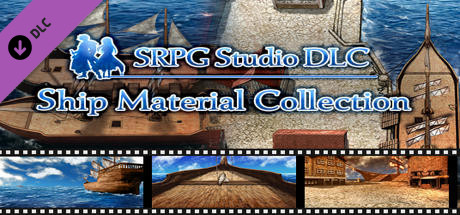
SRPG Studio Ship Material Collection
Material for ship maps and sea maps!
- Last tracked players
- 0
- All-time peak
- Unavailable
- 24-hour change
- Unavailable
Delayed observation · last tracked . Values marked unavailable are not estimated.
About this game Read the full description
It takes time to build a ship or port from scratch with a map chip, right?
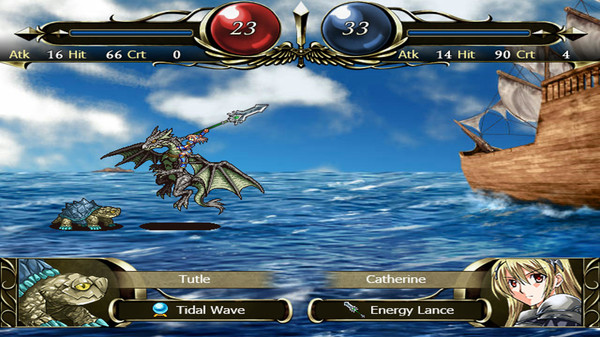
This DLC includes a map of the ship and harbor completed from the beginning!
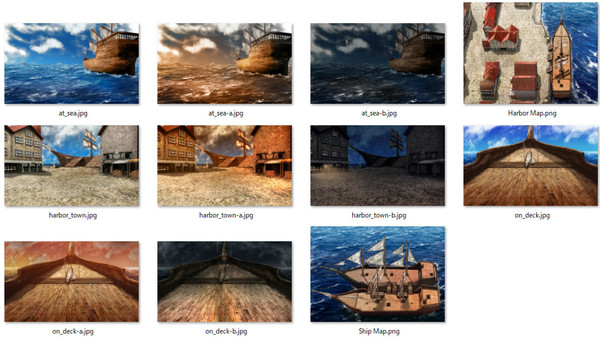
This DLC comes with a png file that models the map and a jpg file of the battle background.
[smap & png]
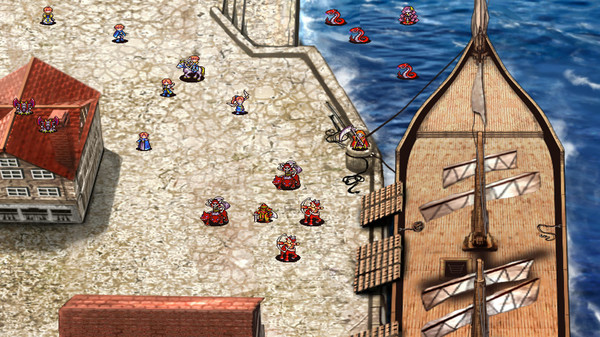
1. Harbor Map
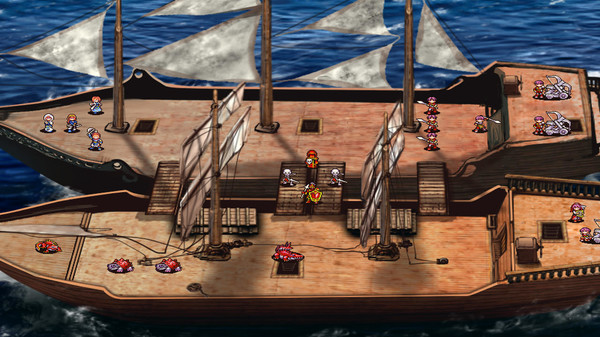
2. Ship Map
[battle background]
1. at_sea.jpg
2. harbor_town.jpg
3. on_deck.jpg
*How to Use (for SRPG Studio users)*
1. Launch SRPG Studio.
In the upper left corner of the application, there is a File menu.
Open the menu to access the DLC, you will find "SRPG Studio Ship Material Collection", select it.
2. Go to the "SRPG Studio Ship Material Collection" folder on your desktop.
Drag "Harbor Map.smap" from the "Harbor Map" folder and "Ship Map.smap" from the "Ship Map" folder into Windows Explorer. Then, drop these files into SRPG Studio.
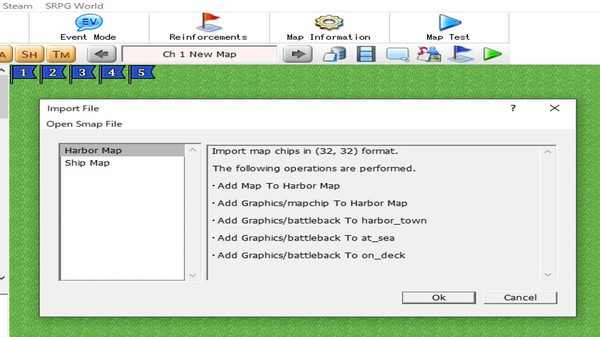
3. When you drop the file, a dialog will appear asking you to confirm that you want to import the smap file.
If you select OK here. A new, completed map data will be created.
This DLC includes a map of the ship and harbor completed from the beginning!
This DLC comes with a png file that models the map and a jpg file of the battle background.
[smap & png]
1. Harbor Map
2. Ship Map
[battle background]
1. at_sea.jpg
2. harbor_town.jpg
3. on_deck.jpg
*How to Use (for SRPG Studio users)*
1. Launch SRPG Studio.
In the upper left corner of the application, there is a File menu.
Open the menu to access the DLC, you will find "SRPG Studio Ship Material Collection", select it.
2. Go to the "SRPG Studio Ship Material Collection" folder on your desktop.
Drag "Harbor Map.smap" from the "Harbor Map" folder and "Ship Map.smap" from the "Ship Map" folder into Windows Explorer. Then, drop these files into SRPG Studio.
3. When you drop the file, a dialog will appear asking you to confirm that you want to import the smap file.
If you select OK here. A new, completed map data will be created.
Media gallery 5 screenshots · 0 videos

Screenshots
Player activity
Concurrent players over the last 48 hours.
Loading player history?
System requirements Windows
Windows
Minimum
Minimum:- OS *: Microsoft® Windows® Vista(sp2) / 7 / 8 / 10 (32bit/64bit)
- Processor: Intel® Pentium® 4 2.0 GHz equivalent or faster processor
- Memory: 512 MB RAM
- Storage: 20 MB available space
Game details Languages, features & support
- Publisher
- SapphireSoft
- Brazilian rating
- l
- Features
- Downloadable Content
- Languages
- English
- Website
- Official website ↗
- Support
- Support site ↗
More analysis Activity patterns, updates & developer tools
Game Insights
Buy Verdict
Wait — $24.99.
Not the best time to buy. Price could improve with future sales.
▬
~41 days until next sale
Value Score
Great Value — 100th percentile.
Price-to-player ratio ranks in the 100th percentile.
▲
Market pricing tier
Genre Benchmarks
Value Ratio
Top 0%
Developer Analytics
Loading competitors...
Frequently Asked Questions
Is SRPG Studio Ship Material Collection worth buying right now?
Wait — $24.99. Not the best time to buy. Price could improve with future sales.
When does SRPG Studio Ship Material Collection go on sale?
Not the best time to buy. Price could improve with future sales.
Is SRPG Studio Ship Material Collection free to play?
SRPG Studio Ship Material Collection costs $24.99 on Steam.
What genre is SRPG Studio Ship Material Collection?
SRPG Studio Ship Material Collection is a Animation & Modeling, Design & Illustration, Education, Utilities, Game Development game.
Who developed SRPG Studio Ship Material Collection?
SRPG Studio Ship Material Collection was developed by SapphireSoft and published by SapphireSoft.
What platforms does SRPG Studio Ship Material Collection support?
Available on Steam for Windows.