Game overview
HeroBattle
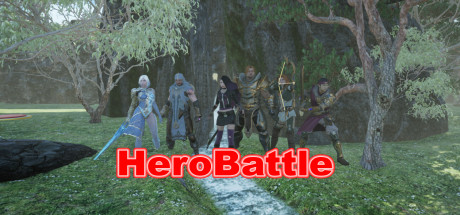
This is a third-person 3D real-time battle game. Heroes kill monsters, gain experience and followers. Followers form a formation to fight with the heroes.
- Last tracked players
- 0
- All-time peak
- Unavailable
- 24-hour change
- Unavailable
- Steam reviews
- 0% positive 1 reviews · via SteamSpy
Delayed observation · last tracked . Values marked unavailable are not estimated.
About this game Read the full description
1: Introduction to the game
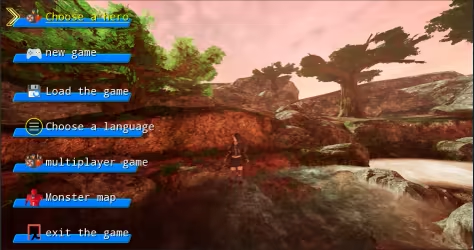
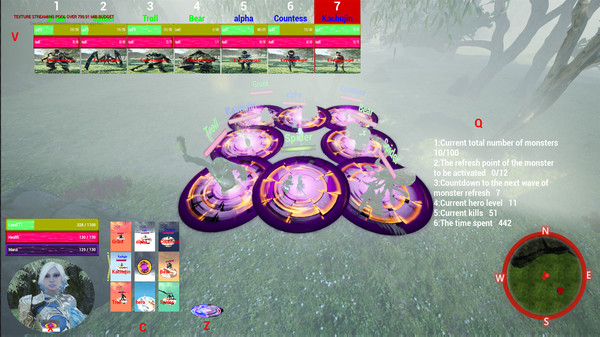
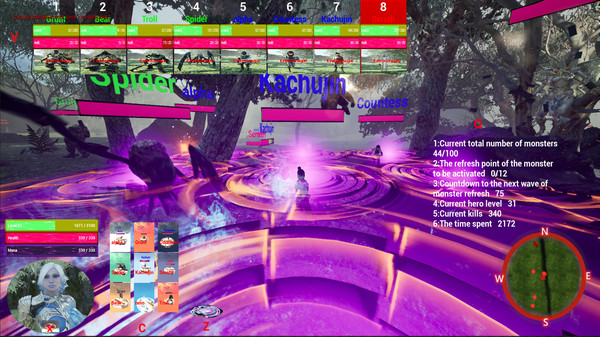
This is a third-person 3D real-time battle game. Players can choose different heroes, use different skills to kill monsters, gain experience and followers. The enrolled followers can be arranged in different formations to fight with the heroes. There are red monster refresh points on the map, and some monsters will be refreshed at regular intervals. When the total number of monsters exceeds 100, the game fails. When the hero level reaches level 10 and multiples of level 10, the challenge is successful, and then the player can choose to continue the challenge or quit the game. The hero only needs to stand on the red refresh point for a certain period of time to turn the refresh point into green. At this time, the monster's refresh time will be extended. When the hero is upgraded, the hero's level, ranking and time used will be recorded on the leaderboard. The time is in seconds. The main interface of the game is shown below:
2: Hotkey function
X: Select the hero.
Enter: Join or leave the formation.
C: Show or hide the formation.
Z: Release skills.
V: Show or hide followers.
Q: Show or hide tasks.
W, S, A, D: mobile hero.
↑, ↓, ←, →: Move the position of the hero or follower in the formation.
1~8 number keys: select the corresponding follower.
W, S, ↑, ↓: select menu or language.
3: Main menu
The main menu includes hero selection, new game, loading game, language selection, multiplayer game, monster map, and exit game.
4: Choose a hero
Click the Select Hero button to select different heroes.
Hero One is shown in the picture below:
Hero Two is shown in the picture below:
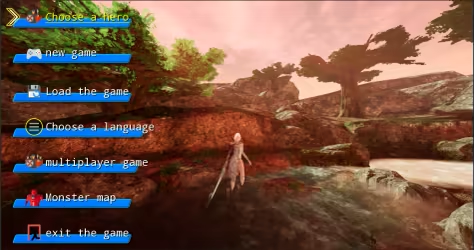
Hero Three is shown in the picture below:
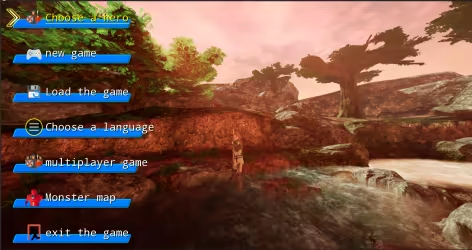
Hero Four is shown in the picture below:
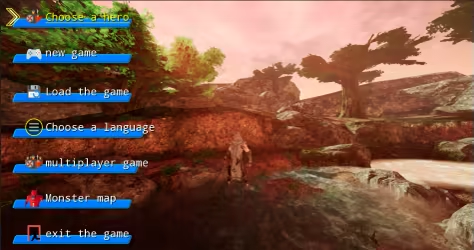
Hero Five is shown in the picture below:
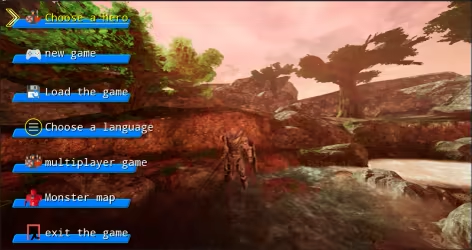
Hero Six is shown below:
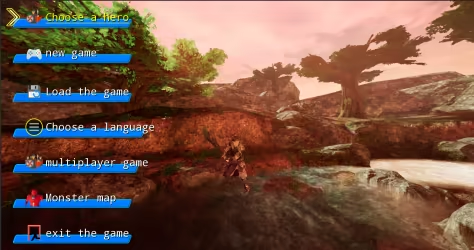
5: New game
Click the new game button to start the game.
6: Load the game:
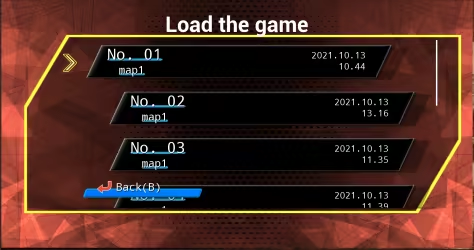
Click Load Game to load the saved game. As shown below:
7: Choose language:
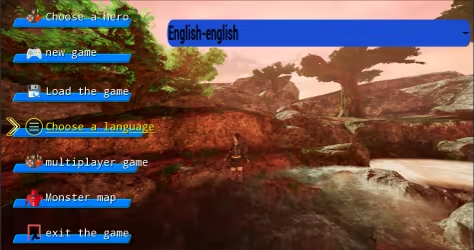
Click Choose Language to choose the language used in the game interface. The game supports a total of 24 languages. Language can be selected by W key, S key or up and down keys. As shown below:
8: Multiplayer games
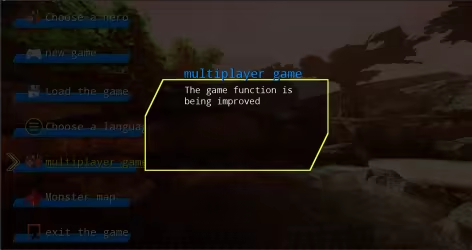
Multiplayer games will be launched in subsequent versions. As shown below:
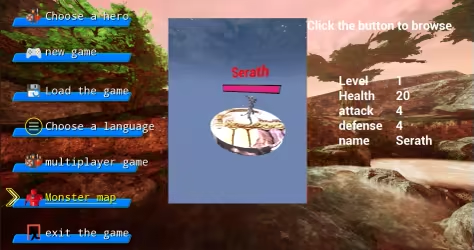
9: Monster Map
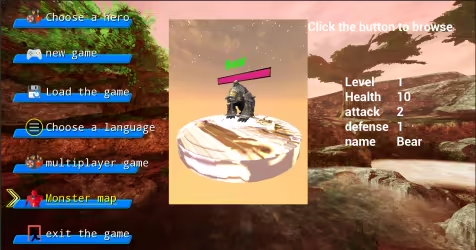
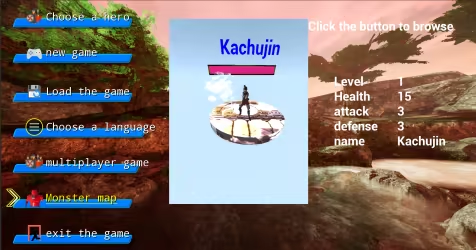
Click on the monster map to browse the monsters that appear in the game. There are eight types of monsters, divided into green, blue, and red. The abilities are enhanced in turn, with melee and ranged. As shown below:
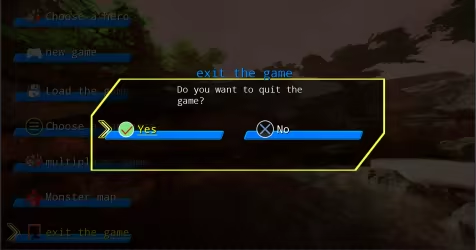
10: Quit the game
Click to exit the game, as shown below:
11: Game interface
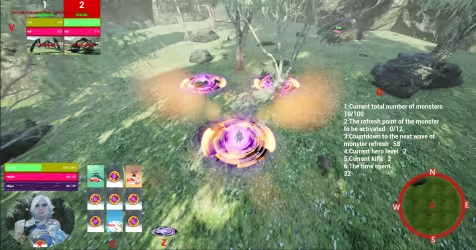
Click New Game to enter the game interface. As shown below:
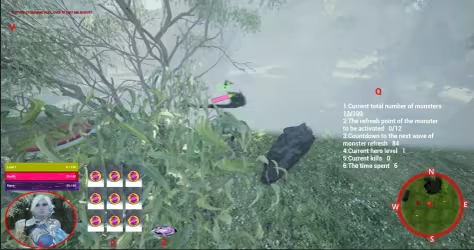
The lower left corner is the hero information area, which will display the current level, life and magic value. Press the hot key X to select the hero, and a red circle will be displayed. Press Enter again to make the hero join or leave the formation. The up, down, left, and right keys will adjust The position of the hero in the formation. Hotkey C displays the hotkey corresponding to the formation. Pressing the C key will show or hide the formation. The hot key Z corresponds to the skill key, and pressing the Z key will launch the skill. The hot key V in the upper left corner is used to display and hide follower information. The Q key on the right is used to display and hide task information. The mini map will show the hero's current location and direction. Press the corresponding number keys 1~8, the corresponding follower will be selected, press the Enter key to join or leave the formation, the up, down, left, and right keys will adjust the position of the follower in the formation.
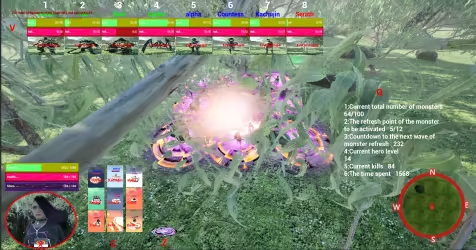
12: Monster refresh point
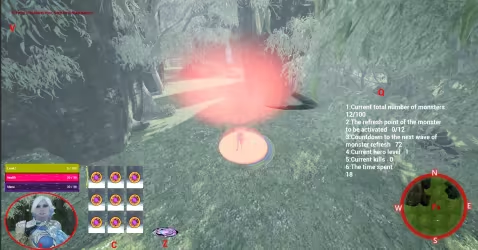
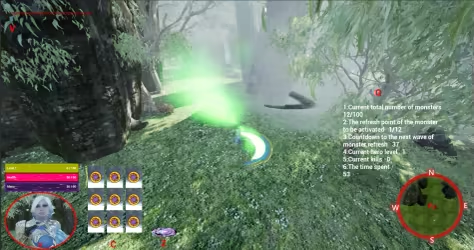
Every once in a while, the monster refreshes from the refresh point, and the hero stands on the refresh point until the refresh point turns green, which can extend the monster's refresh time. As shown below:
13: Pause the game interface
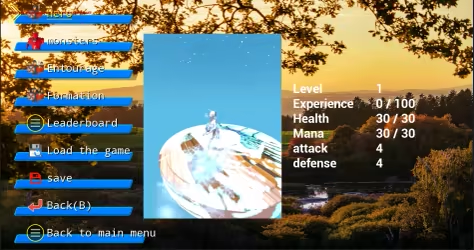
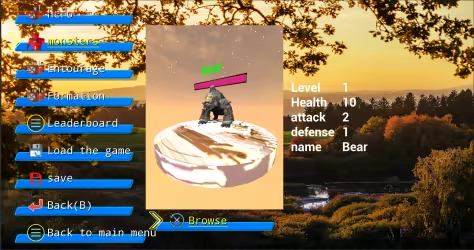
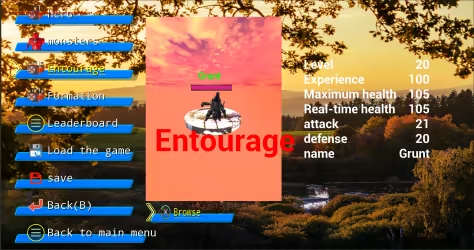
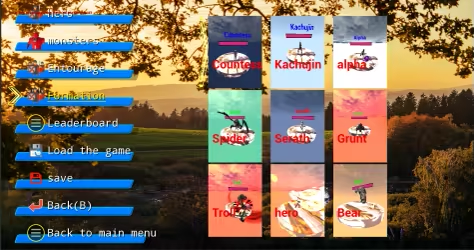
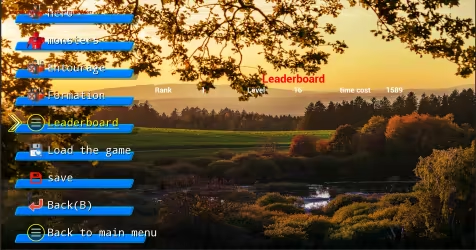
Press Esc or P to bring up the pause interface. The menu includes: hero, monster, entourage, formation, leaderboard, load game, save, back(B), and return to the main menu.
Hero sketch:
Monster sketch:
Schematic diagram of the entourage:
Schematic diagram of formation:
Leaderboard diagram:
This is a third-person 3D real-time battle game. Players can choose different heroes, use different skills to kill monsters, gain experience and followers. The enrolled followers can be arranged in different formations to fight with the heroes. There are red monster refresh points on the map, and some monsters will be refreshed at regular intervals. When the total number of monsters exceeds 100, the game fails. When the hero level reaches level 10 and multiples of level 10, the challenge is successful, and then the player can choose to continue the challenge or quit the game. The hero only needs to stand on the red refresh point for a certain period of time to turn the refresh point into green. At this time, the monster's refresh time will be extended. When the hero is upgraded, the hero's level, ranking and time used will be recorded on the leaderboard. The time is in seconds. The main interface of the game is shown below:
2: Hotkey function
X: Select the hero.
Enter: Join or leave the formation.
C: Show or hide the formation.
Z: Release skills.
V: Show or hide followers.
Q: Show or hide tasks.
W, S, A, D: mobile hero.
↑, ↓, ←, →: Move the position of the hero or follower in the formation.
1~8 number keys: select the corresponding follower.
W, S, ↑, ↓: select menu or language.
3: Main menu
The main menu includes hero selection, new game, loading game, language selection, multiplayer game, monster map, and exit game.
4: Choose a hero
Click the Select Hero button to select different heroes.
Hero One is shown in the picture below:
Hero Two is shown in the picture below:
Hero Three is shown in the picture below:
Hero Four is shown in the picture below:
Hero Five is shown in the picture below:
Hero Six is shown below:
5: New game
Click the new game button to start the game.
6: Load the game:
Click Load Game to load the saved game. As shown below:
7: Choose language:
Click Choose Language to choose the language used in the game interface. The game supports a total of 24 languages. Language can be selected by W key, S key or up and down keys. As shown below:
8: Multiplayer games
Multiplayer games will be launched in subsequent versions. As shown below:
9: Monster Map
Click on the monster map to browse the monsters that appear in the game. There are eight types of monsters, divided into green, blue, and red. The abilities are enhanced in turn, with melee and ranged. As shown below:
10: Quit the game
Click to exit the game, as shown below:
11: Game interface
Click New Game to enter the game interface. As shown below:
The lower left corner is the hero information area, which will display the current level, life and magic value. Press the hot key X to select the hero, and a red circle will be displayed. Press Enter again to make the hero join or leave the formation. The up, down, left, and right keys will adjust The position of the hero in the formation. Hotkey C displays the hotkey corresponding to the formation. Pressing the C key will show or hide the formation. The hot key Z corresponds to the skill key, and pressing the Z key will launch the skill. The hot key V in the upper left corner is used to display and hide follower information. The Q key on the right is used to display and hide task information. The mini map will show the hero's current location and direction. Press the corresponding number keys 1~8, the corresponding follower will be selected, press the Enter key to join or leave the formation, the up, down, left, and right keys will adjust the position of the follower in the formation.
12: Monster refresh point
Every once in a while, the monster refreshes from the refresh point, and the hero stands on the refresh point until the refresh point turns green, which can extend the monster's refresh time. As shown below:
13: Pause the game interface
Press Esc or P to bring up the pause interface. The menu includes: hero, monster, entourage, formation, leaderboard, load game, save, back(B), and return to the main menu.
Hero sketch:
Monster sketch:
Schematic diagram of the entourage:
Schematic diagram of formation:
Leaderboard diagram:
Media gallery 6 screenshots · 0 videos
Screenshots



Player activity
Concurrent players over the last 48 hours.
Loading player history?
System requirements Windows
Windows
Minimum
Minimum:- OS: win10
- Processor: Intel(R) Core(TM) i5-6500 CPU @ 3.20GHz 3.20 GHz
- Memory: 8 GB RAM
- Graphics: AMD Radeon R9 270
- Storage: 16 GB available space
Recommended
Recommended:- OS: win10
- Processor: Intel酷睿 i5-11400
- Memory: 16 GB RAM
- Graphics: 华硕DUAL-RTX3060-12G
- Storage: 32 GB available space
Game details Languages, features & support
- Publisher
- XUZHOU GETAI TRADING CO. LTD
- Brazilian rating
- 10
- Steam Germany rating
- 12
- Features
- Single-player, Steam Cloud, Steam Leaderboards, Family Sharing
- Languages
- English, French, Italian, German, Spanish - Spain, Danish, Ukrainian, Russian, Bulgarian, Hungarian, Turkish, Greek, Norwegian, Czech, Japanese, Polish, Swedish, Traditional Chinese, Romanian, Finnish, Dutch, Portuguese - Portugal, Vietnamese, Korean
- Support
- [email protected]
More analysis Activity patterns, updates & developer tools
Game Insights
Buy Verdict
Watch — $2.99.
Decent deal at 0% off, but might drop further. Watch for better opportunities.
▲
~27 days until next sale
Value Score
Great Value — 93th percentile.
Price-to-player ratio ranks in the 93th percentile. Priced as Market at $2.99.
▲
Market pricing tier
Genre Benchmarks
Value Ratio
Top 7%
Activity Heatmap
UTC+0 (Your Timezone)
0
Peak Activity
0
Avg Activity
0
Active Hours
5%
Sample coverage
Less Active
More Active
0
1
2
3
4
5
6
7
8
9
10
11
12
13
14
15
16
17
18
19
20
21
22
23
Sun
Sunday 0:00
No samples
No samples
Sunday 1:00
No samples
No samples
Sunday 2:00
No samples
No samples
Sunday 3:00
No samples
No samples
Sunday 4:00
No samples
No samples
Sunday 5:00
No samples
No samples
Sunday 6:00
No samples
No samples
Sunday 7:00
No samples
No samples
Sunday 8:00
No samples
No samples
Sunday 9:00
No samples
No samples
Sunday 10:00
No samples
No samples
Sunday 11:00
No samples
No samples
Sunday 12:00
No samples
No samples
Sunday 13:00
No samples
No samples
Sunday 14:00
No samples
No samples
Sunday 15:00
No samples
No samples
Sunday 16:00
No samples
No samples
Sunday 17:00
No samples
No samples
Sunday 18:00
No samples
No samples
Sunday 19:00
No samples
No samples
Sunday 20:00
No samples
No samples
Sunday 21:00
No samples
No samples
Sunday 22:00
No samples
No samples
Sunday 23:00
No samples
No samples
Mon
Monday 0:00
No samples
No samples
Monday 1:00
No samples
No samples
Monday 2:00
No samples
No samples
Monday 3:00
No samples
No samples
Monday 4:00
No samples
No samples
Monday 5:00
0 players · 1 samples
0 players · 1 samples
Monday 6:00
No samples
No samples
Monday 7:00
No samples
No samples
Monday 8:00
No samples
No samples
Monday 9:00
No samples
No samples
Monday 10:00
No samples
No samples
Monday 11:00
No samples
No samples
Monday 12:00
No samples
No samples
Monday 13:00
No samples
No samples
Monday 14:00
No samples
No samples
Monday 15:00
No samples
No samples
Monday 16:00
No samples
No samples
Monday 17:00
No samples
No samples
Monday 18:00
No samples
No samples
Monday 19:00
No samples
No samples
Monday 20:00
No samples
No samples
Monday 21:00
No samples
No samples
Monday 22:00
No samples
No samples
Monday 23:00
No samples
No samples
Tue
Tuesday 0:00
No samples
No samples
Tuesday 1:00
No samples
No samples
Tuesday 2:00
No samples
No samples
Tuesday 3:00
No samples
No samples
Tuesday 4:00
No samples
No samples
Tuesday 5:00
No samples
No samples
Tuesday 6:00
0 players · 1 samples
0 players · 1 samples
Tuesday 7:00
No samples
No samples
Tuesday 8:00
No samples
No samples
Tuesday 9:00
No samples
No samples
Tuesday 10:00
0 players · 1 samples
0 players · 1 samples
Tuesday 11:00
No samples
No samples
Tuesday 12:00
No samples
No samples
Tuesday 13:00
No samples
No samples
Tuesday 14:00
No samples
No samples
Tuesday 15:00
No samples
No samples
Tuesday 16:00
No samples
No samples
Tuesday 17:00
No samples
No samples
Tuesday 18:00
No samples
No samples
Tuesday 19:00
No samples
No samples
Tuesday 20:00
No samples
No samples
Tuesday 21:00
No samples
No samples
Tuesday 22:00
No samples
No samples
Tuesday 23:00
No samples
No samples
Wed
📍
Wednesday 0:00
No samples
No samples
Wednesday 1:00
No samples
No samples
Wednesday 2:00
No samples
No samples
Wednesday 3:00
No samples
No samples
Wednesday 4:00
No samples
No samples
Wednesday 5:00
No samples
No samples
Wednesday 6:00
No samples
No samples
Wednesday 7:00
No samples
No samples
Wednesday 8:00
No samples
No samples
Wednesday 9:00
No samples
No samples
Wednesday 10:00
No samples
No samples
Wednesday 11:00
No samples
No samples
Wednesday 12:00
No samples
No samples
Wednesday 13:00
No samples
No samples
Wednesday 14:00
No samples
No samples
Wednesday 15:00
No samples
No samples
Wednesday 16:00
No samples
No samples
Wednesday 17:00
No samples
No samples
Wednesday 18:00
No samples
No samples
Wednesday 19:00
No samples
No samples
Wednesday 20:00
No samples
No samples
Wednesday 21:00
No samples
No samples
Wednesday 22:00
0 players · 1 samples
0 players · 1 samples
Wednesday 23:00
No samples
No samples
Thu
Thursday 0:00
No samples
No samples
Thursday 1:00
No samples
No samples
Thursday 2:00
No samples
No samples
Thursday 3:00
No samples
No samples
Thursday 4:00
No samples
No samples
Thursday 5:00
0 players · 1 samples
0 players · 1 samples
Thursday 6:00
No samples
No samples
Thursday 7:00
No samples
No samples
Thursday 8:00
No samples
No samples
Thursday 9:00
No samples
No samples
Thursday 10:00
No samples
No samples
Thursday 11:00
No samples
No samples
Thursday 12:00
No samples
No samples
Thursday 13:00
No samples
No samples
Thursday 14:00
No samples
No samples
Thursday 15:00
No samples
No samples
Thursday 16:00
No samples
No samples
Thursday 17:00
No samples
No samples
Thursday 18:00
No samples
No samples
Thursday 19:00
No samples
No samples
Thursday 20:00
No samples
No samples
Thursday 21:00
No samples
No samples
Thursday 22:00
No samples
No samples
Thursday 23:00
No samples
No samples
Fri
Friday 0:00
No samples
No samples
Friday 1:00
No samples
No samples
Friday 2:00
No samples
No samples
Friday 3:00
No samples
No samples
Friday 4:00
No samples
No samples
Friday 5:00
No samples
No samples
Friday 6:00
No samples
No samples
Friday 7:00
No samples
No samples
Friday 8:00
No samples
No samples
Friday 9:00
No samples
No samples
Friday 10:00
No samples
No samples
Friday 11:00
No samples
No samples
Friday 12:00
No samples
No samples
Friday 13:00
No samples
No samples
Friday 14:00
0 players · 1 samples
0 players · 1 samples
Friday 15:00
No samples
No samples
Friday 16:00
No samples
No samples
Friday 17:00
No samples
No samples
Friday 18:00
No samples
No samples
Friday 19:00
No samples
No samples
Friday 20:00
No samples
No samples
Friday 21:00
No samples
No samples
Friday 22:00
No samples
No samples
Friday 23:00
No samples
No samples
Sat
Saturday 0:00
No samples
No samples
Saturday 1:00
No samples
No samples
Saturday 2:00
No samples
No samples
Saturday 3:00
No samples
No samples
Saturday 4:00
No samples
No samples
Saturday 5:00
No samples
No samples
Saturday 6:00
No samples
No samples
Saturday 7:00
No samples
No samples
Saturday 8:00
No samples
No samples
Saturday 9:00
No samples
No samples
Saturday 10:00
No samples
No samples
Saturday 11:00
No samples
No samples
Saturday 12:00
No samples
No samples
Saturday 13:00
No samples
No samples
Saturday 14:00
No samples
No samples
Saturday 15:00
No samples
No samples
Saturday 16:00
No samples
No samples
Saturday 17:00
0 players · 1 samples
0 players · 1 samples
Saturday 18:00
No samples
No samples
Saturday 19:00
No samples
No samples
Saturday 20:00
No samples
No samples
Saturday 21:00
No samples
No samples
Saturday 22:00
No samples
No samples
Saturday 23:00
0 players · 1 samples
0 players · 1 samples
Developer Analytics
Loading competitors...
Frequently Asked Questions
Is HeroBattle worth buying right now?
Watch — $2.99. Decent deal at 0% off, but might drop further. Watch for better opportunities.
When does HeroBattle go on sale?
Decent deal at 0% off, but might drop further. Watch for better opportunities.
Is HeroBattle free to play?
HeroBattle costs $2.99 on Steam.
What genre is HeroBattle?
HeroBattle is a Adventure, Casual, RPG game.
Who developed HeroBattle?
HeroBattle was developed by XUZHOU GETAI TRADING CO. LTD and published by XUZHOU GETAI TRADING CO. LTD.
What platforms does HeroBattle support?
Available on Steam for Windows.
Related Games
6 tags in common
//signal.
0 last tracked
6 tags in common
1 Hop
0 last tracked
5 tags in common
创造三国志
11 last tracked
4 tags in common
Treasure Journey
0 last tracked
4 tags in common
(The Lingering) Last Customer
0 last tracked
4 tags in common
0°N 0°W
0 last tracked
4 tags in common
10 Blaze Escape
0 last tracked
3 tags in common
Arcade Sundown
0 last tracked