DPET : Desktop Pet Engine - Steam Charts & Historical Stats
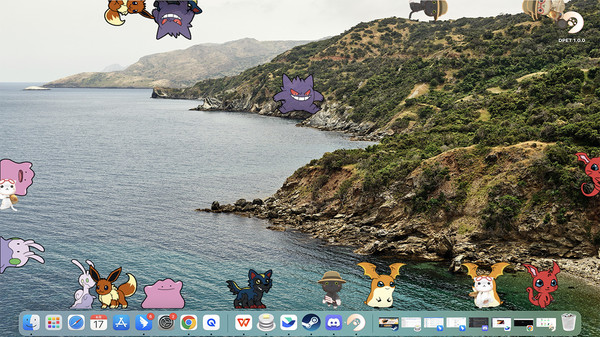
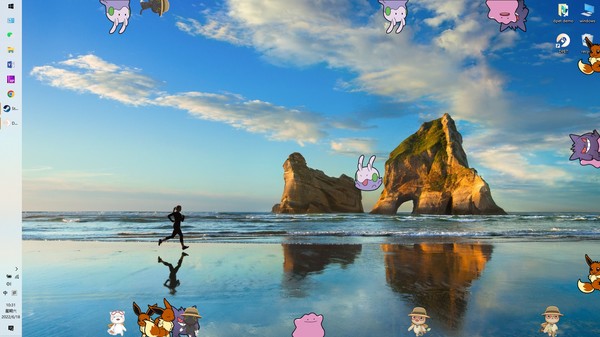
DPET is a desktop pet generation engine that can summon many virtual pets to decorate your desktop and create endless fun. Explore historical player activity and pricing for DPET : Desktop Pet Engine. Player-count data was last observed May 1, 2026.
Genre
Casual
Developer
Live3D
Media Gallery

Screenshots
Videos
new desktop pet & shimeji
desktop pet tool
support workshop
Last Tracked Players
49
change unavailable
(24h)
Estimated Owners
0 .. 20,000
Estimate via SteamSpy
Early Access Active
Time in EA
1530 days
Current Players
49
Player count
Activity Heatmap
UTC+0 (Your Timezone)
49
Peak Activity
49
Avg Activity
1
Active Hours
Available
Status
Less Active
More Active
0
1
2
3
4
5
6
7
8
9
10
11
12
13
14
15
16
17
18
19
20
21
22
23
Sun
Sunday 0:00
0 players
0 players
Sunday 1:00
0 players
0 players
Sunday 2:00
0 players
0 players
Sunday 3:00
0 players
0 players
Sunday 4:00
0 players
0 players
Sunday 5:00
0 players
0 players
Sunday 6:00
0 players
0 players
Sunday 7:00
0 players
0 players
Sunday 8:00
0 players
0 players
Sunday 9:00
0 players
0 players
Sunday 10:00
0 players
0 players
Sunday 11:00
0 players
0 players
Sunday 12:00
0 players
0 players
Sunday 13:00
0 players
0 players
Sunday 14:00
0 players
0 players
Sunday 15:00
0 players
0 players
Sunday 16:00
0 players
0 players
Sunday 17:00
0 players
0 players
Sunday 18:00
0 players
0 players
Sunday 19:00
0 players
0 players
Sunday 20:00
0 players
0 players
Sunday 21:00
0 players
0 players
Sunday 22:00
0 players
0 players
Sunday 23:00
0 players
0 players
Mon
Monday 0:00
0 players
0 players
Monday 1:00
0 players
0 players
Monday 2:00
0 players
0 players
Monday 3:00
0 players
0 players
Monday 4:00
0 players
0 players
Monday 5:00
0 players
0 players
Monday 6:00
0 players
0 players
Monday 7:00
0 players
0 players
Monday 8:00
0 players
0 players
Monday 9:00
0 players
0 players
Monday 10:00
0 players
0 players
Monday 11:00
0 players
0 players
Monday 12:00
0 players
0 players
Monday 13:00
0 players
0 players
Monday 14:00
0 players
0 players
Monday 15:00
0 players
0 players
Monday 16:00
0 players
0 players
Monday 17:00
0 players
0 players
Monday 18:00
0 players
0 players
Monday 19:00
0 players
0 players
Monday 20:00
0 players
0 players
Monday 21:00
0 players
0 players
Monday 22:00
0 players
0 players
Monday 23:00
0 players
0 players
Tue
Tuesday 0:00
0 players
0 players
Tuesday 1:00
0 players
0 players
Tuesday 2:00
0 players
0 players
Tuesday 3:00
0 players
0 players
Tuesday 4:00
0 players
0 players
Tuesday 5:00
0 players
0 players
Tuesday 6:00
0 players
0 players
Tuesday 7:00
0 players
0 players
Tuesday 8:00
0 players
0 players
Tuesday 9:00
0 players
0 players
Tuesday 10:00
0 players
0 players
Tuesday 11:00
0 players
0 players
Tuesday 12:00
0 players
0 players
Tuesday 13:00
0 players
0 players
Tuesday 14:00
0 players
0 players
Tuesday 15:00
0 players
0 players
Tuesday 16:00
0 players
0 players
Tuesday 17:00
0 players
0 players
Tuesday 18:00
0 players
0 players
Tuesday 19:00
0 players
0 players
Tuesday 20:00
0 players
0 players
Tuesday 21:00
0 players
0 players
Tuesday 22:00
0 players
0 players
Tuesday 23:00
0 players
0 players
Wed
📍
Wednesday 0:00
0 players
0 players
Wednesday 1:00
0 players
0 players
Wednesday 2:00
0 players
0 players
Wednesday 3:00
0 players
0 players
Wednesday 4:00
0 players
0 players
Wednesday 5:00
0 players
0 players
Wednesday 6:00
0 players
0 players
Wednesday 7:00
0 players
0 players
Wednesday 8:00
0 players
0 players
Wednesday 9:00
0 players
0 players
Wednesday 10:00
0 players
0 players
Wednesday 11:00
0 players
0 players
Wednesday 12:00
0 players
0 players
Wednesday 13:00
0 players
0 players
Wednesday 14:00
0 players
0 players
Wednesday 15:00
0 players
0 players
Wednesday 16:00
0 players
0 players
Wednesday 17:00
0 players
0 players
Wednesday 18:00
0 players
0 players
Wednesday 19:00
0 players
0 players
Wednesday 20:00
0 players
0 players
Wednesday 21:00
0 players
0 players
Wednesday 22:00
0 players
0 players
Wednesday 23:00
0 players
0 players
Thu
Thursday 0:00
0 players
0 players
Thursday 1:00
0 players
0 players
Thursday 2:00
0 players
0 players
Thursday 3:00
0 players
0 players
Thursday 4:00
0 players
0 players
Thursday 5:00
0 players
0 players
Thursday 6:00
0 players
0 players
Thursday 7:00
0 players
0 players
Thursday 8:00
0 players
0 players
Thursday 9:00
0 players
0 players
Thursday 10:00
0 players
0 players
Thursday 11:00
0 players
0 players
Thursday 12:00
0 players
0 players
Thursday 13:00
0 players
0 players
Thursday 14:00
0 players
0 players
Thursday 15:00
0 players
0 players
Thursday 16:00
0 players
0 players
Thursday 17:00
0 players
0 players
Thursday 18:00
0 players
0 players
Thursday 19:00
0 players
0 players
Thursday 20:00
0 players
0 players
Thursday 21:00
0 players
0 players
Thursday 22:00
0 players
0 players
Thursday 23:00
0 players
0 players
Fri
Friday 0:00
0 players
0 players
Friday 1:00
0 players
0 players
Friday 2:00
0 players
0 players
Friday 3:00
0 players
0 players
Friday 4:00
0 players
0 players
Friday 5:00
0 players
0 players
Friday 6:00
0 players
0 players
Friday 7:00
0 players
0 players
Friday 8:00
0 players
0 players
Friday 9:00
0 players
0 players
Friday 10:00
0 players
0 players
Friday 11:00
0 players
0 players
Friday 12:00
0 players
0 players
Friday 13:00
0 players
0 players
Friday 14:00
0 players
0 players
Friday 15:00
0 players
0 players
Friday 16:00
0 players
0 players
Friday 17:00
0 players
0 players
Friday 18:00
0 players
0 players
Friday 19:00
0 players
0 players
Friday 20:00
0 players
0 players
Friday 21:00
49 players
49 players
Friday 22:00
0 players
0 players
Friday 23:00
0 players
0 players
Sat
Saturday 0:00
0 players
0 players
Saturday 1:00
0 players
0 players
Saturday 2:00
0 players
0 players
Saturday 3:00
0 players
0 players
Saturday 4:00
0 players
0 players
Saturday 5:00
0 players
0 players
Saturday 6:00
0 players
0 players
Saturday 7:00
0 players
0 players
Saturday 8:00
0 players
0 players
Saturday 9:00
0 players
0 players
Saturday 10:00
0 players
0 players
Saturday 11:00
0 players
0 players
Saturday 12:00
0 players
0 players
Saturday 13:00
0 players
0 players
Saturday 14:00
0 players
0 players
Saturday 15:00
0 players
0 players
Saturday 16:00
0 players
0 players
Saturday 17:00
0 players
0 players
Saturday 18:00
0 players
0 players
Saturday 19:00
0 players
0 players
Saturday 20:00
0 players
0 players
Saturday 21:00
0 players
0 players
Saturday 22:00
0 players
0 players
Saturday 23:00
0 players
0 players
System Requirements
Platform Support
Windows
macOS
Windows Requirements
Minimum:
Minimum:
- OS *: Windows® 7 or later
- Processor: Intel® Core™ i5-4570 3.20GHz or equivalent
- Memory: 8 GB RAM
- Graphics: NVIDIA GeForce GTX560 or equivalent
- DirectX: Version 9.0
- Network: Broadband Internet connection
- Storage: 1 GB available space
macOS Requirements
Minimum:
Minimum:
- OS: Mac OS X 10.12 or later
- Memory: 2 GB RAM
- Storage: 1 GB available space
Pricing
Free to Play
Additional Information
Tags
Animation & Modeling
Casual
Design & Illustration
Early Access
Free to Play
Game Development
Utilities
Supported Languages
English*, Simplified Chinese*, Russian*, German*, Korean*
*languages with full audio support
*languages with full audio support
Additional Information
🆘
Support
Developer Analytics
Loading competitors...
About This Game
DPET is a desktop pet generation engine that can summon many virtual pets to decorate your desktop and create endless fun. For a streamer, DPET can also create virtual pet avatars for chatting viewers to promote their engagement and channel activity.
Detailed Description
What is DPET?
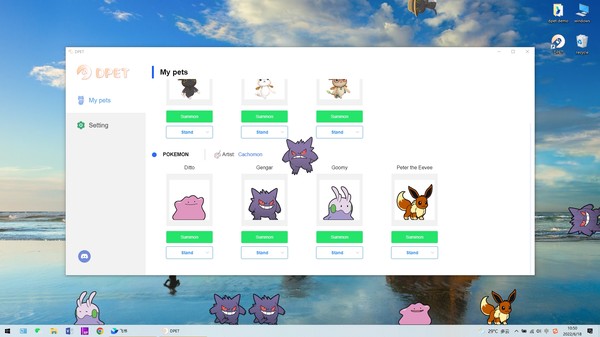
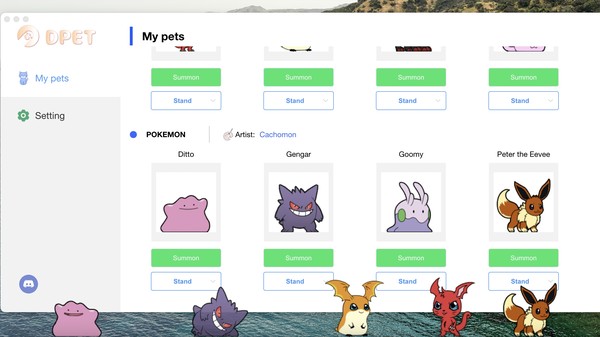
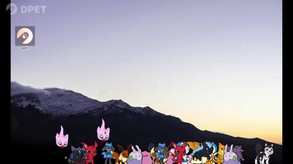
DPET is a desktop pet generation engine. In the client software, a lot of cute virtual pets are integrated, and you can summon them to your desktop with one click. Every pet can freely walk, run, climb on the desktop, and even self-clone itself into more partners.If you are a streamer, you can also connect your twitch account and randomly generate desktop pets for your active audience, making your audience more willing to send chats and expanding your stream influence. In addition, DPET also has many useful desktop features, such as drinking water reminder and schedule alarm clock, etc.
See another free vtuber streaming software developed by Live3D
Is DPET a shimeji alternative game?
Yes, but not only that. After using shimeji app for more than 200 hours, I suddenly got creative inspiration. Integrate excellent shimejis together and let more users know the charm of this game. So I decided to create DPET, and improve some of the shortcomings of shimeji app:- Easy to install and use, no need to install java8
- Low CPU consumption, support MacOS
- Support to summoning various types of pets
- Bring DPET to the livestream so that every viewer can create their own shimeji avatar
- Create a friendly art community where everyone can share their creations
How to use it?
As so far, all our features and virtual pet resources are free. You only need to click the summon button in the client software to start the pet party.- Entertainment mode: you can freely control your pets on the desktop, use the right mouse button to control them to do various interesting actions, and play with your pets when you are idle;
- Stream mode: turn on the stream mode in the software, apply DPET to the live broadcast. We will regularly generate virtual pets for your active viewers, so that your viewers are more willing to chat on your channel;
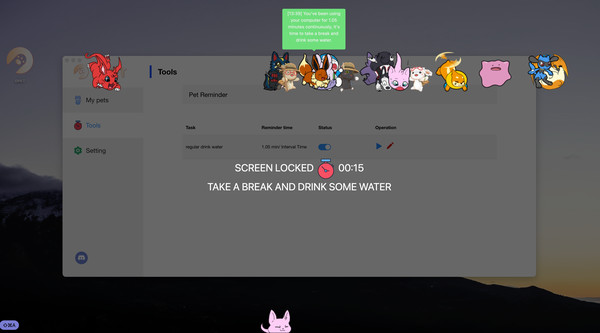
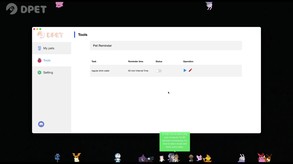
- Drink water reminder: Set the appropriate interval and turn on the switch to experience.
- Keyboard interactive mode: Enable keyboard jump and then set jump in turn or jump together mode. Pets will jump when the key pressed.
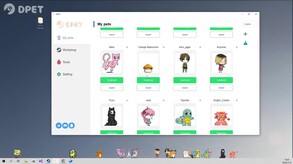
- Support Workshop : You can upload resources to Workshop, as long as you follow the shimeji resource format. You can also download your favorite resources from Creative Workshop and load them locally.
How to get a desktop pet during live broadcast?
1. You need to complete the twitch account authorization in the settings interface;2. Turn on the live mode switch;
3. It will help you detect chat messages from your live channel and generate virtual pets randomly for your viewers;
4. Add a game capture to your streaming software and capture the window for DPET.
Our plan
- Integrate more virtual pet resources to let more cute cats join our virtual pet party- Support pet custom uploading, allowing more people to share their desktop pets
- Provide useful desktop features, such as schedule reminders, desktop wallpapers, etc
- Develop more interactive gameplay for desktop pet while steaming
Support Us
-If you like this game very much and want to support us. You can buy me a coffee hereFrequently Asked Questions
Is DPET : Desktop Pet Engine free to play?
Yes, DPET : Desktop Pet Engine is free to play on Steam.
What genre is DPET : Desktop Pet Engine?
DPET : Desktop Pet Engine is a Casual, Free To Play, Animation & Modeling, Design & Illustration, Utilities, Game Development, Early Access game.
Who developed DPET : Desktop Pet Engine?
DPET : Desktop Pet Engine was developed by Live3D and published by Live3D.
What platforms does DPET : Desktop Pet Engine support?
Available on Steam for Windows, macOS.
Related Games
5 tags in common
Fuse
5 last tracked
5 tags in common
GameGuru Classic
4 last tracked
4 tags in common
CRYENGINE
0 last tracked
4 tags in common
3D Coat Demo
4 tags in common
Black Ink
2 last tracked
4 tags in common
Leadwerks Game Engine
0 last tracked
4 tags in common
Axis Game Factory's AGFPRO 3.0
0 last tracked
4 tags in common
Krita
942 last tracked