
Isostasy
Isostasy - Steam Charts & Historical Stats
A 2D side-scrolling Metroidvania platformer with 8-bit NES-style graphics and sound. Explore historical player activity and pricing for Isostasy. Player-count data was last observed Sep 26, 2026.
Isostasy player count and price summary
- Current players
- Unavailable
- All-time peak
- Unavailable
- 24-hour player change
- Unavailable
- Current US price
- $4.99
Player count last observed . Values marked unavailable are not estimated.
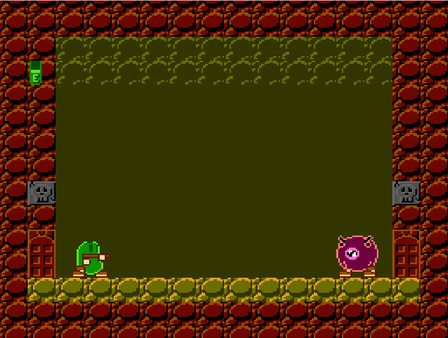
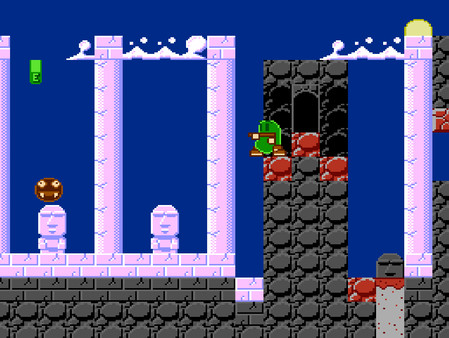
Media gallery 7 screenshots · 1 videos
Screenshots

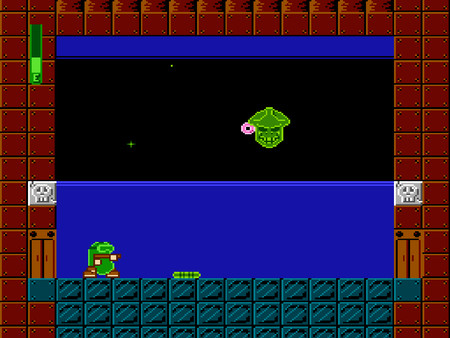
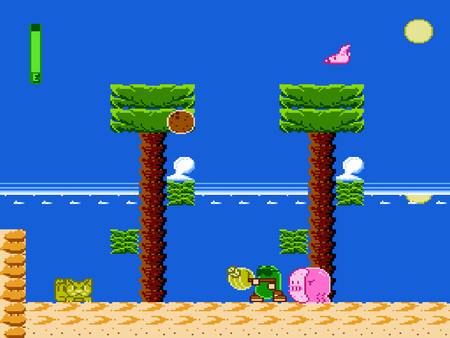
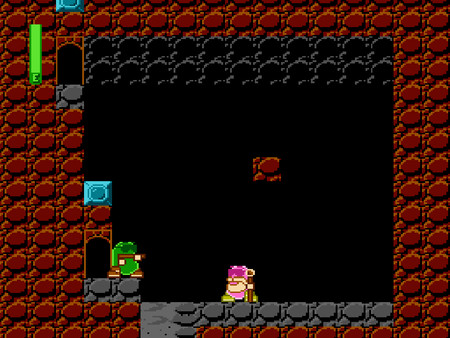
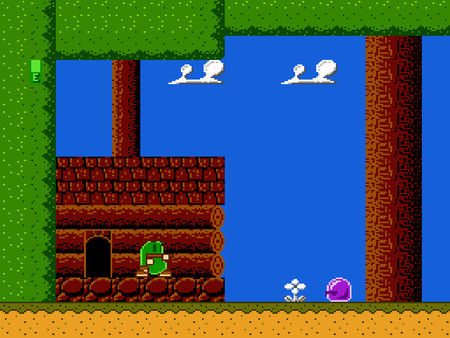
Videos
Isostasy V2.1 Forest Zone
Game Insights
Buy Verdict
Decent deal at 0% off, but might drop further. Watch for better opportunities.
Value Score
Price-to-player ratio ranks in the 92th percentile. Priced as Market at $4.99.
Genre Benchmarks
Activity Heatmap
0 players · 1 samples
0 players · 2 samples
No samples
0 players · 3 samples
0 players · 1 samples
0 players · 1 samples
0 players · 2 samples
No samples
0 players · 2 samples
0 players · 2 samples
0 players · 1 samples
0 players · 2 samples
No samples
0 players · 2 samples
No samples
0 players · 3 samples
No samples
0 players · 1 samples
0 players · 2 samples
0 players · 2 samples
0 players · 1 samples
0 players · 1 samples
0 players · 1 samples
0 players · 2 samples
No samples
0 players · 3 samples
No samples
0 players · 1 samples
0 players · 3 samples
No samples
0 players · 2 samples
0 players · 1 samples
0 players · 1 samples
0 players · 3 samples
No samples
0 players · 2 samples
0 players · 1 samples
0 players · 1 samples
0 players · 1 samples
0 players · 1 samples
0 players · 2 samples
0 players · 1 samples
No samples
0 players · 3 samples
No samples
0 players · 1 samples
0 players · 1 samples
0 players · 2 samples
0 players · 1 samples
0 players · 1 samples
0 players · 1 samples
0 players · 2 samples
No samples
0 players · 3 samples
0 players · 1 samples
0 players · 1 samples
0 players · 2 samples
No samples
0 players · 3 samples
0 players · 1 samples
0 players · 1 samples
0 players · 1 samples
0 players · 1 samples
0 players · 1 samples
0 players · 1 samples
0 players · 1 samples
0 players · 2 samples
No samples
0 players · 2 samples
0 players · 1 samples
0 players · 1 samples
No samples
0 players · 3 samples
No samples
0 players · 1 samples
0 players · 2 samples
0 players · 1 samples
0 players · 1 samples
0 players · 2 samples
No samples
0 players · 2 samples
0 players · 1 samples
0 players · 2 samples
0 players · 1 samples
No samples
0 players · 3 samples
No samples
No samples
0 players · 3 samples
0 players · 1 samples
No samples
0 players · 1 samples
0 players · 3 samples
No samples
0 players · 2 samples
No samples
0 players · 1 samples
0 players · 1 samples
0 players · 1 samples
0 players · 2 samples
No samples
0 players · 1 samples
0 players · 2 samples
0 players · 1 samples
0 players · 1 samples
0 players · 2 samples
0 players · 1 samples
0 players · 1 samples
0 players · 1 samples
0 players · 1 samples
0 players · 1 samples
No samples
0 players · 3 samples
No samples
0 players · 1 samples
0 players · 1 samples
0 players · 1 samples
0 players · 1 samples
No samples
0 players · 3 samples
No samples
No samples
0 players · 3 samples
No samples
0 players · 1 samples
0 players · 2 samples
0 players · 1 samples
No samples
0 players · 2 samples
0 players · 1 samples
No samples
0 players · 3 samples
No samples
0 players · 1 samples
0 players · 1 samples
0 players · 2 samples
0 players · 1 samples
No samples
0 players · 4 samples
No samples
0 players · 1 samples
0 players · 2 samples
0 players · 2 samples
0 players · 1 samples
0 players · 2 samples
0 players · 1 samples
0 players · 2 samples
0 players · 1 samples
0 players · 1 samples
0 players · 2 samples
0 players · 1 samples
0 players · 2 samples
0 players · 1 samples
0 players · 1 samples
0 players · 2 samples
0 players · 2 samples
No samples
0 players · 1 samples
0 players · 2 samples
0 players · 1 samples
No samples
0 players · 3 samples
No samples
No samples
0 players · 3 samples
0 players · 1 samples
0 players · 1 samples
0 players · 1 samples
Latest News
Sept. 15 2024 Update
📝 UpdateAugust 31, 2024 update
📝 UpdatePrice History
No Recent Price History
Price history data will appear here once more pricing information becomes available.
Can I Play This?
Steam declarations and Valve's Steam Deck compatibility result. Missing data is shown as unknown, never unsupported.
Structured language support (1)
| Language | Interface | Full audio | Subtitles |
|---|---|---|---|
| English | Yes | No | Yes |
System Requirements
- Requires a 64-bit processor and operating system
- OS: 19043
- Processor: 1.6 Ghz
- Memory: 2 GB RAM
- Graphics: NVIDIA
- Storage: 500 MB available space
- Sound Card: Realtek High Definition
- Additional Notes: .Net Framework
- Requires a 64-bit processor and operating system
Additional Information
Current Pricing
Additional Information
Developer Analytics
Loading competitors...
About This Game
A 2D side-scrolling Metroidvania platformer with 8-bit NES-style graphics and sound. Find weapon upgrades and other power-ups that allow you to explore an open world.
Detailed Description
Version 2.2.3 Released!
Version 2.2.3 contains the same core NES ROM as version 2.2 (so there are no changes to the actual game), there are only a few updates to the game's emulation wrapper:
1. Audio is now much less glitchy when played on a monitor with a refresh rate lower than 60Hz (although it is still recommended to play on a monitor with a refresh rate of at least 60Hz for the optimal gameplay experience).
2. When the game window is clicked and dragged or resized, audio will no longer lag behind video.
3. The Escape, Pause/Break, and Home keys (which are mapped to Exit, Reset, and Controller Reset respectively) must now be held down for about 1.5 seconds before they will have an effect. This helps prevent the game from accidentally being reset if one of those keys is inadvertently tapped during gameplay.
4. Older Direct Input controllers are now supported. This will allow the use of many legacy NES-style USB accessories.
About the Game
Beihnn wants nothing more than to live a quiet, uneventful life in a cabin in the forest. Alas, adventure calls! Take control of Beihnn and attempt to discover the origin of the force that poisons the land in this NES 2D side-scrolling MetroidVania platformer. Explore eight different zones and traverse various types of terrain in search of the power-ups that will allow you to proceed on your quest. Solve puzzles and discover secrets. Fight nine unique bosses. Talk to other characters for hints.Isostasy began its life as an indie NES game. This is the PC version. It is essentially identical to the NES version, but also includes the ability to save game data to a file in your documents folder automatically upon viewing your password (to continue a saved game, select Password on the title screen, and if you have a valid save file the password will auto-populate, then press Start or Enter), and configure settings such as controller input (press Select or the D key while the game is paused to view Settings). If you would like to access the NES rom file, it is included in the files for the game. After installing it, navigate to the directory in which it is installed. Find IsostasyVer2.2.nes and copy it to your desired directory for play on an emulator or flash cart (do not move it, be sure to leave the original file in place).
Isostasy is designed to be played with a monitor refresh rate of at least 60 Hz. Playing with a refresh rate below 60 Hz may result in a sub-optimal experience. If audio or video issues are encountered, please check your monitor's refresh rate and increase it if necessary. Also note that in a multiple monitor setup, the refresh rate of all monitors may be limited by that of the slowest monitor, depending on your hardware. Try turning off or disconnecting the slower monitor and see if that resolves any issues.
About the Game
Isostasy began its life as an indie NES game. This is the PC version. It is essentially identical to the NES version, but also includes the ability to save game data to a file in your documents folder automatically upon viewing your password (to continue a saved game, select Password on the title screen, and if you have a valid save file the password will auto-populate, then press Start or Enter), and configure settings such as controller input (press Select or the D key while the game is paused to view Settings). If you would like to access the NES rom file, it is included in the files for the game. After installing it, navigate to the directory in which it is installed. Find IsostasyVer2.2.nes and copy it to your desired directory for play on an emulator or flash cart (do not move it, be sure to leave the original file in place).
Isostasy is designed to be played with a monitor refresh rate of at least 60 Hz. Playing with a refresh rate below 60 Hz may result in a sub-optimal experience. If audio or video issues are encountered, please check your monitor's refresh rate and increase it if necessary. Also note that in a multiple monitor setup, the refresh rate of all monitors may be limited by that of the slowest monitor, depending on your hardware. Try turning off or disconnecting the slower monitor and see if that resolves any issues.