
Game overview
iVRy for SteamVR (Pico App Installer)
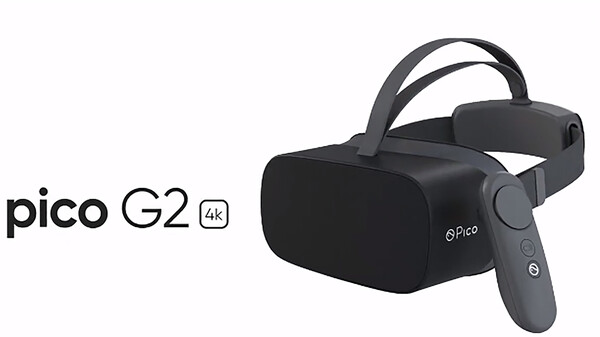
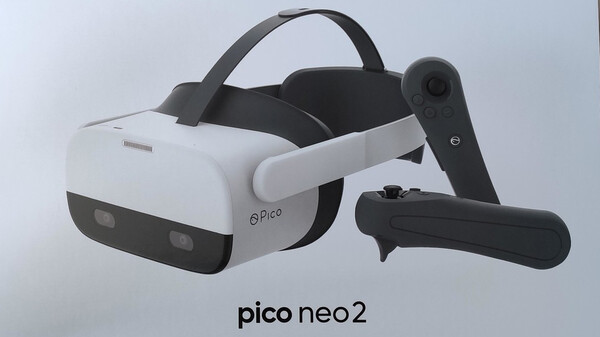
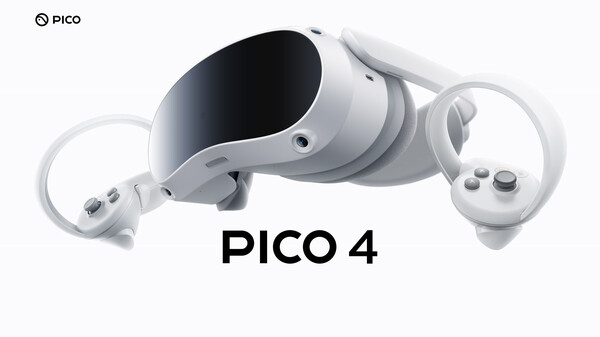
Use your Pico Mobile headset as a VR Headset for your PC. Lets you run SteamVR & Oculus Rift PC VR titles using your Pico Mobile headset.
- Last tracked players
- 0
- All-time peak
- Unavailable
- 24-hour change
- Unavailable
Delayed observation · last tracked . Values marked unavailable are not estimated.
About this game Read the full description
What is the iVRy for SteamVR (Pico App Installer) DLC?
• It is the installer for the iVRy app for Pico Mobile headsets.
What is iVRy (Pico Edition)?
• iVRy is an app for your Pico Mobile headset with a Virtual Reality headset driver for SteamVR.
What does that mean?
• Want to play PC VR* (Virtual Reality) titles without having to buy another VR headset?
• With iVRy and a Pico Mobile headset you can!
• Supports Wired (USB) connections for greater visual quality and performance.
• Supports Wireless (Wifi) connections for greater mobility.
• Automatically adjusts quality to maintain optimal frame rates on all connection types.
• User configurable quality and performance options.
• Integrates with SteamVR, so no 'manager' / 'server' apps or additional configuration required.
• Includes SteamVR Dashboard overlay, to change driver settings in VR.
• Built-in support for NoloVR 6DOF tracking and motion controllers.
• Compatible with most HTC Vive and Oculus Rift** titles.
• "Lite" edition has all of the features of "Premium" edition, but will start to reduce color saturation after being connected for more than 5 minutes. Upgrade to "Premium" edition via Steam DLC to remove this limitation.
* Valve OpenVR/SteamVR. Requires Valve Steam & SteamVR on Windows 7 or later.
** Oculus Rift titles require Valve SteamVR, Oculus Home & 3rd party 'LibreVR Revive' software.
Media gallery 4 screenshots · 0 videos

Screenshots

Player activity
Concurrent players over the last 48 hours.
Loading player history?
System requirements Windows
Windows
Minimum
Minimum:- Requires a 64-bit processor and operating system
- OS *: Windows 7
- Processor: Intel® i5-4590 / AMD FX 8350 equivalent
- Memory: 8 GB RAM
- Graphics: NVIDIA GeForce® GTX 970 / AMD Radeon™ R9 290 equivalent
- DirectX: Version 11
- Storage: 40 MB available space
Recommended
Recommended:- Requires a 64-bit processor and operating system
- OS: Windows 10
- Processor: Intel® i5-4590 / AMD FX 8350 equivalent or greater
- Memory: 8 GB RAM
- Graphics: NVIDIA GeForce® GTX 970 / AMD Radeon™ R9 290 equivalent
- DirectX: Version 11
- Storage: 40 MB available space
Game details Languages, features & support
- Publisher
- Mediator Software
- Brazilian rating
- l
- Controller support
- full
- Features
- Downloadable Content, Full controller support, In-App Purchases
- Languages
- English
- Website
- Official website ↗
- Support
- [email protected] Support site ↗
More analysis Activity patterns, updates & developer tools
Developer Analytics
Loading competitors...
Frequently Asked Questions
Is iVRy for SteamVR (Pico App Installer) free to play?
Yes, iVRy for SteamVR (Pico App Installer) is free to play on Steam.
What genre is iVRy for SteamVR (Pico App Installer)?
iVRy for SteamVR (Pico App Installer) is a Utilities game.
Who developed iVRy for SteamVR (Pico App Installer)?
iVRy for SteamVR (Pico App Installer) was developed by Mediator Software and published by Mediator Software.
What platforms does iVRy for SteamVR (Pico App Installer) support?
Available on Steam for Windows.