GAMEBOOSTER (AppID: 2263790)

GAMEBOOSTER - Steam Analytics & Details
One click, more FPS: a smart game booster with HDD-friendly preload, profile switcher (Gaming/Balanced/Power Saver), GPU preference, lightweight crosshair overlay, and Windows tuning for smoother,... Explore pricing history and player statistics for GAMEBOOSTER.
Media Gallery

Screenshots


System Requirements
- Requires a 64-bit processor and operating system
- OS: Windows 10 64Bit
- Processor: Intel Core i5-4590 / AMD Ryzen 5 2600
- Memory: 8 GB RAM
- Graphics: NVIDIA GTX 970 / AMD Radeon R9 390
- DirectX: Version 11
- Storage: 10 GB available space
- Additional Notes: Mouse and Keybord
- Requires a 64-bit processor and operating system
- OS: Windows 11 64Bit
- Processor: Intel Core i5-4590 / AMD Ryzen 5 2600
- Memory: 8 GB RAM
- Graphics: NVIDIA RTX 2060 / AMD Radeon RX 570
- DirectX: Version 11
- Storage: 10 GB available space
- Additional Notes: Mouse and Keybord
Additional Information
*languages with full audio support
Pricing Information
Additional Information
Developer Analytics
Loading competitors...
About This Game
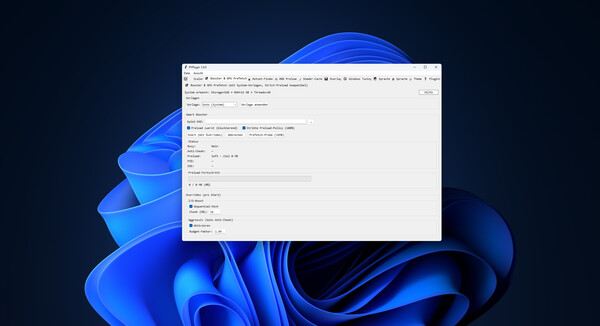
One click, more FPS: a smart game booster with HDD-friendly preload, profile switcher (Gaming/Balanced/Power Saver), GPU preference, lightweight crosshair overlay, and Windows tuning for smoother, more consistent performance.
Detailed Description
This tool squeezes real performance out of your PC—no snake oil, no risk. It combines a smart game booster that applies the right performance profile when your game launches with an HDD-friendly preload system that cuts loading stutter. On top, you get GPU preference control, a lightweight crosshair overlay, shader-cache cleanup, and practical system tweaks. Ideal if you want fast, repeatable results without manual fiddling.
Why You’ll Like It
Noticeably smoother: Applies the right Windows optimizations, priorities, and service states for your game.
Faster loads—even on HDDs: Preloads files in controlled chunks to reduce hitching and background thrashing.
Profiles, not guesswork: Gaming, Balanced, or Power Saver—switch in a click, feel the difference.
Clean & reversible: No dangerous registry hacks. Everything is transparent and undoable.
Anti-cheat friendly: Uses system-level info; no code injection into the game process.
Core Features
Smart Game Booster
Sets CPU priorities for selected processes.
Starts/stops optional services (e.g., updates/print) for a lean play session.
Startup cleanup to free resources.
HDD-Friendly Preload
Preloads game files in configurable MB chunks with I/O throttling for HDDs.
Optional Top-N MB to preload only the most impactful data.
Supports a “prefer” list via hotset.json (learns frequently accessed files).
GPU Preferences
Quickly prioritize integrated vs. dedicated GPU (where supported by the system).
Save/load presets.
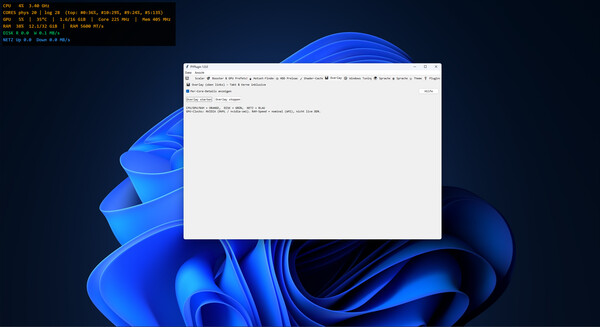
Overlay (Crosshair)
Always on top, click-through, adjustable size/color/transparency.
Hotkey to toggle visibility.
Shader Cache Manager
Shows common cache locations (DirectX/Vulkan/GL).
Deletes only files older than N days, if desired.
Note: shaders will auto-recompile on next launch.
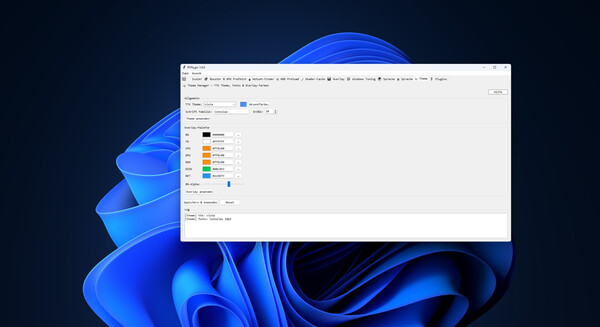
Profiles & Settings
Gaming / Balanced / Power Saver starting points.
Save/load profiles, backup/restore settings.
System Info & Monitoring
Quick view of network/system status, lightweight graphs, handy shortcuts.
Who It’s For
Gamers with HDD installs or chatty background services.
Creators/Streamers needing repeatable performance profiles.
Laptop users switching between battery saving and max performance.
What It’s Not
Not a miracle fix for broken drivers or thermal throttling.
Not a cheat: no process injection, no packet tampering.
FAQ
Do I have to configure each game?
No. Profiles cover most cases. Fine-tuning is optional.
Anti-cheat risk?
Designed to be process-external (priorities, services, file preload). No code injection.
Any benefit on SSDs?
Yes—profiles and priorities still help. Preload mainly targets HDD bottlenecks.
System Requirements
OS: Windows 10/11 (64-bit)
Processor: x64 CPU
Memory: 4 GB RAM (8 GB recommended)
Storage: 200 MB for the app + variable cache
Other: Admin rights recommended for service/startup actions