
GirlFriend VR Desktop Mode
Rabbit Games · Rabbit Games · Feb 23, 2023
Delayed observation
Observed
0
Last tracked
0
All-time peak
n/a
Δ 24h
Player count last observed
Live player data is temporarily unavailable; historical values remain visible for context.
GirlFriend VR Desktop Mode - Steam Charts & Historical Stats
This is a desktop version that can be played without a VR headset. Explore historical player activity and pricing for GirlFriend VR Desktop Mode. Player-count data was last observed Apr 22, 2026.
Genre
Simulation
Developer
Rabbit Games
GirlFriend VR Desktop Mode player count and price summary
- Current players
- Unavailable
- All-time peak
- Unavailable
- 24-hour player change
- Unavailable
- Current US price
- Price unavailable
Player count last observed . Values marked unavailable are not estimated.
Media gallery 1 screenshots · 0 videos
Screenshots
Game Insights
Value Score
Fair Value — 50th percentile.
Price-to-player ratio ranks in the 50th percentile.
▬
Market pricing tier
Player count
System Requirements
Platform Support
Windows
Windows Requirements
Minimum:
Minimum:
- Requires a 64-bit processor and operating system
- OS: Windows 10 (64bit)
- Processor: Intel® i5-4590 or AMD FX 8350 or better
- Memory: 4 GB RAM
- Graphics: Nvidia GeForce® GTX 970 or AMD Radeon™ R9 290 equivalent or better
- DirectX: Version 9.0
- Storage: 1 GB available space
Recommended:
Recommended:
- Requires a 64-bit processor and operating system
Pricing
Paid Game
CDN$ 6.49 (CAD)
Additional Information
Categories
Single-player
Downloadable Content
Tracked Controller Support
Family Sharing
Supported Languages
English, Japanese*
*languages with full audio support
*languages with full audio support
Current Pricing
💰
CDN$ 6.49
Regular Price
Additional Information
🇧🇷
DEJUS Rating
18
Brazilian rating
🆘
Support
⚠️
Content Warning
This game contains content or themes that are appropriate only for adult.
Themes in this game include:
> Explicit consensual sex scenes
> Nakedness
> genitals
> lewd situations
All characters who appear in this game are 18 years of age or older.
🎁
Purchase Options
1
package options
Developer Analytics
Loading competitors...
About This Game
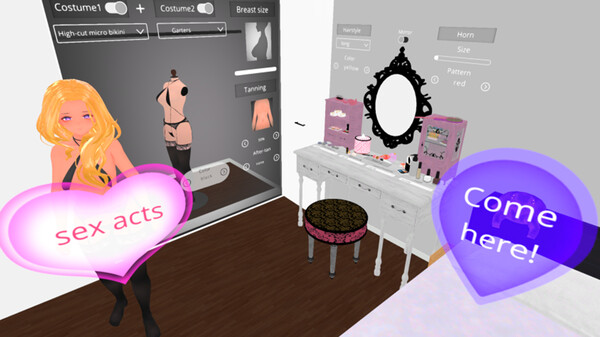
This is a desktop version that can be played without a VR headset.
Detailed Description
This is a desktop version that can be played without a VR headset.
The desktop version allows you to move the camera freely, so you can enjoy various viewpoints.
Wearing headphones is recommended to enjoy the stereo sound.
Intuitive and easy operation with mouse and keyboard.
How to operate the desktop version
Launch file GirlfriendVR_desktop\GirlfriendVR.exe
*No VR equipment is required, but gaming PC specs are recommended.
W key: move forward
S key: move backward
A key: move left
D key: move right
E key: move up
Q key: move down
Left mouse click: Decision, touch operation
Mouse operation while holding down the right mouse button: Viewpoint control
Mouse scroll: Move forward/backward
Mouse operation while holding down mouse scroll: move up/down/left/right
The desktop version allows you to move the camera freely, so you can enjoy various viewpoints.
Wearing headphones is recommended to enjoy the stereo sound.
Intuitive and easy operation with mouse and keyboard.
How to operate the desktop version
Launch file GirlfriendVR_desktop\GirlfriendVR.exe
*No VR equipment is required, but gaming PC specs are recommended.
W key: move forward
S key: move backward
A key: move left
D key: move right
E key: move up
Q key: move down
Left mouse click: Decision, touch operation
Mouse operation while holding down the right mouse button: Viewpoint control
Mouse scroll: Move forward/backward
Mouse operation while holding down mouse scroll: move up/down/left/right
Frequently Asked Questions
Is GirlFriend VR Desktop Mode free to play?
Yes, GirlFriend VR Desktop Mode is free to play on Steam.
What genre is GirlFriend VR Desktop Mode?
GirlFriend VR Desktop Mode is a Simulation game.
Who developed GirlFriend VR Desktop Mode?
GirlFriend VR Desktop Mode was developed by Rabbit Games and published by Rabbit Games.
What platforms does GirlFriend VR Desktop Mode support?
Available on Steam for Windows.