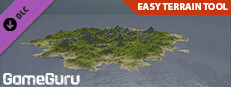
GameGuru - Easy Terrain Tool
Plemsoft · TheGameCreators · Jun 22, 2023
Delayed observation
Observed
0
Last tracked
0
All-time peak
n/a
Δ 24h
Player count last observed
Live player data is temporarily unavailable; historical values remain visible for context.
GameGuru - Easy Terrain Tool - Steam Charts & Historical Stats
Allow you to make beautiful procedural landscapes/terrains for your levels. Explore historical player activity and pricing for GameGuru - Easy Terrain Tool. Player-count data was last observed Apr 22, 2026.
Genre
Animation & Modeling
Developer
Plemsoft
GameGuru - Easy Terrain Tool player count and price summary
- Current players
- Unavailable
- All-time peak
- Unavailable
- 24-hour player change
- Unavailable
- Current US price
- Price unavailable
Player count last observed . Values marked unavailable are not estimated.
Media gallery 9 screenshots · 0 videos
Screenshots
And 1 more screenshots...
Game Insights
Value Score
Fair Value — 50th percentile.
Price-to-player ratio ranks in the 50th percentile.
▬
Market pricing tier
Player count
System Requirements
Platform Support
Windows
Pricing
Paid Game
$19.99 (USD)
Additional Information
Categories
Single-player
Multi-player
Downloadable Content
Includes level editor
Supported Languages
English*
*languages with full audio support
*languages with full audio support
Official Website
https://www.game-guru.com/
Current Pricing
💰
$19.99
Regular Price
Additional Information
🇧🇷
DEJUS Rating
l
Brazilian rating
🇩🇪
Steam Germany
0
German classification
🆘
Support
🎁
Purchase Options
1
package options
Developer Analytics
Loading competitors...
About This Game
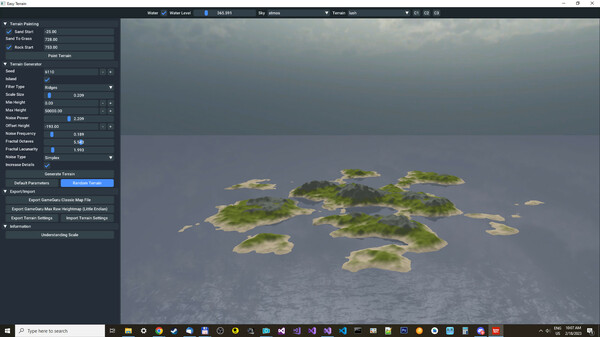
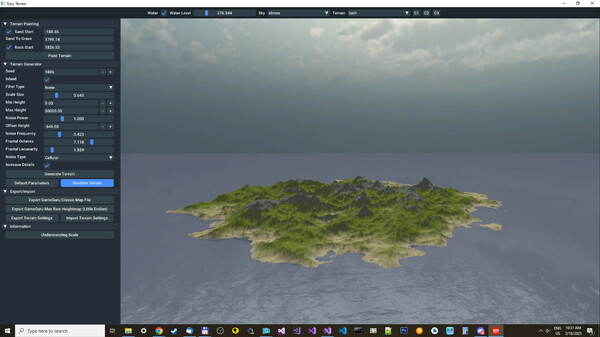
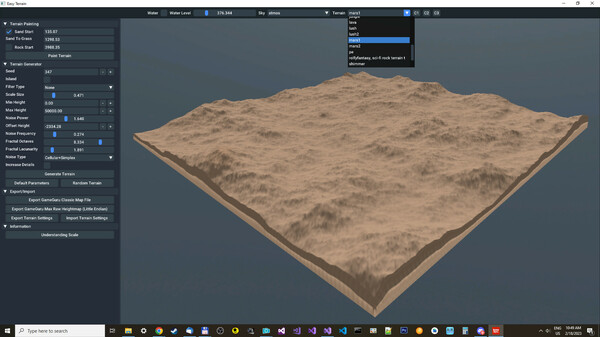
Allow you to make beautiful procedural landscapes/terrains for your levels. Just click "Random Terrain" until you see something you like, you can then play with all the parameters to get the perfect landscape!
Detailed Description
The GameGuru Classic Easy Terrain Tool allows you to make beautiful procedural landscapes/terrains for your levels.
Just click "Random Terrain" until you see something you like, you can then play with all the parameters to get the perfect landscape, and when you have something you like, use the "Seed" to generate variations of the same landscape.
You can export maps (.fpm) directly so they can be loaded into GameGuru Classic to start your level creation with a completed terrain, or export raw Heightmaps (Little Endian) that are compatible with loading into the GameGuru MAX terrain generator for more terrain options. Additionally, you can export Heightmap In PNG Format, for use in other engines that support Heightmap import.
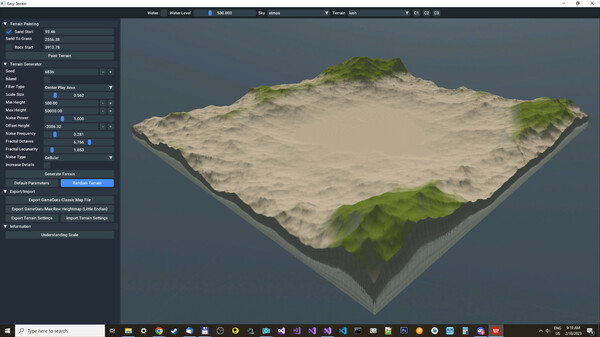
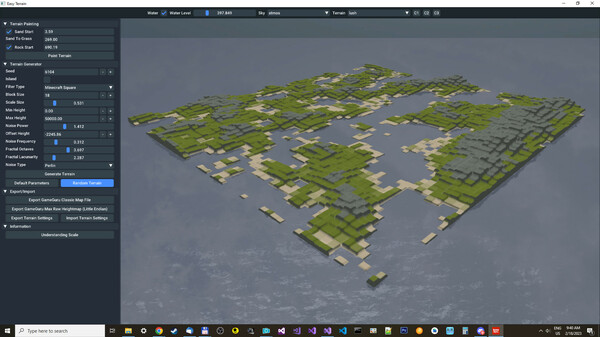
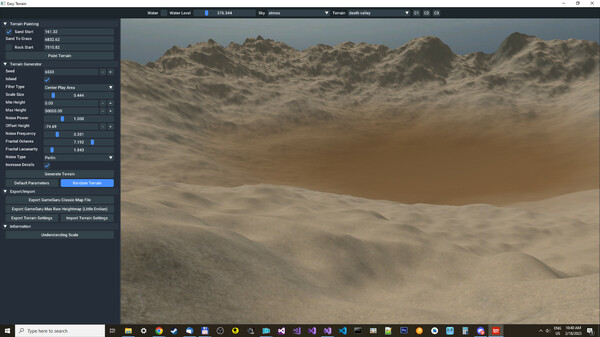
You can use 3 different types of noise to generate the terrain like Perlin/Simplex/Cellular or combine them along with 5 Filter types for effects like "Minecraft Square"/"Center Play Area"/... that will affect how your terrain looks.
The tool uses Fractal Fractional Brownian Motion to produce a more natural-looking terrain for more realistic game levels and height data is mapped directly into the map file, so there is no quality loss like you normally have when importing heightmaps.
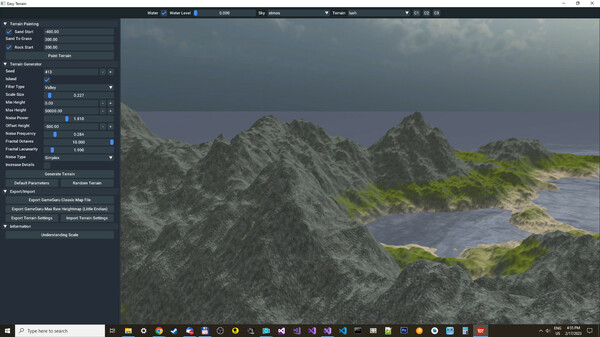
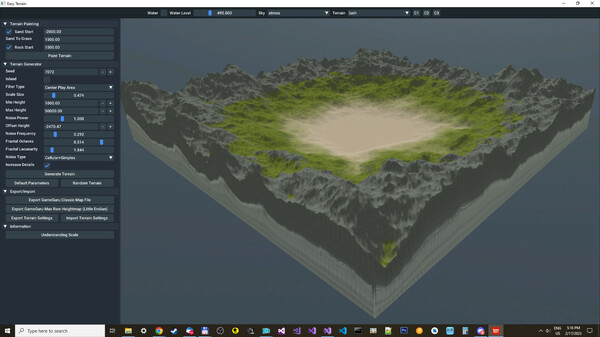
You can fade terrain edges into an Island, and use "Offset Height" with a negative number like -1500 to control the size of the Island. Also, fade terrain into the center play area, so if you want a 100% flat area in the center of the map you can use "Min Height" to set how large you want the flat area, and finally, you can use terrain Painting to manually fade from sand to grass and rock texture paint from height values.
Just click "Random Terrain" until you see something you like, you can then play with all the parameters to get the perfect landscape, and when you have something you like, use the "Seed" to generate variations of the same landscape.
You can export maps (.fpm) directly so they can be loaded into GameGuru Classic to start your level creation with a completed terrain, or export raw Heightmaps (Little Endian) that are compatible with loading into the GameGuru MAX terrain generator for more terrain options. Additionally, you can export Heightmap In PNG Format, for use in other engines that support Heightmap import.
You can use 3 different types of noise to generate the terrain like Perlin/Simplex/Cellular or combine them along with 5 Filter types for effects like "Minecraft Square"/"Center Play Area"/... that will affect how your terrain looks.
The tool uses Fractal Fractional Brownian Motion to produce a more natural-looking terrain for more realistic game levels and height data is mapped directly into the map file, so there is no quality loss like you normally have when importing heightmaps.
You can fade terrain edges into an Island, and use "Offset Height" with a negative number like -1500 to control the size of the Island. Also, fade terrain into the center play area, so if you want a 100% flat area in the center of the map you can use "Min Height" to set how large you want the flat area, and finally, you can use terrain Painting to manually fade from sand to grass and rock texture paint from height values.
Frequently Asked Questions
Is GameGuru - Easy Terrain Tool free to play?
Yes, GameGuru - Easy Terrain Tool is free to play on Steam.
What genre is GameGuru - Easy Terrain Tool?
GameGuru - Easy Terrain Tool is a Animation & Modeling, Design & Illustration, Education, Software Training, Utilities, Game Development game.
Who developed GameGuru - Easy Terrain Tool?
GameGuru - Easy Terrain Tool was developed by Plemsoft and published by TheGameCreators.
What platforms does GameGuru - Easy Terrain Tool support?
Available on Steam for Windows.