Game overview
Vladimir's digital album
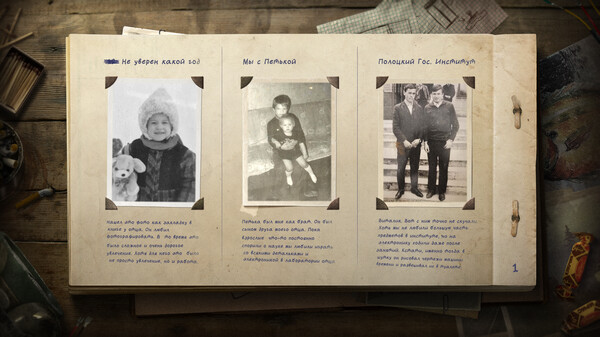
This album lay in Vladimir’s locked closet for a very long time. Covered in dust and the smell of old pages and ink, he waited for you. From this album you will learn more about Vladimir and his past.
- Last tracked players
- 0
- All-time peak
- Unavailable
- 24-hour change
- Unavailable
Delayed observation · last tracked . Values marked unavailable are not estimated.
About this game Read the full description
Download this album as PDF.
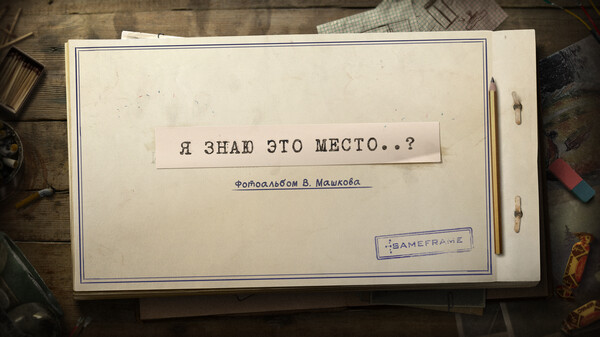
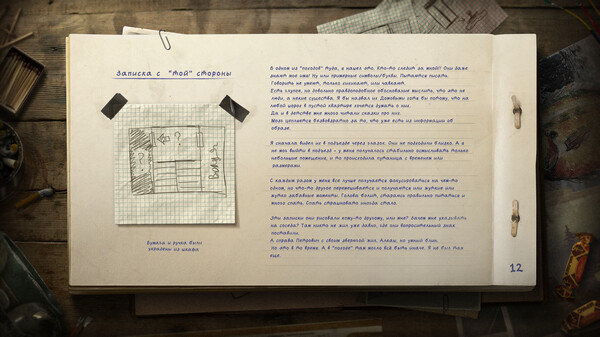
This album lay in Vladimir’s locked closet for a very long time. Covered in dust and the smell of old pages and ink, he waited for you.
From this album you will learn more about Vladimir and his past.
All photographs in this album are photographs of subscribers, as well as the grandfather of the project director.
After installation
After purchasing and installing the DLC, the PDF album will be in the game folder where "I Know This Place..?" is installed.
For example, on Windows 10, this folder would typically be "C:\Program Files (x86)\Steam\steamapps\common\I Know This Place".
If you are unsure where game is installed, navigate to I Know This Place in the Steam library, right click and select "Properties...". Switch to the "Local files" tab in the window that pops up and press the "Browse local files..." button to open the folder where game is installed
This album lay in Vladimir’s locked closet for a very long time. Covered in dust and the smell of old pages and ink, he waited for you.
From this album you will learn more about Vladimir and his past.
All photographs in this album are photographs of subscribers, as well as the grandfather of the project director.
After installation
After purchasing and installing the DLC, the PDF album will be in the game folder where "I Know This Place..?" is installed.
For example, on Windows 10, this folder would typically be "C:\Program Files (x86)\Steam\steamapps\common\I Know This Place".
If you are unsure where game is installed, navigate to I Know This Place in the Steam library, right click and select "Properties...". Switch to the "Local files" tab in the window that pops up and press the "Browse local files..." button to open the folder where game is installed
Media gallery 3 screenshots · 0 videos
Screenshots
Player activity
Concurrent players over the last 48 hours.
Loading player history?
System requirements Windows · macOS · Linux
Windows
Minimum
Minimum:- OS *: Windows 7 or above
- Processor: Intel/AMD
- Memory: 1024 MB RAM
- Graphics: Any
- Additional Notes: You need PDF viewer or JPG viewer
Recommended
Recommended:- OS *: Windows 7 or above
- Processor: Intel/AMD
- Memory: 2048 MB RAM
- Graphics: Any
- Additional Notes: You need PDF viewer or JPG viewer
macOS
Minimum
Minimum:- OS: Any
- Processor: Any
- Memory: 1024 MB RAM
Recommended
Recommended:- OS: Any
- Processor: Any
- Memory: 2048 MB RAM
Linux
Minimum
Minimum:- OS: Any
- Processor: Any
- Memory: 1024 MB RAM
- Graphics: Any
Recommended
Recommended:- OS: Any
- Processor: Any
- Memory: 1024 MB RAM
- Graphics: Any
Game details Languages, features & support
- Publisher
- SameFrame
- Brazilian rating
- l
- Steam Germany rating
- 0
- Controller support
- full
- Features
- Downloadable Content, Full controller support, Family Sharing
- Languages
- Russian*
*languages with full audio support - Website
- Official website ↗
- Support
- [email protected] Support site ↗
More analysis Activity patterns, updates & developer tools
Developer Analytics
Loading competitors...
Frequently Asked Questions
Is Vladimir's digital album free to play?
Yes, Vladimir's digital album is free to play on Steam.
What genre is Vladimir's digital album?
Vladimir's digital album is a Free To Play game.
Who developed Vladimir's digital album?
Vladimir's digital album was developed by SameFrame and published by SameFrame.
What platforms does Vladimir's digital album support?
Available on Steam for Windows, macOS, Linux.