
Android Exporter for Clickteam Fusion 2.5
Android Exporter for Clickteam Fusion 2.5 - Steam Charts & Historical Stats
Ride the wave of creativity with the ever increasingly popular Android platform from Google. Explore historical player activity and pricing for Android Exporter for Clickteam Fusion 2.5. Player-count data was last observed May 2, 2026.
Android Exporter for Clickteam Fusion 2.5 player count and price summary
- Current players
- Unavailable
- All-time peak
- Unavailable
- 24-hour player change
- Unavailable
- Current US price
- $99.99
Player count last observed . Values marked unavailable are not estimated.
Media gallery 7 screenshots · 0 videos
Screenshots




Game Insights
Buy Verdict
Wait for upcoming sale in ~4 days for potentially better pricing.
Value Score
Price-to-player ratio ranks in the 100th percentile.
Genre Benchmarks
Price History
No Recent Price History
Price history data will appear here once more pricing information becomes available.
System Requirements
- OS *: Minimum Windows XP SP3 Operating System. Supports Vista, 7 , 8 and Windows 10
- Processor: 200 Mhz Pentium processor or higher
- Memory: 256 MB RAM
- Graphics: Must support minimum of Direct3D 9
- Additional Notes: Broadband Internet connection
Additional Information
Current Pricing
Additional Information
Developer Analytics
Loading competitors...
About This Game
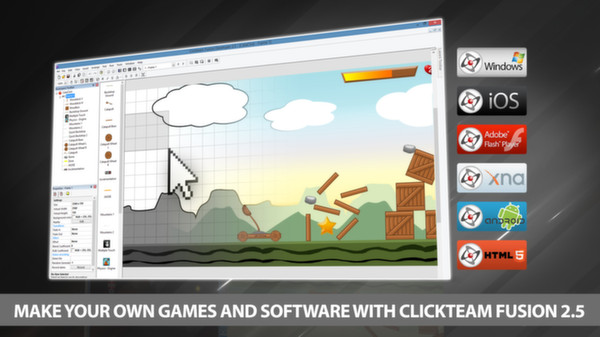
Ride the wave of creativity with the ever increasingly popular Android platform from Google. Developing Android applications using Clickteam Fusion 2.5 and Clickteam Fusion 2.5 Developer the Android export module gives you the power to create quality apps for Android quickly and effectively.
Detailed Description
Using our unique drag and drop interface and the amazing event line editor you can create any kind of 2d game or app you can imagine for Android powered phones and Tablets. After your creation is complete simply click “Build & Run” and a APK file will be generated and installed on your test device all with one click (Auto Install supported on most devices).
Get into one of the fastest growing mobile software markets now with Clickteam Fusion 2.5 and the Android Exporter.
What do you need to create an Android application
You need to install Android Studio. After Android Studio is installed, open Clickteam Fusion 2.5, open the Preferences, select the General tab, and then select the Android exporter in the exporter list. You need to indicate the pathname of the Java SDK and the pathname of the Android SDK. Both are installed by Android Studio.
- 1. The Java SDK is usually installed in the jre sub-directory of Android Studio, by default C:\Program Files\Android\Android Studio\jre. Verify this directory exists on your machine and use it as "Pathname of the JDK directory" in the preferences of Clickteam Fusion 2.5.
- 2. The Android SDK is usually installed in your local Application Data directory, by default in C:\Users\YourName\AppData\Local\Android\Sdk. Replace YourName by your Windows user name. Verify this directory exists on your machine and use it as "Pathname of the Android SDK directory" in the preferences of Clickteam Fusion 2.5. If you can't find the mentioned folder, open Android Studio, open its Settings and select Android SDK in the list. The pathname of the Android SDK will be displayed in the Android SDK Location box.
And later when you want to release applications:
- 1. You will need a certificate to sign your applications before being able to release them.
- 2. If you want to publish applications on the Android Market, you will need to register a developer account on ($25).