Game overview
Liquid Rhythm Push Control
By entering the Ableton Push’s “User Mode” the device becomes a fully functional controller for Liquid Rhythm without the need to create your own custom MIDI mappings. Every aspect of Liquid Rhythm has been brought to life on the Push making it easier than ever to generate beats quickly.
- Last tracked players
- 0
- All-time peak
- Unavailable
- 24-hour change
- Unavailable
Delayed observation · last tracked . Values marked unavailable are not estimated.
About this game Read the full description
We at WaveDNA respect the rapid and unstoppable flow of your creativity-- it’s what Liquid Rhythm is all about. But as smooth as Liquid Rhythm is, sometimes you want more than a keyboard and mouse to get the ideas in your head onto the screen.
That’s why the wizards in development designed an elegant workflow to make music production with Liquid Rhythm even more tactile: Liquid Rhythm’s MIDI script for Ableton Push in User Mode.
Using the existing Max For Live plugin for Ableton Live 9 and taking full advantage of the hands-on control made possible with Ableton Push, WaveDNA is proud to feature its most advanced MIDI script yet, providing control over many features in Liquid Rhythm. You can navigate over your arrangement, cut, copy, and paste regions, humanize notes, and produce and experiment with beats without ever touching a keyboard or mouse.
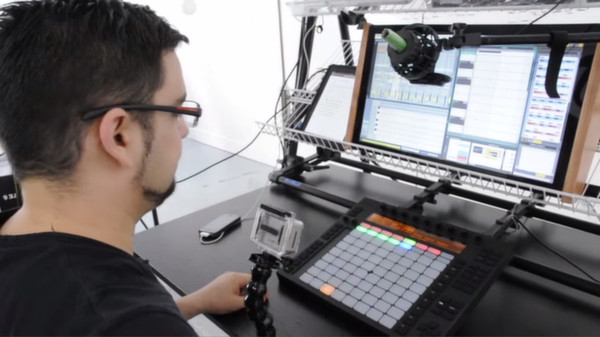
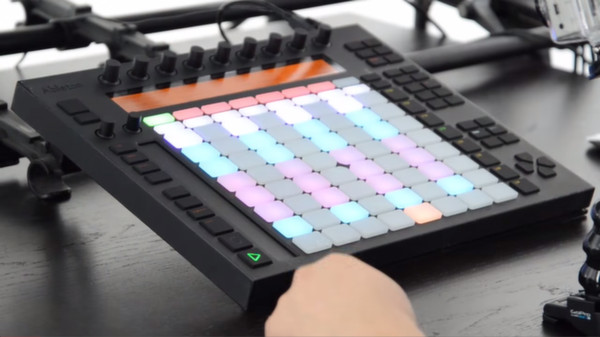
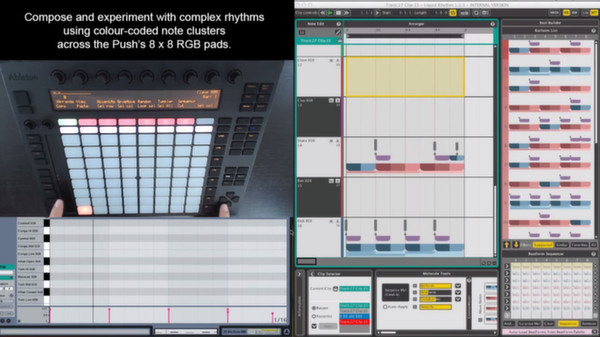
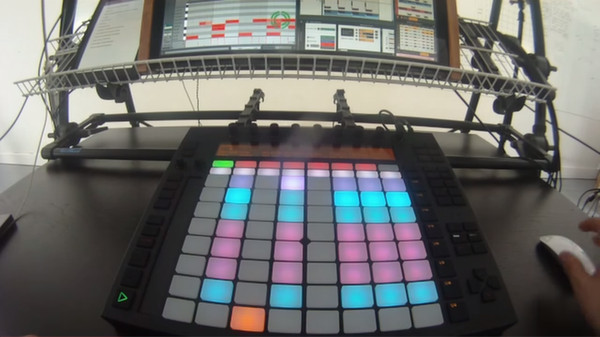
However, the most powerful (and fun!) control is this: The Push’s grid of colour RGB pads can be used to sequence Liquid Rhythm’s colour-coded note clusters. For a fantastic demo of this integration, watch this video featuring DJ Shine:
Features:
For a more detailed overview of exactly how Liquid Rhythm integrates into Ableton Live and how the two are controlled using Ableton Push, watch this video:
That’s why the wizards in development designed an elegant workflow to make music production with Liquid Rhythm even more tactile: Liquid Rhythm’s MIDI script for Ableton Push in User Mode.
Using the existing Max For Live plugin for Ableton Live 9 and taking full advantage of the hands-on control made possible with Ableton Push, WaveDNA is proud to feature its most advanced MIDI script yet, providing control over many features in Liquid Rhythm. You can navigate over your arrangement, cut, copy, and paste regions, humanize notes, and produce and experiment with beats without ever touching a keyboard or mouse.
However, the most powerful (and fun!) control is this: The Push’s grid of colour RGB pads can be used to sequence Liquid Rhythm’s colour-coded note clusters. For a fantastic demo of this integration, watch this video featuring DJ Shine:
Features:
- Edit the contents of Ableton Live clips using the flexibility of Liquid Rhythm’s creative tools and effortless tactile control of Ableton Push.
- Experiment with complex rhythm patterns by programming and swapping color-coded note clusters in Liquid Rhythm’s BeatForm Sequencer using the RGB pads on Push.
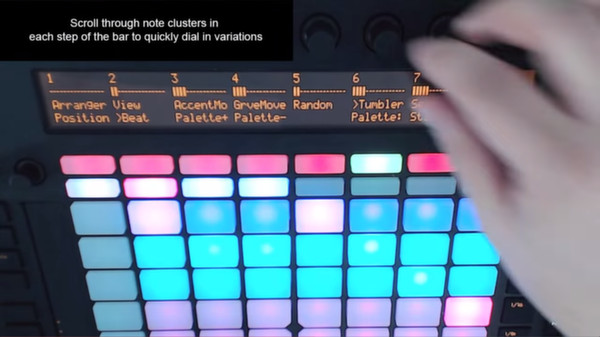
- Cycle clusters of notes through every step of Liquid Rhythm’s sequencer with the turn of Push’s knobs.
- Quickly navigate Liquid Rhythm’s arranger canvas using buttons and knobs on Push.
- Draw rhythm patterns using the 64 drum pads on Push.
- Adjust the swing and velocity of your beat with the 8 knobs on Push.
- Access Liquid Rhythm’s parameters and controls on Push through the multi-menu display.
For a more detailed overview of exactly how Liquid Rhythm integrates into Ableton Live and how the two are controlled using Ableton Push, watch this video:
Media gallery 5 screenshots · 2 videos
Screenshots
Videos
DJ Shine's Push Demo
Liquid Rhythm in Ableton Live 9 using Push Controller
Player activity
Concurrent players over the last 48 hours.
Loading player history?
System requirements Windows · macOS
Windows
Minimum
Minimum:- OS *: Windows Vista
- Memory: 2 GB RAM
- Network: Broadband Internet connection
- Storage: 500 MB available space
- Sound Card: ASIO or WDM compatible sound device recommended
- Additional Notes: Requires Ableton Live 9 Studio and Ableton Push
macOS
Minimum
Minimum:- OS: OSX 10.7.5
- Memory: 2 GB RAM
- Network: Broadband Internet connection
- Storage: 500 MB available space
- Additional Notes: Requires Ableton Live 9 Studio and Ableton Push
Game details Languages, features & support
- Features
- Single-player, Downloadable Content
- Languages
- English*
*languages with full audio support - Website
- Official website ↗
- Support
- [email protected] Support site ↗
More analysis Activity patterns, updates & developer tools
Game Insights
Buy Verdict
Watch — $4.99.
Decent deal at 0% off, but might drop further. Watch for better opportunities.
▲
~47 days until next sale
Value Score
Great Value — 100th percentile.
Price-to-player ratio ranks in the 100th percentile.
▲
Market pricing tier
Genre Benchmarks
Value Ratio
Top 0%
Developer Analytics
Loading competitors...
Frequently Asked Questions
Is Liquid Rhythm Push Control worth buying right now?
Watch — $4.99. Decent deal at 0% off, but might drop further. Watch for better opportunities.
When does Liquid Rhythm Push Control go on sale?
Decent deal at 0% off, but might drop further. Watch for better opportunities.
Is Liquid Rhythm Push Control free to play?
Liquid Rhythm Push Control costs $4.99 on Steam.
What genre is Liquid Rhythm Push Control?
Liquid Rhythm Push Control is a Audio Production game.
Who developed Liquid Rhythm Push Control?
Liquid Rhythm Push Control was developed by WaveDNA.
What platforms does Liquid Rhythm Push Control support?
Available on Steam for Windows, macOS.