
CubeGun
candyrocketstudio · candyrocketstudio · May 21, 2014
Delayed observation
Observed
0
Last tracked
2
All-time peak
n/a
Δ 24h
Player count last observed
Live player data is temporarily unavailable; historical values remain visible for context.
CubeGun - Steam Charts & Historical Stats
A Sandbox Multiplayer Airship Shooting Game. Explore historical player activity and pricing for CubeGun. Player-count data was last observed Oct 4, 2026.
Genre
Action
Developer
candyrocketstudio
CubeGun player count and price summary
- Current players
- Unavailable
- All-time peak
- 2
- 24-hour player change
- Unavailable
- Current US price
- Price unavailable
Player count last observed . Values marked unavailable are not estimated.
Media gallery 5 screenshots · 1 videos
Screenshots
Videos
new
All-Time Peak
2
Feb 2026
Estimated Owners
100,000 .. 200,000
Estimate via SteamSpy
Genre Benchmarks
Player Count
Top 10%
Early Access Abandoned
Time in EA
230 days
Updates
5
Player count
Activity Heatmap
UTC+0 (Your Timezone)
0
Peak Activity
0
Avg Activity
0
Active Hours
1%
Sample coverage
Less Active
More Active
0
1
2
3
4
5
6
7
8
9
10
11
12
13
14
15
16
17
18
19
20
21
22
23
Sun
📍
Sunday 0:00
No samples
No samples
Sunday 1:00
No samples
No samples
Sunday 2:00
No samples
No samples
Sunday 3:00
No samples
No samples
Sunday 4:00
No samples
No samples
Sunday 5:00
No samples
No samples
Sunday 6:00
No samples
No samples
Sunday 7:00
No samples
No samples
Sunday 8:00
No samples
No samples
Sunday 9:00
No samples
No samples
Sunday 10:00
No samples
No samples
Sunday 11:00
No samples
No samples
Sunday 12:00
No samples
No samples
Sunday 13:00
No samples
No samples
Sunday 14:00
0 players · 1 samples
0 players · 1 samples
Sunday 15:00
No samples
No samples
Sunday 16:00
No samples
No samples
Sunday 17:00
No samples
No samples
Sunday 18:00
No samples
No samples
Sunday 19:00
No samples
No samples
Sunday 20:00
No samples
No samples
Sunday 21:00
No samples
No samples
Sunday 22:00
No samples
No samples
Sunday 23:00
No samples
No samples
Mon
Monday 0:00
No samples
No samples
Monday 1:00
No samples
No samples
Monday 2:00
No samples
No samples
Monday 3:00
No samples
No samples
Monday 4:00
No samples
No samples
Monday 5:00
No samples
No samples
Monday 6:00
No samples
No samples
Monday 7:00
No samples
No samples
Monday 8:00
No samples
No samples
Monday 9:00
No samples
No samples
Monday 10:00
No samples
No samples
Monday 11:00
No samples
No samples
Monday 12:00
No samples
No samples
Monday 13:00
No samples
No samples
Monday 14:00
No samples
No samples
Monday 15:00
No samples
No samples
Monday 16:00
No samples
No samples
Monday 17:00
No samples
No samples
Monday 18:00
No samples
No samples
Monday 19:00
No samples
No samples
Monday 20:00
No samples
No samples
Monday 21:00
No samples
No samples
Monday 22:00
No samples
No samples
Monday 23:00
No samples
No samples
Tue
Tuesday 0:00
No samples
No samples
Tuesday 1:00
No samples
No samples
Tuesday 2:00
No samples
No samples
Tuesday 3:00
No samples
No samples
Tuesday 4:00
No samples
No samples
Tuesday 5:00
No samples
No samples
Tuesday 6:00
No samples
No samples
Tuesday 7:00
No samples
No samples
Tuesday 8:00
No samples
No samples
Tuesday 9:00
No samples
No samples
Tuesday 10:00
No samples
No samples
Tuesday 11:00
No samples
No samples
Tuesday 12:00
No samples
No samples
Tuesday 13:00
No samples
No samples
Tuesday 14:00
No samples
No samples
Tuesday 15:00
No samples
No samples
Tuesday 16:00
No samples
No samples
Tuesday 17:00
No samples
No samples
Tuesday 18:00
No samples
No samples
Tuesday 19:00
No samples
No samples
Tuesday 20:00
No samples
No samples
Tuesday 21:00
No samples
No samples
Tuesday 22:00
No samples
No samples
Tuesday 23:00
No samples
No samples
Wed
Wednesday 0:00
No samples
No samples
Wednesday 1:00
No samples
No samples
Wednesday 2:00
No samples
No samples
Wednesday 3:00
No samples
No samples
Wednesday 4:00
No samples
No samples
Wednesday 5:00
No samples
No samples
Wednesday 6:00
No samples
No samples
Wednesday 7:00
No samples
No samples
Wednesday 8:00
No samples
No samples
Wednesday 9:00
No samples
No samples
Wednesday 10:00
No samples
No samples
Wednesday 11:00
No samples
No samples
Wednesday 12:00
No samples
No samples
Wednesday 13:00
No samples
No samples
Wednesday 14:00
No samples
No samples
Wednesday 15:00
No samples
No samples
Wednesday 16:00
No samples
No samples
Wednesday 17:00
No samples
No samples
Wednesday 18:00
No samples
No samples
Wednesday 19:00
No samples
No samples
Wednesday 20:00
No samples
No samples
Wednesday 21:00
No samples
No samples
Wednesday 22:00
No samples
No samples
Wednesday 23:00
No samples
No samples
Thu
Thursday 0:00
No samples
No samples
Thursday 1:00
No samples
No samples
Thursday 2:00
No samples
No samples
Thursday 3:00
No samples
No samples
Thursday 4:00
No samples
No samples
Thursday 5:00
No samples
No samples
Thursday 6:00
No samples
No samples
Thursday 7:00
No samples
No samples
Thursday 8:00
No samples
No samples
Thursday 9:00
No samples
No samples
Thursday 10:00
No samples
No samples
Thursday 11:00
No samples
No samples
Thursday 12:00
No samples
No samples
Thursday 13:00
No samples
No samples
Thursday 14:00
No samples
No samples
Thursday 15:00
No samples
No samples
Thursday 16:00
No samples
No samples
Thursday 17:00
No samples
No samples
Thursday 18:00
No samples
No samples
Thursday 19:00
No samples
No samples
Thursday 20:00
No samples
No samples
Thursday 21:00
No samples
No samples
Thursday 22:00
No samples
No samples
Thursday 23:00
No samples
No samples
Fri
Friday 0:00
No samples
No samples
Friday 1:00
No samples
No samples
Friday 2:00
No samples
No samples
Friday 3:00
No samples
No samples
Friday 4:00
No samples
No samples
Friday 5:00
No samples
No samples
Friday 6:00
No samples
No samples
Friday 7:00
No samples
No samples
Friday 8:00
No samples
No samples
Friday 9:00
No samples
No samples
Friday 10:00
No samples
No samples
Friday 11:00
No samples
No samples
Friday 12:00
No samples
No samples
Friday 13:00
No samples
No samples
Friday 14:00
No samples
No samples
Friday 15:00
No samples
No samples
Friday 16:00
No samples
No samples
Friday 17:00
No samples
No samples
Friday 18:00
No samples
No samples
Friday 19:00
No samples
No samples
Friday 20:00
No samples
No samples
Friday 21:00
No samples
No samples
Friday 22:00
No samples
No samples
Friday 23:00
No samples
No samples
Sat
Saturday 0:00
No samples
No samples
Saturday 1:00
No samples
No samples
Saturday 2:00
0 players · 1 samples
0 players · 1 samples
Saturday 3:00
No samples
No samples
Saturday 4:00
No samples
No samples
Saturday 5:00
No samples
No samples
Saturday 6:00
No samples
No samples
Saturday 7:00
No samples
No samples
Saturday 8:00
No samples
No samples
Saturday 9:00
No samples
No samples
Saturday 10:00
No samples
No samples
Saturday 11:00
No samples
No samples
Saturday 12:00
No samples
No samples
Saturday 13:00
No samples
No samples
Saturday 14:00
No samples
No samples
Saturday 15:00
No samples
No samples
Saturday 16:00
No samples
No samples
Saturday 17:00
No samples
No samples
Saturday 18:00
No samples
No samples
Saturday 19:00
No samples
No samples
Saturday 20:00
No samples
No samples
Saturday 21:00
No samples
No samples
Saturday 22:00
No samples
No samples
Saturday 23:00
No samples
No samples
Latest News
Can I Play This?
Steam declarations and Valve's Steam Deck compatibility result. Missing data is shown as unknown, never unsupported.
Native Steam builds
Windows: unknown
macOS: unknown
Linux: unknown
Steam Deck
unknown
Valve compatibility test
Input
Controller support: unknown
Structured language support (2)
| Language | Interface | Full audio | Subtitles |
|---|---|---|---|
| English | Yes | No | No |
| Simplified Chinese | Yes | No | No |
Steam store page
fresh · checked 2026-10-04
PCGamingWiki technical notes
External link only; SteamIQHQ does not ingest PCGamingWiki content.
System Requirements
Platform Support
Windows
Windows Requirements
Minimum:
Minimum:
- OS *: Windows XP or Later
- Processor: 1.6 Ghz
- Memory: 1 GB RAM
- Graphics: 512 MB graphics memory
- Network: Broadband Internet connection
- Storage: 40 MB available space
Recommended:
Recommended:
- OS *: Windows 7
- Processor: Core i3
- Memory: 2 GB RAM
- Graphics: 1GB graphics memory
- Network: Broadband Internet connection
- Storage: 40 MB available space
Pricing
Free to Play
Additional Information
Categories
Single-player
Multi-player
Co-op
Steam Achievements
Steam Cloud
Stats
Steam Leaderboards
Includes level editor
Family Sharing
Tags
Free to Play
Multiplayer
Sandbox
Indie
Action
Early Access
Crafting
Building
Supported Languages
English, Simplified Chinese
Official Website
http://www.indiedb.com/games/cubegun
Additional Information
🏆
Achievements
42
total achievements
Featured:
Gladiator
Gladiator 2
🆘
Support
Developer Analytics
Loading competitors...
About This Game
A Sandbox Multiplayer Airship Shooting Game.Design battleships with weapons in a "rock paper scissors" mechanic.Shoot or Collide enemy ships into pieces.Challenge players all over the world with ships designed by yourself!
Detailed Description
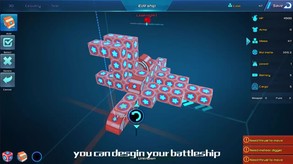
- Design your own Battle Ship and Island
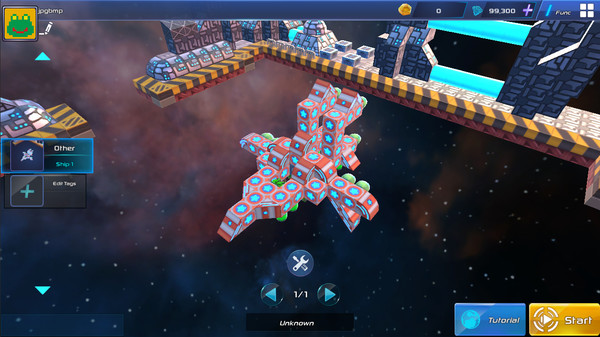
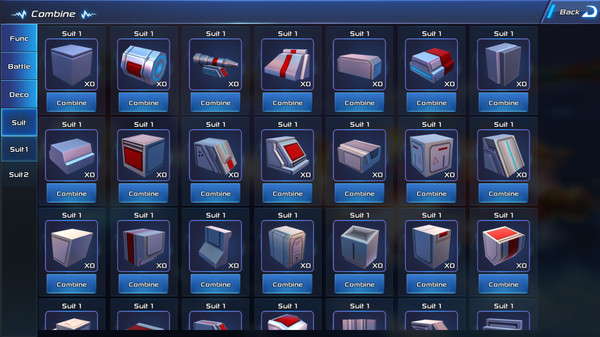
Design your own battle ship with weapons,armors,functional devices In a cube based editor. - Weapon Balance
Every weapon has pros and cons,Every weapon is useful in the right position. - Multiple Battle Strategy
To fight with different types of enemy ships,use different battle strategy. Use Energy Shield to block bullets, Use Mortar or Torpedo to break shield,AA-Gun to shoot torpedo,or use armor to protect your deck and charge enemy ship directly.Use thrust to rush to the weak side of enemy ship.Use cannon to push enemy back when they charge toward you. - No Role Level
Players are equal in online battle.There is no such thing as a level 99 player kills a level 1 player with a single bullet.It's all about your control of movement and right combination of weapons. - Design your own Profession
Although there is no built-in profession as warrior or archer,With different combination of weapons and devices,you can customize the profession of your ship such as:Long range attack/Charge/Tank/Cure/Weapon obstruct. - Simple combat control
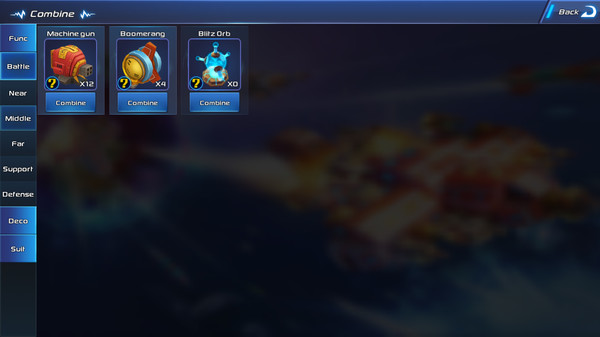
Movement,Rotation and Critical Skill cast. - Weapon Merge & Weapon Height
Put multiple weapons of the same kind in square pattern to merge them into a bigger one,make it more powerful.Raise the deck under a weapon to increase the shooting range. - Everything is physical and breakable
Every part of ship can be destroyed.When you drive your ship to collide the other ship,Decks will be broken and ship will be push back and rotate.Terrain can be destroyed with weapons too. - Support Multi-player battle up to 3V3
Cooperate with your teammates in online battle,Cure your teammate's ship with huge combined Repair Station,Arm with plenty of armors to be the Tank of team and cover your long range attacker teammate,Collide enemy with your ship to stop them from escaping when your teammate is using super skill.
Weapons&Devices
- Minigun: [/b]High fire rate,high bullet speed,need turn your ship to aim.
- Energy Shield:Blocks high speed bullets,width 5,length 1,will turn red and lose function temporarily when get overtaken damage.
- Torpedo:Fly pass through Energy shield,only weapon to destroy deck under device.
- AA-Gun:Shoot down all slow bullets as torpedo and mortar ammo,high fire rate,low range,low damage.
- Armor:Protect the deck under it,can take several torpedo attacks,or use to collide with enemy's ship.Armor on a multiple level deck is very hard to destroy.
- Mortar:Low fire rate,low bullet speed,long range.Fly pass through Energy shield and armor,destroy target directly,destroy multiple targets nearby with high damage,suitable to attack heavy armor enemy,not suitable to flexible ships.
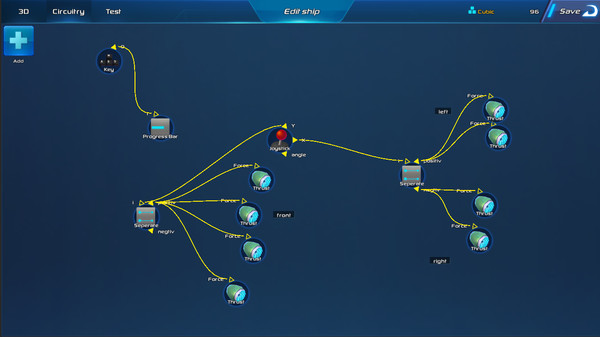
- Thrust:The bigger your ship is,the slower it will be,both in movement and steer,thrust increase ship's move and steer speed.
- Cannon:Low fire rate,high bullet speed,push enemy ships back when hit,use it to push enemy back or push them to hill and crash into pieces.
- Interference Robot:Hit target to make them lose function temporarily,can be used to interference weapons/energy shield/repair station/thrust etc.
- Repair Station:Repair device nearby automatically,not include itself.
- LandMine:throw landmines and wait for enemy to trigger.Can be removed by AA-Gun
- Magnite:pull your target closely,very useful when you want to collide your enemy or pull your enemy to the landmine area.
- Boomerang:can be used to attack enemy's back side,return immediately when hit enemy(so very effective in close combat),can't shoot again until the Boomerang fly back.
- Deck Cube:All devices must be on a deck cube,A deck can have several levels,Higher deck gives the weapon on it longer attack range.If all levels of deck are destroyed,the device on it will be destroyed too,So use torpedo to attack the deck or collide it with your ship will destroy enemy's weapons and other devices indirectly.
- Engine:Heart of the ship,more health point than other device,so is the deck under it.If it is destroyed,the ship will crash.
Weapon balance
- Energy Shield block high speed bullet
- Missile pass through Energy Shield
- AA-Gun shoot down Missile
- Torpedo break Deck
- Armor withstood Torpedo
- Mortar fly over Armor
Strategy Balance
- High fire rate weapons strategy defeats Flexible movement strategy:
High fire rate weapons can shoot flexible target accurately with high speed bullet. - Tank strategy defeats High fire rate weapons strategy:
Energy shield and armor can block bullets effectively. - Low fire rate weapons strategy defeats Tank strategy:
Take advantage of slow movement and heavy armor ships,use low speed but shield ignore missiles to destroy their line of defense. - Flexible movement strategy defeats Low fire rate weapons strategy:
Use flexibility to dodge slow bullets and rush to the weak side of the enemy,shoot/collide and run.
Points and Weight Balance
The design points of ships are limited.Every strategy of points allocation has pros and cons:
Weapons and devices need more points.
Deck Cube need less,the cheap deck can be used to collide enemy ship hull,Higher deck give the weapons longer shoot range and protect devices behind it.
But more decks make your ship heavier,penalize you in low move and steer speed.Some weapons are more effective in numbers,such as single mortar has low accuracy,but plenty of mortars shoot at same time make enemy hard to escape.
So it's better to allocate points in several kinds of weapons than buy all kinds all devices.Besides,combined weapon is mush more powerful than scattered ones.
Critical Skill
The top most 3 kinds of devices can use Critical Skill in game by clicking the Critical Skill button.More devices need more cool down time,which are more powerful as well.After you release the critical skill,the weapons will keep in critical model for a short time.Every device has special critical skill.Some weapon increase attack point,some weapon increase fire rate,the thrust increase force,Energy shield refill its energy and increase energy regenerate rate,Armor refill health point and increase defense rate.
Use critical skill at right time is the key to win a battle,some critical skill can be used together,such as use critical thrust to rush to enemy then use critical armor to collide it.Use both critical thrust and critical cannon to fall back and push the following enemy away.
Gameplay
- Single Game
We made a serial of tutorial levels to teach players the pros and cons of every weapon,let you practice designing different kinds of ships to fight against enemies.Challenge epic Boss when you are ready.Some player may like to build their own levels with the built-in level and enemy editor.We plan to publish the whole editor to public in near future then you can upload your home made single play level to our game server and share with others. - Loot Base
Build your military island and loot random player's island with your battle ship.If you defeat them,loot their gold,or leave yours if you die.This game mode need a network to download random island data,but don't need continuous connection as PVP mode,so if you are playing this game mode with your mobile device outside your house where is no WIFI connection,mobile network will be enough. - Online Battle
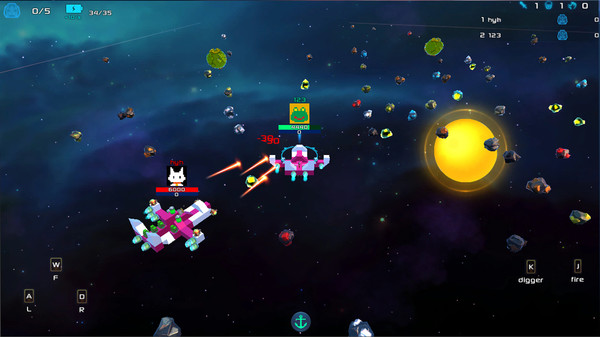
This is the best part of the game,Fight other players with your teammate in real time,test your skills you practice in single game,and cooperate with your teammate.You can choose a buit-in map or a player made map.
We plan to publish several game mode of online game map- Battle Map:players vs players death match.
- Cooperation Island Map:players vs computer controlled evil island
- Cooperation Ship Map:players vs computer controlled evil ships
- Battle Map:players vs players death match.
Frequently Asked Questions
Is CubeGun free to play?
Yes, CubeGun is free to play on Steam.
What genre is CubeGun?
CubeGun is a Action, Free To Play, Indie, Early Access game.
Who developed CubeGun?
CubeGun was developed by candyrocketstudio and published by candyrocketstudio.
What platforms does CubeGun support?
Available on Steam for Windows.