Game overview
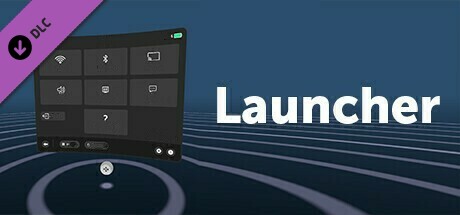
Launcher
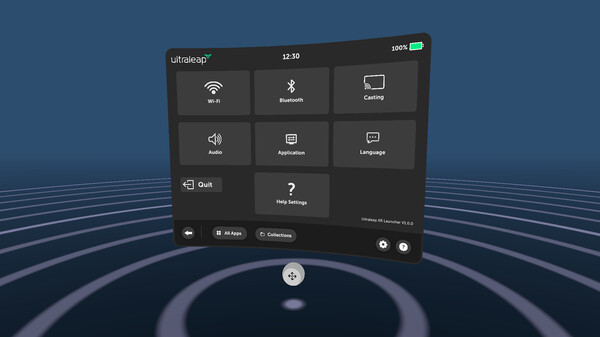
The Ultraleap XR Launcher is an example of a menu that is driven solely by hands to launch individual apps or experiences. It is a demonstration of what a potential headset launcher could look like, but the principles could be applied across any type of menu.
- Last tracked players
- 0
- All-time peak
- Unavailable
- 24-hour change
- Unavailable
Delayed observation · last tracked . Values marked unavailable are not estimated.
About this game Read the full description
The Ultraleap XR Launcher is an example of a menu that is driven solely by hands to launch individual apps or experiences. It is a demonstration of what a potential headset launcher could look like, but the principles could be applied across any type of menu.
The 2D menu translates touchscreen interactions into VR, such as scrolling and selecting, making it easy to use since there is no training required.
This demo also includes a qwerty keyboard which can be interacted with naturally using your fingers, as you would in real life.
Notes:
Please ensure Ultraleap Hyperion has been launched before launching this DLC demo app!
The 2D menu translates touchscreen interactions into VR, such as scrolling and selecting, making it easy to use since there is no training required.
This demo also includes a qwerty keyboard which can be interacted with naturally using your fingers, as you would in real life.
Notes:
- If you have already installed other Ultraleap VR applications, these will automatically be displayed inside the Ultraleap XR Launcher – if not, no apps will be populated.
- If an app is launched via the Ultraleap XR Launcher, and the exits the application, the user will not return to the XR Launcher, they will return to the home screen for their device.
- The app will detect whether the headset you are using supports passthrough – if it does, this will be enabled by default. The option to turn off passthrough is provided via the hand menu, if you would prefer to use VR
Please ensure Ultraleap Hyperion has been launched before launching this DLC demo app!
Media gallery 1 screenshots · 1 videos

Screenshots
Videos
Launcher
Player activity
Concurrent players over the last 48 hours.
Loading player history?
System requirements Windows
Windows
Minimum
Minimum:- Requires a 64-bit processor and operating system
- OS: Windows 10
- Processor: Intel Core i5-4590 / AMD FX 8350
- Memory: 8 GB RAM
- Graphics: GTX 1070, 1080, 2080
- Storage: 2 GB available space
- VR Support: OpenXR
- Additional Notes: Hand tracking requires Ultraleap Gemini or Hyperion and a connected Ultraleap tracking camera
Recommended
Recommended:- Requires a 64-bit processor and operating system
Game details Languages, features & support
- Publisher
- Ultraleap
- Brazilian rating
- l
- Steam Germany rating
- 0
- Features
- Downloadable Content
- Languages
- English, French, Spanish - Spain, Japanese, Simplified Chinese
- Website
- Official website ↗
- Support
- [email protected] Support site ↗
More analysis Activity patterns, updates & developer tools
Game Insights
Value Score
Fair Value — 50th percentile.
Price-to-player ratio ranks in the 50th percentile.
▬
Market pricing tier
Developer Analytics
Loading competitors...
Frequently Asked Questions
Is Launcher free to play?
Yes, Launcher is free to play on Steam.
What genre is Launcher?
Launcher is a Utilities game.
Who developed Launcher?
Launcher was developed by Ultraleap and published by Ultraleap.
What platforms does Launcher support?
Available on Steam for Windows.