
CursorPlayer
BountyHunter · BountyHunter · Nov 23, 2024
Delayed observation
Observed
0
Last tracked
0
All-time peak
n/a
Δ 24h
Player count last observed
Live player data is temporarily unavailable; historical values remain visible for context.
CursorPlayer - Steam Charts & Historical Stats
Collect and draw game cursors in this game! Click to earn coins, and use those coins to draw new cursors to fill up your collection. Explore historical player activity and pricing for CursorPlayer. Player-count data was last observed Oct 3, 2026.
Price
$0.99
Genre
Indie
Developer
BountyHunter
CursorPlayer player count and price summary
- Current players
- Unavailable
- All-time peak
- Unavailable
- 24-hour player change
- Unavailable
- Current US price
- $0.99
Player count last observed . Values marked unavailable are not estimated.
Media gallery 10 screenshots · 1 videos
Screenshots
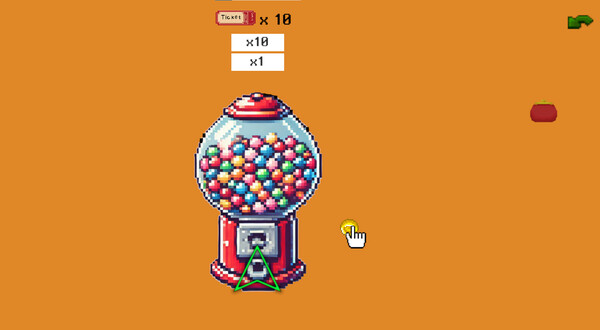


And 2 more screenshots...
Videos
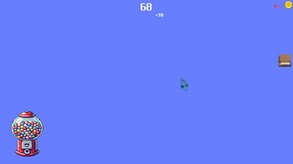
Demo
Game Insights
Buy Verdict
Watch — $0.99.
Decent deal at 0% off, but might drop further. Watch for better opportunities.
▲
~51 days until next sale
Value Score
Great Value — 100th percentile.
Price-to-player ratio ranks in the 100th percentile.
▲
Market pricing tier
Genre Benchmarks
Value Ratio
Top 0%
Player count
Activity Heatmap
UTC+0 (Your Timezone)
0
Peak Activity
0
Avg Activity
0
Active Hours
71%
Sample coverage
Less Active
More Active
0
1
2
3
4
5
6
7
8
9
10
11
12
13
14
15
16
17
18
19
20
21
22
23
Sun
📍
Sunday 0:00
0 players · 2 samples
0 players · 2 samples
Sunday 1:00
0 players · 2 samples
0 players · 2 samples
Sunday 2:00
No samples
No samples
Sunday 3:00
0 players · 3 samples
0 players · 3 samples
Sunday 4:00
0 players · 1 samples
0 players · 1 samples
Sunday 5:00
No samples
No samples
Sunday 6:00
0 players · 3 samples
0 players · 3 samples
Sunday 7:00
0 players · 1 samples
0 players · 1 samples
Sunday 8:00
0 players · 1 samples
0 players · 1 samples
Sunday 9:00
0 players · 2 samples
0 players · 2 samples
Sunday 10:00
0 players · 2 samples
0 players · 2 samples
Sunday 11:00
No samples
No samples
Sunday 12:00
0 players · 2 samples
0 players · 2 samples
Sunday 13:00
0 players · 2 samples
0 players · 2 samples
Sunday 14:00
No samples
No samples
Sunday 15:00
0 players · 2 samples
0 players · 2 samples
Sunday 16:00
0 players · 2 samples
0 players · 2 samples
Sunday 17:00
No samples
No samples
Sunday 18:00
0 players · 2 samples
0 players · 2 samples
Sunday 19:00
0 players · 1 samples
0 players · 1 samples
Sunday 20:00
0 players · 1 samples
0 players · 1 samples
Sunday 21:00
0 players · 1 samples
0 players · 1 samples
Sunday 22:00
0 players · 2 samples
0 players · 2 samples
Sunday 23:00
0 players · 2 samples
0 players · 2 samples
Mon
Monday 0:00
No samples
No samples
Monday 1:00
0 players · 2 samples
0 players · 2 samples
Monday 2:00
0 players · 1 samples
0 players · 1 samples
Monday 3:00
0 players · 1 samples
0 players · 1 samples
Monday 4:00
0 players · 3 samples
0 players · 3 samples
Monday 5:00
No samples
No samples
Monday 6:00
0 players · 2 samples
0 players · 2 samples
Monday 7:00
0 players · 2 samples
0 players · 2 samples
Monday 8:00
No samples
No samples
Monday 9:00
0 players · 1 samples
0 players · 1 samples
Monday 10:00
0 players · 3 samples
0 players · 3 samples
Monday 11:00
0 players · 1 samples
0 players · 1 samples
Monday 12:00
No samples
No samples
Monday 13:00
0 players · 3 samples
0 players · 3 samples
Monday 14:00
0 players · 1 samples
0 players · 1 samples
Monday 15:00
No samples
No samples
Monday 16:00
0 players · 1 samples
0 players · 1 samples
Monday 17:00
0 players · 3 samples
0 players · 3 samples
Monday 18:00
No samples
No samples
Monday 19:00
0 players · 1 samples
0 players · 1 samples
Monday 20:00
0 players · 3 samples
0 players · 3 samples
Monday 21:00
No samples
No samples
Monday 22:00
0 players · 1 samples
0 players · 1 samples
Monday 23:00
0 players · 3 samples
0 players · 3 samples
Tue
Tuesday 0:00
No samples
No samples
Tuesday 1:00
0 players · 1 samples
0 players · 1 samples
Tuesday 2:00
0 players · 1 samples
0 players · 1 samples
Tuesday 3:00
0 players · 3 samples
0 players · 3 samples
Tuesday 4:00
No samples
No samples
Tuesday 5:00
0 players · 2 samples
0 players · 2 samples
Tuesday 6:00
0 players · 2 samples
0 players · 2 samples
Tuesday 7:00
No samples
No samples
Tuesday 8:00
0 players · 2 samples
0 players · 2 samples
Tuesday 9:00
0 players · 2 samples
0 players · 2 samples
Tuesday 10:00
0 players · 1 samples
0 players · 1 samples
Tuesday 11:00
0 players · 1 samples
0 players · 1 samples
Tuesday 12:00
0 players · 2 samples
0 players · 2 samples
Tuesday 13:00
0 players · 1 samples
0 players · 1 samples
Tuesday 14:00
0 players · 1 samples
0 players · 1 samples
Tuesday 15:00
0 players · 2 samples
0 players · 2 samples
Tuesday 16:00
0 players · 1 samples
0 players · 1 samples
Tuesday 17:00
0 players · 1 samples
0 players · 1 samples
Tuesday 18:00
0 players · 2 samples
0 players · 2 samples
Tuesday 19:00
No samples
No samples
Tuesday 20:00
0 players · 2 samples
0 players · 2 samples
Tuesday 21:00
0 players · 1 samples
0 players · 1 samples
Tuesday 22:00
0 players · 1 samples
0 players · 1 samples
Tuesday 23:00
No samples
No samples
Wed
Wednesday 0:00
0 players · 3 samples
0 players · 3 samples
Wednesday 1:00
No samples
No samples
Wednesday 2:00
No samples
No samples
Wednesday 3:00
0 players · 3 samples
0 players · 3 samples
Wednesday 4:00
0 players · 1 samples
0 players · 1 samples
Wednesday 5:00
0 players · 1 samples
0 players · 1 samples
Wednesday 6:00
0 players · 2 samples
0 players · 2 samples
Wednesday 7:00
0 players · 1 samples
0 players · 1 samples
Wednesday 8:00
0 players · 1 samples
0 players · 1 samples
Wednesday 9:00
0 players · 2 samples
0 players · 2 samples
Wednesday 10:00
0 players · 2 samples
0 players · 2 samples
Wednesday 11:00
No samples
No samples
Wednesday 12:00
No samples
No samples
Wednesday 13:00
0 players · 3 samples
0 players · 3 samples
Wednesday 14:00
No samples
No samples
Wednesday 15:00
No samples
No samples
Wednesday 16:00
0 players · 2 samples
0 players · 2 samples
Wednesday 17:00
0 players · 2 samples
0 players · 2 samples
Wednesday 18:00
No samples
No samples
Wednesday 19:00
0 players · 1 samples
0 players · 1 samples
Wednesday 20:00
No samples
No samples
Wednesday 21:00
0 players · 2 samples
0 players · 2 samples
Wednesday 22:00
0 players · 1 samples
0 players · 1 samples
Wednesday 23:00
0 players · 1 samples
0 players · 1 samples
Thu
Thursday 0:00
0 players · 2 samples
0 players · 2 samples
Thursday 1:00
No samples
No samples
Thursday 2:00
0 players · 1 samples
0 players · 1 samples
Thursday 3:00
0 players · 2 samples
0 players · 2 samples
Thursday 4:00
No samples
No samples
Thursday 5:00
0 players · 2 samples
0 players · 2 samples
Thursday 6:00
0 players · 2 samples
0 players · 2 samples
Thursday 7:00
0 players · 1 samples
0 players · 1 samples
Thursday 8:00
No samples
No samples
Thursday 9:00
0 players · 2 samples
0 players · 2 samples
Thursday 10:00
0 players · 1 samples
0 players · 1 samples
Thursday 11:00
No samples
No samples
Thursday 12:00
0 players · 1 samples
0 players · 1 samples
Thursday 13:00
0 players · 2 samples
0 players · 2 samples
Thursday 14:00
No samples
No samples
Thursday 15:00
No samples
No samples
Thursday 16:00
0 players · 3 samples
0 players · 3 samples
Thursday 17:00
No samples
No samples
Thursday 18:00
No samples
No samples
Thursday 19:00
0 players · 2 samples
0 players · 2 samples
Thursday 20:00
0 players · 2 samples
0 players · 2 samples
Thursday 21:00
No samples
No samples
Thursday 22:00
No samples
No samples
Thursday 23:00
0 players · 3 samples
0 players · 3 samples
Fri
Friday 0:00
No samples
No samples
Friday 1:00
No samples
No samples
Friday 2:00
0 players · 3 samples
0 players · 3 samples
Friday 3:00
No samples
No samples
Friday 4:00
No samples
No samples
Friday 5:00
0 players · 3 samples
0 players · 3 samples
Friday 6:00
No samples
No samples
Friday 7:00
0 players · 1 samples
0 players · 1 samples
Friday 8:00
0 players · 2 samples
0 players · 2 samples
Friday 9:00
0 players · 2 samples
0 players · 2 samples
Friday 10:00
No samples
No samples
Friday 11:00
0 players · 3 samples
0 players · 3 samples
Friday 12:00
0 players · 1 samples
0 players · 1 samples
Friday 13:00
0 players · 1 samples
0 players · 1 samples
Friday 14:00
No samples
No samples
Friday 15:00
0 players · 2 samples
0 players · 2 samples
Friday 16:00
0 players · 3 samples
0 players · 3 samples
Friday 17:00
No samples
No samples
Friday 18:00
0 players · 3 samples
0 players · 3 samples
Friday 19:00
No samples
No samples
Friday 20:00
0 players · 1 samples
0 players · 1 samples
Friday 21:00
0 players · 2 samples
0 players · 2 samples
Friday 22:00
0 players · 1 samples
0 players · 1 samples
Friday 23:00
0 players · 2 samples
0 players · 2 samples
Sat
Saturday 0:00
0 players · 1 samples
0 players · 1 samples
Saturday 1:00
No samples
No samples
Saturday 2:00
0 players · 2 samples
0 players · 2 samples
Saturday 3:00
0 players · 2 samples
0 players · 2 samples
Saturday 4:00
0 players · 1 samples
0 players · 1 samples
Saturday 5:00
0 players · 1 samples
0 players · 1 samples
Saturday 6:00
0 players · 2 samples
0 players · 2 samples
Saturday 7:00
0 players · 1 samples
0 players · 1 samples
Saturday 8:00
0 players · 1 samples
0 players · 1 samples
Saturday 9:00
0 players · 3 samples
0 players · 3 samples
Saturday 10:00
No samples
No samples
Saturday 11:00
0 players · 1 samples
0 players · 1 samples
Saturday 12:00
0 players · 2 samples
0 players · 2 samples
Saturday 13:00
0 players · 1 samples
0 players · 1 samples
Saturday 14:00
0 players · 2 samples
0 players · 2 samples
Saturday 15:00
0 players · 2 samples
0 players · 2 samples
Saturday 16:00
No samples
No samples
Saturday 17:00
0 players · 3 samples
0 players · 3 samples
Saturday 18:00
0 players · 1 samples
0 players · 1 samples
Saturday 19:00
No samples
No samples
Saturday 20:00
0 players · 2 samples
0 players · 2 samples
Saturday 21:00
0 players · 1 samples
0 players · 1 samples
Saturday 22:00
0 players · 2 samples
0 players · 2 samples
Saturday 23:00
No samples
No samples
Price History
Lowest Price
$0.99
Jul 2026 across all regions
Current Price
$0.99
US region
No Recent Price History
Price history data will appear here once more pricing information becomes available.
System Requirements
Platform Support
Windows
Windows Requirements
Minimum:
Minimum:
- Requires a 64-bit processor and operating system
- OS: window
- Processor: Intel Core i3-2100
- Memory: Minimum: 1GB GB RAM
- Storage: 1.38 GB available space
Recommended:
Recommended:
- Requires a 64-bit processor and operating system
Pricing
Paid Game
$0.99 (USD)
Additional Information
Categories
Single-player
Family Sharing
Supported Languages
English, Korean
Current Pricing
💰
$0.99
Regular Price
Additional Information
🇧🇷
DEJUS Rating
l
Brazilian rating
🇩🇪
Steam Germany
0
German classification
🆘
Support
🎁
Purchase Options
1
package options
Developer Analytics
Loading competitors...
About This Game
Collect and draw game cursors in this game! Click to earn coins, and use those coins to draw new cursors to fill up your collection.
Detailed Description
Cursor Collection Gacha Game
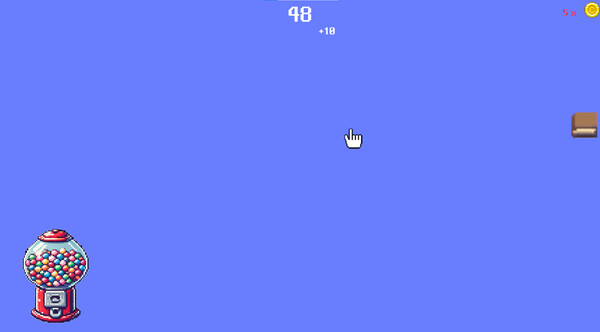
When you achieve 100 clicks through left-clicking, you earn 1 coin. Click on the Gacha Machine located at the bottom left corner to navigate to the Gacha page. On the Gacha page, click on the wallet to make coins pop out, which will automatically move towards the Gacha Machine. Coins that don't make it into the Gacha Machine can be moved with your cursor. You can either put them back into the wallet for safekeeping or leave them on the ground. However, be careful, as any coins left on the ground might get stolen, so make sure to either put them in the Gacha Machine or store them in the wallet.
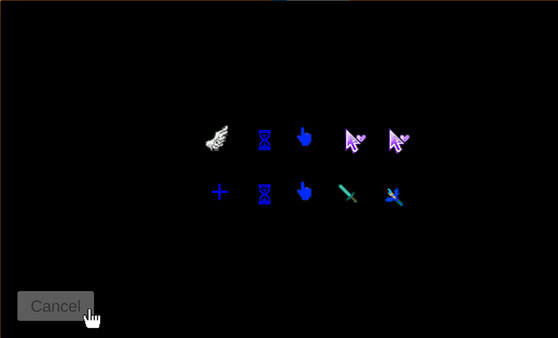
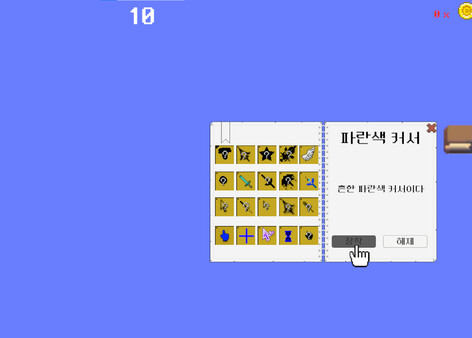
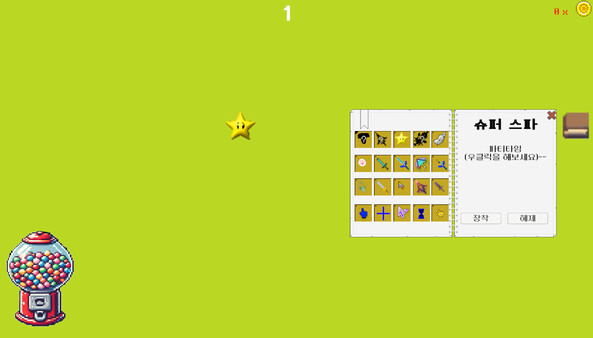
Cursors obtained from the Gacha can be equipped or unequipped by clicking the collection icon on the right side of the coin earning page. The first to fourth cursors from the top left of the collection are of a higher rarity, and you can view their special abilities by right-clicking on them.
Since this is my first game release and I'm still new to game development, I would greatly appreciate any feedback on areas that need improvement. I'm open to suggestions and eager to learn.
When you achieve 100 clicks through left-clicking, you earn 1 coin. Click on the Gacha Machine located at the bottom left corner to navigate to the Gacha page. On the Gacha page, click on the wallet to make coins pop out, which will automatically move towards the Gacha Machine. Coins that don't make it into the Gacha Machine can be moved with your cursor. You can either put them back into the wallet for safekeeping or leave them on the ground. However, be careful, as any coins left on the ground might get stolen, so make sure to either put them in the Gacha Machine or store them in the wallet.
Cursors obtained from the Gacha can be equipped or unequipped by clicking the collection icon on the right side of the coin earning page. The first to fourth cursors from the top left of the collection are of a higher rarity, and you can view their special abilities by right-clicking on them.
Since this is my first game release and I'm still new to game development, I would greatly appreciate any feedback on areas that need improvement. I'm open to suggestions and eager to learn.
Frequently Asked Questions
Is CursorPlayer worth buying right now?
Watch — $0.99. Decent deal at 0% off, but might drop further. Watch for better opportunities.
When does CursorPlayer go on sale?
Decent deal at 0% off, but might drop further. Watch for better opportunities.
Is CursorPlayer free to play?
CursorPlayer costs $0.99 on Steam.
What genre is CursorPlayer?
CursorPlayer is a Indie game.
Who developed CursorPlayer?
CursorPlayer was developed by BountyHunter and published by BountyHunter.
What platforms does CursorPlayer support?
Available on Steam for Windows.