
RPG Maker MV - Menu Builder
RPG Maker MV - Menu Builder - Steam Charts & Historical Stats
Menu Builder provides a means in which you can, for your RPG Maker MV or RPG Maker MZ project, create menu scenes which comes with a selector window setup and a theoretically unlimited number of data... Explore historical player activity and pricing for RPG Maker MV - Menu Builder. Player-count data was last observed Apr 22, 2026.
RPG Maker MV - Menu Builder player count and price summary
- Current players
- Unavailable
- All-time peak
- Unavailable
- 24-hour player change
- Unavailable
- Current US price
- Price unavailable
Player count last observed . Values marked unavailable are not estimated.
Media gallery 3 screenshots · 0 videos
Screenshots
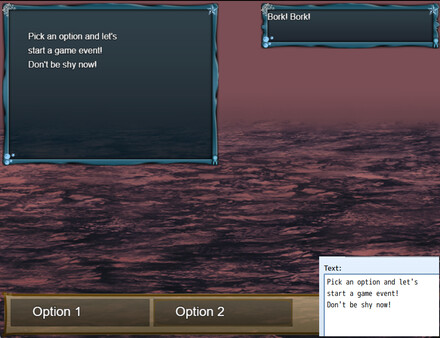
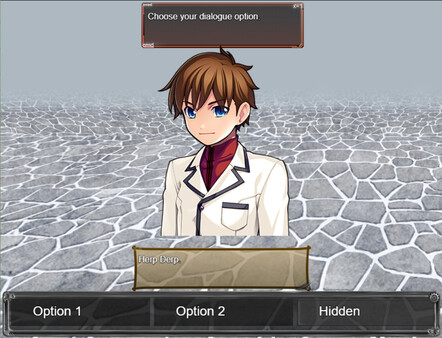
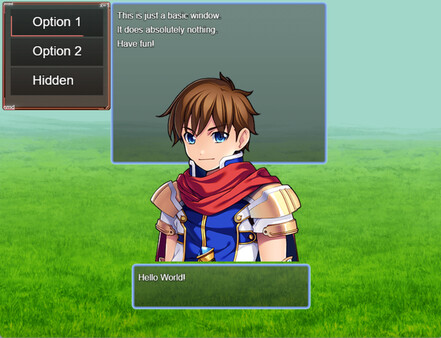
Game Insights
Value Score
Price-to-player ratio ranks in the 50th percentile.
System Requirements
- Additional Notes: System supporting RPG Maker MV
- Additional Notes: System supporting RPG Maker MV
- Additional Notes: System supporting RPG Maker MV
- Additional Notes: System supporting RPG Maker MV
- Additional Notes: System supporting RPG Maker MV
- Additional Notes: System supporting RPG Maker MV
CDN$ 12.99 CDN$ 9.09
Additional Information
Current Pricing
Additional Information
Developer Analytics
Loading competitors...
About This Game
Menu Builder provides a means in which you can, for your RPG Maker MV or RPG Maker MZ project, create menu scenes which comes with a selector window setup and a theoretically unlimited number of data windows for those selectors.
Detailed Description
*Tutorial videos are now available (more to come). Please see “View the manual”.
・Allows for basic menu building and linking to other scenes
・Can execute script calls AND events
・Can setup backgrounds and foregrounds
・Can setup touch buttons
・Can modify UI according to needs
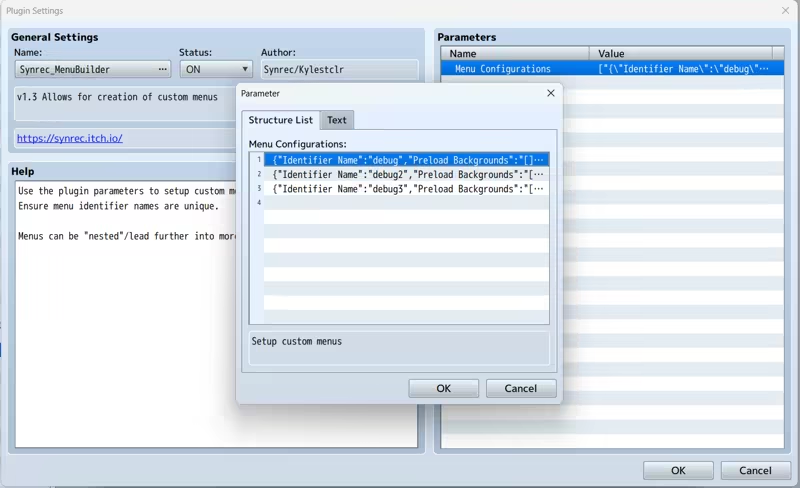
Custom menus must be setup in the plugin parameters prior to calling them in game.
For each menu, you MUST/ARE REQUIRED TO setup the selection window as that will hold the selectable options for the menu scene.
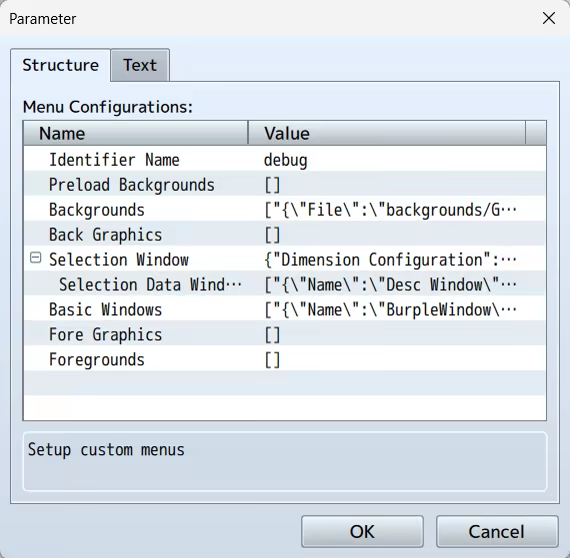
From above, screenshot from demo, you can see that you only need to setup the selection window and basic window if you want to permanently display information on the scene.
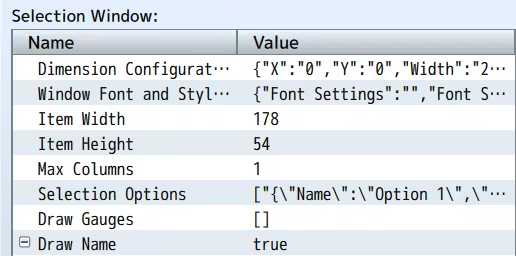
Setup the dimension configuration to control the size and position of the selection window and the Window Font and Style for the font settings and window skin/opacity.
Item Width/Height will control the selection box size and max columns will determine the number of selections aligned on horizontal axis.
The important thing here is the selection options
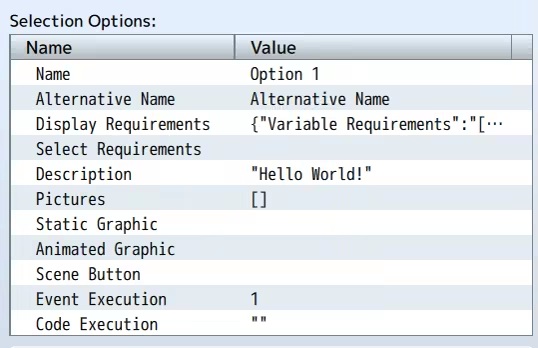
You can setup requirements to display or even select the menu option based on:
・Variables
・Switches
・Items
・Weapons (Not equipped)
・Armors (Not equipped)
Static add a graphic over the scene backgrounds when the option is selected and animated graphic will change the graphic on scene to use the set data.
Pictures are stored images which can be drawn based on window settings.
You can setup a scene button which when mouse over will force select the option and when clicked will execute the code in the "Code Execution" parameter.
------------
Patch note:2025/8/22
Fix: Issue with drawing pictures when trying to parse already parsed data.
Patch note:2025/8/14
Fix/adjustment: Closing the menu under certain circumstances led to crash due to missing check.
Patch note:2025/6/26
Fix: Issue where item requirements were being checked as weapon instead.
Patch note:2025/5/27
New: Script call added to help reset the game data
New: Add script calls to the plugin help
New: Added parameter to set update codes. These are run every frame on the menu scene.
Patch note:2025/3/19
Adjustment: Changed directory of videos folder to movies due to RPG Maker v1.9.0 update.
Demo: Fixed issues with prior set debug menus
Patch note:2025/2/3
Fixed: Fixed an issue where the option name and alternative name were not being displayed in the data window.
Patch note:2024/11/25
Fix: For MV, the sprite destroy function does not remove the sprite. I have removed the function entirely.
New: Set video to play when a menu option is selected. This video is played below the video layer
New: Set videos to play on scene using script calls as defined in the plugin help
New: Set script calls to execute on opening the menu scene
New: Override scenes, in the demo, the default menu scene is replaced with the debug menu.
Patch note:2024/10/28
Fix: Changed data source from weapons to items for item requirements.
------------
・This pack is for use in RPG Maker Series or the engine of your choice.
・OK to be used in Commercial projects made in RPG Maker
・You may modify some of the assets (but not redistribute them) for your own game use only.