
Esca - Artbook
Esca - Artbook - Steam Charts & Historical Stats
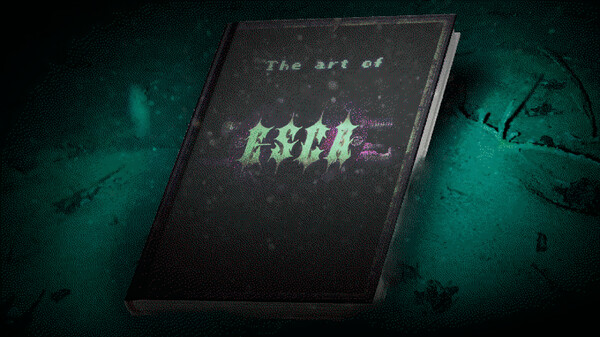
Uncover the creative journey behind Esca with the official artbook! Explore character designs, stunning environments, and exclusive behind-the-scenes insights. Explore historical player activity and pricing for Esca - Artbook. Player-count data was last observed Apr 22, 2026.
Esca - Artbook player count and price summary
- Current players
- Unavailable
- All-time peak
- Unavailable
- 24-hour player change
- Unavailable
- Current US price
- $0.99
Player count last observed . Values marked unavailable are not estimated.
Media gallery 1 screenshots · 0 videos
Screenshots
Game Insights
Buy Verdict
Decent deal at 0% off, but might drop further. Watch for better opportunities.
Value Score
Price-to-player ratio ranks in the 100th percentile.
Genre Benchmarks
Price History
No Recent Price History
Price history data will appear here once more pricing information becomes available.
System Requirements
- OS *: Microsoft Windows 7 or newer
- Processor: Intel N4100 (or similar) or better
- Memory: 4 MB RAM
- Graphics: DirectX 9/OpenGL 4.1 capable GPU
- DirectX: Version 9.0c
- Storage: 1 MB available space
- OS: Microsoft Windows 10 or newer
- Processor: Intel Core i3-6100 or better
- Memory: 4 MB RAM
- Graphics: OpenGL ES 2.0 hardware driver support
- DirectX: Version 9.0
- Storage: 1 MB available space
- Additional Notes: You need a PDF reader to access the DLC.
Additional Information
*languages with full audio support
Current Pricing
Additional Information
Developer Analytics
Loading competitors...
About This Game
Uncover the creative journey behind Esca with the official artbook! Explore character designs, stunning environments, and exclusive behind-the-scenes insights.
Detailed Description
Discover the Art Behind Esca with the Official Artbook!
For the first time ever, dive deep into the creation of a LuN game with the official Esca artbook. This exclusive book offers a unique look at the development process, showcasing the creation of characters, environments, and more. You'll also find fascinating anecdotes and behind-the-scenes insights that reveal the creative journey.
After purchasing and installing the DLC, you’ll find the PDF [Esca-Artbook.pdf] in the Esca folder, where the rest of the game data is stored. For example, on Windows 10, this folder is typically located at:
C:\Program Files (x86)\Steam\steamapps\common\Esca
If you're unsure where Esca is installed, simply navigate to Esca in your Steam library, right-click, and select "Properties...". Switch to the "Local files" tab, then press the "Browse local files..." button to open the folder where Esca is installed.
Unveil the artistic vision that brought Esca to life!