
Game overview
360 Photo Viewer
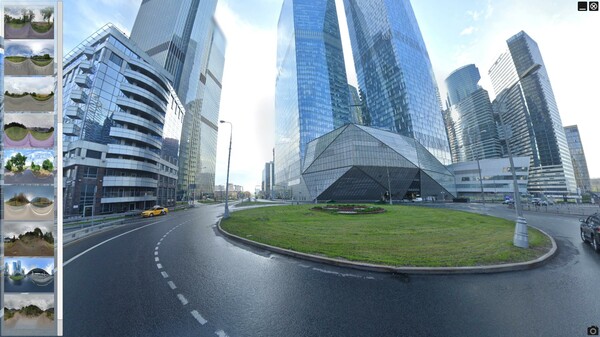
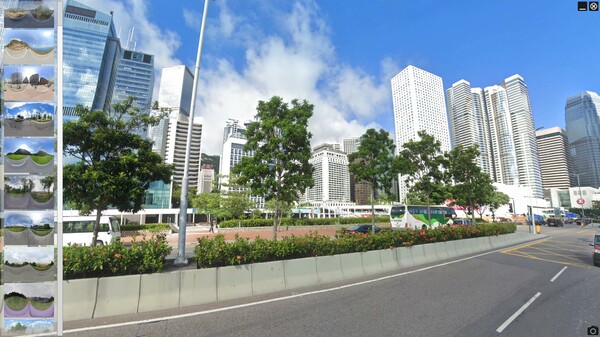
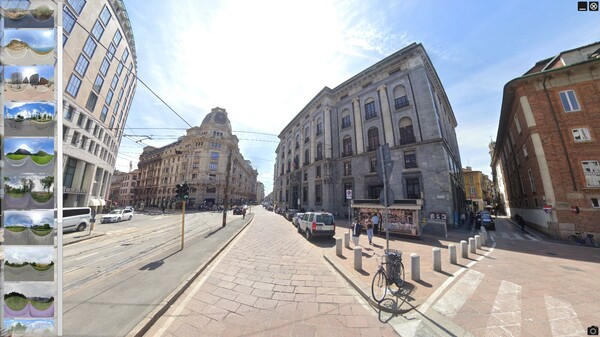
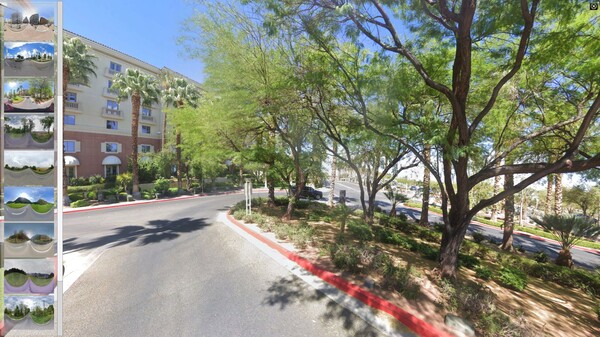
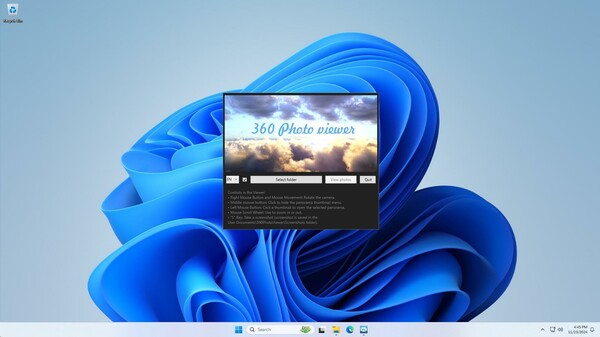
Program for Viewing Spherical Panoramas. Explore the world of 360-degree panoramas: free camera rotation, zooming, 8K snapshots. Automatic panorama transitions for full immersion. Just select the folder and click «View Photos».
- Last tracked players
- 0
- All-time peak
- 1
- 24-hour change
- Unavailable
- Steam reviews
- 50% positive 2 reviews · via SteamSpy
Delayed observation · last tracked . Values marked unavailable are not estimated.
About this game Read the full description
360° Panorama Viewer
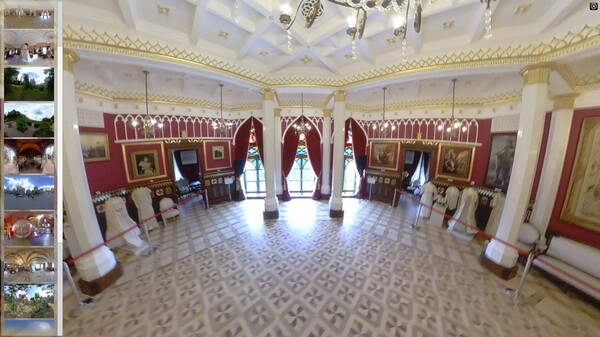
Imagine a virtual journey where you can explore stunning 360-degree panoramas as if you were actually there. Revisit your memories by viewing your own panoramic shots and reliving moments you once experienced.
Free camera control: You can rotate the camera in any direction, zoom in and out on areas of interest, and take 8K snapshots.
Automatic demonstration mode: If you release the mouse and keys for 5 seconds, the program will automatically start showing panoramas. It smoothly rotates the image horizontally by 400 degrees, then the panorama fades out and the next one appears.
Easy start: To begin, simply select a folder with spherical panoramic photos and click the "View Photos" button.
The 360° panorama viewer is perfect for users with extensive collections of spherical 360-degree panoramas and owners of cameras for their shooting. The quality of snapshots taken by pressing the "S" key directly depends on the quality of the panoramas themselves.
The program supports .jpg and .png files.
Media gallery 6 screenshots · 0 videos

Screenshots
Player activity
Concurrent players over the last 48 hours.
Price history
Last 30 days ? prices in the selected region?s currency.
Latest news
All news on Steam ↗System requirements Windows
Windows
Minimum
Minimum:- OS: Windows 10, Windows 11
- Processor: Intel / AMD, 2.0 Ghz 4 cores
- Memory: 8 GB RAM
- Graphics: 1GB
- DirectX: Version 11
- Storage: 512 MB available space
Recommended
Recommended:- OS: Windows 10, Windows 11
- Processor: Intel / AMD, 2.0 Ghz 4 cores
- Memory: 16 GB RAM
- Graphics: 4GB
- DirectX: Version 11
- Storage: 512 MB available space
Game details Languages, features & support
- Publisher
- Vertex Space
- Brazilian rating
- l
- Steam Germany rating
- 0
- Languages
- English, French, Italian, German, Simplified Chinese, Russian, Turkish, Japanese, Spanish - Spain, Portuguese - Brazil
- Support
- [email protected]
More analysis Activity patterns, updates & developer tools
Game Insights
Buy Verdict
Not the best time to buy. Price could improve with future sales.
Value Score
Price-to-player ratio ranks in the 92th percentile. Priced as Budget at $1.99.
Genre Benchmarks
Activity Heatmap
0 players · 2 samples
0 players · 1 samples
No samples
0 players · 2 samples
0 players · 1 samples
No samples
0 players · 1 samples
0 players · 2 samples
No samples
0 players · 2 samples
0 players · 1 samples
No samples
0 players · 2 samples
0 players · 1 samples
No samples
0 players · 1 samples
0 players · 2 samples
No samples
No samples
0 players · 2 samples
0 players · 1 samples
No samples
0 players · 2 samples
No samples
0 players · 1 samples
0 players · 2 samples
No samples
0 players · 1 samples
0 players · 2 samples
No samples
No samples
0 players · 3 samples
No samples
No samples
0 players · 3 samples
No samples
No samples
0 players · 3 samples
No samples
No samples
0 players · 1 samples
0 players · 2 samples
No samples
No samples
0 players · 2 samples
0 players · 1 samples
No samples
0 players · 1 samples
0 players · 2 samples
No samples
0 players · 1 samples
0 players · 1 samples
0 players · 1 samples
0 players · 1 samples
0 players · 1 samples
0 players · 1 samples
0 players · 1 samples
0 players · 1 samples
0 players · 1 samples
0 players · 1 samples
0 players · 1 samples
0 players · 1 samples
0 players · 1 samples
0 players · 1 samples
0 players · 1 samples
0 players · 1 samples
0 players · 1 samples
0 players · 1 samples
0 players · 1 samples
0 players · 1 samples
0 players · 1 samples
No samples
0 players · 1 samples
0 players · 1 samples
No samples
0 players · 2 samples
0 players · 1 samples
No samples
0 players · 2 samples
0 players · 1 samples
No samples
0 players · 2 samples
0 players · 1 samples
No samples
0 players · 1 samples
0 players · 1 samples
No samples
No samples
0 players · 2 samples
0 players · 1 samples
No samples
No samples
No samples
0 players · 2 samples
No samples
0 players · 1 samples
0 players · 2 samples
No samples
0 players · 1 samples
0 players · 1 samples
0 players · 1 samples
0 players · 1 samples
0 players · 2 samples
0 players · 2 samples
No samples
0 players · 2 samples
0 players · 1 samples
No samples
0 players · 1 samples
0 players · 2 samples
No samples
No samples
0 players · 2 samples
0 players · 1 samples
No samples
0 players · 1 samples
0 players · 2 samples
0 players · 1 samples
No samples
0 players · 3 samples
No samples
No samples
0 players · 1 samples
0 players · 2 samples
No samples
No samples
0 players · 3 samples
No samples
0 players · 1 samples
0 players · 2 samples
No samples
0 players · 1 samples
0 players · 2 samples
No samples
No samples
0 players · 2 samples
0 players · 1 samples
No samples
0 players · 2 samples
0 players · 1 samples
0 players · 1 samples
0 players · 1 samples
0 players · 1 samples
No samples
0 players · 2 samples
No samples
0 players · 1 samples
0 players · 2 samples
No samples
0 players · 1 samples
0 players · 2 samples
No samples
0 players · 1 samples
0 players · 1 samples
0 players · 1 samples
0 players · 1 samples
0 players · 1 samples
0 players · 1 samples
0 players · 1 samples
0 players · 1 samples
No samples
0 players · 3 samples
No samples
0 players · 1 samples
0 players · 1 samples
0 players · 1 samples
0 players · 1 samples
No samples
Developer Analytics
Loading competitors...