Fantasy Grounds - FG Immersive Strongholds Map Pack
Fantasy Grounds - FG Immersive Strongholds Map Pack - Steam Charts & Historical Stats
The FG Immersive Strongholds Map Pack features images and art produced by our in-house artist, Joshua Watmough to create bastions and strongholds. Explore historical player activity and pricing for Fantasy Grounds - FG Immersive Strongholds Map Pack. Player-count data was last observed Apr 22, 2026.
Fantasy Grounds - FG Immersive Strongholds Map Pack player count and price summary
- Current players
- Unavailable
- All-time peak
- Unavailable
- 24-hour player change
- Unavailable
- Current US price
- Price unavailable
Player count last observed . Values marked unavailable are not estimated.
Media gallery 5 screenshots · 2 videos
Screenshots
Videos
Immersive Strongholds - Getting Started
Immersive Strongholds - Walkthrough
Game Insights
Value Score
Price-to-player ratio ranks in the 50th percentile.
System Requirements
Additional Information
Current Pricing
Additional Information
Developer Analytics
Loading competitors...
About This Game
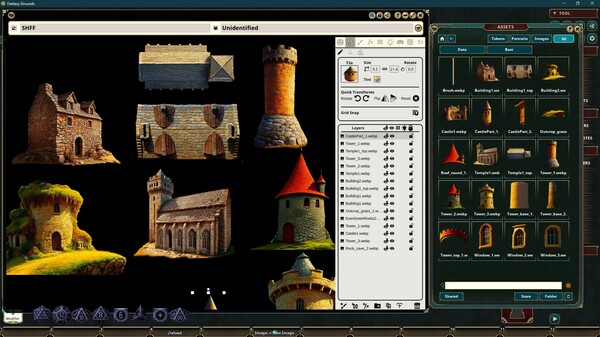
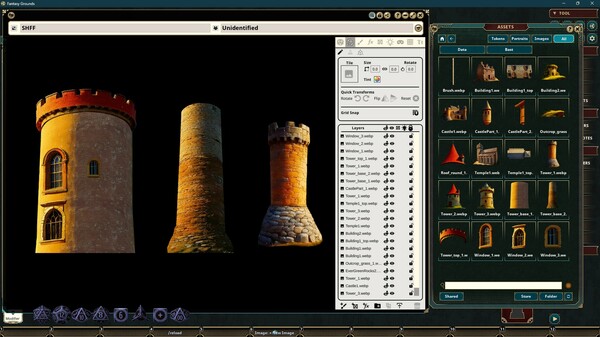
The FG Immersive Strongholds Map Pack features images and art produced by our in-house artist, Joshua Watmough to create bastions and strongholds. The images consist of 6 image brushes, 2 image fills, and 49 decorations. "
Detailed Description
FG Immersive Strongholds Map Pack
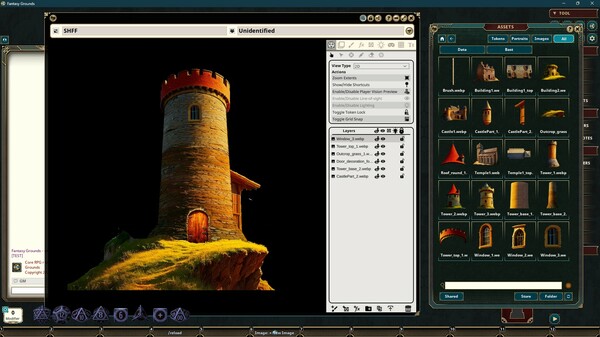
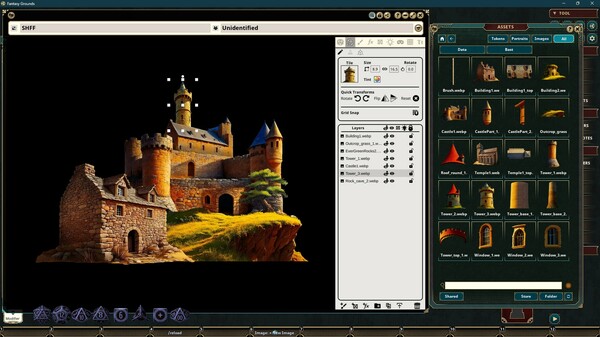
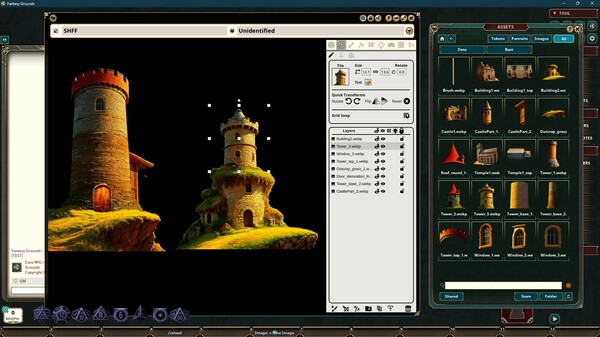
The FG Immersive Strongholds Map Pack features images and art produced by our in-house artist, Joshua Watmough. They have been organized and optimized for use with Fantasy Grounds Unity and the image tools. This art pack consists of images that can be used to create bastions and strongholds. You can build unique areas or add to existing maps. This pack includes the following items:
Image Brushes (6)
Roof_1_brush.webp
Roof_2_brush.webp
Stone_1_brush.webp
Wall_1_brush.webp
Wall_2_brush.webp
Wall_3_brush.webp
Image Brushes are great for drawing segmented lines or complex shapes and having it appear to be made out of the material specified in the image. Fantasy Grounds will intelligently join the corners for you to make it look seamless, but you can also try different join styles to match your preference.
Image Fills (2)
Wall_1_stone_fill.webp
Wall_2_stone_fill.webp
Image Fills are perfect for setting as the fill for shapes (ellipses, circles, rectangles, or custom shapes). You can edit the fill after placement to adjust the location, size, rotation, or even color) in the Edit Fill window.
Decorations (49)
Building_1_decoration_forward.webp
Building_1_decoration_top.webp
Building_2_decoration_forward.webp
Castle_1_decoration_forward.webp
Castle_part_1_decoration_forward.webp
Castle_part_2_decoration_forward.webp
Door_1_decoration_forward.webp
Door_2_decoration_forward.webp
Door_3_decoration_forward.webp
Door_4_decoration_forward.webp
Gate_1_decoration_forward.webp
Gate_2_decoration_forward.webp
Hill_1_decoration_forward.webp
Hill_2_decoration_forward.webp
Mosaic_decoration.webp
Rocks_1_decoration_forward.webp
Rocks_2_decoration_forward.webp
Rocks_2_decoration_top.webp
Rocks_grass_decoration.webp
Rock_1_decoration_forward.webp
Rock_2_decoration_forward.webp
Rock_3_decoration_forward.webp
Rock_4_decoration_forward.webp
Rock_5_decoration_forward.webp
Rock_5_decoration_top.webp
Rock_6_decoration_forward.webp
Rock_6_decoration_top.webp
Rock_decoration_top.webp
Roof_round_1_decoration_forward.webp
Ruins_1_decoration_forward.webp
Ruins_1_decoration_top.webp
Ruins_2_decoration_forward.webp
Ruins_2_decoration_top.webp
Ruins_3_decoration_forward.webp
Ruins_4_decoration_forward.webp
Stones_decoration.webp
Temple_1_decoration_forward.webp
Temple_1_decoration_top.webp
Tower_1_decoration_forward.webp
Tower_2_decoration_forward.webp
Tower_3_decoration_forward.webp
Tower_base_1_decoration_forward.webp
Tower_base_2_decoration_forward.webp
Tower_top_1_decoration_forward.webp
Wall_1_decoration_forward.webp
Wall_2_decoration_forward.webp
Window_1_decoration_forward.webp
Window_2_decoration_forward.webp
Window_3_decoration_forward.webp
Image Decorations are great for placing directly on a top-down map for images labeled with the "top" keyword. Images with the "forward" keyword are best used for the Front image of a Object that you place. You will access this in your Image window under Layers > Objects. Select either Top or Front and drag the image there before placing it. You can test the result out in your map by changing your view from 2D to Free Camera 3D or Token View 3D.