
Battow - Mages And Monsters
Battow - Mages And Monsters - Steam Charts & Historical Stats
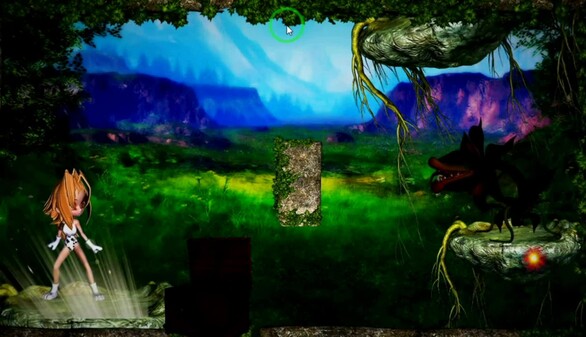
Bouncing bullet game, the player clicks somewhere on the screen for the Mage to throw a spell in that direction. Explore historical player activity and pricing for Battow - Mages And Monsters. Player-count data was last observed Sep 26, 2026.
Battow - Mages And Monsters player count and price summary
- Current players
- Unavailable
- All-time peak
- Unavailable
- 24-hour player change
- Unavailable
- Current US price
- $4.99
Player count last observed . Values marked unavailable are not estimated.
Media gallery 5 screenshots · 1 videos
Screenshots

Videos
Battow - Mages And Monsters
Game Insights
Buy Verdict
Decent deal at 0% off, but might drop further. Watch for better opportunities.
Value Score
Price-to-player ratio ranks in the 100th percentile. Priced as Market at $4.99.
Genre Benchmarks
Activity Heatmap
0 players · 2 samples
0 players · 1 samples
0 players · 1 samples
0 players · 3 samples
No samples
0 players · 1 samples
0 players · 2 samples
0 players · 1 samples
0 players · 2 samples
0 players · 1 samples
0 players · 2 samples
No samples
0 players · 2 samples
0 players · 1 samples
0 players · 1 samples
0 players · 2 samples
0 players · 1 samples
No samples
0 players · 2 samples
0 players · 1 samples
0 players · 1 samples
0 players · 1 samples
0 players · 2 samples
0 players · 1 samples
0 players · 1 samples
0 players · 1 samples
0 players · 2 samples
0 players · 1 samples
0 players · 2 samples
0 players · 1 samples
No samples
0 players · 3 samples
0 players · 1 samples
0 players · 1 samples
0 players · 2 samples
0 players · 1 samples
0 players · 1 samples
0 players · 2 samples
0 players · 1 samples
No samples
0 players · 2 samples
0 players · 1 samples
0 players · 1 samples
No samples
0 players · 3 samples
No samples
0 players · 2 samples
0 players · 1 samples
0 players · 1 samples
0 players · 1 samples
0 players · 2 samples
0 players · 1 samples
0 players · 1 samples
0 players · 2 samples
0 players · 1 samples
0 players · 1 samples
0 players · 2 samples
0 players · 1 samples
0 players · 2 samples
0 players · 1 samples
0 players · 1 samples
0 players · 1 samples
0 players · 2 samples
No samples
0 players · 2 samples
0 players · 1 samples
0 players · 1 samples
0 players · 1 samples
0 players · 1 samples
0 players · 1 samples
0 players · 1 samples
0 players · 1 samples
No samples
0 players · 3 samples
No samples
0 players · 2 samples
0 players · 1 samples
0 players · 1 samples
0 players · 1 samples
0 players · 2 samples
0 players · 2 samples
No samples
0 players · 3 samples
0 players · 1 samples
No samples
0 players · 3 samples
No samples
No samples
0 players · 3 samples
0 players · 1 samples
0 players · 1 samples
No samples
0 players · 2 samples
0 players · 1 samples
No samples
0 players · 2 samples
0 players · 1 samples
0 players · 1 samples
0 players · 1 samples
No samples
0 players · 2 samples
0 players · 1 samples
0 players · 1 samples
0 players · 1 samples
0 players · 2 samples
No samples
0 players · 3 samples
No samples
0 players · 1 samples
0 players · 2 samples
0 players · 1 samples
No samples
0 players · 1 samples
0 players · 2 samples
No samples
0 players · 1 samples
0 players · 2 samples
0 players · 1 samples
No samples
0 players · 2 samples
0 players · 1 samples
No samples
0 players · 1 samples
0 players · 2 samples
0 players · 1 samples
No samples
0 players · 2 samples
0 players · 1 samples
No samples
0 players · 3 samples
No samples
0 players · 1 samples
0 players · 2 samples
0 players · 1 samples
0 players · 1 samples
0 players · 2 samples
0 players · 1 samples
0 players · 1 samples
0 players · 1 samples
0 players · 3 samples
No samples
0 players · 3 samples
No samples
0 players · 2 samples
0 players · 2 samples
0 players · 1 samples
0 players · 3 samples
No samples
0 players · 1 samples
0 players · 2 samples
0 players · 1 samples
0 players · 2 samples
0 players · 1 samples
0 players · 2 samples
0 players · 1 samples
0 players · 1 samples
0 players · 2 samples
No samples
0 players · 3 samples
No samples
0 players · 1 samples
No samples
0 players · 3 samples
No samples
0 players · 2 samples
0 players · 1 samples
0 players · 1 samples
0 players · 1 samples
Price History
No Recent Price History
Price history data will appear here once more pricing information becomes available.
System Requirements
- OS *: Windows 7
- Processor: Dual-Core
- Memory: 1 GB RAM
- Graphics: 512 MB RAM, ATI Radeon 4850 or +
- DirectX: Version 9.0
- Storage: 1.3 GB available space
- Sound Card: anyone
- VR Support: Not
- Additional Notes: touch (minimum)
- OS: Windows 10 or higher
- Processor: 2.6 GHz Dual-Core
- Memory: 2 GB RAM
- Graphics: NVIDIA GeForce 8800 GT or +
- DirectX: Version 11
- Storage: 2 GB available space
- Sound Card: anyone
- VR Support: Not
- Additional Notes: mouse (recommended)
Additional Information
Current Pricing
Additional Information
Developer Analytics
Loading competitors...
About This Game
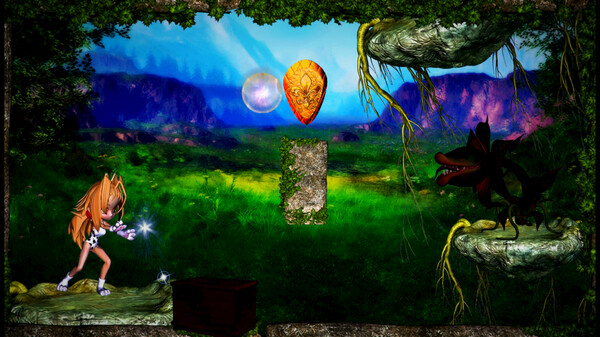
Bouncing bullet game, the player clicks somewhere on the screen for the Mage to throw a spell in that direction. The spell bounces off the walls of the scene, and the player will need to use this to their advantage to hit the rival.
Detailed Description
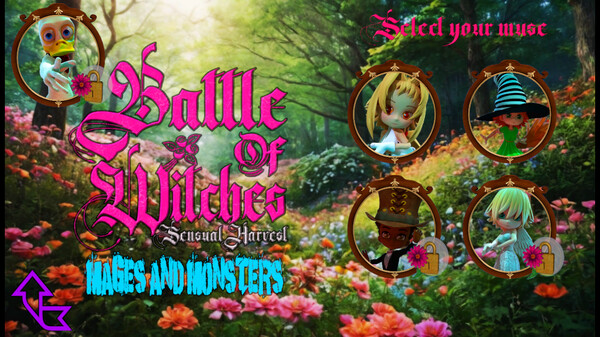
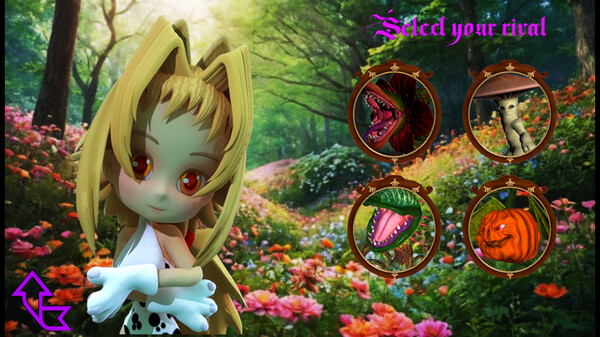
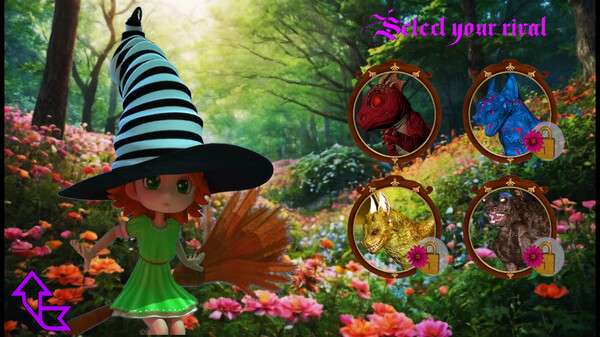
Battow - Mages And Monsters is a bouncing bullet game, the player clicks somewhere on the screen for the Mage to throw a spell in that direction. The spell bounces off the walls of the scene, and the player will need to use this to their advantage to hit the rival. Every time the player collects a chest or shield, he is protected for one round, that is, will defend himself if he is hit by the monster's spell. It's a relaxing atmosphere game, simple and easy to play. There are 5 Mages, 20 monsters and 100 levels.
Note: The game's main screen is in English, however, this game does not require knowledge of any specific language, it is a game that anyone can play without any difficulty. This game does not require any internet connection. Saving and loading are automatic and eliminate the need for load and save buttons as well as multiple data storage drawers.
In this version 4.0 updated on December 11, 2024, we included controller support, and now the user can switch between mouse and joystick in a practical way, and to do this simply click the right mouse button or the key corresponding to "Fire 2" on the joystick, the "Fire 2" key on the Xbox is equivalent to the "B" button on the controller.