
Yeonkyung
Yeonkyung - Steam Charts & Historical Stats
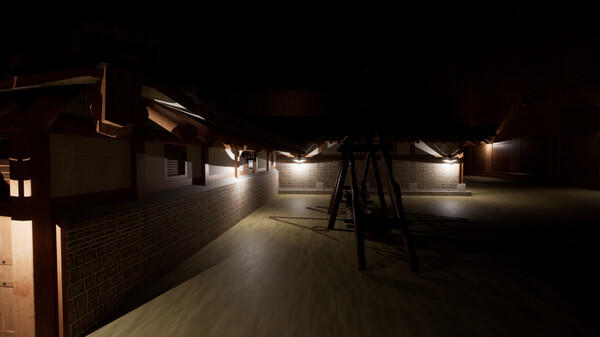
The game is a 3D first-person horror game and features Korean and Japanese soldiers and is played in a place called Yeongyeong, the palace of the Goryeo Dynasty. Explore historical player activity and pricing for Yeonkyung. Player-count data was last observed Sep 26, 2026.
Yeonkyung player count and price summary
- Current players
- Unavailable
- All-time peak
- Unavailable
- 24-hour player change
- Unavailable
- Current US price
- $1.99
Player count last observed . Values marked unavailable are not estimated.
Media gallery 5 screenshots · 1 videos
Screenshots
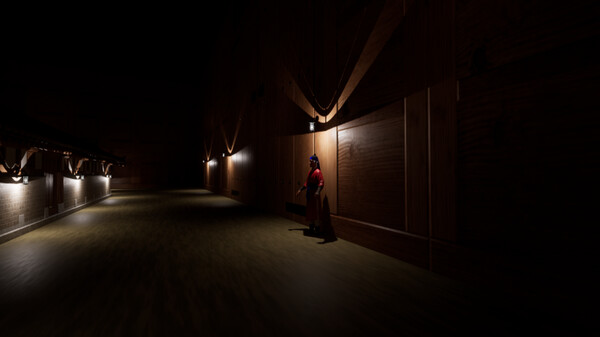
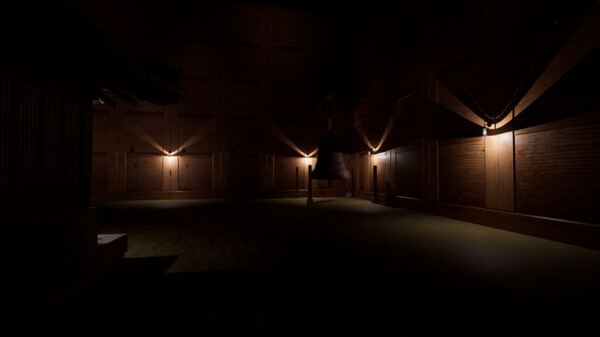
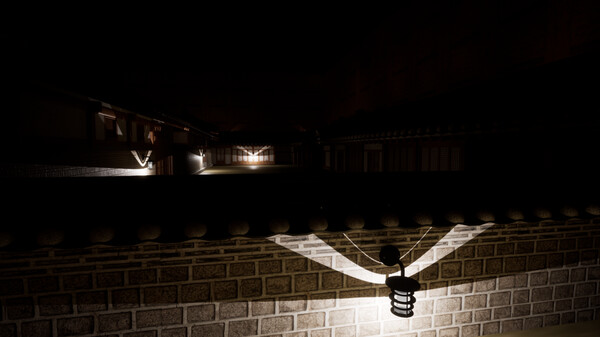
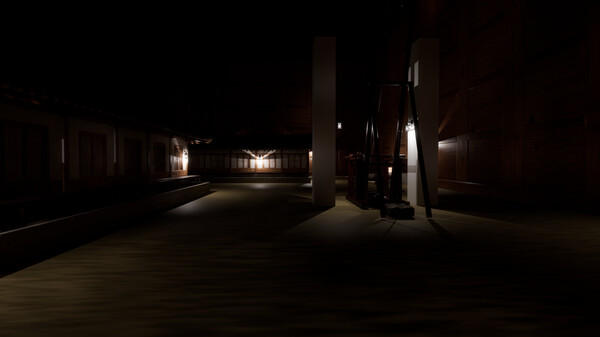
Videos

InGame
Game Insights
Buy Verdict
Decent deal at 0% off, but might drop further. Watch for better opportunities.
Value Score
Price-to-player ratio ranks in the 100th percentile. Priced as Market at $1.99.
Genre Benchmarks
Activity Heatmap
0 players · 1 samples
0 players · 1 samples
No samples
0 players · 2 samples
No samples
No samples
0 players · 2 samples
No samples
0 players · 1 samples
0 players · 1 samples
0 players · 1 samples
No samples
0 players · 1 samples
0 players · 1 samples
No samples
0 players · 1 samples
0 players · 1 samples
No samples
0 players · 1 samples
0 players · 1 samples
No samples
0 players · 1 samples
0 players · 1 samples
0 players · 1 samples
No samples
0 players · 1 samples
0 players · 1 samples
No samples
0 players · 2 samples
No samples
No samples
0 players · 2 samples
No samples
0 players · 1 samples
0 players · 1 samples
0 players · 1 samples
No samples
0 players · 1 samples
0 players · 1 samples
No samples
0 players · 1 samples
0 players · 1 samples
No samples
No samples
0 players · 2 samples
No samples
0 players · 1 samples
0 players · 1 samples
No samples
0 players · 1 samples
0 players · 1 samples
0 players · 1 samples
No samples
0 players · 1 samples
0 players · 1 samples
No samples
0 players · 2 samples
No samples
0 players · 1 samples
0 players · 1 samples
No samples
0 players · 1 samples
0 players · 1 samples
No samples
0 players · 1 samples
0 players · 1 samples
No samples
0 players · 1 samples
No samples
0 players · 1 samples
0 players · 1 samples
No samples
No samples
0 players · 2 samples
No samples
0 players · 1 samples
0 players · 1 samples
No samples
0 players · 1 samples
0 players · 1 samples
0 players · 1 samples
No samples
0 players · 2 samples
No samples
No samples
0 players · 3 samples
No samples
No samples
0 players · 3 samples
0 players · 1 samples
0 players · 1 samples
No samples
0 players · 2 samples
0 players · 1 samples
No samples
0 players · 2 samples
0 players · 1 samples
0 players · 1 samples
0 players · 1 samples
No samples
0 players · 2 samples
0 players · 1 samples
0 players · 1 samples
0 players · 1 samples
0 players · 2 samples
No samples
0 players · 3 samples
No samples
0 players · 1 samples
0 players · 2 samples
0 players · 1 samples
No samples
0 players · 1 samples
0 players · 2 samples
No samples
0 players · 1 samples
0 players · 2 samples
0 players · 1 samples
No samples
0 players · 2 samples
0 players · 1 samples
No samples
0 players · 1 samples
0 players · 2 samples
0 players · 1 samples
No samples
0 players · 2 samples
0 players · 1 samples
No samples
0 players · 3 samples
No samples
0 players · 1 samples
0 players · 2 samples
0 players · 1 samples
No samples
0 players · 2 samples
0 players · 1 samples
No samples
0 players · 1 samples
0 players · 2 samples
No samples
0 players · 2 samples
No samples
0 players · 1 samples
0 players · 1 samples
0 players · 1 samples
0 players · 2 samples
No samples
No samples
0 players · 2 samples
No samples
0 players · 1 samples
0 players · 1 samples
0 players · 1 samples
No samples
0 players · 1 samples
0 players · 1 samples
No samples
0 players · 2 samples
No samples
No samples
No samples
0 players · 2 samples
No samples
0 players · 1 samples
0 players · 1 samples
No samples
0 players · 1 samples
Price History
No Recent Price History
Price history data will appear here once more pricing information becomes available.
System Requirements
- Requires a 64-bit processor and operating system
- OS: Windows 10 64 bit / Windows 11 64 bit
- Processor: Intel Core i7 8700 / AMD Ryzen 7 5700
- Memory: 16 GB RAM
- Graphics: GTX 1050 TI / AMD Radeon Vega 8 Graphics
- Storage: 10 GB available space
- Sound Card: Direct X Compatible
- VR Support: None
- Additional Notes: Please understand that the capacity is high for quality.
- Requires a 64-bit processor and operating system
- OS: Windows 11 64 bit
- Processor: AMD Ryzen 7 5700
- Memory: 16 GB RAM
- Graphics: GTX 1050 TI / AMD Radeon Vega 8 Graphics
- Storage: 10 GB available space
- Sound Card: Direct X Compatible
- VR Support: None
- Additional Notes: Please understand that the capacity is high for quality.
Additional Information
Current Pricing
Additional Information
Developer Analytics
Loading competitors...
About This Game
The game is a 3D first-person horror game and features Korean and Japanese soldiers and is played in a place called Yeongyeong, the palace of the Goryeo Dynasty. (Please understand that the game size is high for quality reasons.)
Detailed Description
It is a first-person horror game. It is played in a palace called Yeongyeong in Korea. (The palace is customized and not perfectly matched.)
If there are no abnormalities, approach the species.
If you have any abnormalities, approach the soldier at the door.
If you succeed in the correct approach, you will go from 0 o'clock to 1 o'clock, and if you get it wrong, you will go back to 0 o'clock unconditionally.
The map changes automatically at the same time as the time changes.
Clear if you survive from 0:00 to 6:00.
The game is only for walking and running forward.
(There are a total of 20 anomalies.)
If there is an error that cannot be executed, please follow the method below
Verify Game Integrity: To verify the file integrity of the game in Steam, follow these steps:
Run the Steam client.
Right-click a game in the library and select Properties.
Select the Local Files tab.
Click the Check integrity button for the game file.
This way, Steam will automatically check that the game files are fine, and if they are damaged, it will be re-downloaded and replaced.
Launch Options, -force -dx11 Add: To apply certain run options to the game in Steam, follow these steps:
Run the Steam client, right-click the game in the library, and select Properties.
Select the General tab.
Click the Set Game Execution Options... button.
Type -force -dx11 in the pop-up window. This option sets the game to force DirectX 11.
After you finish setting up, close the window and run the game, and the setting will take effect.
혹시라도 실행이 안 되는 에러가 발생한다면 아래 방법을 따라해보세요
Verify Game Integrity (게임 파일 무결성 확인): Steam에서 게임의 파일 무결성을 확인하려면 다음 단계를 따르세요:
Steam 클라이언트를 실행합니다.
라이브러리에서 게임을 마우스 오른쪽 버튼으로 클릭한 후, 속성을 선택합니다.
로컬 파일 탭을 선택합니다.
게임 파일의 무결성 확인 버튼을 클릭합니다.
이렇게 하면 Steam이 게임 파일에 문제가 없는지 자동으로 확인하고, 손상된 파일이 있으면 이를 재다운로드하여 교체합니다.
Launch Options (런치 옵션), -force -dx11 추가: 특정 실행 옵션을 Steam에서 게임에 적용하려면 아래 단계를 따르세요:
Steam 클라이언트를 실행하고, 라이브러리에서 게임을 마우스 오른쪽 버튼으로 클릭한 후 속성을 선택합니다.
일반 탭을 선택합니다.
게임 실행 옵션 설정... 버튼을 클릭합니다.
팝업 창에 -force -dx11을 입력합니다. 이 옵션은 DirectX 11을 강제로 사용하도록 게임을 설정합니다.
설정을 마친 후 창을 닫고, 게임을 실행하면 설정이 적용됩니다.