
Battle AirForce
Battle AirForce - Steam Charts & Historical Stats
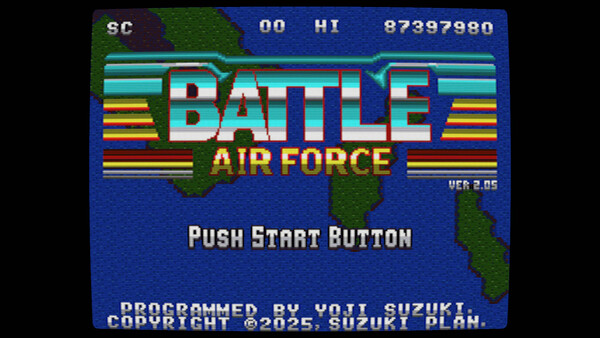
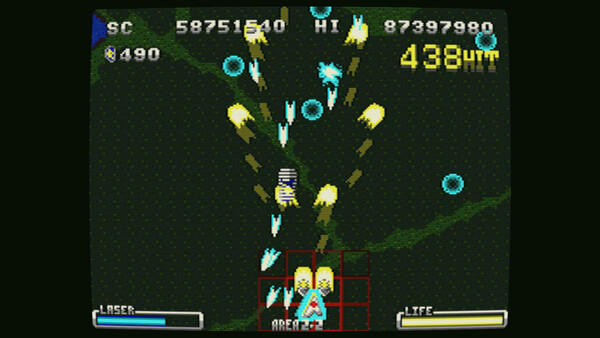
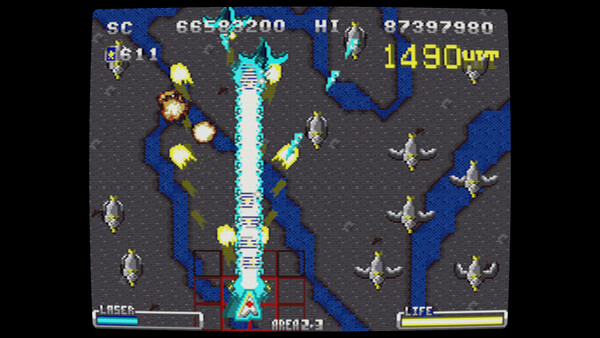
Three years after Battle Marine a new battle is about to begin! Battle AirForce is the first orthodox style vertical scrolling bullet hell STG since NOKOGI Rider by SUZUKI PLAN. Explore historical player activity and pricing for Battle AirForce. Player-count data was last observed Sep 26, 2026.
Battle AirForce player count and price summary
- Current players
- Unavailable
- All-time peak
- 1
- 24-hour player change
- Unavailable
- Current US price
- $6.99
Player count last observed . Values marked unavailable are not estimated.
Media gallery 8 screenshots · 1 videos
Screenshots


Videos

Demonstration
All-Time Peak
Estimated Owners
Game Insights
Buy Verdict
Wait for upcoming sale in ~4 days for potentially better pricing.
Value Score
Price-to-player ratio ranks in the 100th percentile. Priced as Market at $6.99.
Genre Benchmarks
Activity Heatmap
0 players · 1 samples
0 players · 1 samples
No samples
0 players · 2 samples
No samples
No samples
0 players · 2 samples
No samples
0 players · 1 samples
0 players · 1 samples
1 players · 1 samples
No samples
0 players · 1 samples
1 players · 1 samples
No samples
0 players · 1 samples
0 players · 1 samples
No samples
No samples
0 players · 2 samples
No samples
0 players · 1 samples
0 players · 1 samples
0 players · 1 samples
No samples
0 players · 1 samples
1 players · 1 samples
No samples
0 players · 2 samples
No samples
No samples
0 players · 2 samples
No samples
0 players · 1 samples
0 players · 1 samples
0 players · 1 samples
No samples
0 players · 1 samples
0 players · 1 samples
No samples
0 players · 1 samples
0 players · 1 samples
No samples
No samples
0 players · 2 samples
No samples
0 players · 1 samples
0 players · 1 samples
No samples
0 players · 1 samples
0 players · 1 samples
0 players · 1 samples
No samples
0 players · 1 samples
0 players · 1 samples
No samples
0 players · 2 samples
No samples
0 players · 1 samples
0 players · 1 samples
No samples
0 players · 1 samples
0 players · 1 samples
No samples
0 players · 1 samples
0 players · 1 samples
No samples
0 players · 1 samples
No samples
0 players · 1 samples
0 players · 1 samples
No samples
No samples
0 players · 2 samples
No samples
0 players · 1 samples
0 players · 1 samples
No samples
0 players · 1 samples
0 players · 1 samples
1 players · 1 samples
No samples
0 players · 2 samples
No samples
No samples
0 players · 3 samples
No samples
No samples
0 players · 3 samples
0 players · 1 samples
0 players · 1 samples
No samples
0 players · 2 samples
0 players · 1 samples
No samples
0 players · 2 samples
0 players · 1 samples
No samples
0 players · 2 samples
No samples
0 players · 2 samples
0 players · 1 samples
0 players · 1 samples
0 players · 1 samples
0 players · 2 samples
No samples
0 players · 3 samples
No samples
0 players · 1 samples
0 players · 2 samples
0 players · 1 samples
No samples
0 players · 1 samples
0 players · 2 samples
No samples
0 players · 1 samples
0 players · 2 samples
0 players · 1 samples
No samples
0 players · 2 samples
0 players · 1 samples
No samples
0 players · 1 samples
0 players · 2 samples
0 players · 1 samples
No samples
0 players · 2 samples
0 players · 1 samples
No samples
0 players · 3 samples
No samples
0 players · 1 samples
0 players · 2 samples
0 players · 1 samples
No samples
0 players · 2 samples
0 players · 1 samples
No samples
0 players · 1 samples
0 players · 2 samples
No samples
0 players · 2 samples
No samples
0 players · 1 samples
0 players · 1 samples
0 players · 1 samples
0 players · 2 samples
No samples
No samples
0 players · 2 samples
No samples
0 players · 1 samples
0 players · 1 samples
0 players · 1 samples
No samples
0 players · 1 samples
0 players · 1 samples
No samples
0 players · 2 samples
No samples
No samples
No samples
0 players · 2 samples
No samples
0 players · 1 samples
0 players · 1 samples
No samples
0 players · 1 samples
Price History
No Recent Price History
Price history data will appear here once more pricing information becomes available.
System Requirements
- OS: Windows 10
- Processor: Intel® Core™ i5
- Memory: 4 GB RAM
- Graphics: Intel HD Graphics 5000
- DirectX: Version 9.0c
- Storage: 20 MB available space
- Sound Card: Possible with typical sound cards
- OS: Windows 11
- Processor: Intel® Core™ i7
- Memory: 16 GB RAM
- Graphics: Intel® Iris® CPU Xe Graphics
- DirectX: Version 9.0c
- Storage: 20 MB available space
- Sound Card: Possible with typical sound cards
- Requires an Apple processor
- OS: 15.1
- Processor: Apple Silicon M1
- Memory: 8 GB RAM
- Graphics: 7 core GPU
- Storage: 20 MB available space
- Sound Card: Possible with typical sound cards
- Requires an Apple processor
- OS: 26.0
- Processor: Apple Silicon M3
- Memory: 16 GB RAM
- Graphics: 10 core GPU
- Storage: 20 MB available space
- Sound Card: Possible with typical sound cards
- OS: Ubuntu 18.04
- Processor: Intel® Core™ i5
- Memory: 4 GB RAM
- Graphics: Intel® HD Graphics 5000
- Storage: 20 MB available space
- Sound Card: Possible with typical sound cards
- OS: SteamOS latest version
- Processor: Zen 2 4c/8t、2.4-3.5GHz
- Memory: 16 GB RAM
- Graphics: 8 RDNA 2 CU、1.6GHz
- Storage: 20 MB available space
- Sound Card: SteamDeck DSP
Additional Information
Current Pricing
Additional Information
Developer Analytics
Loading competitors...
About This Game
Three years after Battle Marine a new battle is about to begin! Battle AirForce is the first orthodox style vertical scrolling bullet hell STG since NOKOGI Rider by SUZUKI PLAN. It was created in Z80 full assembly language, aiming at a level close to the limit of VGS-Zero.
Detailed Description
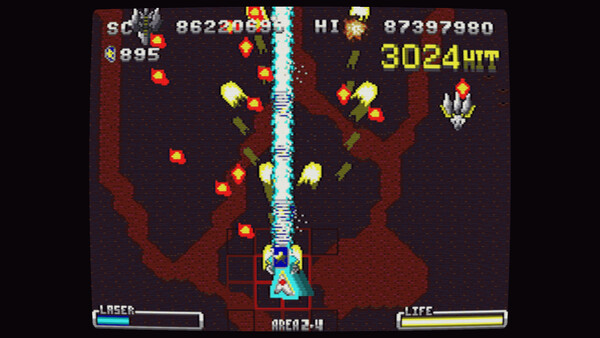
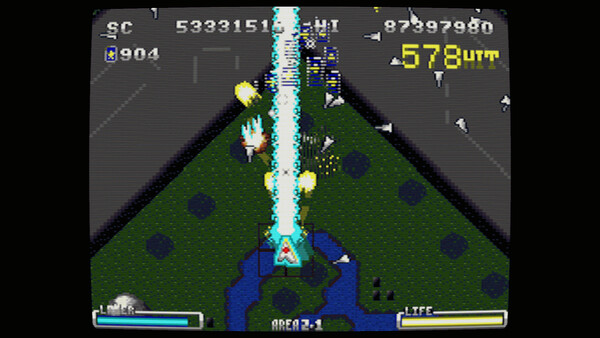
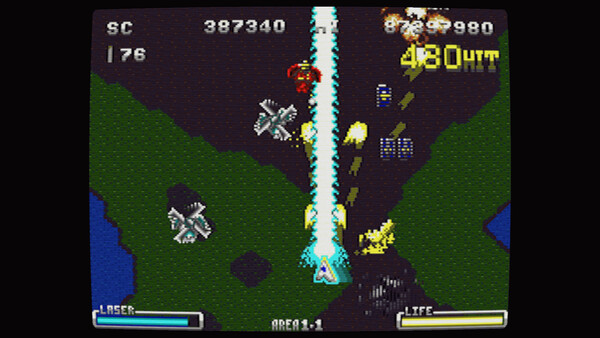
Battle AirForce is a vertical scrolling bullet hell STG.
Story
 Three years after Battle Marine you have been rescued by an enemy soldier and decided to defect to the opposing nation.
In your homeland, the commander who lured you into a trap has become emperor in a military coup. The emperor is now expanding his territory by invading formerly neutral countries while converting them into colonies.
You have risen up to thwart his ambitions in Battle AirForce.
Player Controls

The autocannon is fully automatic.
The laser can be charged with energy while holding the button and fired by releasing.
Canon and laser can be fired simultaneously.
The players movement slows slightly while the laser is charging and even slower when it is firing.
The laser can cancel enemy bullets.
Recommended Game Controller
We recommended playing with one of the following game controllers:
SteamDeck
Logicool (Logitech) F310 series

If you are playing on a PC we have confirmed that F310 can be played successfully on all operating systems. (Windows, macOS, Linux (Ubuntu Desktop))
The game is built to take full advantage of the SteamInput API. As a result the game can function with numerous game controllers, not just the F310. The SteamInput menu allows you to customize your input.
As for SteamDeck, we have not yet verified this as we are not entitled to submit a compatibility check, but it worked fine as far as we have independently verified.
Additional information for playing with the F310
When playing on Windows the switch on the back of the F310 must be set to “X” (XInput mode).
When playing on macOS or Ubuntu Desktop the switch on the back of the F310 must be set to “D” (DirectInput mode).
Keyboard Assignments
Z: Autocannon
X: Laser
Space: Start & Pause
Cursor-keys: D-Pads
R: Reset (macOS, Linux)
Ctrl+R: Reset (Windows)
Q: Exit Game (macOS, Linux)
Ctrl+X: Exit Game (Windows)
Alt+Enter: Toggle Full Screen (Windows)
Player's Life
When the player collides with enemy aircraft or enemy bullets the life gauge will decrease.
When the life gauge is empty your game is over.
When your life is not full you can continuously shoot ground targets to obtain recovery hearts.
Obtaining a recovery heart restores partial life but with the penalty that the hit combo is reset and the number of medals obtained is reduced.
Elements of Scoring
In Battle AirForce the player earns "Shooting Points" by shooting enemies with the autocannon, "Bullet Erase Points" by canceling enemy bullets, and "Bonus Points" from medal acquisitions.
Shooting Points = number of medals acquired x 30 + number of HIT combos x 10 points
Bonus Points = number of HIT combos x 10 points
Bullet Erase Points = number of HIT combos x 10 + number of medal acquired x 10
When adding the Shooting and Bonus points to the score, their added values are attenuated linearly depending on the amount of laser charge.
Shooting Points is not added while the laser is being fired.
The number of medals you get decreases as you fire lasers or as your life gauge decreases.
The number of HIT combos is continuously added by firing shots and lasers within 60 frames (about 1 second) or by acquiring medals, up to a maximum of 9999 HITs on display.
Medals are automatically tracked when you are in proximity.
If the HIT combo number is over 1000, the medal will be auto-tracked from the beginning.
Aim for a high score by maintaining the number of HIT combos while obtaining medals as long as possible.
Simple score increase guidelines
When combos and medals are low, you aggressively use lasers to try to increase combos and medals.
When combos and medals are high, you shoot lasers as little as possible to score points.
Player's Special Abilities
Your newest machine, the Battle AirForce, has the special ability to slow down the speed of bullets when enemy bullets approach your AT zone. This special ability is automatically activated.
Stage Composition
This game has four areas each with four phases (16 phases in all).
There are 16 different enemy characters in each phase.
Once the phase is completed the ZAKO RUSH mode is unlocked.
ZAKO RUSH

Of the total of 16 phases, you can play phases that you have completed once in the main game.
You have unlimited lives in this mode.
Total number of times played, number of times cleared with no mistakes, and high score will be recorded.
Leaderboards

View high scores obtained in the main game and ZAKO RUSH
Press the START button to play the replay movie of your high score.
The global leaderboard can be viewed by pressing the LEFT or RIGHT keys.

The global Leaderboard allows you to view the scores of the Top 16 players from all over the world and view replays of when those players earned those scores.
Downloading replays that have not been registered for a short time may cause an error. If an error occurs, please wait a while and try again.
The DOWNLOAD data size for replays is approximately 10KB (0.01MB) for a 10-minute movie, so there is no need to be concerned about the traffic in most Internet environments.
Future updates may result in replay incompatibility. Please be aware that we may reset the global leaderboards after releasing an update that will cause a loss of replay compatibility. We will make sure to maintain replay compatibility whenever possible but we encourage you to post any superplays you wish to keep for future reference on YouTube or elsewhere.
Scores that fall under the following cases may be removed (reset) if we discovers a score within the top 16 of the Global Ranking.
Replay data is not attached
Replay data is corrupted (e.g., replay results and scores are mismatched)
If you find a score that falls into any of the above categories, please contact the community or the operator Twitter (X) and we may be able to take action.
How to Customize Operation Settings (In-Game)
The following settings can be customized in CONFIG on the title screen:
Window Mode: Select full screen or window
Window Size: Select Linux or macOS window size
Scanline: Select ON or OFF for the scanline screen effect.
BG Interlace: Select ON or OFF for map interlace effect
BGM Volume: Select the volume of background music from 0% to 100%.
SFX Volume: Selects the volume of sound effects from 0% to 100%.
Remarks
In case of BigPicture mode (e.g. SteamDeck), the setting will automatically change to full screen mode when the application is launched, even if windowed mode is selected.
On macOS or Linux, a restart of the application is required to reflect the Window Mode, Window Size, and Scanline settings.
The Window Size setting is disabled in Windows. (It will always be ADJUST)
If you want to adjust the window size in Windows, switch to Window mode and drag the four corners of the window.
How to Customize Operation Settings (Windows)
Press Alt+Enter to exit full screen mode
Customize various settings on the status bar
How to customize settings (macOS and Linux)
When Battle AirForce is launched, the config.json file is automatically created.
The output path for config.json is as follows:
macOS: ~/Library/Application Support/Steam/userdata/<UserID>/3476490/local/config.json
Linux: ~/.local/share/Steam/userdata/<UserID>/3476490/local/config.json
The configuration entries are as follows:
isFullScreen: true = full screen mode, false = window mode
isScanline: true = filter ON, false = filter OFF
keyboard: SDL keycode as hex string for assigned keys
sound: Set the sound pressure of music (BGM) and sound effects (SE) as a number (%) from 0 to 100
You can restore the default settings by deleting the config.json file and restarting the game.
About Video Distribution
This game can be freely distributed on video distribution platforms such as Nico Nico Douga, YouTube, Twitch, terrestrial TV, and cable TV for gameplay and play-by-play videos.
There are no restrictions on monetization (Nico Nico Douga's Creator Incentive Program, YouTube Partner Program, etc.) for video distribution using this game.
You are also free to use screenshots, music and video clips for your web media and magazines. Of course, you do not need our supervision.
There are no restrictions on holding eSports tournaments using this game, nor are there any restrictions on the use of assets, but please comply with the laws of the country or state where the event is held.
It does not matter whether the media distributor is an individual or a corporation.
No prior or subsequent permission is required.
The regulations regarding video distribution for the GBA version are the same as above.
About the GBA version
The ROM file of the GBA version of this title is distributed as a purchase bonus on Steam.
The GBA version can also be played on the actual device by writing the ROM file to a Flash cartridge, but basically we recommend using an emulator such as mGBA.
The GBA version ROM file is stored in a folder called “omake” which can be checked by clicking the Battle AirForce settings icon on the Steam client and selecting ‘Manage’ -> “Browse Local Files” to launch Explorer or Finder.
