
Reelease
Reelease - Steam Analytics & Details
Reelease maintains a green-rated player base.
Reelease player count and price summary
- Current players
- 0
- All-time peak
- Unavailable
- 24-hour player change
- 0%
- Current US price
- Price unavailable
Player count observed . Values marked unavailable are not estimated.
Media gallery 5 screenshots · 1 videos
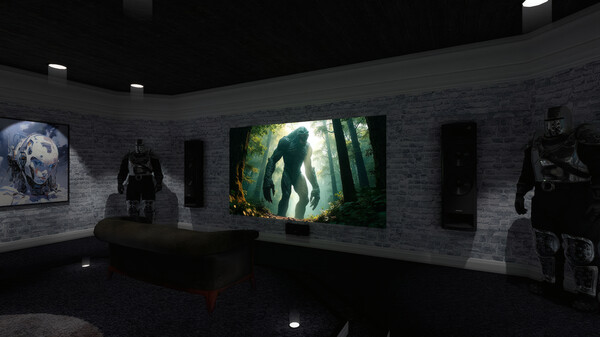
Screenshots
Videos
Reelease Trailer
Game Insights
Player Health
Stable player base with low churn risk.
Activity Heatmap
0 players · 1 samples
No samples
No samples
0 players · 2 samples
No samples
0 players · 1 samples
0 players · 1 samples
0 players · 1 samples
0 players · 1 samples
No samples
0 players · 1 samples
0 players · 1 samples
0 players · 1 samples
No samples
No samples
0 players · 2 samples
No samples
0 players · 1 samples
0 players · 1 samples
No samples
0 players · 1 samples
0 players · 1 samples
No samples
0 players · 1 samples
0 players · 1 samples
0 players · 1 samples
No samples
0 players · 1 samples
0 players · 1 samples
No samples
0 players · 2 samples
No samples
0 players · 1 samples
0 players · 1 samples
0 players · 1 samples
No samples
0 players · 1 samples
0 players · 1 samples
No samples
No samples
0 players · 2 samples
No samples
No samples
0 players · 2 samples
No samples
0 players · 1 samples
0 players · 1 samples
No samples
0 players · 1 samples
0 players · 1 samples
0 players · 1 samples
No samples
0 players · 1 samples
0 players · 1 samples
No samples
0 players · 2 samples
No samples
0 players · 1 samples
0 players · 1 samples
No samples
0 players · 1 samples
0 players · 1 samples
No samples
0 players · 1 samples
0 players · 1 samples
No samples
0 players · 1 samples
No samples
0 players · 1 samples
0 players · 1 samples
No samples
0 players · 1 samples
0 players · 1 samples
No samples
0 players · 1 samples
0 players · 1 samples
No samples
0 players · 1 samples
0 players · 1 samples
0 players · 1 samples
No samples
0 players · 1 samples
0 players · 1 samples
No samples
0 players · 2 samples
No samples
No samples
0 players · 1 samples
0 players · 1 samples
No samples
0 players · 1 samples
0 players · 1 samples
No samples
0 players · 1 samples
0 players · 1 samples
No samples
No samples
0 players · 2 samples
No samples
No samples
0 players · 2 samples
0 players · 1 samples
No samples
0 players · 3 samples
No samples
0 players · 2 samples
0 players · 1 samples
0 players · 1 samples
0 players · 1 samples
0 players · 2 samples
No samples
No samples
0 players · 2 samples
0 players · 1 samples
0 players · 1 samples
0 players · 1 samples
0 players · 2 samples
No samples
No samples
0 players · 3 samples
No samples
0 players · 1 samples
0 players · 1 samples
0 players · 2 samples
No samples
0 players · 1 samples
0 players · 2 samples
No samples
0 players · 2 samples
0 players · 1 samples
0 players · 1 samples
0 players · 1 samples
0 players · 2 samples
No samples
0 players · 1 samples
0 players · 2 samples
No samples
0 players · 1 samples
0 players · 2 samples
No samples
0 players · 1 samples
No samples
0 players · 2 samples
0 players · 1 samples
No samples
0 players · 3 samples
No samples
No samples
0 players · 2 samples
No samples
0 players · 1 samples
0 players · 1 samples
0 players · 1 samples
No samples
0 players · 1 samples
0 players · 1 samples
No samples
0 players · 2 samples
No samples
No samples
No samples
0 players · 2 samples
No samples
0 players · 1 samples
0 players · 1 samples
No samples
0 players · 1 samples
0 players · 1 samples
System Requirements
- Requires a 64-bit processor and operating system
- OS: Windows 10
- Processor: Intel Core i-7 8700 3.2Ghz
- Memory: 8 GB RAM
- Graphics: Geforce GTX 1650 or equivalent or higher.
- DirectX: Version 11
- Storage: 200 MB available space
- Sound Card: Windows 10 compatible sound card
- VR Support: Any Open XR HMD and Controller
- Additional Notes: M.2 SSD for better playback and application performance
- Requires a 64-bit processor and operating system
- OS: Windows 11
- Processor: Intel Core i-9 9900K 3.6Ghz
- Memory: 16 GB RAM
- Graphics: Geforce RTX 3060 or equivalent or higher.
- DirectX: Version 12
- Storage: 200 MB available space
- Sound Card: Windows 11 compatible sound card
- VR Support: Any Open XR HMD and Controller, PlayStation VR2
- Additional Notes: M.2 SSD for better playback and application performance
Additional Information
*languages with full audio support
Additional Information
Developer Analytics
Loading competitors...
About This Game
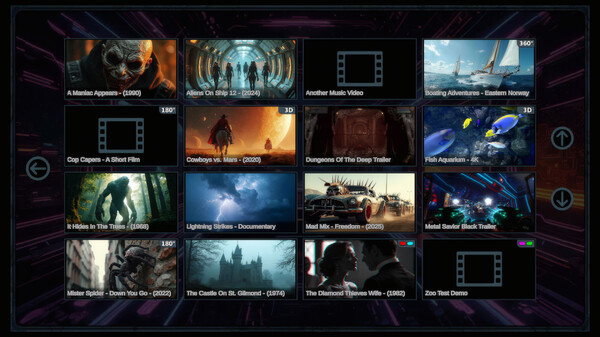
Watch videos in 2D, 3D, 180°, 360° and Anaglyph in different environments.
Detailed Description

Reelease is a video player application exclusively for Steam and SteamVR.
Watch your favorite videos right from your USB or HDD.
You can watch videos in 2D, 3D, 180°, 360° and Anaglyph.
- No accounts needed.
- No subscriptions needed.
- No hassles.
Watching videos has been made real easy!
Reelease supports video formats of .mp4, .mov, .avi. and .webm. You can watch videos in 2D, 3D, 180°, 360° and Anaglyph.
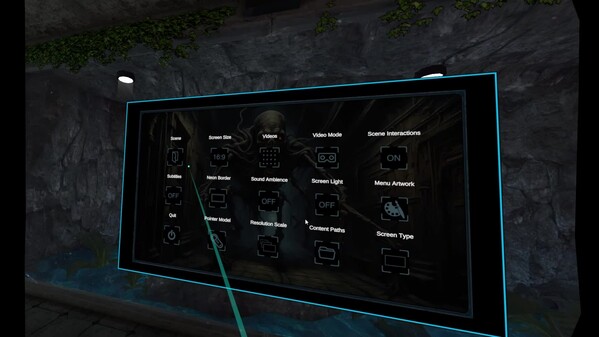
Quick and easy to navigate menu system.
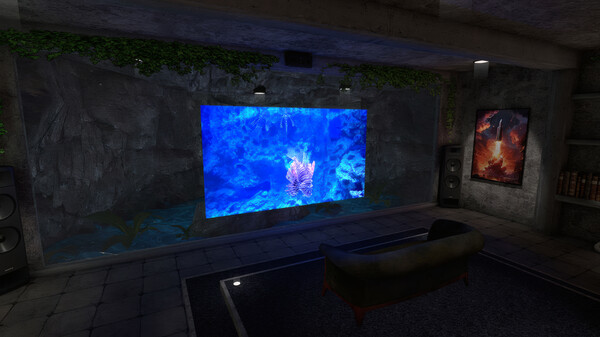
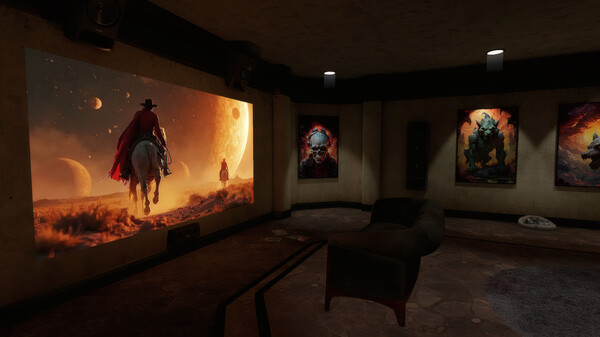
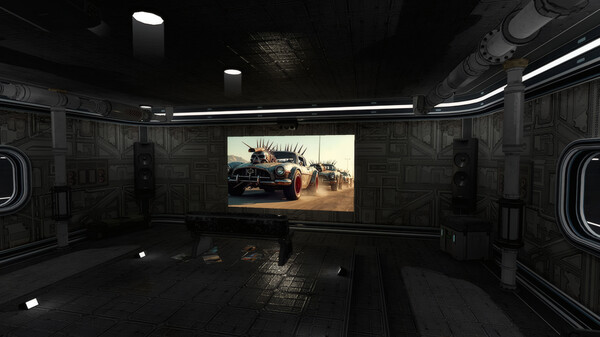
View videos within 8 different scenarios on a giant projection screen.
Choose from multiple screen border neon colors.
Watch from an adjustable view distance.
Turn on / off screen emitting light.
Turn on / off scene ambient sound.
Change the width of the screen from the equivalent of watching 16:9 or 2.4:1.
Hide the screen if wanting to just look at the environment.
Customize the look of various scenes to display your own posters.
Create your own video thumbnail images.
Turn on / off subtitles.
Choose from multiple menu artwork backgrounds.
Choose from multiple pointer models.
Watch videos on a flat or curved projection screen.
Choose your own paths to your videos and custom content.
Change visual quality settings.
Interact with various objects within the environments.