Game overview
Crashlands 2 - Digital Art and Design Book
This content requires the base game Crashlands 2 on Steam in order to play. Crashlands 2 digital artbook gives you a glimpse into the messy, sprawling journey of how we created the game’s distinctive visual style, including some of the skills, tech, and tricks we developed along the way.
- Last tracked players
- 0
- Recorded peak
- Unavailable
- 24-hour change
- Unavailable
Delayed observation · last tracked . Values marked unavailable are not estimated. Recorded peak is the highest player count observed by SteamIQHQ; earlier records may be outside our coverage.
Thinking of returning to Crashlands 2 - Digital Art and Design Book?
See recorded Steam news, player activity and price changes since your last visit.
See what changed in Crashlands 2 - Digital Art and Design BookAbout this game Read the full description
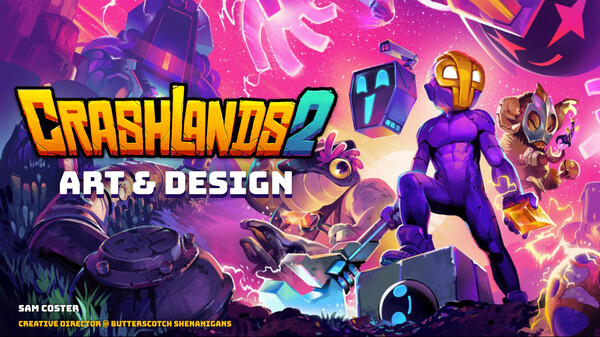
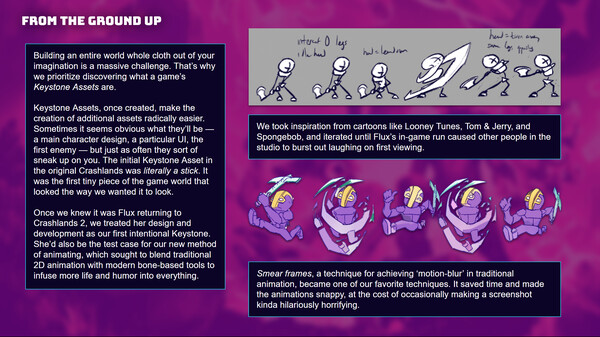
Crashlands 2 is an incredible labor of handcrafted love, from the tiniest Frug to the sluggiest Bun. This digital artbook gives you a glimpse into the messy, sprawling journey of how we created the game’s distinctive visual style, including some of the skills, tech, and tricks we developed along the way. Check out never-before-seen early sketches, concept art, and storyboards, and learn about the process involved in turning a rough idea into a living part of the world of Crashlands 2.
Included:
- All 57 of Flux's body parts 😱
- Broken-apart views of terrain
- Animation breakdowns for creatures
- Cutscene drafts and processes
- And some digital art files you can use to create your own Woanopian wildlife!
After Installation
After purchasing and installing the Making of Crashlands 2 – Artbook DLC, you’ll find the PDF file titled Making of Crashlands 2 – Artbook.pdf in the main installation directory of Crashlands 2 under the "Artbook" folder.
For example, on Windows, this is typically:
C:\Program Files (x86)\Steam\steamapps\common\Crashlands 2
If you’re not sure where Crashlands 2 is installed, here’s how to locate it:
Open your Steam Library and right-click on Crashlands 2.
Select Properties…
Go to the Installed Files tab.
Click Browse… to open the game’s install folder.
Media gallery 2 screenshots · 0 videos

Screenshots
Player activity
Concurrent players over the last 48 hours.
Game details Languages, features & support
- Publisher
- Butterscotch Shenanigans
- Controller support
- full
- Features
- Single-player, Downloadable Content, Full controller support, Family Sharing
- Languages
- English*, Simplified Chinese
*languages with full audio support - Website
- Official website ↗
More analysis Activity patterns, updates & developer tools
Developer Analytics
Loading competitors...