
AmaView: Desktop GIFs
AmaView: Desktop GIFs - Steam Charts & Historical Stats
Open animated GIFs and images without any sort of UI. Explore historical player activity and pricing for AmaView: Desktop GIFs. Player-count data was last observed Sep 25, 2026.
AmaView: Desktop GIFs player count and price summary
- Current players
- Unavailable
- All-time peak
- 1
- 24-hour player change
- Unavailable
- Current US price
- $2.99
Player count last observed . Values marked unavailable are not estimated.
Media gallery 5 screenshots · 1 videos
Screenshots


Videos
Reveal trailer
Last Tracked Players
All-Time Peak
Estimated Owners
Game Insights
Buy Verdict
Decent deal at 0% off, but might drop further. Watch for better opportunities.
Value Score
Price-to-player ratio ranks in the 50th percentile. Priced as Market at $2.99.
Genre Benchmarks
Activity Heatmap
0 players · 2 samples
No samples
0 players · 2 samples
0 players · 1 samples
0 players · 1 samples
0 players · 1 samples
0 players · 2 samples
0 players · 2 samples
1 players · 1 samples
0 players · 2 samples
0 players · 1 samples
1 players · 1 samples
0 players · 2 samples
No samples
0 players · 2 samples
0 players · 1 samples
0 players · 1 samples
0 players · 1 samples
0 players · 2 samples
No samples
0 players · 2 samples
0 players · 1 samples
0 players · 2 samples
No samples
0 players · 2 samples
0 players · 1 samples
0 players · 1 samples
0 players · 2 samples
0 players · 1 samples
0 players · 1 samples
0 players · 2 samples
0 players · 1 samples
0 players · 1 samples
0 players · 2 samples
0 players · 2 samples
No samples
0 players · 2 samples
0 players · 1 samples
0 players · 1 samples
0 players · 1 samples
0 players · 2 samples
No samples
0 players · 1 samples
0 players · 2 samples
0 players · 1 samples
0 players · 1 samples
0 players · 2 samples
No samples
0 players · 2 samples
0 players · 1 samples
0 players · 2 samples
No samples
0 players · 2 samples
0 players · 1 samples
0 players · 1 samples
0 players · 3 samples
No samples
0 players · 2 samples
0 players · 1 samples
0 players · 1 samples
0 players · 2 samples
0 players · 1 samples
No samples
0 players · 2 samples
0 players · 1 samples
0 players · 1 samples
0 players · 1 samples
0 players · 1 samples
0 players · 1 samples
0 players · 2 samples
No samples
0 players · 2 samples
0 players · 1 samples
0 players · 1 samples
0 players · 1 samples
0 players · 2 samples
No samples
0 players · 2 samples
0 players · 1 samples
0 players · 2 samples
No samples
0 players · 3 samples
No samples
0 players · 1 samples
0 players · 3 samples
No samples
No samples
0 players · 3 samples
No samples
0 players · 1 samples
0 players · 2 samples
0 players · 1 samples
No samples
0 players · 2 samples
0 players · 1 samples
0 players · 1 samples
No samples
0 players · 2 samples
0 players · 1 samples
No samples
0 players · 3 samples
No samples
0 players · 1 samples
0 players · 2 samples
0 players · 1 samples
0 players · 1 samples
0 players · 2 samples
No samples
0 players · 2 samples
0 players · 2 samples
No samples
No samples
0 players · 2 samples
0 players · 1 samples
0 players · 1 samples
0 players · 1 samples
0 players · 2 samples
No samples
0 players · 1 samples
0 players · 2 samples
No samples
0 players · 1 samples
0 players · 1 samples
0 players · 2 samples
No samples
0 players · 1 samples
0 players · 2 samples
No samples
0 players · 2 samples
0 players · 1 samples
0 players · 1 samples
0 players · 1 samples
0 players · 2 samples
No samples
0 players · 1 samples
0 players · 3 samples
No samples
0 players · 2 samples
0 players · 2 samples
0 players · 1 samples
0 players · 1 samples
0 players · 1 samples
0 players · 2 samples
0 players · 2 samples
No samples
0 players · 4 samples
No samples
0 players · 1 samples
0 players · 3 samples
No samples
0 players · 2 samples
0 players · 1 samples
0 players · 2 samples
0 players · 1 samples
0 players · 1 samples
0 players · 2 samples
No samples
0 players · 3 samples
0 players · 1 samples
No samples
No samples
0 players · 3 samples
No samples
0 players · 2 samples
0 players · 1 samples
0 players · 1 samples
0 players · 2 samples
0 players · 1 samples
Price History
No Recent Price History
Price history data will appear here once more pricing information becomes available.
System Requirements
- Requires a 64-bit processor and operating system
- OS: Windows 11 64 bits
- Requires a 64-bit processor and operating system
Additional Information
Player-to-Price Ratio
Current Pricing
Additional Information
Developer Analytics
Loading competitors...
About This Game
Open animated GIFs and images without any sort of UI. Fully supports transparency and animations. It always plays them at the correct speed and maintains color accuracy. Has a few other options. Imo the best way to view gifs. I know I'm the dev but I mean it lmao.
Detailed Description
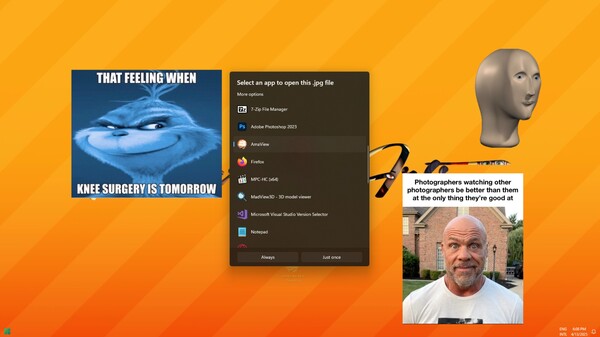
Normally you double click a GIF and it opens up this boring ahh window with a bunch of buttons and borders like it's 1995. Well my little fella, with AmaView double clicking GIFs just got a whole lot more fun.
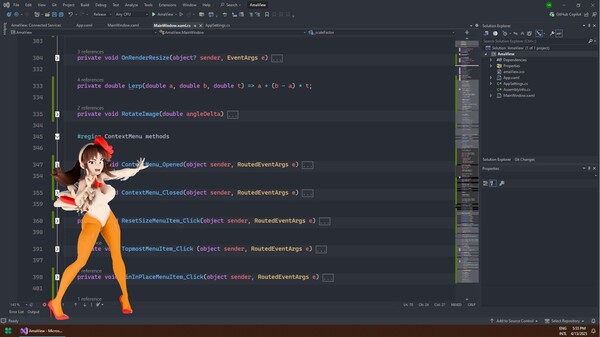
Whatever you open with this will become a floating thing in your desktop. Think of it as the most minimalistic viewer possible. No UI. No borders. It wont even show up in your taskbar. That means that you can open dozens of images and it won't bloat anything.
Must be chaos then, you say? Maybe, but it comes with an automatic manager you'll find in your system tray. Right click it and you'll be able to close everything.
Here's the full list of things you can do with this
Open GIFs, JPGs, JPEGs and PNGs
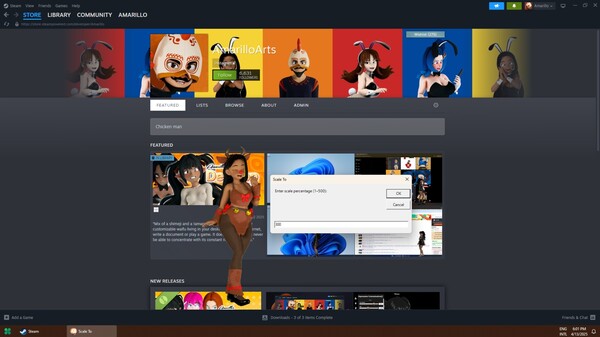
Flip, Rotate, Scale and Move (Rotate is a little buggy I ain't gonna lie, but it does work if you need it)
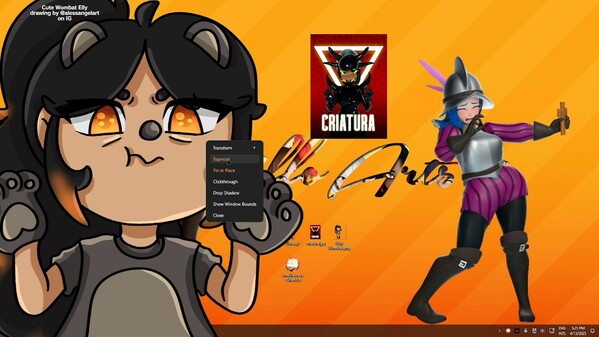
Set it as "Topmost" (so it is always on top of all other windows)
Pin in Place (so it doesn't move when you click it)
Clickthrough (so it becomes fully transparent to clicks and other mouse events)
Drop Shadow (so it- I think you get it)
Also included
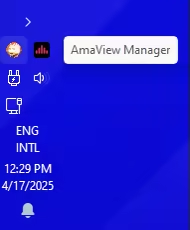
AmaView Manager. A silent companion tray app that opens and closes itself automatically when you open / close AmaView. It serves 2 functions. It lets you disable Clickthrough for all AmaView windows open (because you can't click on them after you enable that) and it also lets you close all AmaView windows at the same time.
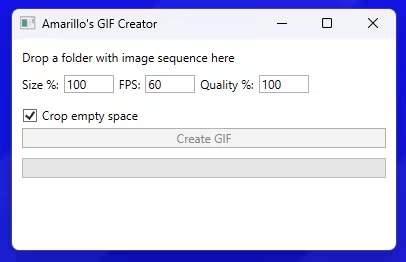
Amarillo's GIF Creator: a bonus mini app that makes the process of creating GIFs really fast and simple. I use this to create my own GIFs from image sequences.
And a free complimentary full-body GIF made by yours truly of Miko, one of my original characters who you'll find in Amarillo's Desktop Pets, whenever that comes out 💀
None of the GIFs and images shown in the trailer are included here.