
Electronic Shop Simulator
Electronic Shop Simulator - Steam Charts & Historical Stats
Manage your own electronics store, buy phones, laptops, and accessories. Explore historical player activity and pricing for Electronic Shop Simulator. Player-count data was last observed Sep 26, 2026.
Electronic Shop Simulator player count and price summary
- Current players
- Unavailable
- All-time peak
- Unavailable
- 24-hour player change
- Unavailable
- Current US price
- $3.99
Player count last observed . Values marked unavailable are not estimated.
Media gallery 6 screenshots · 1 videos
Screenshots

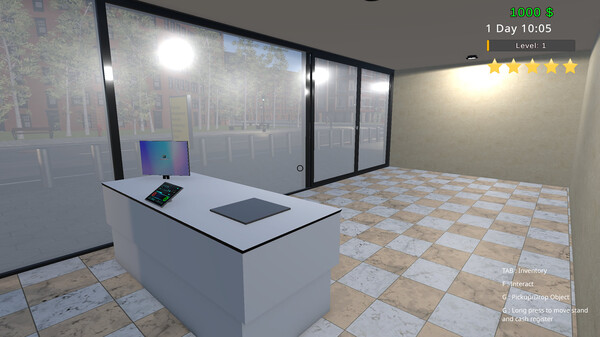
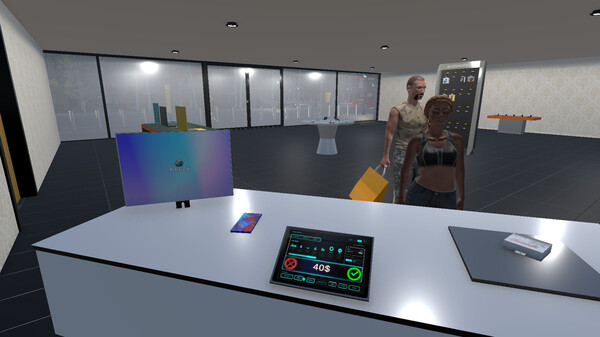
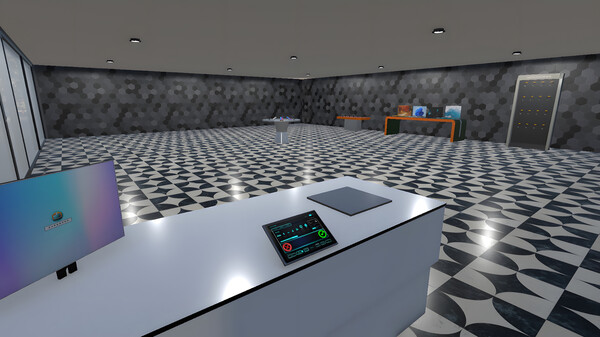
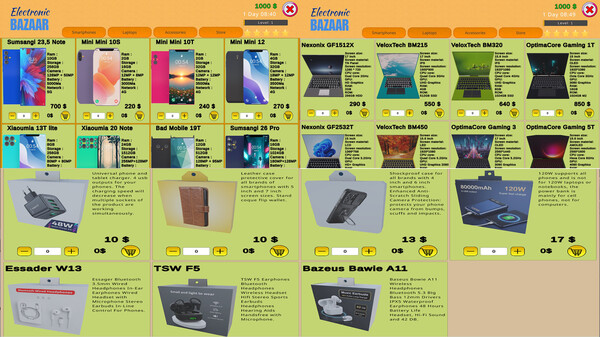

Videos
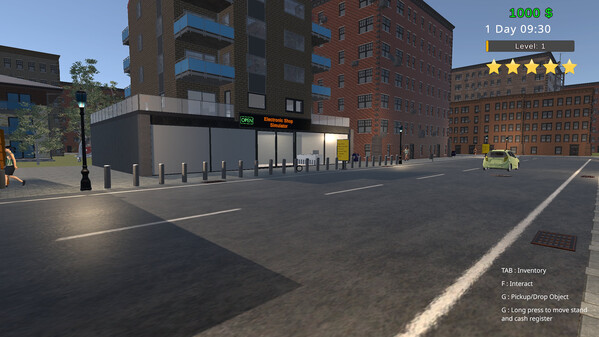
Electronic Shop Simulator
Game Insights
Buy Verdict
Decent deal at 0% off, but might drop further. Watch for better opportunities.
Value Score
Price-to-player ratio ranks in the 83th percentile. Priced as Market at $3.99.
Genre Benchmarks
Activity Heatmap
0 players · 1 samples
No samples
0 players · 2 samples
No samples
No samples
0 players · 1 samples
0 players · 1 samples
0 players · 1 samples
0 players · 1 samples
0 players · 1 samples
No samples
0 players · 1 samples
0 players · 1 samples
No samples
0 players · 1 samples
0 players · 1 samples
No samples
0 players · 1 samples
0 players · 1 samples
No samples
0 players · 1 samples
0 players · 1 samples
0 players · 1 samples
No samples
0 players · 1 samples
0 players · 1 samples
No samples
0 players · 2 samples
No samples
No samples
0 players · 2 samples
No samples
0 players · 1 samples
0 players · 1 samples
0 players · 1 samples
No samples
0 players · 1 samples
0 players · 1 samples
No samples
0 players · 1 samples
0 players · 1 samples
No samples
No samples
0 players · 2 samples
No samples
0 players · 1 samples
0 players · 1 samples
No samples
0 players · 1 samples
0 players · 1 samples
0 players · 1 samples
No samples
0 players · 1 samples
0 players · 1 samples
No samples
0 players · 2 samples
No samples
0 players · 1 samples
0 players · 1 samples
No samples
0 players · 1 samples
0 players · 1 samples
No samples
0 players · 1 samples
0 players · 1 samples
0 players · 1 samples
No samples
No samples
0 players · 1 samples
0 players · 1 samples
No samples
0 players · 2 samples
No samples
No samples
0 players · 1 samples
0 players · 1 samples
No samples
0 players · 1 samples
0 players · 1 samples
0 players · 1 samples
No samples
0 players · 2 samples
No samples
No samples
0 players · 2 samples
No samples
No samples
0 players · 2 samples
No samples
No samples
0 players · 1 samples
0 players · 1 samples
No samples
0 players · 1 samples
0 players · 1 samples
No samples
No samples
0 players · 2 samples
No samples
No samples
0 players · 2 samples
No samples
No samples
0 players · 2 samples
No samples
0 players · 1 samples
0 players · 1 samples
No samples
0 players · 1 samples
0 players · 1 samples
No samples
No samples
0 players · 1 samples
0 players · 1 samples
No samples
0 players · 1 samples
0 players · 2 samples
No samples
0 players · 1 samples
0 players · 2 samples
No samples
0 players · 1 samples
0 players · 1 samples
0 players · 2 samples
No samples
0 players · 1 samples
0 players · 2 samples
No samples
0 players · 2 samples
0 players · 1 samples
0 players · 1 samples
0 players · 1 samples
0 players · 2 samples
No samples
0 players · 1 samples
0 players · 2 samples
No samples
0 players · 1 samples
0 players · 2 samples
No samples
0 players · 1 samples
0 players · 1 samples
0 players · 1 samples
0 players · 1 samples
No samples
0 players · 3 samples
No samples
0 players · 1 samples
0 players · 1 samples
No samples
0 players · 1 samples
0 players · 1 samples
0 players · 1 samples
No samples
0 players · 1 samples
0 players · 1 samples
No samples
0 players · 2 samples
No samples
No samples
No samples
0 players · 2 samples
No samples
0 players · 1 samples
0 players · 1 samples
No samples
0 players · 1 samples
0 players · 1 samples
Price History
No Recent Price History
Price history data will appear here once more pricing information becomes available.
System Requirements
- OS: Windows 10
- Processor: Intel Core i7-8th or AMD R7
- Memory: 4 GB RAM
- Graphics: NVIDIA GeForce RTX 2080 or AMD rx 6000 series
- DirectX: Version 11
- Storage: 2 GB available space
- OS: Windows 10
- Processor: Intel Core i9 10th or AMD Ryzen R9
- Memory: 8 GB RAM
- Graphics: NVIDIA rtx 4000 series or AMD Radeon Rx 7000 series
- DirectX: Version 12
- Storage: 4 GB available space
Additional Information
Current Pricing
Additional Information
Developer Analytics
Loading competitors...
About This Game
Manage your own electronics store, buy phones, laptops, and accessories. Place products on stands, set prices, satisfy customers, and increase your profits. A detailed business simulation with real-time management and investment systems.
Detailed Description
Electronic Shop Simulator is a business simulation game where you establish and manage your own electronics store. Increase customer satisfaction, maximize your profits, and expand your store by offering phones, laptops, and accessories for sale. You have complete control over everything from stand placement to product pricing!
Packed with detailed systems like crypto investments, billboards, and evolving store management over time, this experience offers ideal gameplay for both strategy and simulation enthusiasts.
Automatic Pricing: Activate automatic pricing on the product price screen and enter a percentage. This number is not the item's price, but the average of the item's minimum and maximum selling prices.
Moving Items from Top to Bottom Inventory: You can do this in three ways: by drag-and-drop, with CTRL + left-click, or by pressing the colorful flash icon on the inventory screen.
Automatic Cashier: Upgrade your cashier's level from the store to add the automatic cashier feature and free yourself from standing at the counter.
Quick but Important Tips: If your store's star rating is low, the number of customers will decrease. In such a case, increase your customer count by selling products cheaper, buying reviews (green star on the reviews screen), or advertising on the Store screen. You can even do all three for a much higher customer influx.
Fast Progression: If you want to develop your store quickly and earn money fast, my advice is not to constantly sell very cheap accessories. Instead, sell phones or laptops, or if you prefer selling accessories, opt for expensive ones. This way, your earnings will increase much faster.