
NoSlack Pets: Lo-Fi Paws
NoSlack Pets: Lo-Fi Paws - Steam Charts & Historical Stats
A warm and cozy desktop cat companion game. Explore historical player activity and pricing for NoSlack Pets: Lo-Fi Paws. Player-count data was last observed Sep 27, 2026.
NoSlack Pets: Lo-Fi Paws player count and price summary
- Current players
- Unavailable
- All-time peak
- 410
- 24-hour player change
- Unavailable
- Current US price
- $4.19
Player count last observed . Values marked unavailable are not estimated.
Media gallery 13 screenshots · 4 videos
Screenshots


Videos
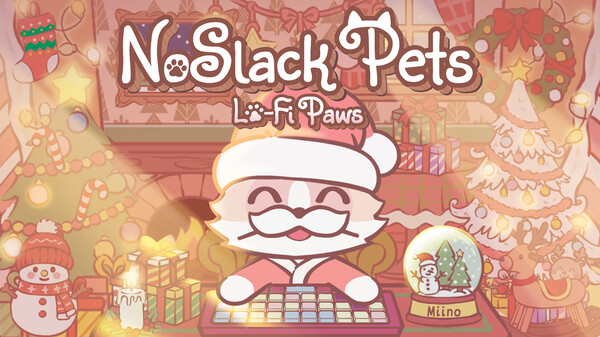
No Slack Pets — Official Trailer
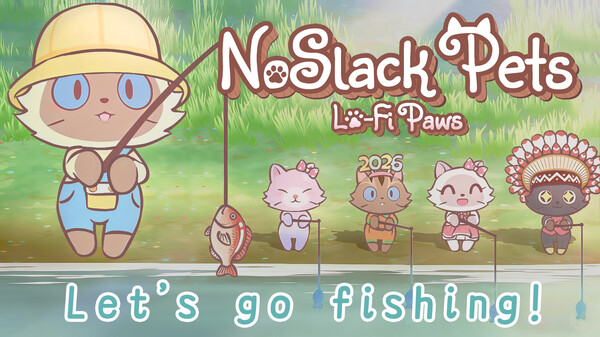
NoSlack Pets - Fishing Trailer
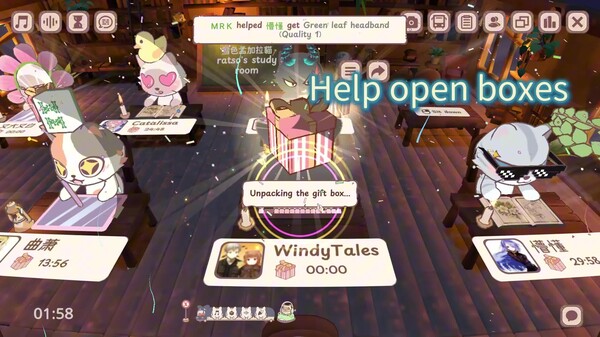
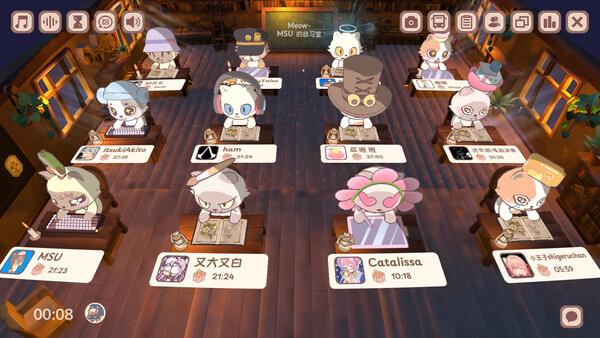
Noslack Pets-Study Room
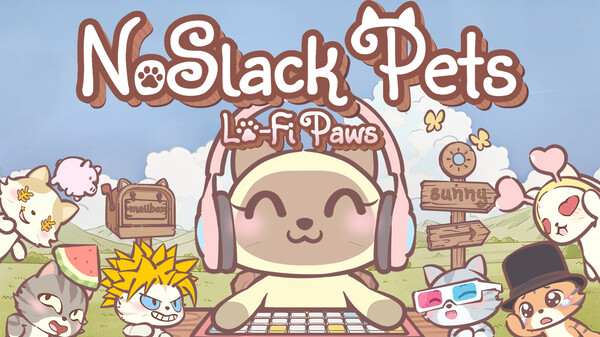
NoSlack Pets
Last Tracked Players
All-Time Peak
Estimated Owners
Game Insights
Buy Verdict
Decent deal at 30% off, but might drop further. Watch for better opportunities.
Update Momentum
12 patches and 12 news items in last 180 days. Latest patch effect size: 0.00.
Value Score
Price-to-player ratio ranks in the 100th percentile.
Genre Benchmarks
Activity Heatmap
174 players · 2 samples
No samples
239 players · 3 samples
No samples
266 players · 1 samples
270 players · 1 samples
281 players · 2 samples
322 players · 2 samples
300 players · 1 samples
350 players · 2 samples
361 players · 1 samples
321 players · 1 samples
362 players · 2 samples
No samples
314 players · 2 samples
308 players · 1 samples
286 players · 1 samples
201 players · 1 samples
195 players · 2 samples
No samples
167 players · 2 samples
144 players · 1 samples
154 players · 2 samples
No samples
168 players · 2 samples
195 players · 1 samples
281 players · 1 samples
282 players · 2 samples
305 players · 1 samples
343 players · 1 samples
312 players · 2 samples
375 players · 1 samples
359 players · 1 samples
368 players · 2 samples
377 players · 2 samples
No samples
370 players · 2 samples
386 players · 1 samples
379 players · 1 samples
269 players · 1 samples
270 players · 2 samples
No samples
227 players · 1 samples
182 players · 2 samples
188 players · 1 samples
149 players · 1 samples
156 players · 2 samples
No samples
178 players · 2 samples
214 players · 1 samples
280 players · 2 samples
No samples
302 players · 2 samples
290 players · 1 samples
342 players · 1 samples
336 players · 3 samples
No samples
374 players · 2 samples
332 players · 1 samples
385 players · 1 samples
390 players · 2 samples
359 players · 1 samples
No samples
346 players · 2 samples
212 players · 1 samples
232 players · 2 samples
No samples
203 players · 1 samples
172 players · 1 samples
184 players · 2 samples
No samples
165 players · 3 samples
No samples
232 players · 1 samples
261 players · 1 samples
293 players · 2 samples
No samples
296 players · 2 samples
327 players · 1 samples
352 players · 2 samples
No samples
355 players · 3 samples
359 players · 1 samples
No samples
350 players · 3 samples
No samples
No samples
292 players · 4 samples
No samples
No samples
184 players · 2 samples
197 players · 1 samples
No samples
154 players · 2 samples
147 players · 1 samples
164 players · 1 samples
No samples
202 players · 2 samples
271 players · 1 samples
No samples
306 players · 3 samples
No samples
358 players · 1 samples
312 players · 2 samples
377 players · 1 samples
343 players · 1 samples
334 players · 2 samples
No samples
342 players · 2 samples
297 players · 1 samples
330 players · 1 samples
No samples
257 players · 1 samples
222 players · 2 samples
No samples
184 players · 2 samples
168 players · 2 samples
No samples
149 players · 1 samples
152 players · 2 samples
No samples
221 players · 1 samples
234 players · 1 samples
268 players · 2 samples
No samples
294 players · 1 samples
321 players · 2 samples
No samples
350 players · 2 samples
336 players · 1 samples
368 players · 1 samples
335 players · 1 samples
325 players · 2 samples
No samples
326 players · 1 samples
309 players · 3 samples
No samples
224 players · 2 samples
194 players · 2 samples
191 players · 1 samples
188 players · 1 samples
169 players · 2 samples
126 players · 1 samples
167 players · 2 samples
No samples
186 players · 4 samples
No samples
261 players · 2 samples
268 players · 2 samples
No samples
302 players · 2 samples
304 players · 1 samples
341 players · 2 samples
343 players · 1 samples
323 players · 1 samples
342 players · 2 samples
No samples
333 players · 3 samples
297 players · 1 samples
No samples
No samples
238 players · 3 samples
No samples
188 players · 2 samples
177 players · 1 samples
169 players · 1 samples
158 players · 2 samples
151 players · 1 samples
Latest News
Price History
System Requirements
- Requires a 64-bit processor and operating system
- OS *: Windows 7 or newer
- Processor: 2.5Ghz or better
- Memory: 2 GB RAM
- Graphics: Nvidia GeForce GTX 750
- Network: Broadband Internet connection
- Storage: 1 GB available space
- Requires a 64-bit processor and operating system
- OS *: Windows 7 or newer
- Processor: 2.5Ghz or better
- Memory: 4 GB RAM
- Graphics: Nvidia GeForce GTX 950
- Network: Broadband Internet connection
- Storage: 1 GB available space
- OS: macOS 10.15 (Catalina)
- Processor: Apple M1
- Memory: 2 GB RAM
- Graphics: Apple M1
- Network: Broadband Internet connection
- Storage: 2 GB available space
- OS: macOS 11
- Processor: Apple M1
- Memory: 4 GB RAM
- Graphics: Apple M1
- Network: Broadband Internet connection
- Storage: 2 GB available space
$5.99 $4.19
Additional Information
Player-to-Price Ratio
Current Pricing
Additional Information
Developer Analytics
Loading competitors...
About This Game
A warm and cozy desktop cat companion game. Let Miino keep you company while you work or study, focus with Pomodoro, Lo-Fi, to-do lists, and white noise; collect Headgear and decorations, decorate your room, join the Online Study Room, go fishing, and build your own relaxing desktop space.
Detailed Description
Let a quiet little cat keep you company while you work, study, and relax.
NoSlack Pets: Lo-Fi Paws is a warm and cozy desktop cat companion game. Miino stays near the edge of your screen and quietly keeps you company while you type, study, work, or take a break. It does not interrupt your rhythm, but makes long focus sessions feel lighter, calmer, and more companionable.
You can start a Pomodoro, play Lo-Fi music or white noise, write down your to-do list, and place Miino on the edge of your desktop. You can also earn Gift Boxes while focusing or idling, collect Headgear and decorations, decorate Miino’s room, join the Online Study Room, go fishing to relax, and slowly build a cozy desktop space of your own.
• Focus and companionship turn into little rewards
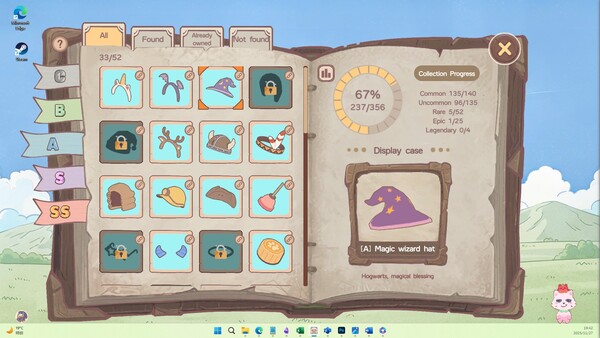
Focus or idle for 30 minutes to earn a Gift Box, then open it for random Headgear. Headgear can be used to dress up Miino, used in Synthesis, recorded in your Collection, and some can also be listed on the Steam Community Market.
• Paw Coins build up slowly, helping you decorate Miino’s home
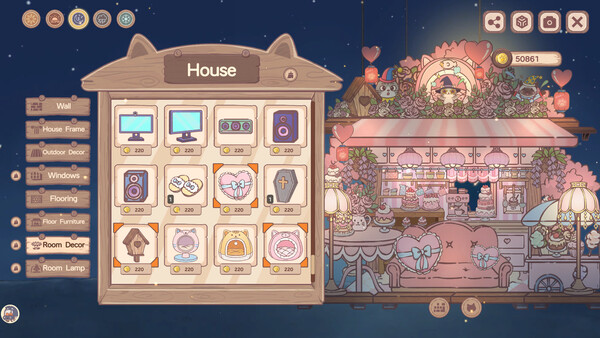
The Piggy bank keeps accumulating Paw Coins and XP, and you can claim them anytime. Use Paw Coins to buy houses, cat desks, and all kinds of decorations, then slowly build a comfy space for you and Miino.
• 448 Headgear pieces and 1500+ decoration items
If you enjoy collecting and DIY customization, there is plenty here to unlock over time.
The game currently includes 448 Headgear pieces and 1500+ decoration items, covering cat outfits, cat homes, cat desks, room decorations, desktop devices, and many themed DIY elements. Mix and match different styles freely to create a relaxing space for Miino and its little home.
Create a warm study desk, a Lo-Fi work corner, a festive room, a cute cat nook, or a whimsical desktop world that feels entirely your own.
• Focus alone, or study together
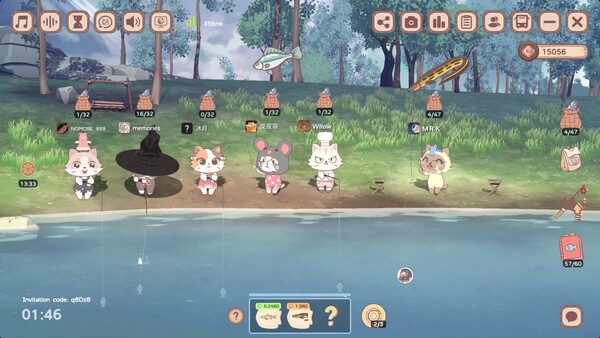
When you want a gentle sense of company, join the Online Study Room.
Study, work, or idle alongside other players, and help each other open Gift Boxes. The Study Room is a quiet shared space: some players focus together, some collect together, and some slowly complete today’s small goals side by side.
• Let Miino live on your desktop
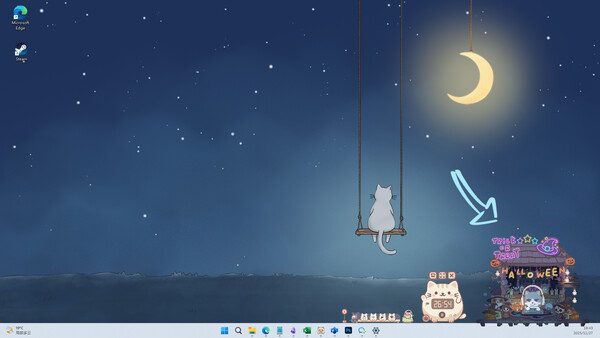
In Desktop Pet Mode, Miino can move to the edge of your desktop and keep you company while you type, work, or study.
You can drag it around, let it stay near the edge of a window, or watch it follow your cursor with its gaze. It blends into your desktop in a light, non-intrusive way, becoming a quiet little companion by your side.
• A gentler way to get into focus
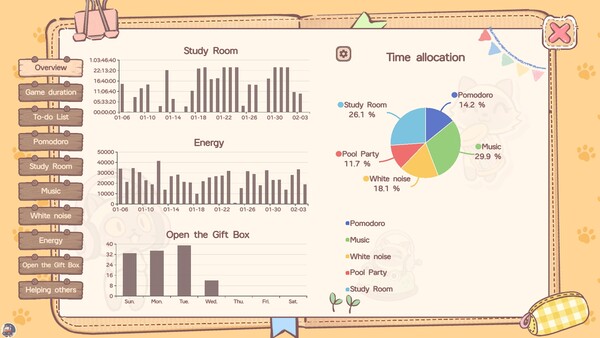
Built-in Pomodoro, Lo-Fi music, white noise, to-do lists, and focus statistics help you start a focused session more easily.
Set a Pomodoro, play the background sounds you like, and write down what you want to do today. When you want to keep your desktop tidy, use the Cat Bus to tuck away small tools and open them again whenever you need them.
• Pool Party “grab” Gift Boxes
Use a mechanical claw in a laid-back poolside scene to grab Gift Boxes, receive random rewards, and collect little moments of joy.
• Fishing and light mini-games to change the pace
When you take a break, you can go fishing by the lake or play a quick mini-game. Schulte Grid, 2048, Sudoku, Minesweeper, Match-3, and other lightweight modes are easy to enjoy between work or study sessions, helping you relax while earning small rewards.
💡 This game is for you if…
You want a quiet little cat to keep you company while working, studying, or gaming
You like Pomodoro, Lo-Fi, white noise, to-do lists, and lightweight productivity tools
You enjoy collecting Headgear, decorating rooms, and building your own desktop space
You like cute, cozy, low-pressure companion games you can return to over time
You enjoy idling, collecting, light social features, fishing, and quick mini-games during breaks
You want a game that does not rush you, but gently helps you complete today’s small goals
🔸 About Headgear drops and collection
Common (C) 89.90%
Uncommon (B) 9.51%
Rare (A) 0.49%
Epic (S) 0.10%
Legendary (SS) 0% (only obtainable via Synthesis)
Headgear obtained through Meow Code does not count toward Collection progress
You can also obtain higher-rarity Headgear through Synthesis
🧡 A growing desktop cat companion game
Thank you to every player who has grown together with Miino.
We hope NoSlack Pets: Lo-Fi Paws becomes more than a game you open once. We want it to be a gentle space that can stay on your desktop for a long time. Whether you are studying, working, writing, drawing, editing, solving problems, or simply relaxing for a while, Miino can quietly stay by your side.