Will anyone buy this Copy Paste girl (AppID: 3734020)

Will anyone buy this Copy Paste girl - Steam Analytics & Details
Will anyone buy this Copy Paste girl has 0 current players.
Media Gallery

Screenshots
Videos
software
otherFunction
Game Insights
Value Score
Price-to-player ratio ranks in the 50th percentile.
System Requirements
- OS *: Windows 7
- Processor: Intel i3-2350M or AMD A8-4500M
- Memory: 512 MB RAM
- Storage: 65 MB available space
- OS: Windows 11
- Processor: Intel i5-10300H or AMD Ryzen 5 4500U
- Memory: 2 GB RAM
- Storage: 65 MB available space
Additional Information
*languages with full audio support
Current Pricing
Additional Information
Developer Analytics
Loading competitors...
About This Game
A multi-copy/paste tool that stores clipboard history (text/images) and pastes sequentially via Ctrl+\. Features a customizable cartoon assistant, pause/reset controls, and near-zero resource usage.
Detailed Description
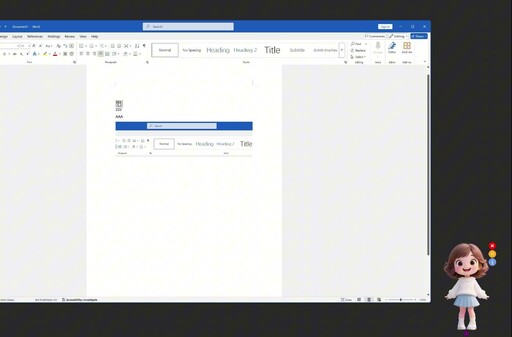
This is a multi-copy, single-paste utility tool designed to streamline your workflow. It allows users to copy text, images, or screenshots via Ctrl+C, right-click copy, or other methods, while the software records all copied content. When you need to paste multiple copied items in sequence, simply press Ctrl+\ (either left/right Ctrl key + \, \ is the key above Enter) to paste stored content in recorded order.
Key Features:
◆ Clipboard History Timeline
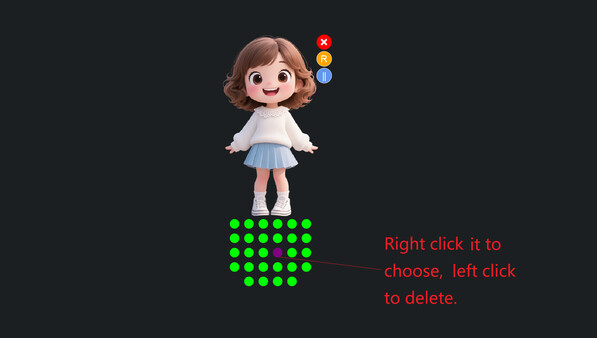
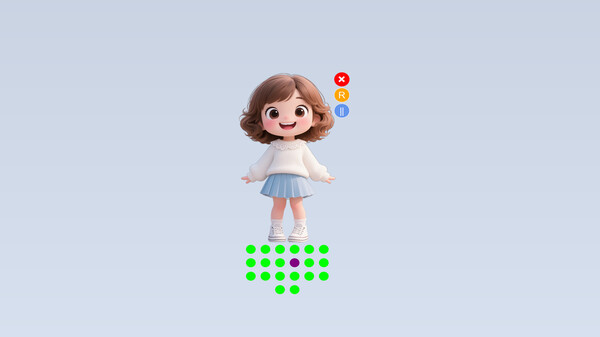
A row of small dots at the bottom visually represents your clipboard history. The purple dot indicates the current position for pasting. Click any dot to start pasting from that specific entry, and the dot will turn to purple (e.g., skip earlier items).
◆ Enhanced Pasting
Ctrl+\: Pastes stored items sequentially from your chosen starting point.
Ctrl+V: Pastes the latest copied item (default shortcut won't be blocked).
◆ Customizable Cartoon Companion
Interact with the "Copy-Paste Girl" character:
Adjust her size via mouse wheel scroll or touchpad gestures.
Drag her freely to any screen position.
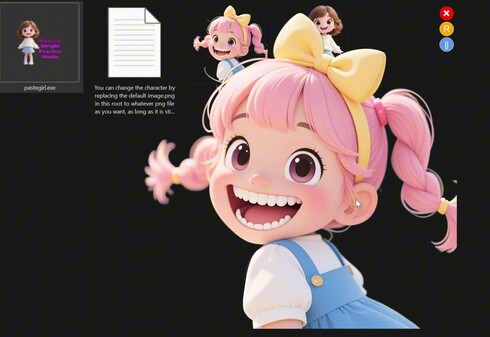
Replace her appearance by modifying image.png in the root folder.
◆ Lightweight & Flexible Control
Pause/Resume: Click the Pause button to temporarily stop recording new clipboard content.
Instant Reset: Press the R button to clear all stored history (all dots will be cleaned) and reset the software.
Minimal system resource usage – runs quietly and acts as a cute desktop pet with minimal computer hardware requirements and minimal resource consumption.