
Dimensional Fold
Dimensional Fold - Steam Charts & Historical Stats
Fold and rotate a 4D cube to match the shadow. Explore historical player activity and pricing for Dimensional Fold. Player-count data was last observed Sep 26, 2026.
Dimensional Fold player count and price summary
- Current players
- Unavailable
- All-time peak
- Unavailable
- 24-hour player change
- Unavailable
- Current US price
- $1.99
Player count last observed . Values marked unavailable are not estimated.
Media gallery 5 screenshots · 2 videos
Screenshots
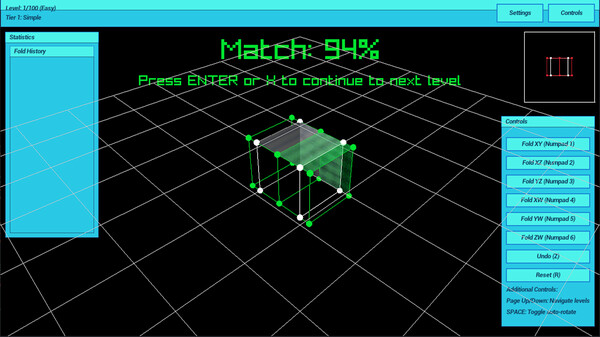
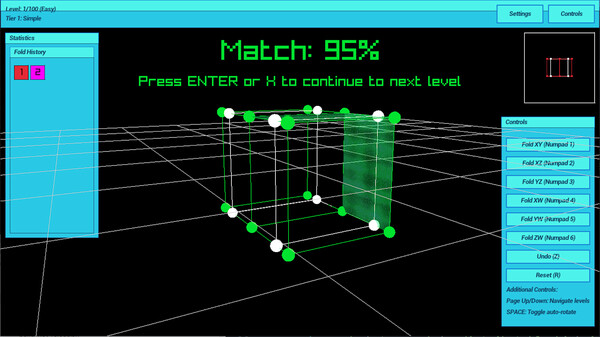
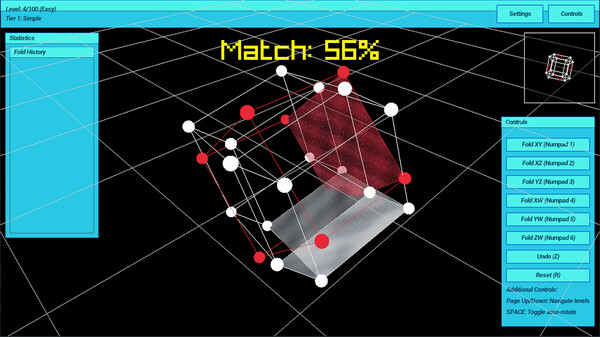

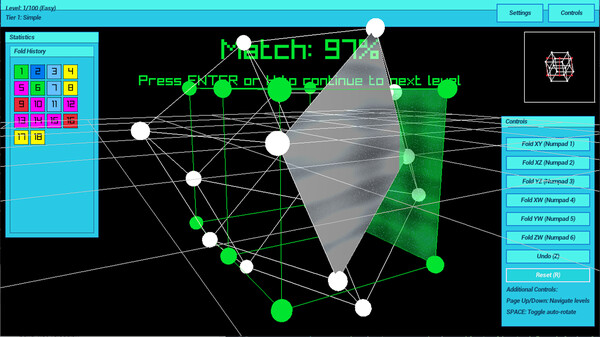
Videos
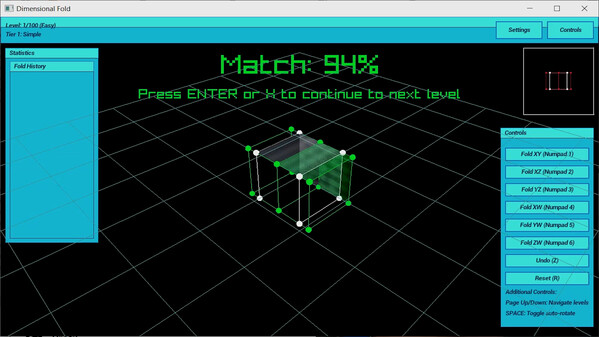
Gameplay II
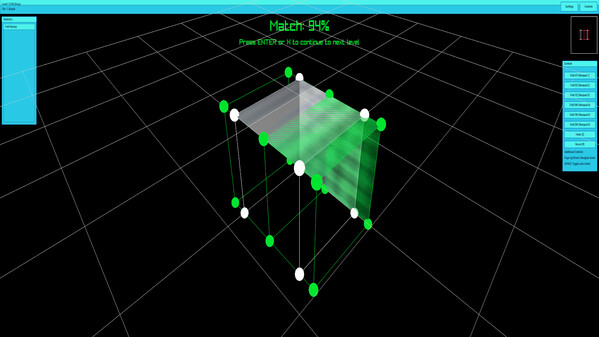
Gameplay
Game Insights
Buy Verdict
Decent deal at 0% off, but might drop further. Watch for better opportunities.
Value Score
Price-to-player ratio ranks in the 100th percentile.
Genre Benchmarks
Activity Heatmap
0 players · 1 samples
No samples
0 players · 2 samples
No samples
No samples
0 players · 2 samples
No samples
0 players · 1 samples
0 players · 1 samples
0 players · 1 samples
No samples
0 players · 1 samples
0 players · 1 samples
No samples
0 players · 1 samples
0 players · 1 samples
No samples
0 players · 1 samples
0 players · 1 samples
No samples
0 players · 1 samples
0 players · 1 samples
0 players · 1 samples
No samples
0 players · 1 samples
0 players · 1 samples
No samples
0 players · 2 samples
No samples
No samples
0 players · 2 samples
No samples
0 players · 1 samples
0 players · 1 samples
0 players · 1 samples
No samples
0 players · 1 samples
0 players · 1 samples
No samples
0 players · 1 samples
0 players · 1 samples
No samples
No samples
0 players · 2 samples
No samples
0 players · 1 samples
0 players · 1 samples
No samples
0 players · 1 samples
0 players · 1 samples
0 players · 1 samples
No samples
0 players · 1 samples
0 players · 1 samples
No samples
0 players · 2 samples
No samples
0 players · 1 samples
0 players · 1 samples
No samples
0 players · 1 samples
0 players · 1 samples
No samples
0 players · 1 samples
0 players · 1 samples
0 players · 1 samples
No samples
No samples
0 players · 2 samples
No samples
No samples
0 players · 2 samples
No samples
No samples
0 players · 1 samples
0 players · 1 samples
No samples
0 players · 1 samples
0 players · 1 samples
0 players · 1 samples
No samples
0 players · 2 samples
No samples
No samples
0 players · 2 samples
No samples
No samples
0 players · 2 samples
No samples
No samples
0 players · 1 samples
0 players · 1 samples
No samples
0 players · 1 samples
0 players · 1 samples
No samples
No samples
0 players · 2 samples
No samples
No samples
0 players · 2 samples
No samples
No samples
0 players · 2 samples
No samples
0 players · 1 samples
0 players · 1 samples
No samples
0 players · 1 samples
0 players · 1 samples
No samples
No samples
0 players · 1 samples
0 players · 1 samples
No samples
0 players · 1 samples
0 players · 1 samples
No samples
0 players · 1 samples
No samples
0 players · 1 samples
No samples
0 players · 1 samples
0 players · 2 samples
No samples
0 players · 1 samples
0 players · 2 samples
No samples
0 players · 2 samples
0 players · 1 samples
0 players · 1 samples
0 players · 1 samples
0 players · 2 samples
No samples
0 players · 1 samples
0 players · 2 samples
No samples
0 players · 1 samples
0 players · 2 samples
No samples
0 players · 1 samples
0 players · 1 samples
0 players · 2 samples
No samples
No samples
0 players · 3 samples
No samples
0 players · 1 samples
0 players · 1 samples
No samples
0 players · 1 samples
0 players · 1 samples
0 players · 1 samples
No samples
0 players · 1 samples
0 players · 1 samples
No samples
0 players · 2 samples
No samples
No samples
No samples
0 players · 2 samples
No samples
0 players · 1 samples
0 players · 1 samples
No samples
0 players · 1 samples
0 players · 1 samples
Price History
No Recent Price History
Price history data will appear here once more pricing information becomes available.
System Requirements
- Requires a 64-bit processor and operating system
- OS: Requires a 64-bit processor and operating system
- Processor: Intel Core i5-2400 or AMD FX-8350
- Memory: 8 GB RAM
- Graphics: Nvidia GeForce GT 710, 1 GB or AMD
- DirectX: Version 10
- Storage: 100 MB available space
- Requires a 64-bit processor and operating system
- OS: Requires a 64-bit processor and operating system
- Processor: Requires a 64-bit processor and operating system
- Memory: 16 GB RAM
- DirectX: Version 12
- Storage: 300 MB available space
Additional Information
Current Pricing
Additional Information
Developer Analytics
Loading competitors...
About This Game
Fold and rotate a 4D cube to match the shadow. Short, calm puzzles with instant undo and helpful previews.
Detailed Description
First Rotate with Space Increase and decrease Combine it all
change direction J,K Q, E Space, Q , E , Z and Folding
Dimensional Fold: Master the Fourth DimensionAre you ready to stretch your mind and explore the impossible?
In Dimensional Fold, you take control of a tesseract a mesmerizing 4D hypercube and twist, turn, and fold it to match each level’s target configuration. This isn’t just a game; it’s your ticket to wrestle with higher dimensions and come out on top.
Why You’ll Love It:
Mind-Bending 4D Puzzles: Step beyond 3D and challenge your spatial reasoning with six core 4D folds (XY, XZ, YZ, XW, YW, ZW). Precision controls (90°, 45°, 22.5°) let you fine-tune your moves.
Intuitive Controls: Navigate levels with ease using simple keyboard and mouse controls, or even a gamepad. Features like Fold Preview (SHIFT) and Undo (Z) ensure you never feel stuck.
Stunning Visuals: Watch as your tesseract twists and turns in a beautifully rendered 4D space, with smooth camera controls (Mouse Wheel, SPACE for auto-rotation) to help you see every angle.
Keyboard Controls
Primary Fold Operations
Numpad 1: XY Fold (Red)
Numpad 2: XZ Fold (Green)
Numpad 3: YZ Fold (Blue)
Numpad 4: XW Fold (Yellow)
Numpad 5: YW Fold (Magenta)
Numpad 6: ZW Fold (Cyan)
Camera Controls
Mouse Wheel : Zoom in/out
Mouse Movement : Rotate camera view
SPACE : Toggle auto-rotation
Level Navigation
Page Up : Next level
Page Down: Previous level
ENTER**: Advance to next level (when target matched)
Gamepad Controls
Primary Fold Operations
A/Cross: XY Fold (Red)
B/Circle: XZ Fold (Green)
X/Square: YZ Fold (Blue)
Y/Triangle: XW Fold (Yellow)
LB/L1: YW Fold (Magenta)
RB/R1: ZW Fold (Cyan)
Fold Preview
Hold SHIFT + Face/Shoulder Button: Preview fold result before applying
Camera Controls
Right Stick: Camera zoom control
- Pull up to zoom out
- Pull down to zoom in
Left Stick Click: Toggle auto-rotation
Level Navigation
D-pad Up: Next level (when target matched)
D-pad Down: Previous level
Game Actions
Select/Back: Undo last fold