Game overview
Upgrade to Multiplicity 4 Pro
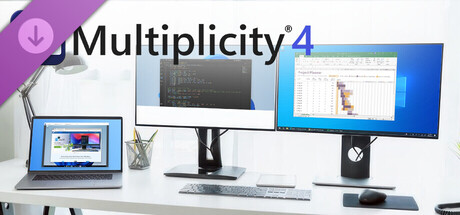
Connect and control multiple PCs with one keyboard and mouse. Share files, audio, and clipboard content, switch between devices securely, and even use PCs as extra monitors. Multiplicity 4 streamlines your multi-device workflow, perfect for work, gaming, and creative projects.
- Last tracked players
- 0
- All-time peak
- Unavailable
- 24-hour change
- Unavailable
Delayed observation · last tracked . Values marked unavailable are not estimated.
About this game Read the full description
This DLC will upgrade Multiplicity 4 to Multiplicity 4 Pro. The feature breakdown for each:
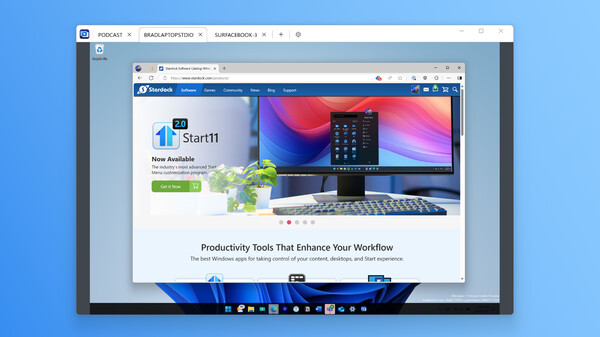
Multiplicity 4 is a software KVM (Keyboard, Video, Mouse) solution by Stardock that lets users control multiple computers with a single keyboard and mouse. It’s designed to streamline workflows by enabling seamless interactions across multiple Windows PCs, making it ideal for gamers, content creators, developers, and anyone who needs to manage several devices from one central setup. Multiplicity 4 is a secure, flexible solution that offers fast file transfers, audio sharing, and the ability to use additional devices as extended monitors.
Version \ Features
Multiplicity 4 Features
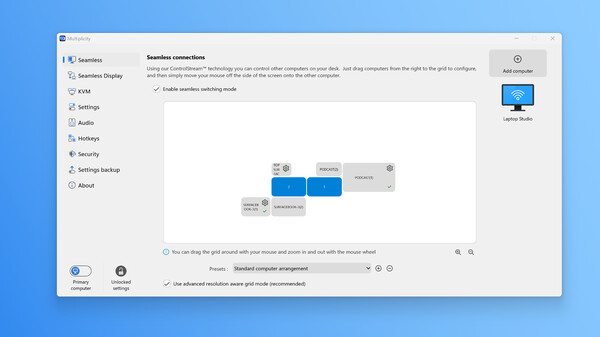
KM (Keyboard and Mouse): Control up to 5 PCs with one keyboard and mouse.
Drag and Drop: Drag and drop files between 'Seamless' connected PCs.
Copy & Paste: Copy and paste formatted text and images between PCs.
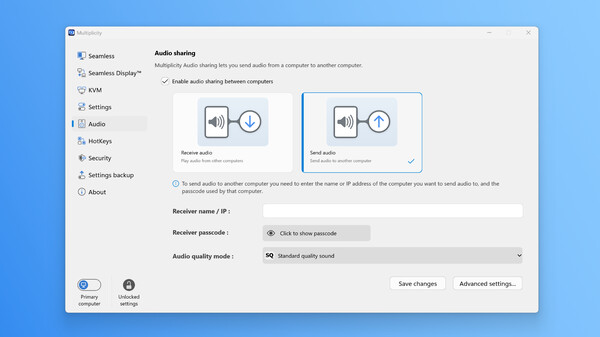
Audio Sharing: Listen to audio from multiple PCs through one PC.
Seamless Switching: Switch between PCs using mouse, hot key, or touch.
Encryption: AES-256 encryption for secure file and data transfers between PCs.
Backup Settings: Easily restore a configuration or reset all settings.
*Multiplicity 4 Pro Additional Features
Includes all features of Multiplicity 4, plus:
KM (Keyboard and Mouse): Control up to 10 PCs with one keyboard and mouse.
KVM (Keyboard, Video, Mouse): Control up to 5 PCs with one keyboard, mouse, and monitor.
Lock & Unlock: Lock and unlock all Multiplicity PCs from one keyboard.
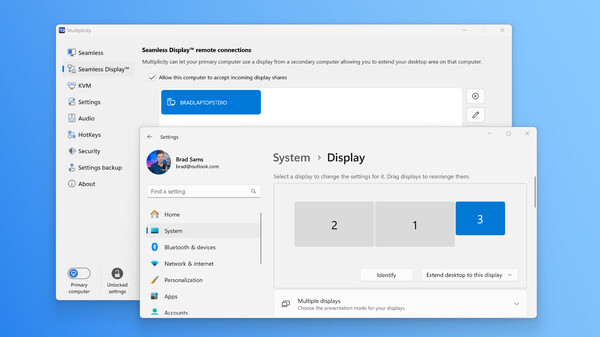
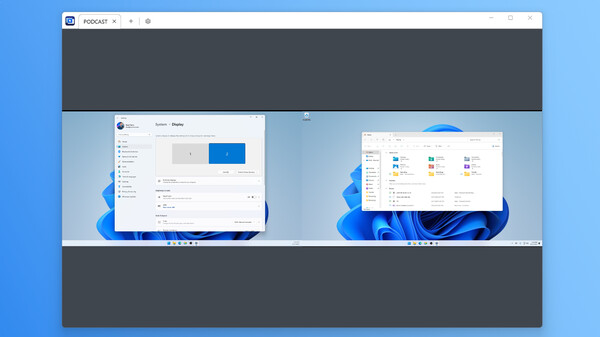
Seamless Display: Use a secondary device, like a laptop, as a native display.
Seamless Advanced Display Grid: Resolution-aware monitor placement.
Multi-Monitor Streaming: Stream multiple monitors to a single display.
Hot Keys: Assign hotkeys or touch commands to a specified field in an application.
Logging: Log remote connections in the Windows Event Viewer.
IPv6 Support: Support for modern networking protocols.
Multi-threaded File Transfer: Faster speed for moving large files.
Wake-on-LAN: Wake up remote PCs and connect.
Media gallery 5 screenshots · 0 videos
Screenshots
Player activity
Concurrent players over the last 48 hours.
Game details Languages, features & support
- Publisher
- Stardock
- Features
- Downloadable Content
- Languages
- English, French, German, Korean, Portuguese - Brazil, Russian, Simplified Chinese, Spanish - Latin America, Traditional Chinese, Japanese
More analysis Activity patterns, updates & developer tools
Game Insights
Value Score
Price-to-player ratio ranks in the 50th percentile.
Developer Analytics
Loading competitors...