
Sketch Top
Sketch Top - Steam Charts & Historical Stats
Let you have a "secondary screen",Through powerful pinning functions, enhance your control over the desktop. Explore historical player activity and pricing for Sketch Top. Player-count data was last observed Sep 28, 2026.
Sketch Top player count and price summary
- Current players
- Unavailable
- All-time peak
- 1
- 24-hour player change
- Unavailable
- Current US price
- $0.99
Player count last observed . Values marked unavailable are not estimated.
Media gallery 5 screenshots · 1 videos
Screenshots
Videos
introduce
All-Time Peak
Estimated Owners
Game Insights
Buy Verdict
Decent deal at 0% off, but might drop further. Watch for better opportunities.
Value Score
Price-to-player ratio ranks in the 100th percentile.
Genre Benchmarks
Activity Heatmap
0 players · 1 samples
No samples
0 players · 2 samples
No samples
No samples
0 players · 2 samples
No samples
0 players · 1 samples
0 players · 1 samples
0 players · 1 samples
No samples
0 players · 1 samples
0 players · 1 samples
No samples
0 players · 1 samples
0 players · 1 samples
No samples
0 players · 1 samples
0 players · 1 samples
No samples
0 players · 1 samples
0 players · 1 samples
0 players · 1 samples
No samples
0 players · 1 samples
0 players · 1 samples
No samples
0 players · 2 samples
No samples
No samples
0 players · 2 samples
No samples
0 players · 1 samples
0 players · 1 samples
0 players · 1 samples
No samples
0 players · 1 samples
1 players · 1 samples
No samples
0 players · 1 samples
0 players · 1 samples
No samples
No samples
0 players · 2 samples
No samples
0 players · 1 samples
0 players · 1 samples
No samples
0 players · 1 samples
0 players · 1 samples
0 players · 1 samples
No samples
0 players · 1 samples
0 players · 1 samples
No samples
0 players · 2 samples
No samples
0 players · 1 samples
0 players · 1 samples
No samples
0 players · 1 samples
0 players · 1 samples
0 players · 1 samples
No samples
0 players · 1 samples
0 players · 1 samples
No samples
No samples
0 players · 2 samples
No samples
No samples
0 players · 2 samples
No samples
No samples
0 players · 1 samples
0 players · 1 samples
No samples
0 players · 1 samples
0 players · 1 samples
0 players · 1 samples
No samples
0 players · 2 samples
No samples
No samples
0 players · 2 samples
No samples
No samples
0 players · 2 samples
No samples
No samples
0 players · 1 samples
0 players · 1 samples
No samples
0 players · 1 samples
0 players · 1 samples
No samples
No samples
0 players · 2 samples
No samples
No samples
0 players · 2 samples
No samples
No samples
0 players · 2 samples
No samples
0 players · 1 samples
0 players · 1 samples
No samples
0 players · 1 samples
0 players · 1 samples
No samples
No samples
0 players · 1 samples
0 players · 1 samples
No samples
0 players · 1 samples
0 players · 1 samples
No samples
0 players · 1 samples
No samples
0 players · 1 samples
No samples
0 players · 1 samples
0 players · 1 samples
No samples
0 players · 1 samples
0 players · 2 samples
No samples
0 players · 2 samples
0 players · 1 samples
0 players · 1 samples
0 players · 1 samples
0 players · 2 samples
No samples
0 players · 1 samples
0 players · 2 samples
No samples
0 players · 1 samples
0 players · 1 samples
0 players · 1 samples
0 players · 1 samples
0 players · 1 samples
0 players · 2 samples
No samples
No samples
0 players · 3 samples
No samples
0 players · 1 samples
0 players · 1 samples
No samples
0 players · 1 samples
0 players · 1 samples
0 players · 1 samples
No samples
0 players · 1 samples
0 players · 1 samples
No samples
0 players · 2 samples
No samples
No samples
0 players · 2 samples
No samples
No samples
0 players · 1 samples
0 players · 1 samples
No samples
0 players · 1 samples
0 players · 1 samples
Price History
No Recent Price History
Price history data will appear here once more pricing information becomes available.
System Requirements
- Requires a 64-bit processor and operating system
- Memory: 100 MB RAM
- Storage: 100 MB available space
- Requires a 64-bit processor and operating system
- OS: Windows 10\11
- Processor: i3
- Memory: 1 GB RAM
- Graphics: nVIDIA GeForce GTX 950
- Storage: 1 GB available space
Additional Information
Current Pricing
Additional Information
Developer Analytics
Loading competitors...
About This Game
Let you have a "secondary screen",Through powerful pinning functions, enhance your control over the desktop. Portable for office work and painting. Portable for gaming. While painting or gaming, do other things. Ultimate space utilization, maintaining focus and efficiency.
Detailed Description
Sketch Top: A dedicated tool for players who prefer to operate two windows simultaneously, focusing on enabling users to switch between the two windows easily without changing their habits. A must-have tool for painting beginners, allowing you to learn painting without barriers.The Window Player tool restricts the area of mouse activity and focuses on one window operation.
【Play Games and Watch Videos Simultaneously】
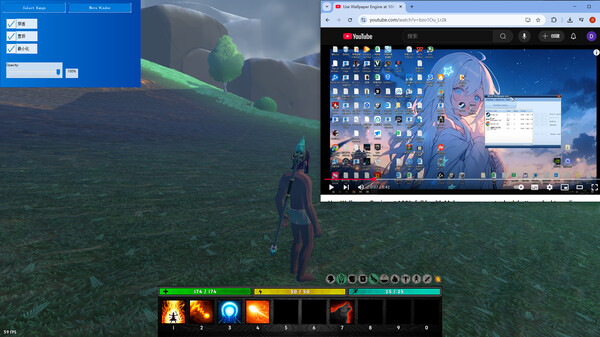
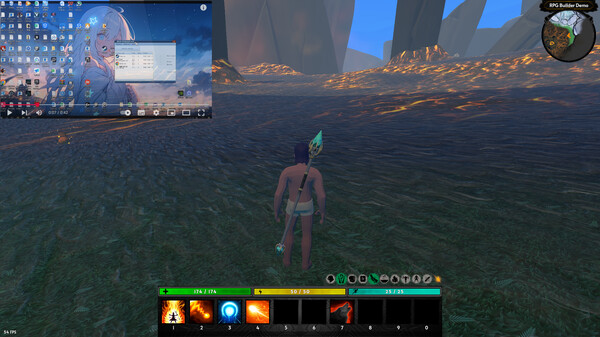
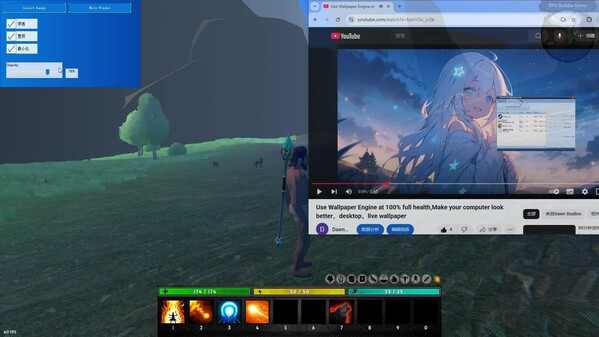
If you're used to playing games while watching videos, give it a try. It's more useful than "picture-in-picture". Full-screen gaming doesn't affect normal gaming or display.
When you're idle in the game, pin another window to make it appear in front of the game you're currently playing. Imagine this.
You can play while reading guides, watching videos, or even anime. Of course, you can also study while playing.
It's especially suitable for when the game content becomes boring, allowing you to get another kind of fun without affecting the ongoing game content.
The software is local and offline, can be started independently, has no other content, is easy to uninstall, small in size, and low in resource usage.
The software has unique functions. When switching to the game window, the window to be pinned can automatically penetrate the mouse, so even if it blocks the game interface, it won't affect your operation of the game; when switching to the pinned window, it can automatically allow you to operate the window with the mouse. This allows you to switch between the two windows seamlessly.
With the function of changing the transparency of the pinned window, you don't have to worry about the window blocking the content of the game window when playing games. Even if you don't like to use this function, you can use the shortcut key to cancel the pinned window.
【Practice Sketching on Computer】
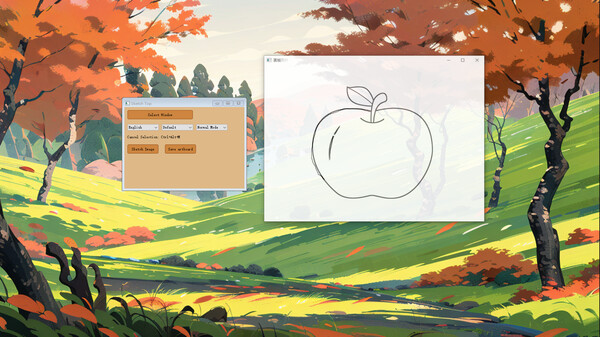
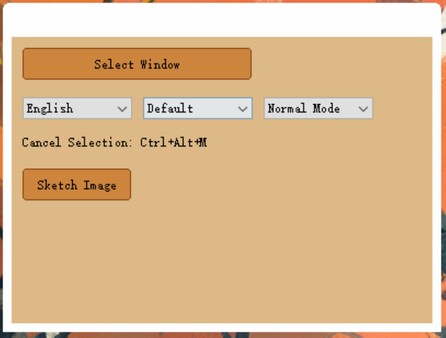
Longing to practice drawing but don't have time in reality. Want to learn painting but afraid of not being able to. Now, just open a picture and you can easily practice painting. The software comes with a "Sketch Picture" button, making painting easy and practicing aesthetics. It removes the barriers to painting. Think back to how you learned to write as a child, now as long as you want, you can learn to paint.
The "Sketch Picture" button is designed to help users better use the software. As mentioned above, this is a feature of the software, allowing users to learn painting.
Practicing painting can also improve users' control over the mouse, which is very helpful for playing shooting games.
The "Focus Mode" is designed not only to make the desktop cleaner but also to effectively use desktop space.
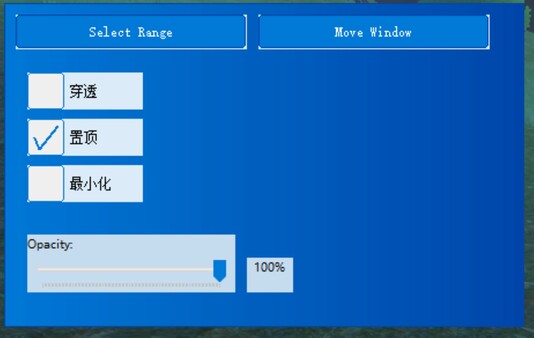
The "Minimize" function is designed to meet user needs, making the software directly become a "lazy software". It can be minimized with one shortcut key.
The "Seamless Switch" is designed to not change users' usage habits while having a pinned window at any time.
We hope you will like this software. Alt+Tab is the key to using this software.