MouseMob: Keys & Clicks Mapper with On-Screen Areas (AppID: 3794820)
MouseMob: Keys & Clicks Mapper with On-Screen Areas - Steam Analytics & Details
MouseMob: Keys & Clicks Mapper with On-Screen Areas has 0 current players.
Media Gallery

Screenshots
Videos

MouseMob v3.9

MouseMob v3.0
Game Insights
Value Score
Price-to-player ratio ranks in the 50th percentile.
System Requirements
- Requires a 64-bit processor and operating system
- OS: Windows 10
- Processor: 1 GHz processor
- Memory: 1 GB RAM
- Graphics: Intel HD 520 / AMD Radeon R3
- Storage: 10 MB available space
- Sound Card: Not required
- VR Support: Not supported
- Requires a 64-bit processor and operating system
- OS: Windows 11
- Processor: 1.5 GHz or faster processor
- Memory: 2 GB RAM
- Graphics: NVIDIA GT 1030 / AMD Radeon RX 550 or higher
- DirectX: Version 11
- Storage: 15 MB available space
- Sound Card: Not required
- VR Support: Not supported
Additional Information
Current Pricing
Additional Information
Developer Analytics
Loading competitors...
About This Game
Customize your PC control with MouseMob! Manage mouse clicks, keyboard presses, window events, and more with on-screen regions. Create Chains to automate complex tasks with a single key. It's a productivity and accessibility tool.
Detailed Description
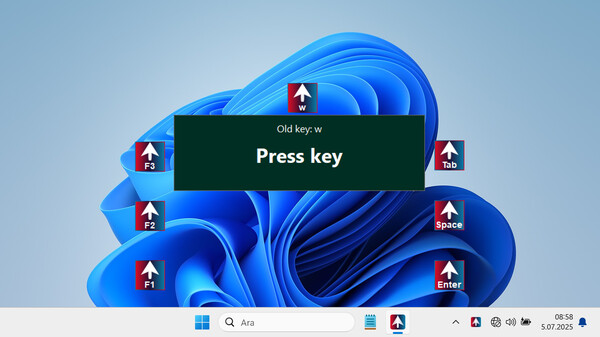
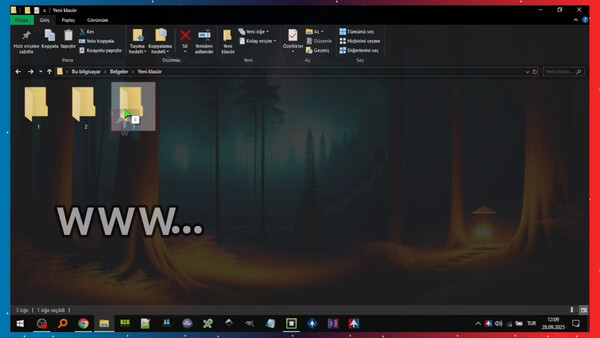
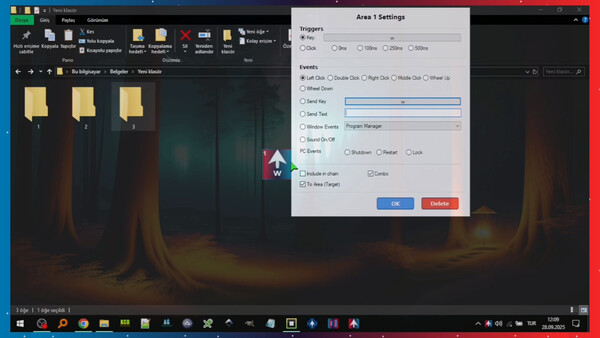
MouseMob is a powerful productivity and accessibility tool that allows you to add draggable regions to your screen and trigger them to perform various actions like mouse clicks, keyboard presses, and even window operations.
(There are 3 ways to trigger a region: • Clicking the region • Hovering over it • Pressing a hotkey on your keyboard)
✨ What's New & Key Features (v3.9)
🔗 The Chain Feature
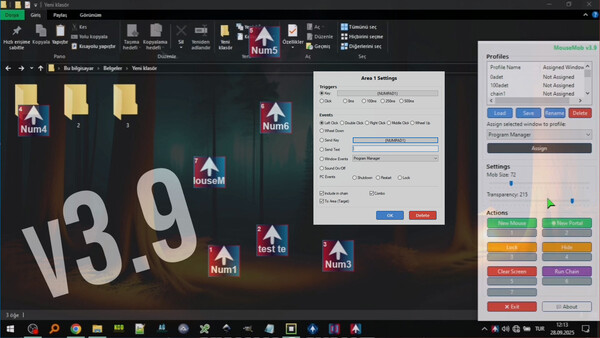
MouseMob no longer just sends clicks; it lets you sequence complex tasks one after another. You can combine different events assigned to multiple regions (clicks, keyboard presses, text input, etc.) into a single chain, and run the entire sequence with just one key. This feature automates repetitive workflows and saves you a significant amount of time.
🚀 The Portal Feature
Instantly move your mouse cursor from one point on the screen to another. By switching between the Portal regions you've added, you can complete tasks in different corners of your screen or across different windows much faster. It eliminates the need to manually move your mouse cursor across the screen.
✍️ Text Event
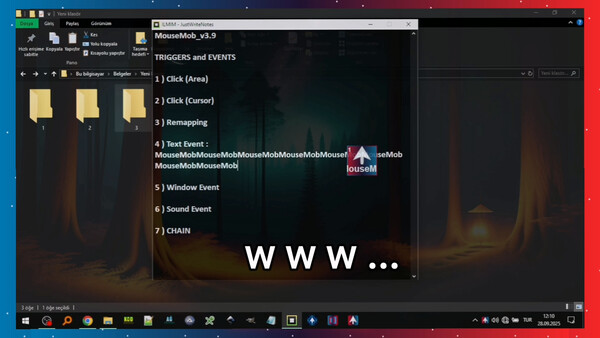
Print pre-written text with a single click or keypress. It's ideal for frequently used long sentences. Text Events make repetitive tasks like data entry much easier.
🖥️ Window Events
Assign window actions to your screen regions. With a single click or keypress, you can hide or show the window you want. Window management is now much faster and easier.
📂 Profile System
Save different sets of screen regions for different tasks. Each profile can be specifically designed for a particular application or workflow and loaded with a single click. It can even be loaded automatically when you switch to a specific window. This way, you don't waste time on different settings for each task.
⚙️ Improved Settings & Controls
Features like auto-saving, locking/unlocking all regions, resizing them, adjusting transparency, and easy hotkey assignments have all been improved. The application automatically loads all your settings on startup, saving you time.
♿ Accessibility Support
It provides an effective alternative control method for users who have difficulty with intensive mouse and keyboard use and makes computer interaction easier.
💎 Summary
MouseMob lets you add draggable screen regions to your screen. By clicking these regions or pressing a trigger key, you can perform a multitude of actions like automated clicks, complex keyboard commands, text input, and window management. These features save you time, reduce errors, and significantly increase productivity in both daily and professional use.