Game overview
Alt Tab Toolkit
Not Just an Alt Tab replacement, but a suite of Visual Enhancement, "QOL" and Productivity Upgrades. Enhance your multitasking capabilities. Allows setting Video, GIFs, or Images for the Background / Items and Icons. Searchbar / Filter (Automatically Accepts Input) Steam Workshop Support and More!
- Last tracked players
- 0
- All-time peak
- 1
- 24-hour change
- Unavailable
Delayed observation · last tracked . Values marked unavailable are not estimated.
About this game Read the full description
This application replaces the classic Alt-Tab switcher with a fluid, and deeply configurable suite of tools.
Animated UI: Set backgrounds of the window and Alt Tab Items to Custom Images, GIFs, or Videos!
Custom App Icons: App Icons can be substituted for custom images, including animated ones. (These custom app icons are used universally in this app, including DLC features like app launch animations, and the app launcher)
Total Visual Control: Change everything from shapes and layouts to fonts and colors. Use solid colors or create complex gradients.
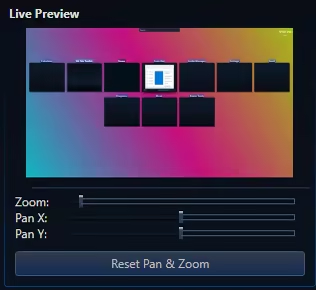
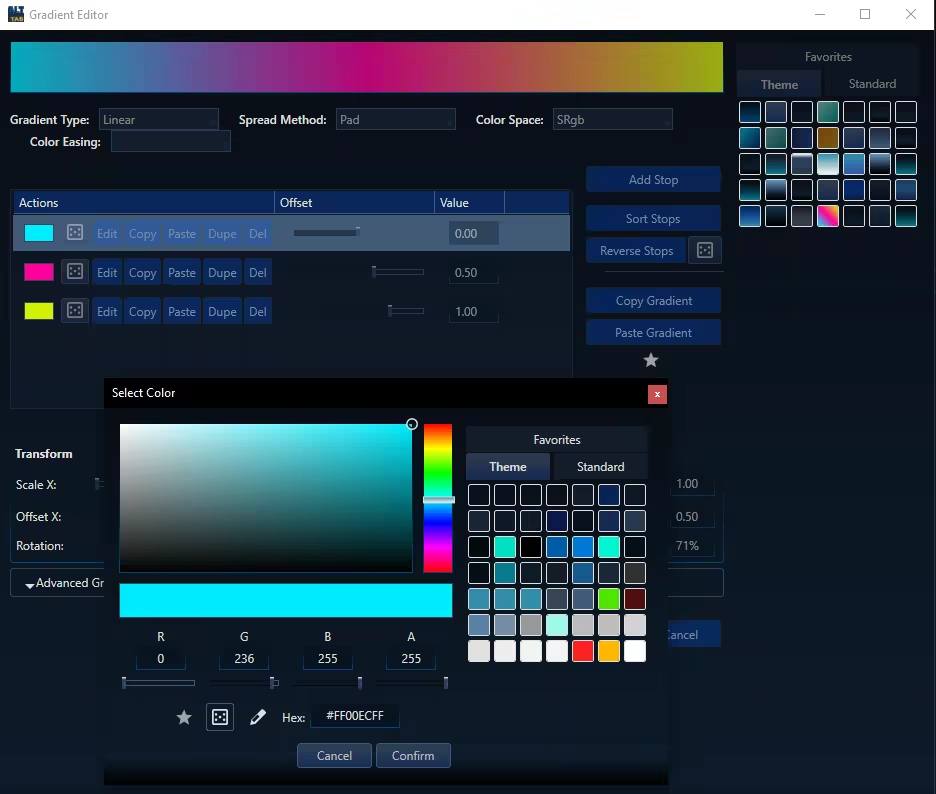
Steam Workshop Support: Share your unique designs and download themes from the community for free.
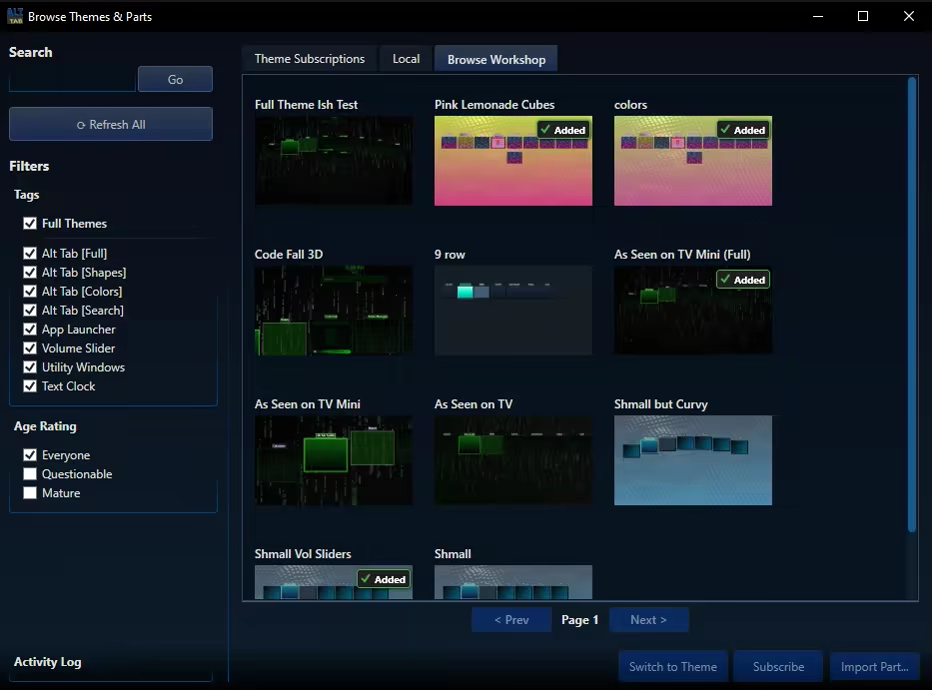
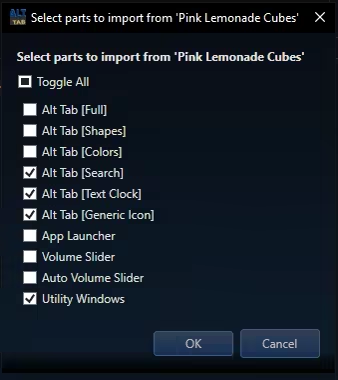
Modular Themeing: Pick and choose which parts you like from different themes.
Sorting Options: 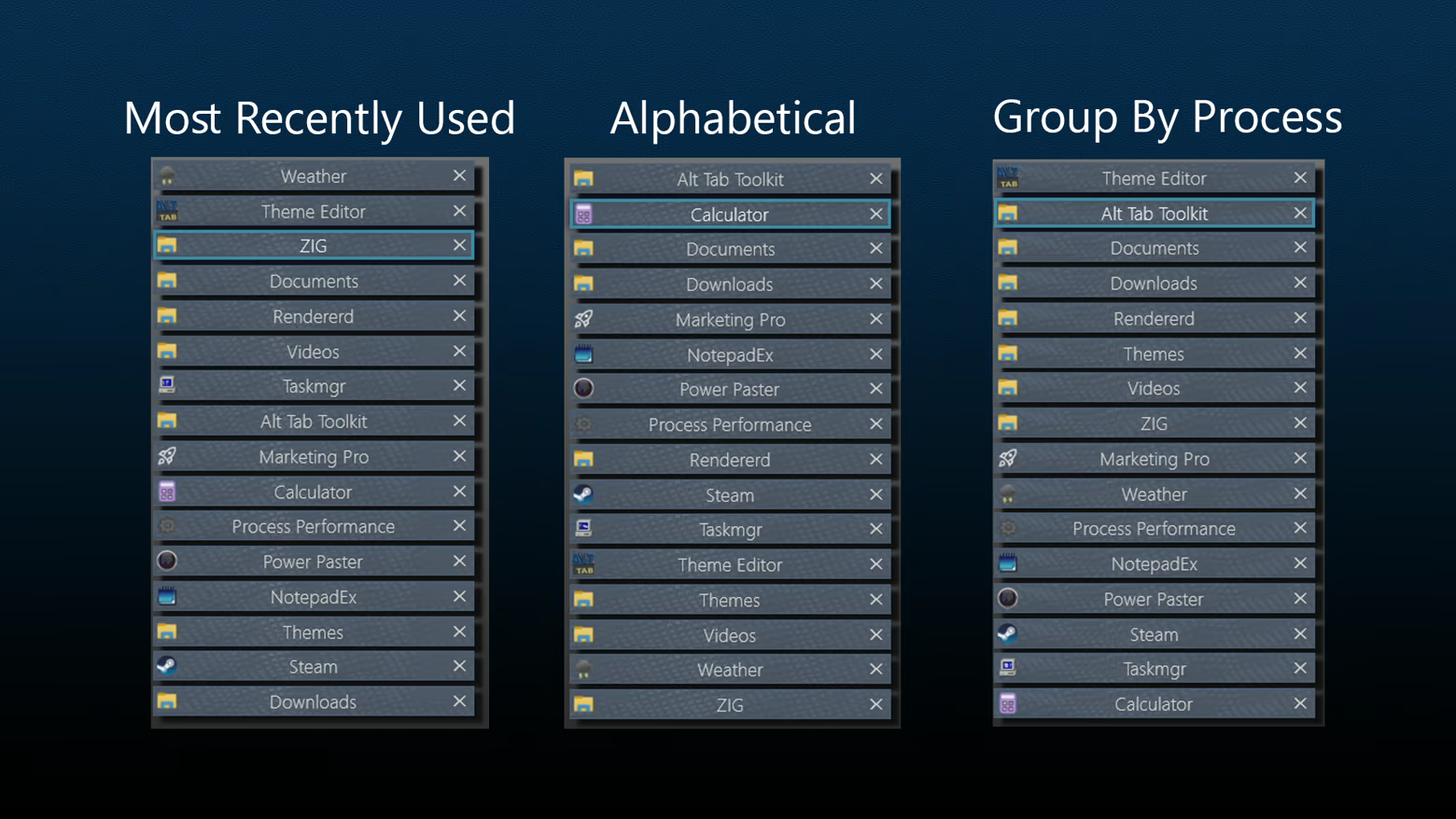
Improved Navigation: Navigate the Alt Tab menu using keys, mouse clicks, or Mouse Wheel Scrolling.
Move Monitors: Swiftly change what monitor a given window resides on
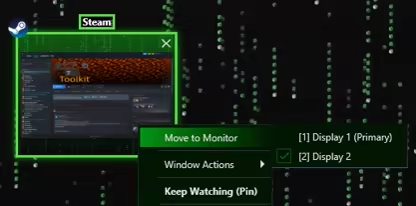
Keep Watching: This feature displays the contents of a given window in a duplicate window, which may become transparent and click-thru on hover. Awesome for single monitor work flows and watching a video while working, or quickly duplicating a screen for a multi monitor setup.
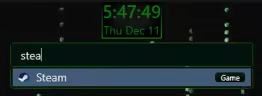
Searchbar / Filter: Any time you type while the alt tab window is open it automatically begins typing in the searchbar. This acts as a filter (i.e. typing "Th" would filter to windows like "Theme Editor"). For DLC owners, the search bar doubles as an app launcer, using the same apps you have registered with the app launcher itself.
Tags may also be applied to any "App item" (i.e. "Game") and will be included in search filtering
Highly Customizable UI: Precisely control the size, spacing, and flow of application windows within the switcher to create the perfect layout for your workflow.
Blacklist Support: Hide certain windows from appearing in your Alt Tab window at all! (Toggleable)
Lock / Toggle Alt Tab Window: Option to make the alt tab window "toggle on" instead of staying visible only while alt is held.
Media gallery 17 screenshots · 0 videos

Screenshots


Player activity
Concurrent players over the last 48 hours.
Latest news
All news on Steam ↗System requirements Windows
Windows
Minimum
Minimum:- Requires a 64-bit processor and operating system
- OS: 10, 11
- Processor: 1.66 GHz Intel i5 or equivalent
- Memory: 2 GB RAM
- Graphics: NVIDIA GeForce GTX 660 or equivalent
- Storage: 100 MB available space
Recommended
Recommended:- Requires a 64-bit processor and operating system
- OS: 10, 11
- Processor: 2 GHz Intel i7 or equivalent
- Memory: 8 GB RAM
- Graphics: NVIDIA GeForce GTX 1060 or equivalent
- Storage: 1024 MB available space
Game details Languages, features & support
- Publisher
- Hex Coded LLC
- Features
- Steam Workshop, Adjustable Text Size, Color Alternatives, Playable without Timed Input, Save Anytime, Includes level editor
- Languages
- English
- Support
- [email protected]
More analysis Activity patterns, updates & developer tools
Game Insights
Buy Verdict
Decent deal at 67% off, but might drop further. Watch for better opportunities.
Value Score
Price-to-player ratio ranks in the 100th percentile.
Genre Benchmarks
Developer Analytics
Loading competitors...