BiColor - Vision Trainer
BiColor - Vision Trainer - Steam Charts & Historical Stats
BiColor Vision Trainer is a game-based vision therapy app for lazy eye training at home. Explore historical player activity and pricing for BiColor - Vision Trainer. Player-count data was last observed Sep 26, 2026.
BiColor - Vision Trainer player count and price summary
- Current players
- Unavailable
- All-time peak
- 3
- 24-hour player change
- Unavailable
- Current US price
- $9.99
Player count last observed . Values marked unavailable are not estimated.
Media gallery 9 screenshots · 2 videos
Screenshots



Videos

BiColor - Vision Trainer Star Crab Update
BiColor - Vision Trainer Trailer
Last Tracked Players
All-Time Peak
Estimated Owners
Game Insights
Buy Verdict
Wait for upcoming sale in ~4 days for potentially better pricing.
Update Momentum
1 patches and 1 news items in last 180 days. Latest patch effect size: 0.00.
Value Score
Price-to-player ratio ranks in the 100th percentile.
Genre Benchmarks
Activity Heatmap
1 players · 2 samples
No samples
2 players · 3 samples
No samples
1 players · 1 samples
1 players · 2 samples
1 players · 1 samples
1 players · 2 samples
1 players · 1 samples
2 players · 2 samples
1 players · 1 samples
1 players · 1 samples
2 players · 2 samples
No samples
1 players · 2 samples
1 players · 1 samples
1 players · 1 samples
2 players · 1 samples
1 players · 2 samples
No samples
1 players · 2 samples
2 players · 1 samples
1 players · 2 samples
No samples
1 players · 2 samples
1 players · 1 samples
1 players · 1 samples
1 players · 2 samples
1 players · 1 samples
1 players · 2 samples
2 players · 1 samples
1 players · 1 samples
1 players · 1 samples
1 players · 2 samples
1 players · 2 samples
No samples
2 players · 2 samples
1 players · 1 samples
1 players · 1 samples
2 players · 1 samples
2 players · 2 samples
No samples
1 players · 2 samples
2 players · 1 samples
2 players · 1 samples
1 players · 1 samples
1 players · 2 samples
No samples
1 players · 2 samples
2 players · 1 samples
1 players · 2 samples
No samples
1 players · 3 samples
No samples
1 players · 1 samples
1 players · 3 samples
No samples
1 players · 2 samples
1 players · 1 samples
1 players · 1 samples
1 players · 2 samples
2 players · 1 samples
0 players · 1 samples
1 players · 1 samples
1 players · 1 samples
0 players · 2 samples
No samples
2 players · 2 samples
0 players · 1 samples
1 players · 1 samples
No samples
0 players · 3 samples
No samples
0 players · 1 samples
0 players · 1 samples
0 players · 2 samples
0 players · 1 samples
0 players · 1 samples
0 players · 1 samples
0 players · 2 samples
No samples
0 players · 3 samples
0 players · 1 samples
No samples
0 players · 3 samples
No samples
1 players · 1 samples
1 players · 3 samples
No samples
No samples
0 players · 3 samples
No samples
No samples
1 players · 1 samples
0 players · 2 samples
2 players · 1 samples
No samples
0 players · 2 samples
1 players · 1 samples
No samples
0 players · 3 samples
No samples
1 players · 1 samples
0 players · 2 samples
1 players · 1 samples
0 players · 1 samples
0 players · 2 samples
No samples
1 players · 2 samples
0 players · 1 samples
2 players · 1 samples
1 players · 1 samples
No samples
0 players · 2 samples
No samples
0 players · 2 samples
0 players · 1 samples
No samples
1 players · 2 samples
No samples
0 players · 2 samples
No samples
0 players · 2 samples
0 players · 1 samples
No samples
0 players · 2 samples
0 players · 1 samples
1 players · 1 samples
0 players · 1 samples
0 players · 2 samples
1 players · 1 samples
0 players · 1 samples
2 players · 2 samples
No samples
1 players · 1 samples
2 players · 3 samples
No samples
1 players · 3 samples
No samples
1 players · 2 samples
1 players · 1 samples
1 players · 2 samples
0 players · 2 samples
0 players · 1 samples
No samples
1 players · 3 samples
No samples
0 players · 2 samples
0 players · 2 samples
No samples
0 players · 2 samples
1 players · 1 samples
0 players · 2 samples
0 players · 1 samples
1 players · 1 samples
1 players · 2 samples
1 players · 1 samples
1 players · 2 samples
1 players · 1 samples
No samples
1 players · 3 samples
No samples
No samples
2 players · 2 samples
0 players · 1 samples
2 players · 2 samples
1 players · 1 samples
1 players · 1 samples
Latest News
Security Update
📝 UpdatePrice History
No Recent Price History
Price history data will appear here once more pricing information becomes available.
System Requirements
- Requires a 64-bit processor and operating system
- OS: Windows 10 (64-bit)
- Processor: Dual-core Intel/AMD 2.0 GHz
- Memory: 2048 MB RAM
- Graphics: Any DirectX 11-compatible GPU
- DirectX: Version 11
- Storage: 200 MB available space
- Sound Card: Any
- Requires a 64-bit processor and operating system
- OS: Windows 10/11 (64-bit)
- Processor: Quad-core Intel i3-8100 / AMD Ryzen 3 or better
- Memory: 4096 MB RAM
- Graphics: Any DirectX 12-compatible GPU
- DirectX: Version 12
- Storage: 200 MB available space
- Sound Card: Any
Additional Information
Player-to-Price Ratio
Current Pricing
Additional Information
Developer Analytics
Loading competitors...
About This Game
BiColor Vision Trainer is a game-based vision therapy app for lazy eye training at home. Designed for children and adults, it uses interactive mini-games and anaglyph glasses to support eye coordination, binocular vision, and modern lazy eye therapy without patching.
Detailed Description
⚠️ IMPORTANT: Anaglyph Glasses Required 🔴🔵
BiColor Vision Trainer is designed to be used only with anaglyph glasses (red–blue or red–green).
Without anaglyph glasses, the vision training will not function correctly.
🔵 BiColor Vision Trainer – Game-Based Vision Therapy for Lazy Eye
BiColor Vision Trainer is a game-based application created to support lazy eye therapy through structured visual training at home.
It is designed for both lazy eye in children and lazy eye in adults, focusing on binocular vision, eye coordination, and balanced visual processing.
The app offers interactive lazy eye exercises at home, helping users stay consistent with training in a familiar and comfortable environment.
BiColor can be used as a complementary tool alongside vision therapy for lazy eye recommended by an eye care professional.
🧠 What Is BiColor?
BiColor transforms traditional lazy eye exercises into short, engaging mini-games.
Instead of repetitive clinical tasks, users train visual coordination through interactive gameplay while wearing anaglyph glasses.
Each eye receives a separate visual signal, encouraging the brain to combine both inputs more effectively.
This approach is commonly used in lazy eye treatment, binocular vision training, and modern amblyopia rehabilitation.
BiColor is suitable for:
Lazy eye games for kids and family-guided practice
Home-based support for amblyopia in children
Visual training for adults exploring whether improvement is still possible later in life
Many users ask questions like can games help lazy eye or does vision therapy work for lazy eye.
BiColor is designed around these game-based training principles.
🔴🔵 How Anaglyph Glasses Work
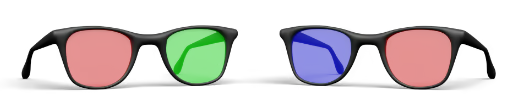
Anaglyph glasses use color-filtered lenses:
One eye perceives red elements
The other eye perceives blue elements
BiColor displays game objects using color separation so that each eye sees a different image.
This encourages binocular fusion, eye teaming, and visual coordination — key elements of lazy eye therapy and adult amblyopia treatment.
🎮 Key Features
👁️🗨️ Dichoptic visual training with color separation
🕹️ Lazy eye computer games designed for coordination and attention
🎯 Adjustable difficulty for children and adults
📊 Session-based progress tracking
🏠 Designed for lazy eye exercises at home
🧠 Supports binocular vision and eye teaming
🔴🔵 Compatible with red–blue and red–green anaglyph glasses
🧸 Mini-Games Included
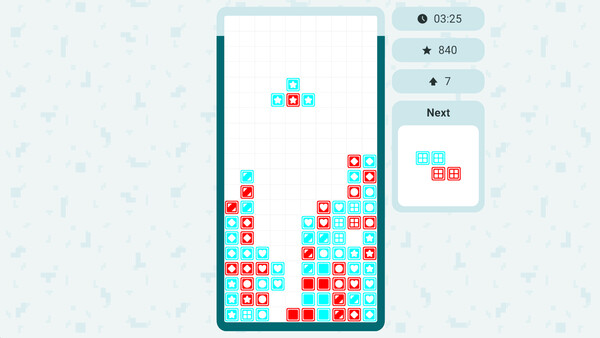
🧱 Bricks
A classic falling-block puzzle where you move and rotate pieces to complete horizontal lines. Trains spatial reasoning, visual attention, and binocular coordination.
🦀 Star Crab
Trains visual attention, reaction speed, spatial orientation, and movement control through collecting stars, avoiding mines, and jumping over obstacles.
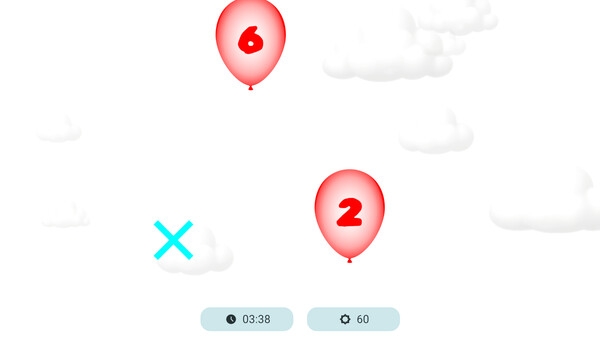
🎈 Balloons
Improves focus, visual tracking, and attention through ordered target selection.
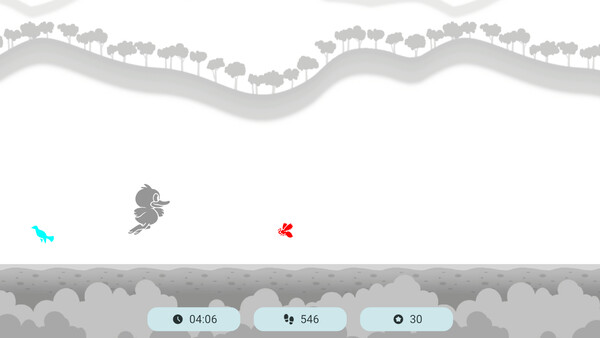
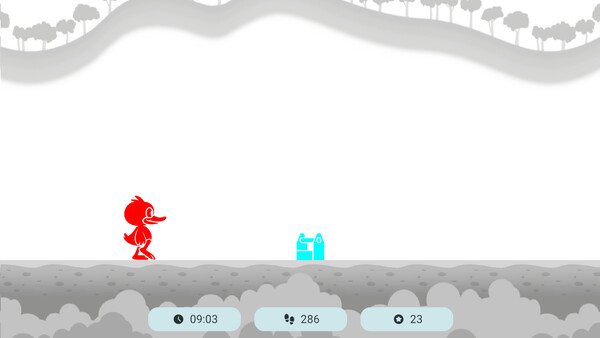
🦆 Duck Runner
Enhances reaction time, spatial awareness, and binocular coordination.
🎨 Paint
Develops precision, fine motor control, and color perception through guided drawing tasks.
⚠️ Important Notes ⚠️
Anaglyph glasses are required (not included).
BiColor is not a medical device.
This application does not replace professional diagnosis or treatment.
Always consult an eye care specialist before starting or modifying vision therapy.