Realtime Screen OCR Translator
Realtime Screen OCR Translator - Steam Charts & Historical Stats
Real-time OCR translator for ANY on-screen text - Instantly extracts & translates text from ANY screen area you select. Explore historical player activity and pricing for Realtime Screen OCR Translator. Player-count data was last observed Sep 30, 2026.
Realtime Screen OCR Translator player count and price summary
- Current players
- Unavailable
- All-time peak
- 7
- 24-hour player change
- Unavailable
- Current US price
- $0.99
Player count last observed . Values marked unavailable are not estimated.
Media gallery 12 screenshots · 2 videos
Screenshots
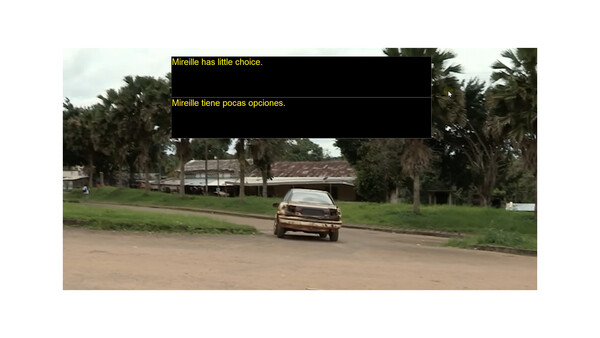
Videos
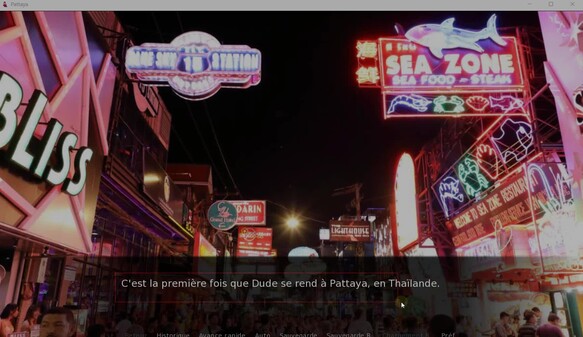
new1
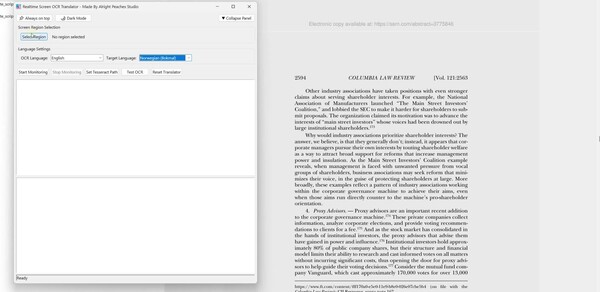
new0
Last Tracked Players
All-Time Peak
Estimated Owners
Game Insights
Buy Verdict
Not the best time to buy. Price could improve with future sales.
Value Score
Price-to-player ratio ranks in the 100th percentile.
Genre Benchmarks
Activity Heatmap
0 players · 2 samples
1 players · 1 samples
2 players · 2 samples
1 players · 1 samples
1 players · 1 samples
0 players · 2 samples
No samples
1 players · 2 samples
2 players · 2 samples
3 players · 1 samples
2 players · 1 samples
5 players · 1 samples
3 players · 2 samples
3 players · 1 samples
4 players · 2 samples
2 players · 1 samples
No samples
4 players · 2 samples
3 players · 1 samples
3 players · 2 samples
No samples
2 players · 1 samples
2 players · 2 samples
No samples
2 players · 3 samples
0 players · 1 samples
No samples
1 players · 3 samples
No samples
0 players · 2 samples
2 players · 1 samples
0 players · 1 samples
2 players · 2 samples
2 players · 1 samples
3 players · 2 samples
7 players · 1 samples
1 players · 1 samples
2 players · 2 samples
No samples
3 players · 3 samples
No samples
3 players · 1 samples
2 players · 2 samples
2 players · 1 samples
No samples
7 players · 1 samples
2 players · 2 samples
1 players · 1 samples
1 players · 1 samples
1 players · 1 samples
2 players · 2 samples
No samples
1 players · 3 samples
1 players · 1 samples
No samples
0 players · 3 samples
0 players · 1 samples
1 players · 1 samples
1 players · 2 samples
2 players · 1 samples
2 players · 1 samples
2 players · 1 samples
2 players · 2 samples
No samples
2 players · 2 samples
2 players · 1 samples
3 players · 1 samples
1 players · 1 samples
2 players · 2 samples
No samples
1 players · 1 samples
2 players · 2 samples
No samples
1 players · 1 samples
1 players · 1 samples
2 players · 2 samples
2 players · 1 samples
1 players · 1 samples
1 players · 1 samples
2 players · 2 samples
2 players · 2 samples
4 players · 1 samples
1 players · 1 samples
No samples
2 players · 3 samples
No samples
1 players · 1 samples
1 players · 3 samples
No samples
No samples
3 players · 3 samples
No samples
No samples
2 players · 1 samples
0 players · 2 samples
0 players · 1 samples
No samples
2 players · 2 samples
0 players · 1 samples
No samples
1 players · 3 samples
No samples
1 players · 2 samples
1 players · 1 samples
2 players · 1 samples
1 players · 1 samples
0 players · 2 samples
No samples
1 players · 2 samples
No samples
2 players · 2 samples
3 players · 1 samples
No samples
2 players · 2 samples
No samples
2 players · 2 samples
No samples
4 players · 1 samples
2 players · 2 samples
No samples
2 players · 2 samples
0 players · 1 samples
1 players · 1 samples
4 players · 1 samples
No samples
0 players · 2 samples
1 players · 1 samples
2 players · 1 samples
2 players · 1 samples
2 players · 2 samples
4 players · 1 samples
2 players · 1 samples
2 players · 1 samples
No samples
3 players · 3 samples
No samples
4 players · 2 samples
2 players · 2 samples
No samples
4 players · 3 samples
5 players · 1 samples
2 players · 2 samples
3 players · 3 samples
No samples
2 players · 1 samples
2 players · 2 samples
1 players · 1 samples
3 players · 1 samples
2 players · 2 samples
1 players · 1 samples
2 players · 1 samples
1 players · 2 samples
2 players · 1 samples
3 players · 1 samples
3 players · 3 samples
No samples
0 players · 1 samples
4 players · 2 samples
2 players · 1 samples
3 players · 1 samples
2 players · 4 samples
No samples
2 players · 1 samples
4 players · 1 samples
2 players · 2 samples
3 players · 1 samples
1 players · 1 samples
2 players · 1 samples
Latest News
Price History
System Requirements
- OS: Windows 10
- Processor: Intel Core i5-6300HQ or AMD A10-8700P
- Memory: 2 GB RAM
- Graphics: Intel HD Graphics 6000 or AMD Radeon R6 Graphics
- Storage: 2 GB available space
- OS: Windows 11
- Processor: Intel Core Ultra 7 268V or AMD Ryzen 7 8845HS
- Memory: 8 GB RAM
- Graphics: Intel Arc Graphics 140V or AMD Radeon 780M
- Storage: 10 GB available space
Additional Information
*languages with full audio support
Player-to-Price Ratio
Current Pricing
Additional Information
Developer Analytics
Loading competitors...
About This Game
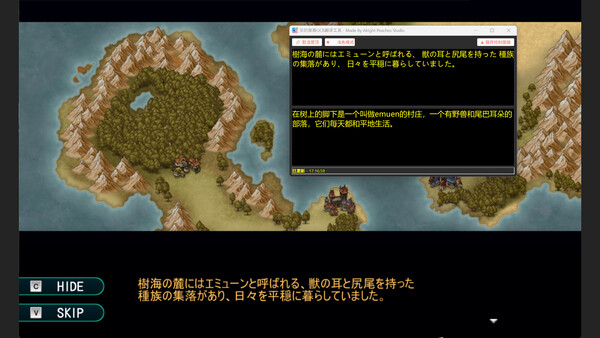
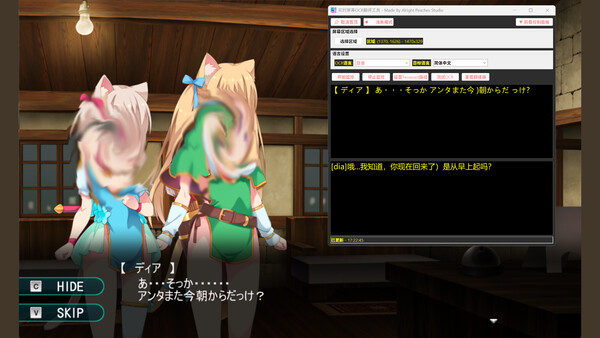
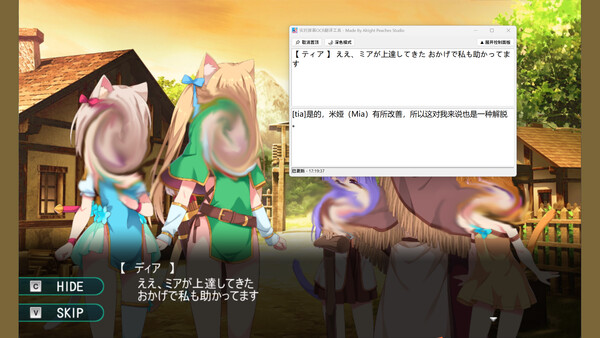
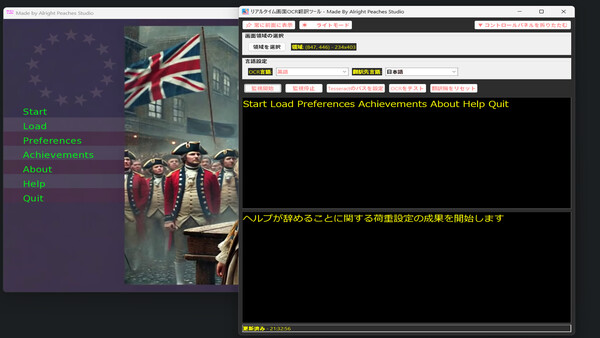
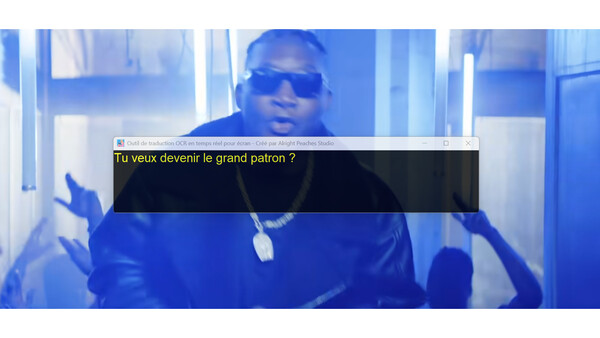
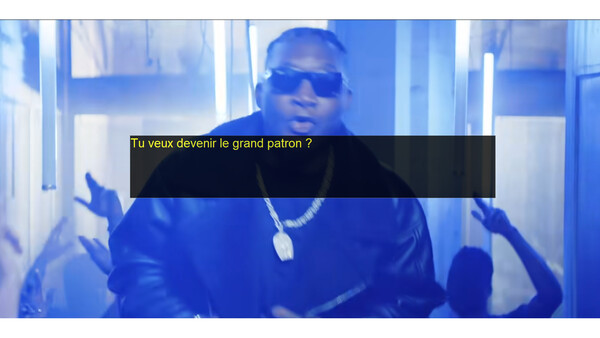
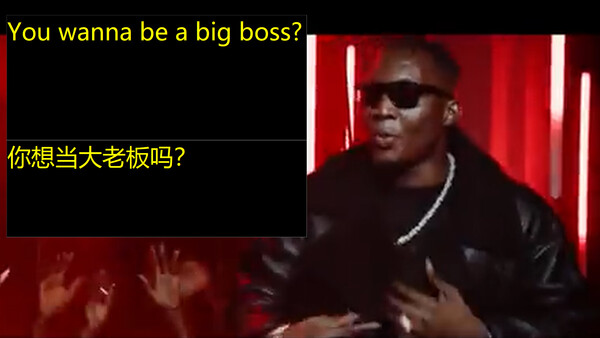
Real-time OCR translator for ANY on-screen text - Instantly extracts & translates text from ANY screen area you select. Translations update automatically as the original text changes—perfect for games, apps, and videos. No accounts or setup needed!
Detailed Description
Are you having trouble with this? Play a game interface or dialogue is a foreign language you can not read, have you ever thought of whether OCR buckle out these words, and then real-time translation into your language, and then with the changes in this area of the foreign language, the translation also changes, the whole process does not need to configure an account, a key or any extra thing, the software is extremely simple and easy to use.
Screen OCR Translator is a desktop utility that enables users to capture and translate on-screen text in real time. By selecting any region of the screen, the application can recognize and extract text using OCR (Optical Character Recognition), then translate it into the target language. The tool is suitable for a variety of scenarios, including games, videos, online documents, and software interfaces. For places where there is no way to copy or text in pictures can be keyed out and translated.
Key Features:
Real-time OCR: Monitor a selected screen area and automatically recognize text content (The entire OCR module is built-in locally, which greatly improves recognition efficiency.).
Instant Translation: Translate recognized text into your preferred language using fast internet services.
Multi-language Support: Supports OCR and translation for multiple languages, as long as the language Google Translator and Tesseract-OCR support, this software supports. This means that it supports mutual translation and OCR between most languages. As for the software interface, it currently supports eleven languages (English, Japanese, German, French, Russian, Portuguese, Spanish, Korean, Simplified Chinese, Traditional Chinese, Thai), and it will support more languages later, but this only refers to the interface language, and for the OCR and translation languages it supports are far more than those mentioned, such as Dutch, Polish, Danish, Czech, Hindi, and so on and so forth.
Customizable Region Selection: Easily define and adjust the specific area of the screen to capture.
Light and Dark Modes: Choose your preferred interface theme for better user experience.
Simple Interface: Start and stop monitoring with one click.
With the function that can hide the workspace, the software interface can be neat and clean.
Screen OCR Translator is designed for users who need quick and reliable translation of on-screen text, such as while watching videos, playing games, studying foreign materials, or working with international software.