
Game overview
Minimalist Desktop
Put a calmer desktop layer on top of Windows. Launch apps in 2D or 3D, use widgets and wallpapers, and break doom-scroll loops with a built-in blocker.
- Last tracked players
- 0
- All-time peak
- 3
- 24-hour change
- Unavailable
Delayed observation · last tracked . Values marked unavailable are not estimated.
About this game Read the full description
The last desktop you need
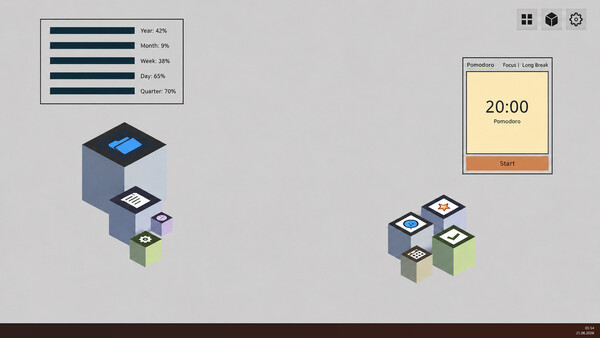
Minimalist Desktop puts a calmer workspace on top of Windows. Keep your regular desktop when you need it, but move daily apps, widgets, wallpapers, and palettes into one cleaner 2D or 3D space. The built-in doom-scroll blocker helps keep that space intentional.
Put the messy desktop aside
Every new install, shortcut, folder, and temporary file can turn your desktop into visual noise. Minimalist Desktop lets you keep that clutter out of the way and start from a workspace built around intention.
Use a 2D or 3D workspace - Choose the layout that fits your workflow.
Hide native desktop clutter when you want - Keep Windows available without letting it take over your screen.
Launch apps deliberately - Build a cleaner launcher from the programs you actually use.
Bring your apps into your new desktop
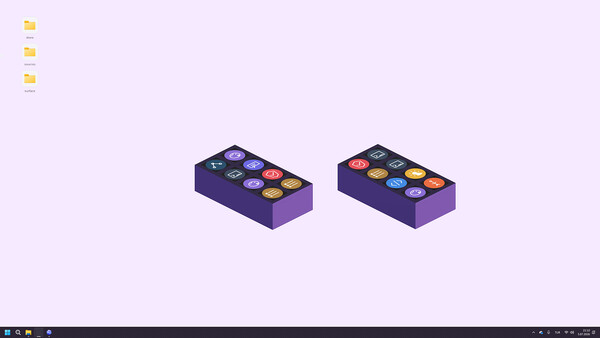
Drag existing apps and shortcuts into your Minimalist Desktop workspace and arrange them around the way you work. Use it as a calm launcher, a widget board, or a focused layer above your regular desktop.
Customize the workspace around your focus
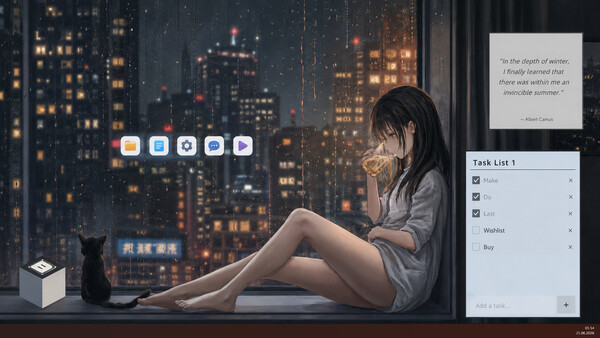
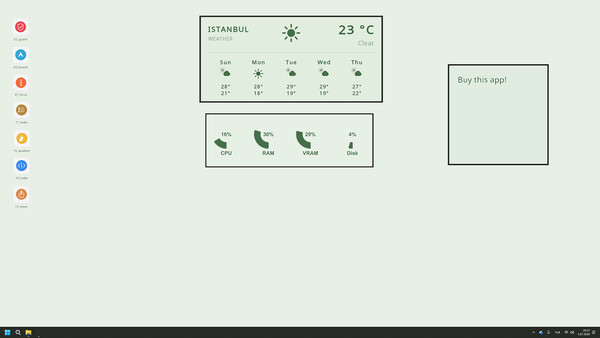
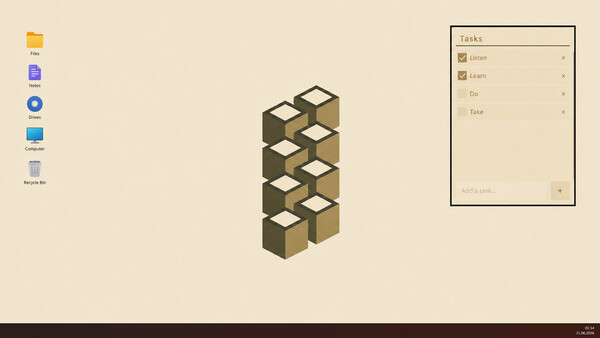
Minimalist Desktop supports app cubes, 2D layouts, widgets, wallpaper modes, GIF/MP4 backgrounds, monochrome palettes, task lists, notes, timers, weather, calendar, progress widgets, and system status panels.
Widgets - Clock, notes, tasks, calendar, weather, Pomodoro, progress bars, quick tools, and reminders.
Visual modes - 3D cubes, 2D desktop layouts, monochrome palettes, image wallpapers, GIF wallpapers, and MP4 wallpapers.
Workspace control - Keep the native Windows icons visible or hide them when you want a cleaner space.
Stop doom-scrolling before it takes over
Minimalist Desktop is not only a launcher. It includes a built-in doom-scroll blocker. When you drift toward social feeds, the blocker helps interrupt the loop and bring you back to what you meant to do.
Media gallery 8 screenshots · 0 videos

Screenshots



Player activity
Concurrent players over the last 48 hours.
Latest news
All news on Steam ↗System requirements Windows
Windows
Minimum
Minimum:- Requires a 64-bit processor and operating system
- OS: Windows 10 (64 bit)
- Processor: Intel Core i3-3210
- Memory: 2024 MB RAM
- Graphics: NVIDIA GeForce GTX 660 or AMD Radeon R7 265
- DirectX: Version 11
- Storage: 1 GB available space
Recommended
Recommended:- Requires a 64-bit processor and operating system
- OS: Windows 11 (64 bit)
- Processor: Intel Core i3-3210
- Memory: 8196 MB RAM
- Graphics: NVIDIA GeForce GTX 660 or AMD Radeon R7 265
- DirectX: Version 11
- Storage: 1 GB available space
Game details Languages, features & support
- Publisher
- Desktop Studio
- Features
- Adjustable Text Size, Color Alternatives, Mouse Only Option, #category_playable_at_your_own_pace, Playable without Timed Input, Save Anytime, Steam Cloud
- Languages
- English, French, Italian, German, Spanish - Spain, Arabic, Simplified Chinese, Portuguese - Brazil, Bulgarian, Danish, Indonesian, Dutch, Finnish, Traditional Chinese, Japanese, Korean, Spanish - Latin America, Polish, Hungarian, Norwegian, Portuguese - Portugal, Romanian, Russian, Thai, Turkish, Ukrainian, Vietnamese, Greek, Czech, Swedish, Malay
- Support
- [email protected]
More analysis Activity patterns, updates & developer tools
Game Insights
Buy Verdict
Wait for upcoming sale in ~13 days for potentially better pricing.
Update Momentum
1 patches and 1 news items in last 180 days. Latest patch effect size: 0.00.
Developer Analytics
Loading competitors...