Game overview
Voice2Action
Control your games with your voice. Voice2Action turns spoken commands into keyboard shortcuts, letting you trigger actions, combos, and macros hands-free.
- Last tracked players
- 0
- Recorded peak
- 1
- 24-hour change
- Unavailable
Delayed observation · last tracked . Values marked unavailable are not estimated. Recorded peak is the highest player count observed by SteamIQHQ; earlier records may be outside our coverage.
Thinking of returning to Voice2Action?
See recorded Steam news, player activity and price changes since your last visit.
See what changed in Voice2ActionAbout this game Read the full description
Voice2Action is a voice-powered control tool designed for gamers who want to play smarter, faster, and hands-free. With Voice2Action, your spoken words become real in-game actions. Whether you want to trigger abilities, execute combos, or manage complex shortcuts, everything can be done with a simple voice command.
Key Features
Map voice commands to any keyboard shortcut.
Create custom macros for complex actions.
Switch weapons, open menus, or execute skills without lifting a finger.
Adjustable recognition sensitivity for different environments.
Works offline with built-in speech recognition, or online with AI-enhanced accuracy. (AI mode requires an active internet connection.)
Perfect for accessibility: allow more people to enjoy games through voice input.
Voice2Action gives players a new way to interact with their favorite titles—making gaming more immersive, responsive, and inclusive.
How To Use?
Voice2Action uses the microphone defined in Windows, so a microphone is required.
If a microphone is available and you don’t want to use AI mode, you can simply press Start to begin listening.
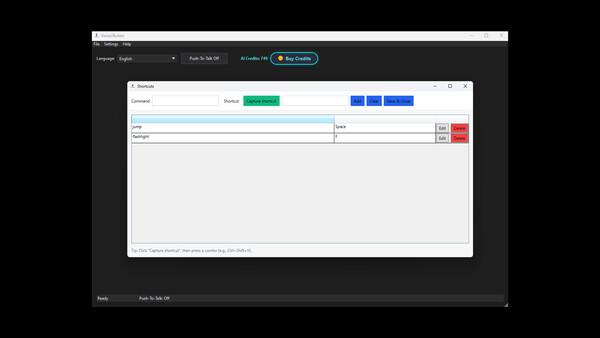
Before that, you should add new shortcuts from Settings → Shortcuts.
Enter the word or phrase you want to say.
Click on Capture Shortcut and press either a single key or a combination of keys.
Then click Add and finally Save & Close.
After that, you can press Start and your shortcut will be active.
Currently, hold-to-press functionality is not available, but it will be added later.
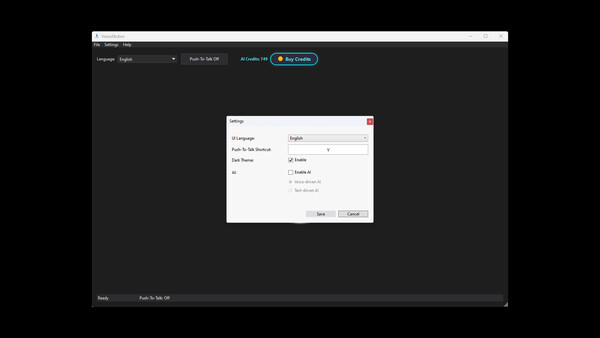
From Settings → General, you can also set your Push-To-Talk key.
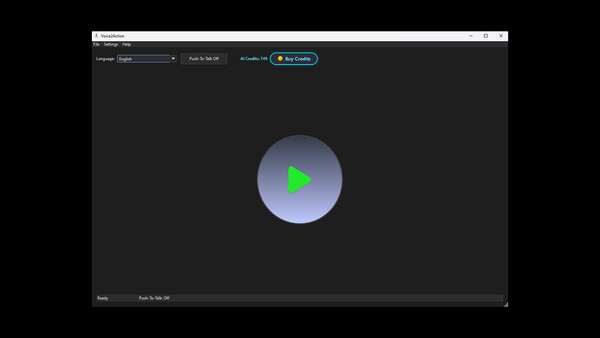
In the main window, you can choose the language you want to speak in, and you can toggle Push-To-Talk on or off.
Finally, if you encounter any bugs or issues, please report them to us.
Media gallery 5 screenshots · 0 videos

Screenshots

Player activity
Concurrent players over the last 48 hours.
Latest news
All news on Steam ↗System requirements Windows
Windows
Minimum
Minimum:- Requires a 64-bit processor and operating system
- OS: Windows 10
- Processor: Intel Core i3 or equivalent
- Memory: 4 GB RAM
- Graphics: Integrated graphics (Intel HD or equivalent)
- Storage: 1 GB available space
- Sound Card: Microphone required
Recommended
Recommended:- Requires a 64-bit processor and operating system
Game details Languages, features & support
- Publisher
- The Big Studio
- Brazilian rating
- 14
- Steam Germany rating
- 12
- Features
- In-App Purchases
- Languages
- English*, French*, German*, Spanish - Spain*, Turkish*
*languages with full audio support - Website
- Official website ↗
- Support
- [email protected] Support site ↗
More analysis Activity patterns, updates & developer tools
Genre Benchmarks
Developer Analytics
Loading competitors...