
Pig Tower
Pig Tower - Steam Charts & Historical Stats
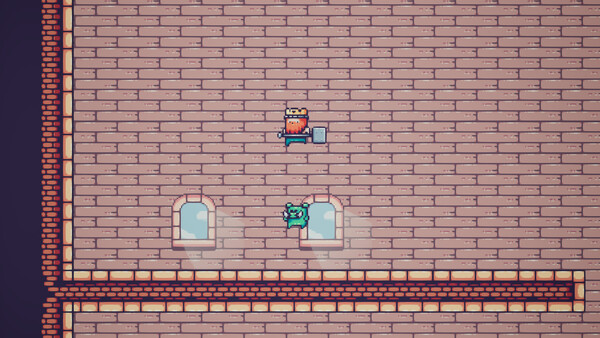
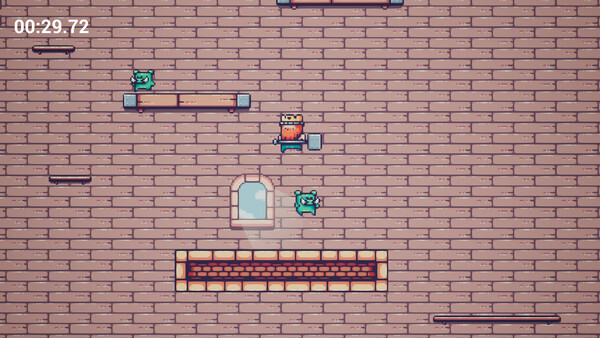
Pig tower is a simple 2D platformer with a speed running angle. Explore historical player activity and pricing for Pig Tower. Player-count data was last observed Sep 30, 2026.
Pig Tower player count and price summary
- Current players
- Unavailable
- All-time peak
- Unavailable
- 24-hour player change
- Unavailable
- Current US price
- $1.99
Player count last observed . Values marked unavailable are not estimated.
Media gallery 5 screenshots · 1 videos
Screenshots
Videos

Pig tower gameplay
Game Insights
Buy Verdict
Decent deal at 0% off, but might drop further. Watch for better opportunities.
Value Score
Price-to-player ratio ranks in the 100th percentile.
Genre Benchmarks
Activity Heatmap
0 players · 2 samples
No samples
0 players · 3 samples
No samples
0 players · 2 samples
0 players · 2 samples
No samples
0 players · 2 samples
0 players · 1 samples
0 players · 2 samples
0 players · 1 samples
0 players · 2 samples
0 players · 1 samples
No samples
0 players · 3 samples
No samples
0 players · 1 samples
0 players · 2 samples
0 players · 1 samples
0 players · 1 samples
0 players · 1 samples
0 players · 1 samples
0 players · 2 samples
No samples
0 players · 3 samples
No samples
0 players · 1 samples
0 players · 2 samples
0 players · 1 samples
0 players · 2 samples
0 players · 1 samples
0 players · 1 samples
0 players · 2 samples
0 players · 1 samples
0 players · 2 samples
No samples
0 players · 3 samples
No samples
0 players · 1 samples
0 players · 2 samples
0 players · 1 samples
No samples
0 players · 3 samples
No samples
0 players · 1 samples
0 players · 1 samples
0 players · 2 samples
0 players · 1 samples
0 players · 1 samples
0 players · 1 samples
0 players · 2 samples
No samples
0 players · 3 samples
No samples
0 players · 2 samples
0 players · 2 samples
No samples
0 players · 3 samples
0 players · 1 samples
0 players · 1 samples
0 players · 1 samples
0 players · 1 samples
0 players · 1 samples
0 players · 1 samples
0 players · 1 samples
0 players · 2 samples
No samples
0 players · 2 samples
0 players · 1 samples
0 players · 1 samples
No samples
0 players · 3 samples
No samples
0 players · 1 samples
0 players · 1 samples
0 players · 2 samples
0 players · 1 samples
0 players · 1 samples
0 players · 1 samples
0 players · 2 samples
0 players · 1 samples
0 players · 2 samples
0 players · 1 samples
0 players · 1 samples
0 players · 2 samples
No samples
0 players · 1 samples
0 players · 3 samples
No samples
No samples
0 players · 3 samples
No samples
No samples
0 players · 2 samples
0 players · 1 samples
0 players · 1 samples
No samples
0 players · 2 samples
0 players · 1 samples
No samples
0 players · 3 samples
No samples
0 players · 2 samples
0 players · 1 samples
0 players · 1 samples
0 players · 1 samples
0 players · 2 samples
No samples
0 players · 2 samples
No samples
0 players · 1 samples
0 players · 2 samples
No samples
0 players · 2 samples
No samples
0 players · 2 samples
No samples
0 players · 1 samples
0 players · 2 samples
No samples
0 players · 2 samples
0 players · 1 samples
0 players · 1 samples
0 players · 1 samples
No samples
0 players · 2 samples
0 players · 1 samples
0 players · 2 samples
No samples
0 players · 2 samples
0 players · 1 samples
0 players · 1 samples
0 players · 1 samples
No samples
0 players · 2 samples
0 players · 1 samples
0 players · 2 samples
0 players · 2 samples
No samples
0 players · 3 samples
No samples
0 players · 3 samples
0 players · 1 samples
0 players · 1 samples
0 players · 2 samples
0 players · 1 samples
0 players · 2 samples
No samples
0 players · 2 samples
0 players · 1 samples
0 players · 1 samples
0 players · 3 samples
No samples
0 players · 2 samples
0 players · 1 samples
0 players · 1 samples
0 players · 2 samples
0 players · 2 samples
0 players · 1 samples
0 players · 1 samples
0 players · 6 samples
No samples
0 players · 1 samples
0 players · 2 samples
No samples
0 players · 2 samples
0 players · 1 samples
0 players · 1 samples
Latest News
Price History
No Recent Price History
Price history data will appear here once more pricing information becomes available.
System Requirements
- OS: Windows 10
- Processor: Intel core i3
- Memory: 8 GB RAM
- Graphics: Nvidia GTX 2070
- DirectX: Version 12
- Storage: 2 GB available space
- OS: SteamOS 3.6.19
- Processor: Intel core i3
- Graphics: Nvidia GTX 2070
- Storage: 2 GB available space
Additional Information
Current Pricing
Additional Information
Developer Analytics
Loading competitors...
About This Game
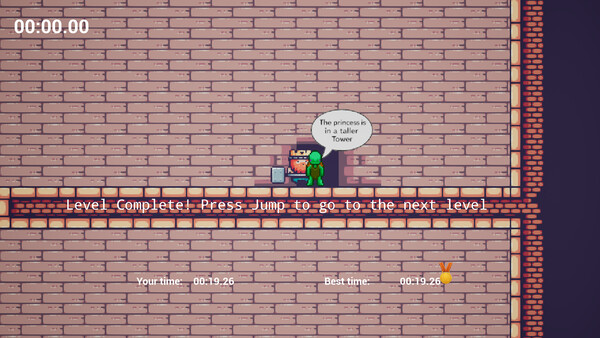
Pig tower is a simple 2D platformer with a speed running angle. You climb towers to find the princess in as short time as possible and are rewarded medals for good times.
Detailed Description
Pig Tower is a simple but challenging 2D platformer with a speedrunning twist.
Climb towers to rescue the princess as fast as you can. Every second counts, and your best times are rewarded with Silver or Gold medals.
Gameplay:
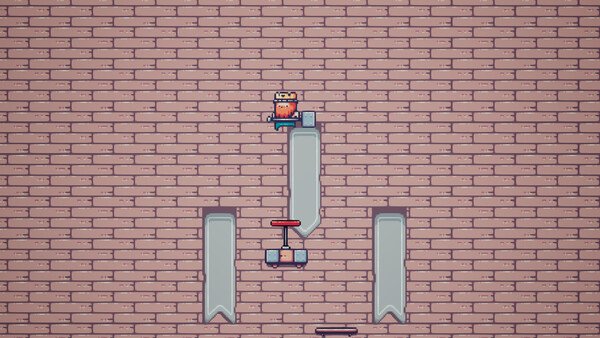
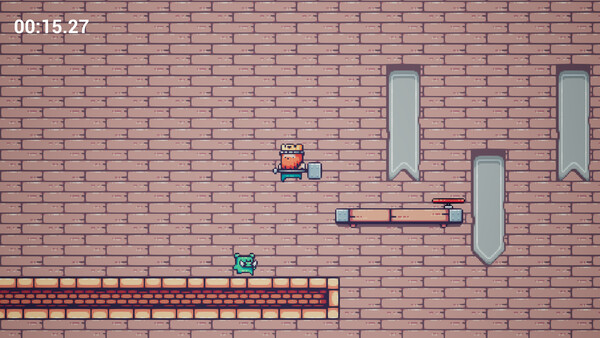
Run, jump, and climb through dangerous tower stages filled with enemies and tricky jumps.
Learn the layouts, refine your route, and shave seconds off your runs.
Tight controls keep the challenge fair — if you fall, it’s on you!
Goals & Progression:
Conquer each tower and reach the final tower where the princess awaits.
Earn medals for your clear times — can you claim gold on every level?
Unlock Steam achievements as you master the game.
Features:
Classic 2D platforming with a focus on speed and precision.
Multiple tower stages with increasing difficulty.
Medal and achievement system for replayability.
Keyboard and controller support
Pig Tower is easy to pick up but tough to master, perfect for platforming fans and speedrunners alike.
NOTE for Steamdeck: Please go into properties and Force the use of Compatibility; choose Proton 9.0-4 (I don't know how to force this from the app side)