Game overview
Minisprite Engine
Not just your wallpaper — the space above it. Place animated mascots, meme clips, and mini widgets on your desktop, behind your windows, or anywhere in between. Three layers, your call.
- Last tracked players
- 0
- All-time peak
- 1
- 24-hour change
- Unavailable
Delayed observation · last tracked . Values marked unavailable are not estimated.
About this game Read the full description
Bring your desktop to life
Minisprite Engine lets you place animated sprites, mascots, music, and small widgets directly on your desktop — or behind it, as a living wallpaper.
A quiet, living desktop space — coexisting with your work, not interrupting it.
🎨 Animated Sprites & Videos
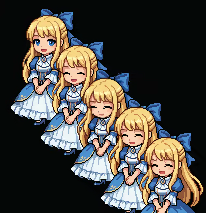
Drop in cute mascots, your favorite meme clips, or short funny videos
Supports GIF · PNG sequences · Aseprite · MP4 · WebM
Place characters anywhere on your desktop, freely
🎵 Music Player
Play your favorite tracks straight from your desktop
Magnetic mode — a favorite companion follows along beneath the player
Work, relax, or just set a mood
🖱️ Effortless Placement
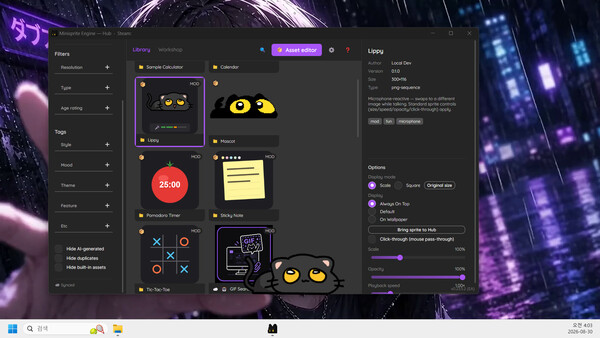
Always-on-top, click-through, and free drag
Run several of the same companion side by side
Multi-monitor aware — companions move freely across screens
🖼️ On Wallpaper Mode
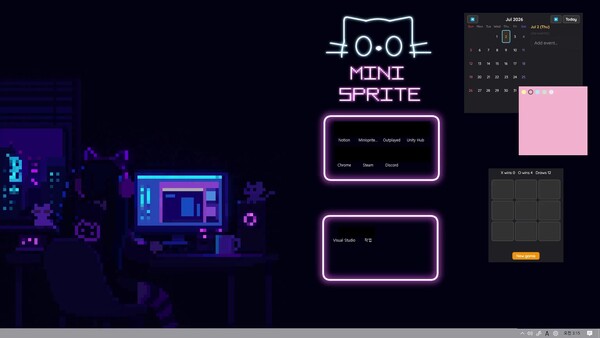
Pin sprites and widgets onto your wallpaper — not just on top of it
Three layers — Foreground, Mid (above icons, below windows), or Wallpaper (behind your work)
Mix freely — some up front, some behind, all at once
🧰 Ready Out of the Box
A black-cat mascot greets you on first launch — your desktop already has a companion.
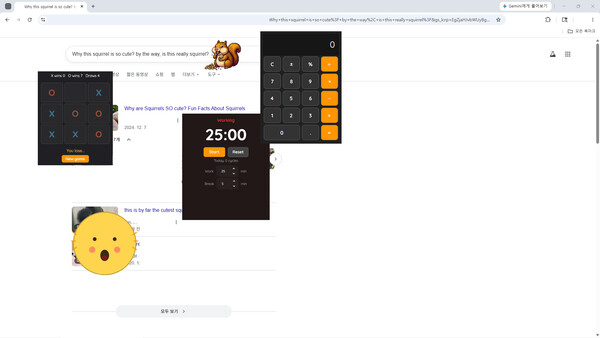
Six small tools come bundled too — a Pomodoro timer, a sticky note, a calendar, a calculator, tic-tac-toe, and Lippy (a character whose mouth moves with your microphone).
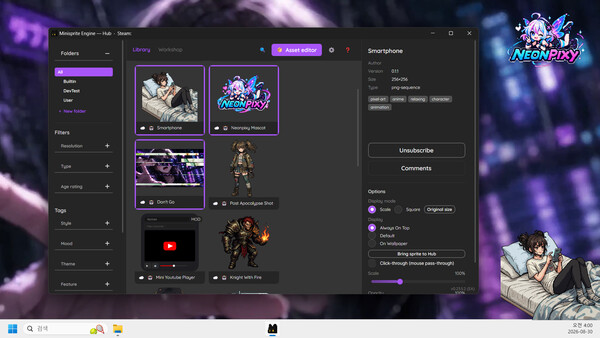
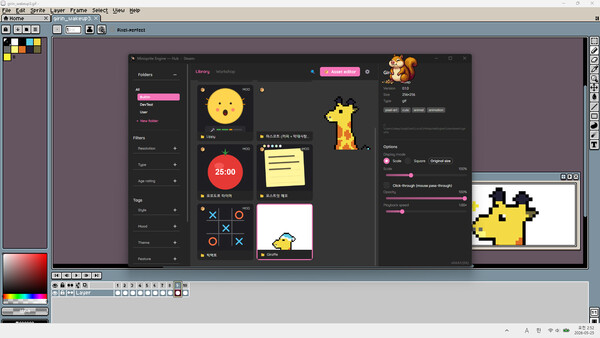
And through Steam Workshop, creators bring clocks, alarms, visualizers, mini-games — many more characters and tools arriving all the time.
🎬 Made for Streaming Setups
A companion on your desktop is a companion in your stream — a tiny mascot your viewers will notice
Drop a favorite meme clip in the corner and your stream feels more alive
A Pomodoro timer or sticky note works as a small live-stream HUD — almost by accident
🌐 Steam Workshop, Built In
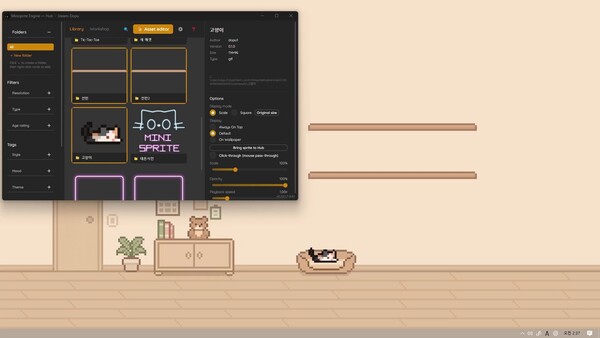
Search, subscribe, and download — all from inside the app
Upload your own characters and widgets just as easily
Your collection syncs across PCs
🛠️ Make It Yours
A built-in editor turns any image, GIF, video, or Aseprite file into a Workshop-ready asset — no external tools needed.
If you can imagine it, build it. Share it with everyone else.
🌱 Recommended For
People who enjoy customizing their desktop
Those who want a character-focused desktop — companions that live on top of your screen, behind it, or anywhere in between
Streamers and content creators looking for a small visual touch on screen
Anyone who likes keeping favorite memes and short clips around
People who want a small, quiet companion next to their work
🚀 Coming Soon
Characters that respond to your facial expressions
Mods that connect to each other — deeper modding
In-app sprite drawing tools
A growing, community-driven content ecosystem
Minisprite Engine is not just a background. Let a small world quietly exist on your desktop — or behind it.
Media gallery 7 screenshots · 0 videos

Screenshots

Player activity
Concurrent players over the last 48 hours.
Latest news
All news on Steam ↗System requirements Windows
Windows
Minimum
Minimum:- Requires a 64-bit processor and operating system
- OS: Windows 10 version 1809 (Build 17763) or later, 64-bit
- Processor: Dual Core CPU
- Memory: 4 GB RAM
- Graphics: Integrated Graphics (Intel HD 4000 or equivalent)
- Storage: 700 MB available space
Recommended
Recommended:- Requires a 64-bit processor and operating system
- OS: Windows 11 or later
- Processor: Intel Core i3 or better
- Memory: 8 GB RAM
- Graphics: Dedicated GPU recommended (GTX 750 or better)
- Storage: 1 GB available space
Game details Languages, features & support
- Publisher
- neonpixy
- Brazilian rating
- l
- Steam Germany rating
- 0
- Achievements
- 2
- Features
- Steam Workshop, Custom Volume Controls, Mouse Only Option, #category_playable_at_your_own_pace, Playable without Timed Input, Save Anytime, Steam Cloud, Includes level editor
- Languages
- English, French, German, Spanish - Spain, Japanese, Korean, Portuguese - Brazil, Portuguese - Portugal, Russian, Simplified Chinese, Spanish - Latin America, Traditional Chinese
- Support
- [email protected] Support site ↗
More analysis Activity patterns, updates & developer tools
Game Insights
Buy Verdict
Decent deal at 0% off, but might drop further. Watch for better opportunities.
Update Momentum
3 patches and 3 news items in last 180 days. Latest patch effect size: 0.00.
Developer Analytics
Loading competitors...