
OVRdrop 2
OVRdrop 2 - Steam Charts & Historical Stats
OVRdrop 2 is a SteamVR Overlay application which allows you to view and interact with your desktop computer applications at the push of a button! Just reach out and grab any window right off your... Explore historical player activity and pricing for OVRdrop 2. Player-count data was last observed Sep 26, 2026.
OVRdrop 2 player count and price summary
- Current players
- Unavailable
- All-time peak
- 1
- 24-hour player change
- Unavailable
- Current US price
- $14.99
Player count last observed . Values marked unavailable are not estimated.
Media gallery 5 screenshots · 1 videos
Screenshots
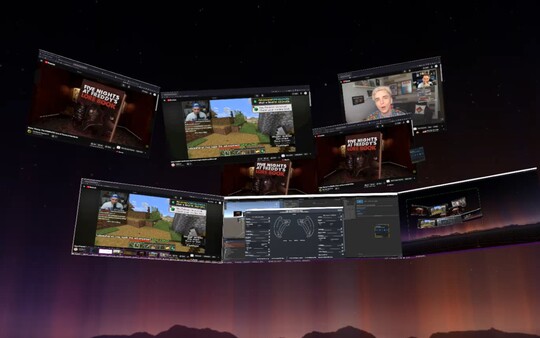
Videos

Alpha Teaser
All-Time Peak
Estimated Owners
Game Insights
Buy Verdict
Wait for upcoming sale in ~4 days for potentially better pricing.
Update Momentum
0 patches and 2 news items in last 180 days.
Activity Heatmap
0 players · 1 samples
No samples
0 players · 3 samples
No samples
0 players · 2 samples
0 players · 2 samples
0 players · 1 samples
0 players · 1 samples
0 players · 2 samples
0 players · 1 samples
0 players · 2 samples
0 players · 1 samples
0 players · 1 samples
0 players · 1 samples
0 players · 2 samples
No samples
0 players · 2 samples
0 players · 1 samples
0 players · 1 samples
0 players · 1 samples
0 players · 2 samples
0 players · 1 samples
0 players · 1 samples
No samples
0 players · 3 samples
No samples
0 players · 2 samples
0 players · 1 samples
0 players · 1 samples
0 players · 2 samples
0 players · 1 samples
0 players · 2 samples
0 players · 2 samples
0 players · 1 samples
0 players · 1 samples
0 players · 1 samples
0 players · 2 samples
No samples
0 players · 2 samples
0 players · 1 samples
0 players · 1 samples
0 players · 1 samples
0 players · 2 samples
No samples
0 players · 2 samples
0 players · 1 samples
0 players · 2 samples
No samples
0 players · 1 samples
0 players · 2 samples
0 players · 1 samples
0 players · 1 samples
0 players · 2 samples
No samples
0 players · 3 samples
0 players · 1 samples
0 players · 1 samples
0 players · 2 samples
0 players · 2 samples
No samples
0 players · 2 samples
0 players · 1 samples
0 players · 1 samples
No samples
0 players · 3 samples
No samples
0 players · 1 samples
0 players · 2 samples
0 players · 1 samples
No samples
0 players · 1 samples
0 players · 2 samples
No samples
0 players · 2 samples
0 players · 1 samples
0 players · 2 samples
No samples
0 players · 2 samples
0 players · 2 samples
0 players · 1 samples
0 players · 1 samples
0 players · 2 samples
0 players · 1 samples
0 players · 2 samples
0 players · 1 samples
No samples
0 players · 2 samples
0 players · 2 samples
No samples
No samples
0 players · 1 samples
0 players · 2 samples
No samples
0 players · 2 samples
0 players · 1 samples
0 players · 1 samples
0 players · 1 samples
No samples
0 players · 2 samples
0 players · 1 samples
0 players · 1 samples
0 players · 1 samples
0 players · 1 samples
0 players · 1 samples
0 players · 2 samples
0 players · 1 samples
0 players · 1 samples
0 players · 2 samples
0 players · 1 samples
No samples
0 players · 1 samples
0 players · 2 samples
No samples
0 players · 1 samples
0 players · 2 samples
0 players · 1 samples
No samples
0 players · 1 samples
0 players · 2 samples
No samples
0 players · 2 samples
0 players · 1 samples
0 players · 1 samples
No samples
0 players · 2 samples
0 players · 1 samples
No samples
0 players · 3 samples
No samples
0 players · 1 samples
0 players · 2 samples
0 players · 1 samples
No samples
0 players · 2 samples
0 players · 2 samples
No samples
0 players · 2 samples
0 players · 2 samples
No samples
0 players · 3 samples
No samples
0 players · 2 samples
0 players · 2 samples
0 players · 1 samples
0 players · 2 samples
0 players · 1 samples
0 players · 2 samples
0 players · 1 samples
0 players · 1 samples
0 players · 1 samples
0 players · 2 samples
0 players · 2 samples
No samples
0 players · 2 samples
0 players · 1 samples
0 players · 1 samples
0 players · 2 samples
0 players · 1 samples
0 players · 1 samples
0 players · 1 samples
0 players · 2 samples
No samples
0 players · 2 samples
0 players · 1 samples
0 players · 1 samples
0 players · 1 samples
0 players · 2 samples
0 players · 1 samples
Latest News
v54 Release Notes
📝 Updatev53 Release Notes
📝 UpdatePrice History
System Requirements
- OS: Windows 10 (May 2019 Update or newer), Windows 11
- Processor: Intel i5-4590 / AMD Ryzen 5 1500X or better
- Memory: 8 GB RAM
- Graphics: NVIDIA GTX 1060 / AMD RX 580 or better
- DirectX: Version 11
- Network: Broadband Internet connection
- Storage: 1 GB available space
- Sound Card: Optional
- VR Support: SteamVR required; supported headsets include but not limited to Valve Index, HTC Vive, and Oculus (Quest/Rift) when used through SteamVR; supported controllers include but not limited to Valve Index Controllers, HTC Vive Controllers, and Oculus Touch; VR tracked controllers required for most interactions.
- Additional Notes: Internet connection required every 90 days.
- OS: Windows 10 IoT LTSC
- Processor: Intel i5-9600K / AMD Ryzen 5 3600 or better
- Memory: 16 GB RAM
- Graphics: RTX 2060 / RX 6600 or better
- DirectX: Version 11
- Network: Broadband Internet connection
- Storage: 1 GB available space
- Sound Card: Optional
- VR Support: SteamVR required; supported headsets include but not limited to Valve Index, HTC Vive, and Oculus (Quest/Rift) when used through SteamVR; supported controllers include but not limited to Valve Index Controllers, HTC Vive Controllers, and Oculus Touch; VR tracked controllers required for most interactions.
- Additional Notes: Internet connection required every 90 days.
$14.99 $13.49
Additional Information
Current Pricing
Additional Information
Developer Analytics
Loading competitors...
About This Game
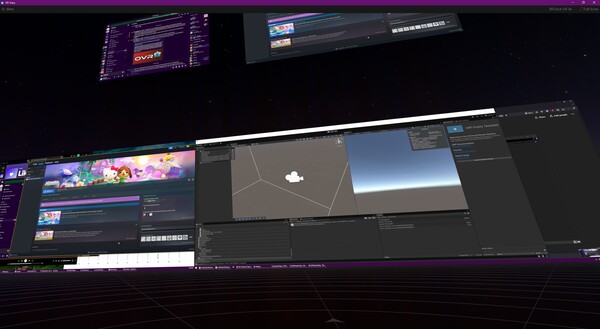
OVRdrop 2 is a SteamVR Overlay application which allows you to view and interact with your desktop computer applications at the push of a button! Just reach out and grab any window right off your computer monitor and turn it into a 3D VR display!
Detailed Description
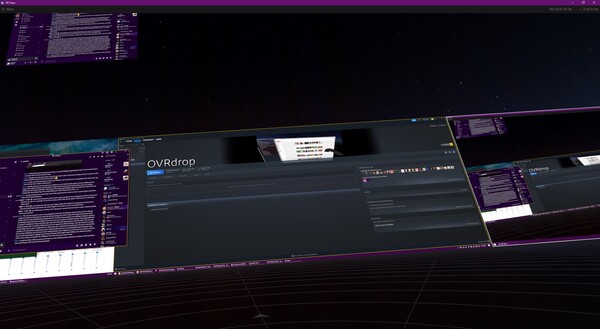
OVRdrop 2 is a multipurpose Utility application for SteamVR. OVRdrop 2's main feature is the ability to turn almost any application from your desktop display right into a VR "overlay" in mere seconds. At the push of a button you can bring up the "OVRview" - automatically synced with Windows' Display Manager for its layout, the OVRview copies your entire desktop right into VR, allowing for quick configuration of the OVRdrop Capture Windows. Reach out and "grab" an application right off the OVRview, scale it up or down, position it wherever you'd like in 3d space, pin it to a controller if you'd like, and even send mouse clicks right through without ever leaving VR. Featuring SteamVR Input, OVRdrop puts you in direct control of the input bindings, allowing a wide range of user customization for different play styles.
Note about OVRdrop 2 Demo: The demo is fully featured with no restrictions. You start with two hours of use, and your time resets to one hour at the start of each day. Please feel free to come back and give us another try later to see how far we can go!
The OVRview
The OVRview acts as a quick access point for interacting with and managing OVRdrop 2 and its features. At the push of a button you can bring up the OVRview from anywhere in VR, even while playing other SteamVR compatible games. With the OVRview in sight, just aim at your desired application and "grab" it right off the display! Spawning overlays has never been so easy! You can also use the OVRview to interact directly with your desktop, sending mouse clicks freely with your VR Tracked Controllers. We have quite a few additional features planned for the OVRview, but at this time, it is primarily limited to these functions.
Capture Overlays
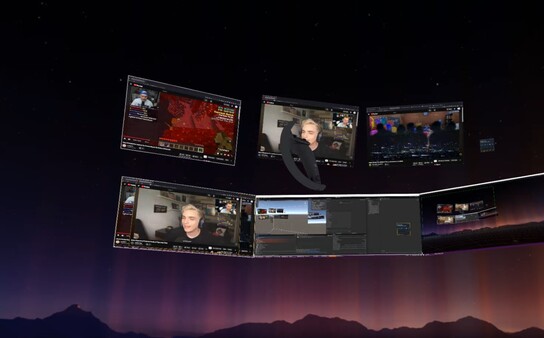
OVRdrop 2 lets you turn almost any application into a portable VR Overlay, bringing your favorite 2d/desktop applications right into your favorite VR games and experiences! Netflix or Hulu on those long haul (space) trucker sessions? YouTube or VLC while you graffiti? How about Twitch chat while you VR chat? We got you covered!
Pin any Window to your VR controller for easy access or leave them floating in the world as a floating display.
Clone Background windows! OVRdrop 2 features cutting edge GPU accelerated technologies to bring your applications into VR as effortlessly as possible. With the ability to copy most background windows at blazing speeds, why not bring 2, or 3, or maybe 10 HD applications into VR all at once?
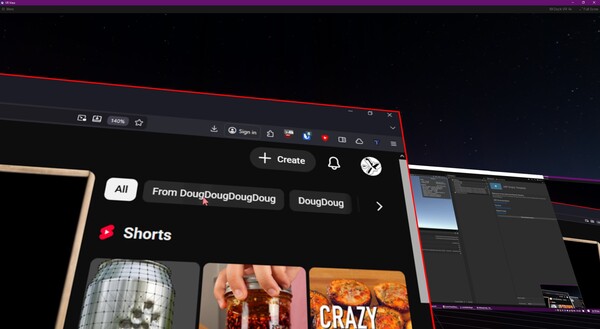
Click on applications without leaving VR! Capture Overlays as well as the OVRview will show your real cursor as well as a virtual cursor so you know exactly where you're going to click. Left, Right, and Middle, as well as Scrollwheel, OVRdrop can do it all! Featuring a simple "Interact" mode which always does a single/double click for easy interactions as well as a full "Click" mode which can do more advanced actions like Click+Drag. OVRdrop 2 can even click most background applications without disturbing them!
Supports Landscape or Portrait displays of any aspect, any resolution and any number of displays (we haven't found a limit yet). Background capture and Background input means most windows never need to change focus.
In-VR Configuration
OVRdrop 2 is fully configurable without leaving VR, keeping you in the action!
Physical Displays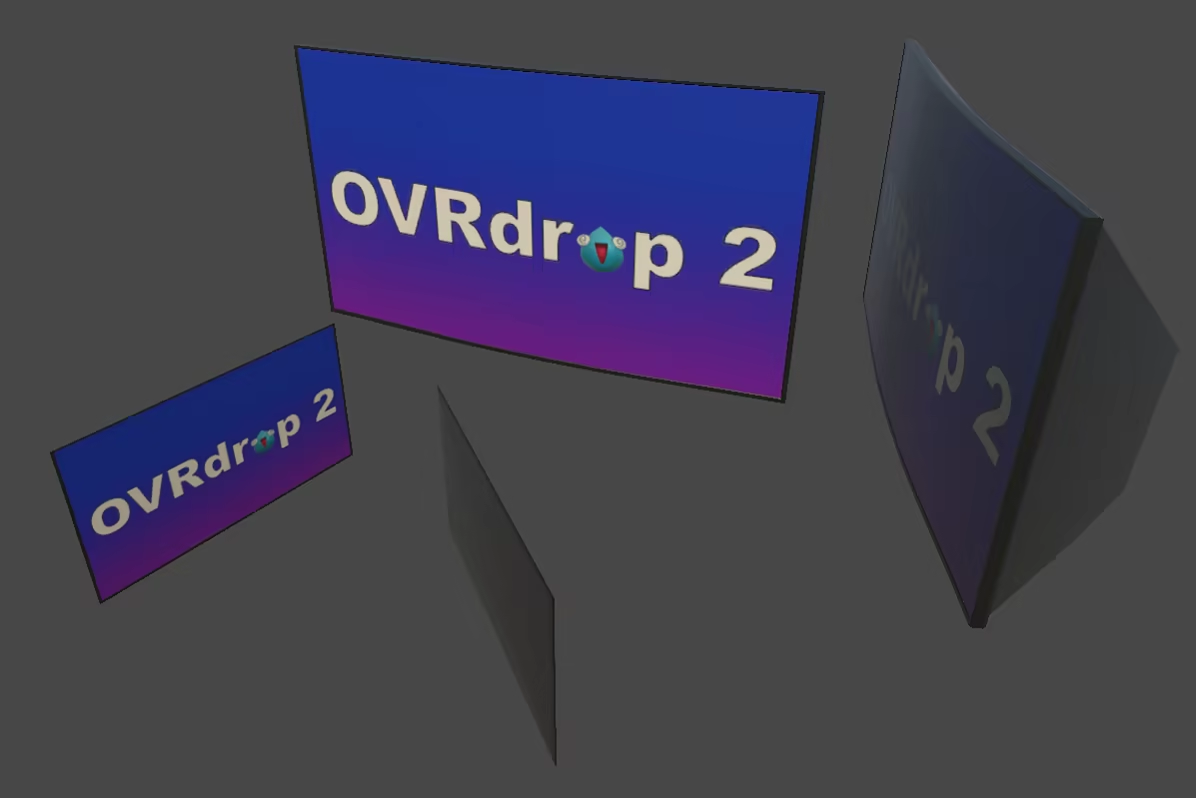
OVRdrop 2 features 3d Displays which can copy any of your computer monitors or applications as if they were an Overlay. Place a CRT into your VR space and watch your shows like they were meant to be watched!
Physical Keyboards
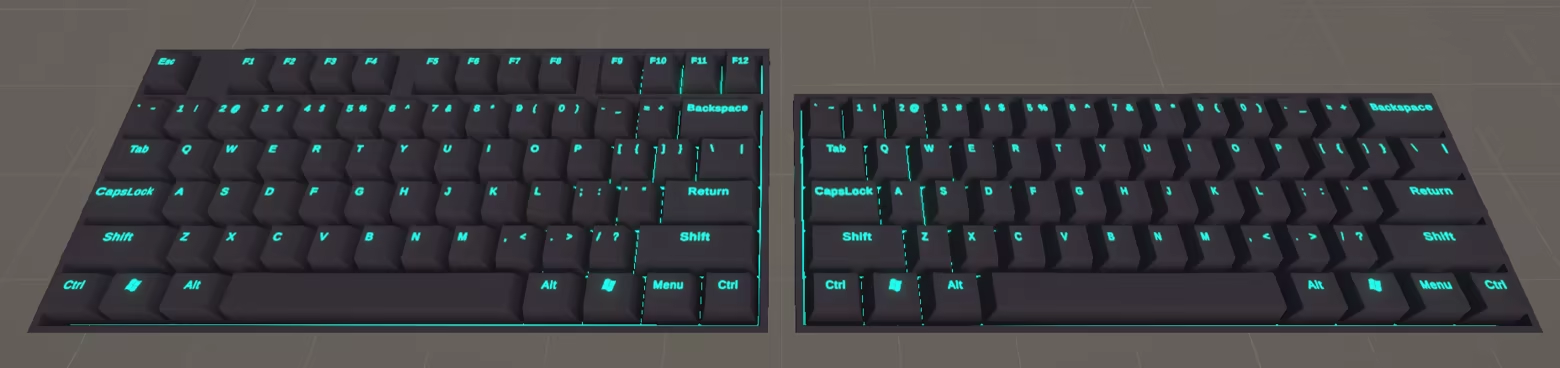 OVRdrop 2 gives you a physical virtual keyboard you can take along with you for quick input anywhere you go. Different customization options are available depending on which keyboard is used, giving you a range of options to put you in control.
Performance
Built from the ground up for speed, OVRdrop 2 takes those performance issues from OVRdrop 1 and throws them in the trash. Full disclose, developer computer is Ryzen 9 9900X, GeForce RTX 5070, 32 GB RAM, but we are able to capture two 2560×1440 + one 3440×1440 + five applications, all running at 150-200 FPS. Performance will vary by hardware, but needless to say OVRdrop 2 performs a lot better than OVRdrop 1.
Anti-Motion Sickness
OVRdrop 2 features experimental anti-motion sickness technology. Some users may find relief when objects are placed physically around them in VR which do not move with the scene in the game they are playing. Some users may find relief when moving quickly by dimming the screen or reducing the field of view. Please let us know if you find any relief!
Limitations
OVRdrop 2 aims to be highly configurable with nearly infinite possible configurations. Some user configuration may be required for all experiences. VR Tracked Controllers are required for most interactions. OVRdrop 2 requires Windows 10 or newer. Not all applications can currently be captured. Some applications may refuse capture due to DRM/DMCA restrictions. Some applications may refuse capture due to technical limitations. Please report any incompatibilities on our Discord and we'll get right on it! OVRdrop 2 runs on SteamVR and can only render to your headset when SteamVR is rendering. If you cannot see the SteamVR Dashboard menu in VR, you will not be able to see OVRdrop 2. The Dashboard does not need to remain open while using OVRdrop 2, but if you can't ever open the Dashboard, SteamVR is not rendering to the headset. Some games will prefer to use native rendering pipelines which prevent OVRdrop 2 from rendering, particularly when using certain HMDs.