
Game overview
流畅滚动
Redefine your scrolling experience! Scroll the mouse wheel to make the interface scroll continuously and smoothly. Take complete control of scrolling behavior through powerful custom configurations.
- Last tracked players
- 0
- Recorded peak
- 1
- 24-hour change
- Unavailable
Delayed observation · last tracked . Values marked unavailable are not estimated. Recorded peak is the highest player count observed by SteamIQHQ; earlier records may be outside our coverage.
Thinking of returning to 流畅滚动?
See recorded Steam news, player activity and price changes since your last visit.
See what changed in 流畅滚动About this game Read the full description
Redefine your scrolling experience! Provides three scrolling modes, choose according to your preference!
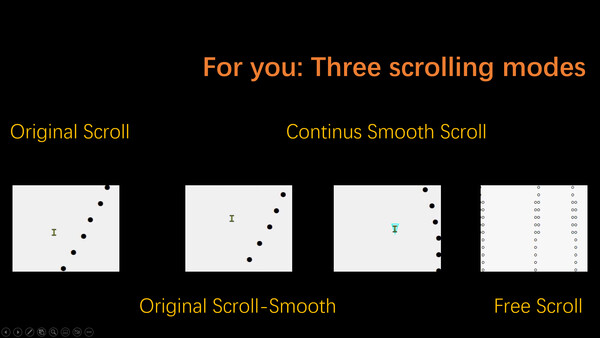
Three Scrolling Modes Overview
Original Scrolling (System Default)
Original Scrolling - Smooth Version
Continuous Smooth Scrolling
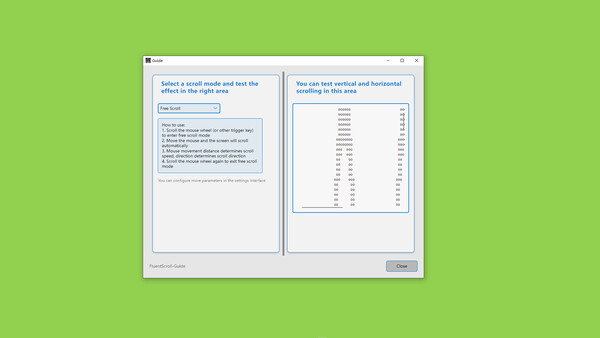
Free Scrolling
Detailed Introduction to Three Scrolling Modes
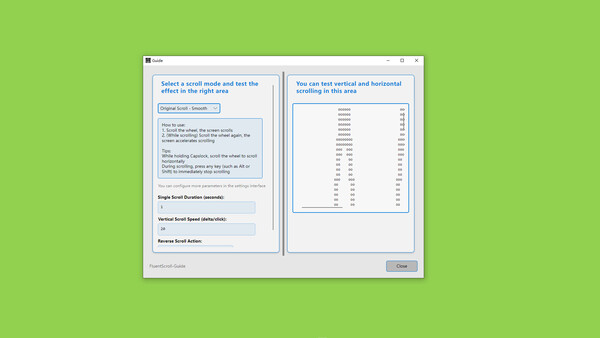
Original Scrolling - Smooth Version
Scroll the mouse wheel, the screen scrolls
While scrolling, scroll the mouse wheel again to accelerate
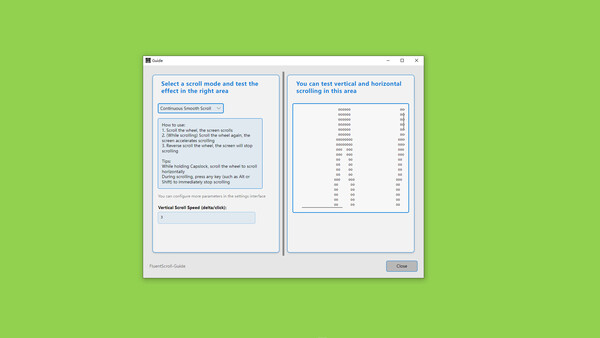
Continuous Smooth Scrolling
Scroll the mouse wheel, the screen continues to scroll
While scrolling, scroll the mouse wheel again to accelerate
Scroll the mouse wheel in reverse to stop
Free Scrolling
Scroll the mouse wheel to enter scrolling mode
Move the mouse to change speed and direction
Scroll the mouse wheel in reverse to exit scrolling mode
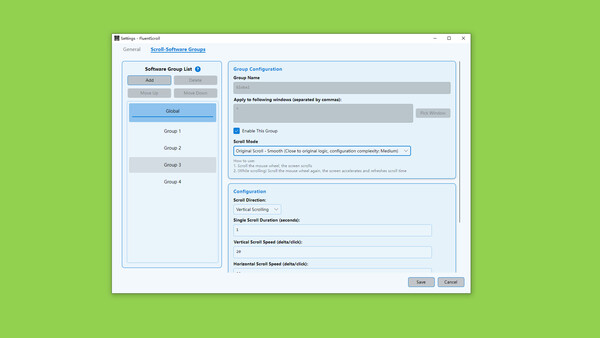
Custom Software Groups
Create groups to define scrolling methods and scrolling configurations for software, similar to the following groups:
Group 1:
Scrolling mode: Continuous smooth scrolling
Applied to: Software 1, Software 2
Configuration: Speed configuration, direction configuration, and various other settings
More Convenient Features
Global
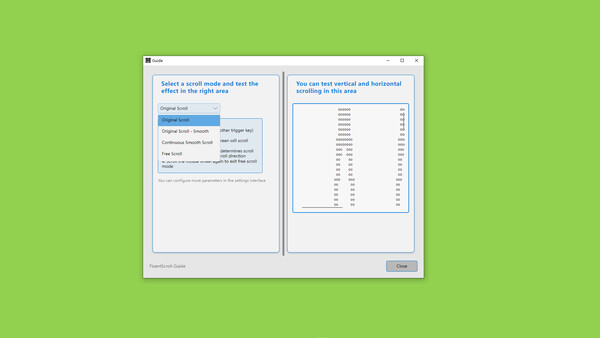
Guide window for quickly testing three scrolling modes
Global disable software shortcuts
Auto-start on boot
Original Scrolling - Smooth Version and Continuous Smooth Scrolling
Scrolling direction configuration
Duration configuration
Scrolling speed configuration
Acceleration speed configuration
Scrolling direction toggle shortcut
Reverse scrolling behavior configuration
Free Scrolling
Dead zone configuration
Multiple "scrolling speed presets" configuration
Mouse wheel quick switch "scrolling speed presets"
Scrolling speed curve configuration
Scrolling speed curve preview
Media gallery 6 screenshots · 0 videos

Screenshots
Player activity
Concurrent players over the last 48 hours.
System requirements Windows
Windows
Minimum
Minimum:- Requires a 64-bit processor and operating system
- OS: Windows 10,11
- Processor: 双核 1.5 GHz
- Memory: 90 MB RAM
- Storage: 45 MB available space
Recommended
Recommended:- Requires a 64-bit processor and operating system
Game details Languages, features & support
- Publisher
- ZGQ
- Brazilian rating
- l
- Steam Germany rating
- 0
- Languages
- French, German, Danish, Ukrainian, Russian, Bulgarian, Hungarian, Indonesian, Turkish, Greek, Norwegian, Czech, Japanese, Polish, Thai, Swedish, Simplified Chinese, Traditional Chinese, Romanian, Finnish, Dutch, Portuguese - Brazil, Portuguese - Portugal, Spanish - Latin America, Vietnamese, Arabic, Korean, English, Italian, Spanish - Spain
- Support
- [email protected]
More analysis Activity patterns, updates & developer tools
Developer Analytics
Loading competitors...